Kupu Whakataki
Thank you for choosing the DB Drive 8-inch Pro Audio Midrange Car Stereo Component Speaker System. This manual provides essential information for the proper installation, operation, and maintenance of your new audio system. Please read this manual thoroughly before attempting installation or use to ensure optimal performance and safety.
Ihirangi mokete
Manatokohia kei roto i to kete nga mea katoa kua whakarārangihia i raro nei:
- Two (2) DB Drive 300 Watts 8-inch Pro Audio Midrange Speakers
- Two (2) 1-inch (25mm) Aluminum Pro Audio Tweeters
- Two (2) 12dB per Octave Passive Crossover Networks
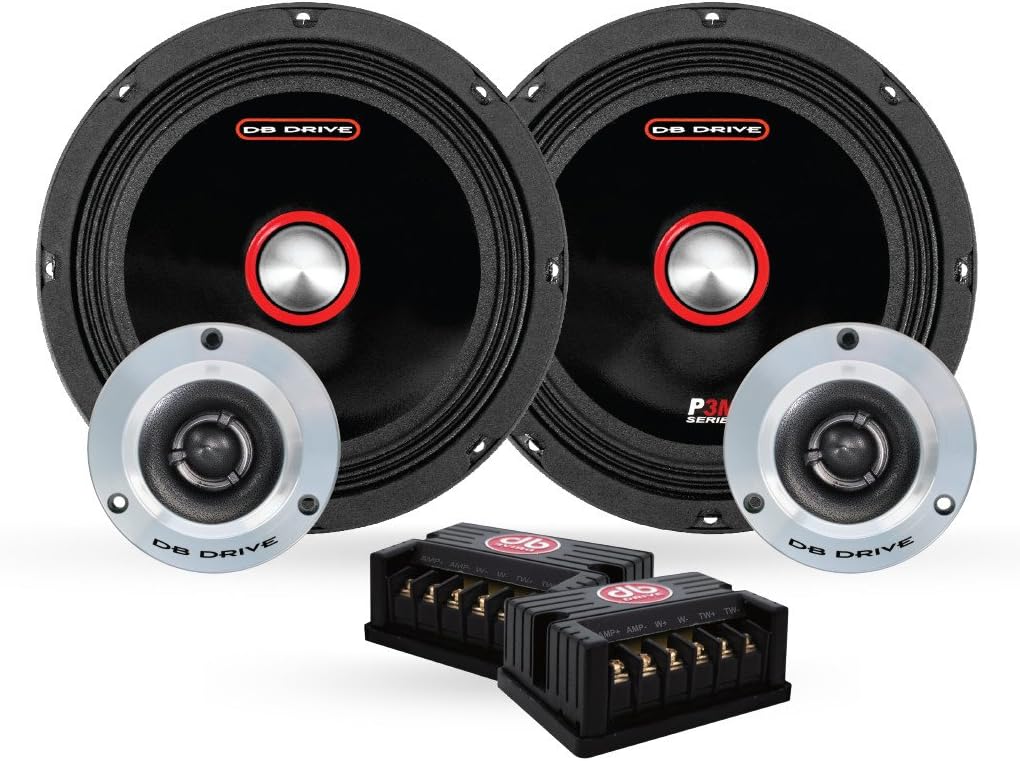
Image: All components of the DB Drive 8-inch Pro Audio Midrange Car Stereo Component Speaker System, including two midrange speakers, two tweeters, and two passive crossover networks.
Nga Korero Haumaru Nui
Kia mau ki nga whakaritenga haumaru e whai ake nei i te wa e whakauru ana me te mahi:
- Haumaru Hiko: Me momotu te pūrua kino o te pākahiko o te waka i mua i te tīmatanga o tētahi mahi hiko hei ārai i ngā ara iahiko poto me te ru hiko.
- Tāuta Ngaio: Mena kāore koe i te tino mōhio ki tētahi āhuatanga o te tāutanga, whakapā atu ki tētahi kaiwhakauru ororongo waka ngaio.
- Parenga Rongo: Prolonged exposure to high volume levels can cause permanent hearing damage. Operate your audio system at moderate levels.
- Whakahau: Ensure adequate ventilation around all components, especially amplifiers, to prevent overheating.
- Whakaeke Haumaru: Securely mount all speakers and components to prevent them from becoming projectiles in the event of a sudden stop or collision.
Aratohu Tāuta
He mea nui te whakaurunga tika mo te mahi tino pai. A pee i enei taahiraa.
I mua i to tiimata
- Gather necessary tools: wire strippers, crimpers, screwdrivers, drill, mounting hardware.
- Plan your speaker placement to ensure proper sound staging and clearance.
- Momotuhia te pākahiko o te waka.
Te Whakamau i ngā Kaikōrero Waenga-ā-rangi
The 8-inch midrange speakers require a suitable mounting location, typically in door panels or custom enclosures. Ensure the mounting surface is rigid and free from obstructions.
- Carefully mark the cutout diameter for the speaker.
- Cut the opening using appropriate tools, ensuring a clean edge.
- Position the speaker in the opening and mark the screw holes.
- Porohia nga kohao pairati mo nga wiri whakapuru.
- Secure the speaker using the provided mounting screws, ensuring it is flush and tight. Do not overtighten.

Whakaahua: taha profile of a DB Drive 8-inch midrange speaker, illustrating its shallow mount design and cloth edge surround.
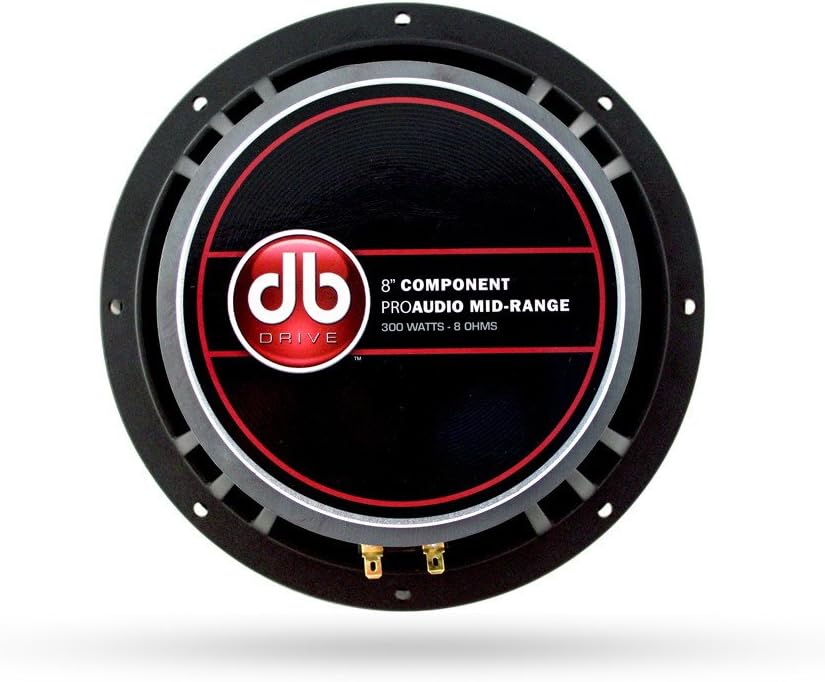
Whakaahua: Rear view of a DB Drive 8-inch midrange speaker, showing the mounting frame and speaker terminals for wiring connections.
Te Whakanoho i ngā Tweeters
The 1-inch tweeters can be flush-mounted or surface-mounted depending on your vehicle's interior and desired sound dispersion. Refer to the tweeter's specific mounting hardware for detailed instructions.
Wiring the Crossover Network
The passive crossover network separates the audio signal into appropriate frequency ranges for the midrange speaker and tweeter. Each crossover has clearly labeled input and output terminals.
- AMP Tāuru: Connect the speaker output wires from your amplifier to the 'AMP' input terminals on the crossover. Observe correct polarity (+ to + and - to -).
- WOOFER Output: Connect the wires from the 'WOOFER' output terminals on the crossover to the 8-inch midrange speaker.
- TWEETER Output: Connect the wires from the 'TWEETER' output terminals on the crossover to the 1-inch tweeter.
Me whakarite kia mau nga hononga katoa, kia tika hoki te kiriweti kia kore ai te ara iahiko poto.
Te hono ki te Ampkaikawe
Connect the 'AMP' input of the crossover network to the corresponding speaker output channels of your car ampkaikawe Me whakarite te amplifier is capable of handling the speaker system's power requirements (300 Watts peak power). Refer to your amplifier's manual for specific wiring diagrams and settings.
Te whakahaere i to punaha korero
Once installed, reconnect your vehicle's battery. Power on your car stereo and amplifier. Start with the volume at its lowest setting and gradually increase it to a comfortable listening level. Adjust your amplifier's gain and crossover settings according to its manual and your personal preference for optimal sound quality.
Tiaki me te Tiaki
To ensure the longevity and performance of your DB Drive speaker system, follow these maintenance guidelines:
- Te horoi: Whakamahia he kakahu ngohengohe, maroke hei muru i nga karaehe korero me nga mea a tawhio noa. A ape i te whakamahi i nga matū kino, i nga horoi horoi ranei.
- Aukati i te makuku: Keep the speakers dry. While designed for car environments, excessive moisture can damage components.
- Te Pawera Nui: Avoid exposing the speakers to extreme temperatures for prolonged periods, as this can affect material integrity.
- Hononga Haumaru: Periodically check all wiring connections to ensure they remain tight and free from corrosion.
Raparongoā Nga take noa
If you experience problems with your speaker system, consult the following table before seeking professional assistance.
| Raruraru | Take pea | Rongoā |
|---|---|---|
| Karekau he Oro mai i nga Kai-korero |
|
|
| Oro Kopikopiko |
|
|
| Te Oro Tauwaenga |
|
|
Whakatakotoranga Hangarau
Detailed specifications for the DB Drive 8-inch Pro Audio Midrange Car Stereo Component Speaker System:
| Āhuahira | Whakatakotoranga |
|---|---|
| Waitohu | DB KAUPAPA |
| Momo Kaikorero | Surround Sound Component System |
| Rahi Kaioro | 8 Inches (Midrange) |
| Diamita Tweeter | 1 Inihi (25mm) |
| Kaikorero Te Mana Putanga Morahi | 300 Watts |
| Kohuru Reo | 1.5-inch (38mm) High Temperature |
| Rauemi Karapoti | Tapa Kakahu |
| Rauemi Kete | Die Maka Aluminium |
| Whatunga Whakawhiti | 12dB per Octave Passive |
| Momo Whakaeke | Shallow Mount Application |
| Te maha o nga mea | 2 (Set of 2 Speakers) |
| Whakamahinga Manakohia mo te Hua | Waka Ororongo |
Nga korero Whakaputanga
This DB Drive speaker system comes with a Kotahi Tau Rarangi from the date of purchase. This warranty covers manufacturing defects in materials and workmanship under normal use. It does not cover damage caused by improper installation, accident, misuse, abuse, negligence, or unauthorized modification. Please retain your proof of purchase for warranty claims.
Tautoko Kiritaki
For technical assistance, warranty service, or general inquiries, please contact DB Drive customer support through their official website or the retailer where the product was purchased. Have your product model number and proof of purchase ready when contacting support.


