1. Kupu Whakataki
This manual provides detailed instructions for the installation, operation, and maintenance of the Urmet Atlantico 1132/53 Adjustable Call Volume Kit. Please read this manual thoroughly before attempting to install or operate the device to ensure safe and correct usage. Keep this manual for future reference.
2. Nga korero haumaru
- Momotuhia i nga wa katoa te hiko i mua i te mahi i tetahi whakaurunga, tiaki ranei.
- Me tāuta e ngā kaimahi whai tohu, kia rite ki ngā ture me ngā whakaritenga hiko ā-rohe.
- Kaua e tukuna te taputapu ki te makuku, te wera nui, te ra tika ranei.
- Use only original Urmet replacement parts and accessories.
- Avoid placing the unit near sources of strong electromagnetic interference.
3. Ihirangi mokete
Manatokohia kei te noho nga waahanga katoa me te kore e pakaru i te whakatuwheratanga o te kete:
- Urmet Atlantico 1132/53 Intercom Unit
- Maunga Paetahi
- Nga Tiu Whakapiri me nga Mono Taiepa
- Connection Cables (if included in kit)
- Pukapuka Kaiwhakamahi (tenei tuhinga)
Mena kei te ngaro, kua pakaru ranei etahi taonga, tena koa whakapiri atu ki to kaiwhakarato.
4. Hua Neke Atuview
The Urmet Atlantico 1132/53 is an adjustable call volume kit designed for intercom systems. It allows users to customize the loudness of the incoming call signal.
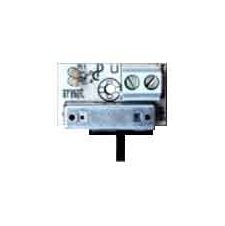
Whakaahua 1: Mua view of the Urmet Atlantico 1132/53 Intercom Unit. This image displays the main body of the intercom unit, typically showing the speaker, microphone, and call button area.
Kei roto i nga waahanga matua:
- Patene Waea: Initiates communication with the outdoor unit.
- Kaikōrero: For listening to the outdoor unit and incoming calls.
- hopuoro: For speaking to the outdoor unit.
- Mana Rōrahi: A rotary knob or switch to adjust the call volume.
5. Tāuta me te Tatūnga
Follow these general steps for installation. Refer to the specific wiring diagram provided with your complete intercom system for detailed connections.
- Whakapaia te Rohe Tāuta: Choose a suitable indoor location, typically near the entrance, ensuring it is free from moisture and extreme temperatures.
- Maunga te Taiapa: Whakamaua te whāriki whakairi ki te pakitara mā te whakamahi i ngā tīwiri me ngā mono pakitara kua whakaratohia. Me whakarite kia ōrite, kia mau hoki te mau.
- Hononga Waea: Connect the intercom unit to the main intercom system wiring. Pay close attention to the polarity and terminal designations (e.g., power, audio in, audio out, call signal). Ensure all connections are secure.
- Tāpirihia te Wāhanga: Carefully attach the Urmet Atlantico 1132/53 unit to the mounted bracket. Ensure it clicks into place or is securely fastened.
- Hiko me te Whakamatau: Restore power to the intercom system. Test the call function and audio clarity.
6. Mahi
The Urmet Atlantico 1132/53 is designed for straightforward operation:
- Whiwhi Waea: When someone presses the call button on the outdoor unit, your Atlantico 1132/53 unit will emit a call tone.
- Whakautu i te Karanga: Press the designated call answer button (if present on your specific model or system) to establish communication.
- Whakaritea Rarahi Waea: Locate the volume control knob or switch on the unit. Rotate the knob clockwise to increase the call volume and counter-clockwise to decrease it. Adjust to a comfortable listening level.
- Korero: Speak clearly into the microphone area of the unit.
- Whakamutua te Waea: Replace the handset (if applicable) or press the call end button.
7. Tiaki
To ensure optimal performance and longevity of your Urmet Atlantico 1132/53 unit, follow these maintenance guidelines:
- Te horoi: Use a soft, dry cloth to clean the exterior of the unit. Do not use abrasive cleaners, solvents, or harsh chemicals, as these can damage the surface.
- Tirotiro: Tirohia te waeine i ia wā, i ia wā, mō tētahi pakaru e kitea ana, mō tētahi hononga ngoikore rānei.
- Taiao: Ensure the unit remains in a dry, well-ventilated area, away from direct heat sources or excessive dust.
8. Te Raru
If you encounter issues with your Urmet Atlantico 1132/53, refer to the following common problems and solutions:
- No Call Tone:
- Check if the system has power.
- Me whakarite kia mau, kia tika hoki nga hononga waea katoa.
- Verify the call volume is not set to minimum.
- Low or Distorted Audio:
- Adjust the call volume control.
- Tirohia mēnā he koretake, he waikura rānei ngā hononga waea.
- Kia tino mohio kei te āraia te hopuoro me te kaikorero.
- Kāore te Wāhanga e Urupare Ana:
- Cycle the power to the entire intercom system (turn off, wait 30 seconds, turn on).
- Inspect for any visible damage to the unit or wiring.
If the problem persists after attempting these solutions, contact a qualified technician or Urmet customer support.
9. Whakatakotoranga
| Waitohu | Urmet |
| Tau tauira | 1132/53 |
| ASIN | B017XZKAWW |
| Te Ra Wātea Tuatahi | Oketopa 1, 2015 |
10. Pūtāhui me te Tautoko
For information regarding warranty coverage, technical support, or service, please refer to the warranty card included with your product or visit the official Urmet webpae. Puritia to tohu hoko mo nga kereme whakamana.
Urmet Official Webpae: www.urmet.com


