1. Kupu Whakataki
This manual provides detailed instructions for the installation, operation, maintenance, and troubleshooting of your Lexicon LP-1618-K Quartz Kitchen Sink. Please read this manual thoroughly before beginning installation or use to ensure proper function and longevity of your product. Keep this manual for future reference.

Whakaahua 1.1: Runga view of the Lexicon LP-1618-K Galaxy Black Quartz Kitchen Sink. This image shows the single bowl design with the drain opening centered.
2. Nga korero haumaru
Kia mau ki ngā mahi whakatūpato haumaru e whai ake nei i te wā e tāuta ana, e whakamahi ana hoki:
- Me mau tonu i nga taputapu whakamarumaru whaiaro (PPE) e tika ana penei i nga karaehe haumaru me nga karapu i te wa e whakauruhia ana.
- Ensure the installation area is well-lit and free of obstructions.
- Turn off water supply before beginning any plumbing work.
- Handle the sink with care to prevent chipping or damage.
- Mena karekau koe i te tino mohio mo nga mahi whakaurunga, korero ki tetahi tohunga ngaio.
3. Ihirangi mokete
Manatokohia kei te noho nga waahanga katoa me te kore e pakaru i mua i te haere ki te whakauru.
- Lexicon LP-1618-K Quartz Kitchen Sink
- Color-Matched Strainer Basket
- 304 Stainless Steel Sink Grid
- Mounting Clips (for drop-in installation)
- Tātauira Tapahanga

Image 3.1: The Lexicon LP-1618-K sink shown with its included stainless steel grid and color-matched strainer.
4. Whakatakotoranga
| Āhuahira | Taipitopito |
|---|---|
| Tau tauira | LP-1618-K |
| Rauemi | 80% Quartz, Granite Composite |
| Tae | Tupuni Pango |
| Ahu Taapiri (L x W x H) | 16.5" x 18" x 8.75" |
| Te Hohonu o te peihana | 8 inihi |
| Rahi Rūnanga iti rawa | 19.5 inihi |
| Tataenga Takutai | 3.5 inches (Standard) |
| Momo Tāuta | Drop-in or Undermount |
| Taumaha Tūemi | 31.3 lbs |

Image 4.1: Detailed dimensions of the Lexicon LP-1618-K Quartz Kitchen Sink, including length, width, and depth.
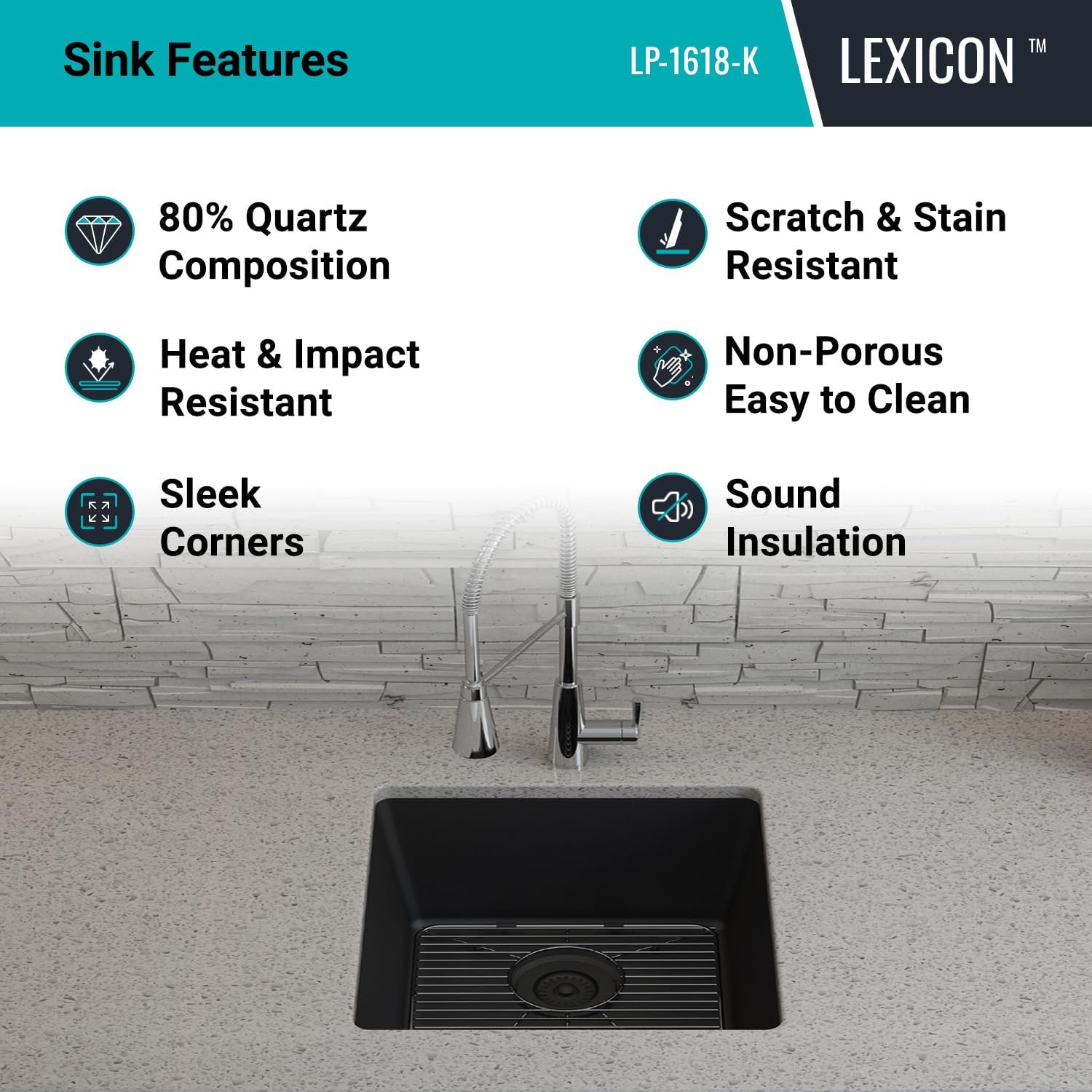
Image 4.2: Technical drawing showing overall and bowl dimensions, and drain diameter.
5. Tāutanga
The Lexicon LP-1618-K sink can be installed as either a drop-in (top mount) or undermount sink. Follow the instructions carefully for your chosen installation method.
5.1. Pre-Installation Steps (Common to both methods)
- Inspect Sink: Carefully inspect the sink for any damage before installation. Do not install a damaged sink.
- Kohikohi Utauta: Ensure you have all necessary tools, including a jigsaw, drill, silicone sealant, measuring tape, and safety equipment.
- Whakaritehia te Papamahi: Clean the countertop surface where the sink will be installed.
- Whakamahia te Tauira: Use the provided cutout template to mark the opening on your countertop. Double-check measurements before cutting.
5.2. Undermount Installation
- Cut Countertop Opening: Cut the countertop opening according to the template for undermount installation. The opening should be slightly smaller than the sink rim to allow for proper support.
- Prepare Sink Rim: Apply a continuous bead of silicone sealant around the top edge of the sink rim.
- Totohu Tūnga: Carefully lift the sink and position it underneath the countertop opening. Ensure it is centered and aligned.
- Totohu Haumaru: Use appropriate undermount clips (not included, typically supplied with countertop installation) to secure the sink to the underside of the countertop. Tighten evenly.
- Mukua te Hiritanga Taikaha: Remove any excess silicone sealant immediately.

Image 5.1: The Lexicon LP-1618-K sink shown installed as an undermount unit, integrated seamlessly into a kitchen countertop.
5.3. Drop-in (Top Mount) Installation
- Cut Countertop Opening: Cut the countertop opening according to the template for drop-in installation. The opening should allow the sink to rest on its rim.
- Prepare Sink Rim: Apply a continuous bead of silicone sealant around the underside of the sink rim.
- Totohu Tūnga: Carefully lower the sink into the countertop opening. Ensure it is centered and aligned.
- Totohu Haumaru: Attach the provided mounting clips to the underside of the sink rim and tighten them against the countertop. Work your way around the sink, tightening clips evenly.
- Mukua te Hiritanga Taikaha: Remove any excess silicone sealant immediately.
5.4. Drain and Faucet Installation
- Install Strainer: Install the included color-matched strainer basket into the sink drain opening according to its specific instructions. Use plumber's putty or silicone sealant as required to ensure a watertight seal.
- Tāuta Kōrere: Install your chosen faucet (not included) into the pre-drilled faucet hole(s) on your countertop or directly onto the sink if applicable. Follow the faucet manufacturer's instructions.
- Tūhono Paipa: Connect the water supply lines to the faucet and the drain assembly to the household plumbing. Ensure all connections are tight and leak-free.
- Whakamātautau mō ngā turuturu: Whakakāhia te pūnaha wai, tirohia hoki ngā hononga katoa mō ngā turuturu.
6. Mahi
The Lexicon LP-1618-K Quartz Kitchen Sink is designed for daily kitchen tasks. Its single bowl configuration and 8-inch depth accommodate large pots and pans, facilitating washing and rinsing.
- Whakamahi ia rā: Use the sink for washing dishes, preparing food, and other general kitchen activities.
- Strainer Function: The included strainer basket helps to trap food debris, preventing clogs in your plumbing. Empty the strainer regularly.
- Matapihi Totohu: The stainless steel sink grid protects the bottom of the sink from scratches and allows water to drain freely underneath dishes.
7. Tiaki me te Tiaki
Proper care will ensure the longevity and appearance of your Lexicon Quartz Kitchen Sink.
- Whakapai auau: Clean your quartz sink regularly using a non-abrasive sponge or cloth and mild dishwashing soap.
- Te horoi me te whakamaroke: After cleaning, rinse the sink thoroughly with water and dry completely with a clean, soft cloth to prevent water spots and mineral buildup.
- Aukati i nga matū kino: Do not use abrasive cleaners, steel wool, strong acids, or alkaline solutions, as these can damage the sink's surface.
- Tango Waiwai: For stubborn stains, a diluted solution of vinegar and water or a specialized quartz sink cleaner can be used. Always test on an inconspicuous area first.
- Ātete wera: While quartz is heat-resistant, it is recommended to use a trivet or the sink grid for extremely hot pots and pans to prevent thermal shock or discoloration over time.

Image 7.1: Key features of the Lexicon Quartz Sink, highlighting its durability and ease of maintenance.
8. Te Raru
This section addresses common issues you might encounter with your Lexicon Quartz Kitchen Sink.
| Raruraru | Take pea | Rongoā |
|---|---|---|
| Water spots/Mineral buildup | Hard water, not drying the sink after use. | Wipe the sink dry after each use. Use a diluted vinegar solution to remove existing buildup. |
| Stains on sink surface | Food residue, coffee, tea, or other colored liquids left for extended periods. | Clean immediately with mild soap and water. For stubborn stains, use a specialized quartz cleaner or a baking soda paste. |
| Te mimiti puhoi | Strainer basket clogged, drain pipe obstruction. | Empty and clean the strainer basket. If the problem persists, check the drain pipe for blockages. |
| Leaking around sink rim or drain | Improperly sealed connections during installation. | Check and re-seal connections with silicone sealant or plumber's putty. Ensure mounting clips are tightened evenly. |
9. Pūtāhui me te Tautoko
The Lexicon LP-1618-K Quartz Kitchen Sink comes with a He Rarangi Momo Ora. This warranty covers manufacturing defects under normal use and service. For specific terms and conditions, please refer to the warranty documentation included with your purchase or contact Lexicon customer support.
For technical assistance, replacement parts, or warranty claims, please contact Lexicon customer support through the following channels:
- Webpae: Visit the official Lexicon webpae mo nga rauemi tautoko.
- Īmēra: Refer to your purchase documentation for customer service email.
- Waea: Tirohia te tuhinga hoko mō te nama waea ratonga kiritaki.
When contacting support, please have your model number (LP-1618-K) and proof of purchase readily available.


