1. Kupu Whakataki
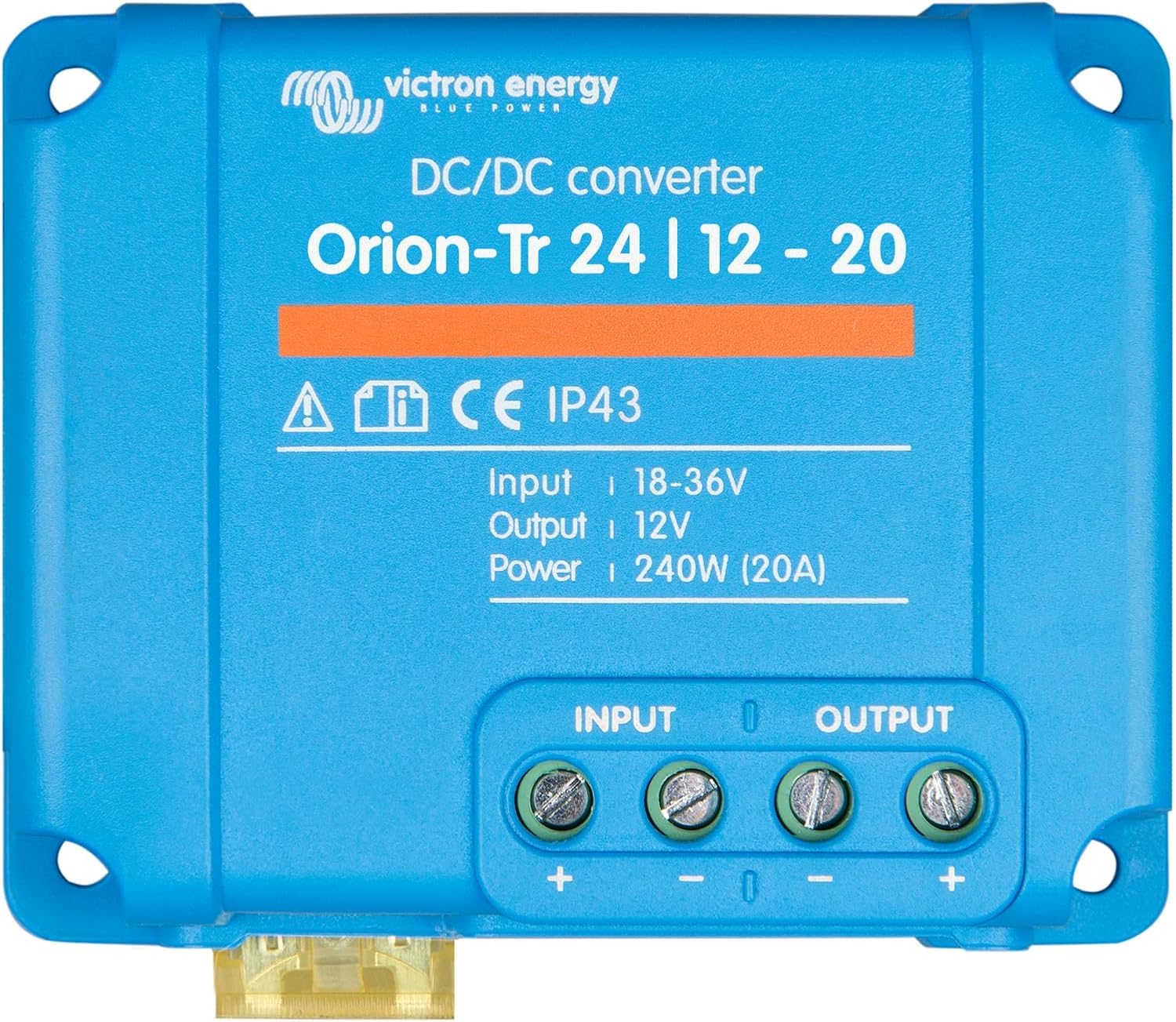
The Victron Energy Orion-Tr DC to DC Converter is designed for reliable voltage conversion in various applications, particularly dual battery systems. This non-isolated model efficiently converts power from a 24-Volt input to a stable 12-Volt output, delivering up to 20 Amps and 240 Watts. It ensures consistent power delivery to protect sensitive electronic devices and optimize battery charging.
Key features include high efficiency, IP43 protection (when installed correctly), and easy installation with screw terminals. The converter is suitable for a wide range of uses, providing flexible power solutions for your energy needs.
2. Nga korero haumaru
Always prioritize safety during installation and operation. Read all instructions before use. Ensure proper ventilation around the converter to prevent overheating. Disconnect all power sources before making or breaking electrical connections.
The Orion-Tr DC to DC Converter provides IP43 protection against splashes when installed correctly with the screw terminals oriented downwards. This makes it suitable for environments with occasional moisture exposure. However, it is not fully waterproof and should not be submerged.

3. Tatūnga me te Tāuta
The Victron Energy Orion-Tr DC to DC Converter is designed for straightforward installation. Follow these steps for optimal performance and safety:
- Tīpakohia he Tauwāhi: Choose a cool, dry, and well-ventilated area for mounting the converter. Ensure the screw terminals are oriented downwards for optimal IP43 protection.
- Connect Negative Supply Cable: Connect the 'minus' supply cable from your input battery to one of the negative terminals of the Orion-Tr converter. The two negative terminals are interconnected. A poor negative connection can lead to output overvoltage.
- Connect Remaining Cabling: Connect the positive input cable from your input battery to the positive input terminal. Connect the positive output cable to your 12-Volt battery or load, and the negative output cable to the negative terminal of your 12-Volt battery or load.
- Kua Reri mo te Whakamahi: Once all cabling is securely connected, the Orion-Tr converter is ready for operation.


Ataata Tāuta
Ko tenei ataata e whakarato ana i te mutungaview of the Victron Energy Orion-Tr Smart DC to DC Charger, including its installation and features. While it showcases a 'Smart' model, the general wiring and setup principles are applicable to the Orion-Tr series.
4. Nga Tohutohu Whakahaere
The Orion-Tr DC to DC Converter can operate as both a power supply and a battery charger, offering versatile functionality for your system.
Aratau Pūngao
In power supply mode, the Orion-Tr provides a stable output voltage independent of the applied load. It features an input voltage lock-out function that deactivates the output if the input voltage falls below a predefined limit, preventing the draining of the source battery bank.
Aratau Kaitohu
As a battery charger, the Orion-Tr provides an accurate three-step controlled charge for your main battery bank. It is compatible with both regular and smart alternators and can charge lead-based or lithium batteries using eight preset charge algorithms or user-defined settings. An engine run/stopped detection feature automatically turns the power supply on and off, preventing accidental battery drainage.
Bluetooth Connectivity and VictronConnect App
The Orion-Tr Smart models are Bluetooth enabled, allowing you to set up and control the device directly from your smartphone or tablet using the VictronConnect App. This app provides live data, allows switching between power supply and charger modes, and enables modification of low voltage limits and alternator detection settings.

Remote On/Off Capability
The Orion-Tr Smart is equipped with a remote on/off capability, allowing the unit to be turned on and off manually or automatically by a battery management system (BMS) for lithium batteries.
Mahi Whakawhita
Multiple Orion-Tr Smart units can be installed in parallel to achieve a higher charging output, providing scalability for larger power requirements.
Monitoring and Management Videos
This video demonstrates the VictronConnect App, highlighting its features for monitoring performance and configuring settings for Victron products.
This video introduces the Victron Remote Management (VRM) portal, a powerful tool for monitoring and managing your Victron energy systems remotely.
5. Tiaki
To ensure the longevity and optimal performance of your Victron Energy Orion-Tr DC to DC Converter, regular maintenance is recommended:
- Te horoi: Periodically clean the exterior of the converter with a dry, soft cloth. Ensure no dust or debris accumulates on the heat sink fins, as this can impede cooling.
- Taki Hononga: Regularly inspect all electrical connections to ensure they are tight and free from corrosion. Loose connections can lead to poor performance or safety hazards.
- Nga Tikanga Taiao: Ensure the operating environment remains within the specified temperature range (-20 to +55°C) and humidity levels (Max. 95% non-condensing). Avoid exposing the unit to excessive moisture or direct water spray, despite its IP43 rating.

6. Te Raru
If you encounter issues with your Orion-Tr DC to DC Converter, consider the following common problems and solutions:
- Kāore he Mana Putanga: Check all input and output connections for tightness. Verify that the input voltage is within the specified range (18-36V for 24V input models). Ensure the unit is not in input voltage lock-out mode (if configured).
- Parenga taumaha: The unit is protected against overload. If the load exceeds the converter's capacity, it may shut down. Reduce the load and restart the unit.
- Parenga i runga i te pāmahana: If the converter becomes too hot, it will reduce its output or shut down to prevent damage. Ensure adequate ventilation and that the ambient temperature is within the operating limits.
- Parenga Iahiko Poto: The converter is protected against short circuits on the output. Resolve any short circuits and restart the unit.
- Nga Take Hononga Nihokikorangi: Ensure your mobile device's Bluetooth is enabled and within range. Restart the VictronConnect App or the converter if necessary.
For more detailed diagnostics and advanced settings, refer to the VictronConnect App or consult the comprehensive manual available on the Victron Energy webpae.
7. Whakatakotoranga
| Āhuahira | Whakatakotoranga |
|---|---|
| Waitohu | Victron Energy |
| Tau tauira | ORI241220200 |
| Whakauru Voltage Awhe | 18-36V |
| Putanga Voltage | 12V |
| Whakatauranga o naianei | 20 Amps |
| Putanga Mana | 240 Watts |
| Whakatauranga Tiaki | IP43 |
| Hunga Hua | 1.8 x 3.7 x 2.9 inihi |
| Taumaha Tūemi | 8.8 hekere (250 Karamu) |
| Puna Mana | Hiko Hiko |
| Momo Whakaeke | Maunga Taiepa |
8. Pūtāhui me te Tautoko
Victron Energy products are known for their quality and reliability. For specific warranty details, please refer to the documentation included with your product or visit the official Victron Energy webpae.
Extended protection plans are available for purchase, including 3-Year, 4-Year, and Complete Protect options, offering additional peace of mind.
For technical support, product information, or to explore other Victron Energy solutions, please visit the Victron Energy Store on Amazon to ratou rangatira ranei webpae.


