1. Kupu Whakataki
This manual provides detailed instructions for the installation, operation, maintenance, and troubleshooting of the Hikvision DS-9632NI-I8 32-Channel 4K Network Video Recorder (NVR). Please read this manual thoroughly before using the product to ensure proper and safe operation. Keep this manual for future reference.
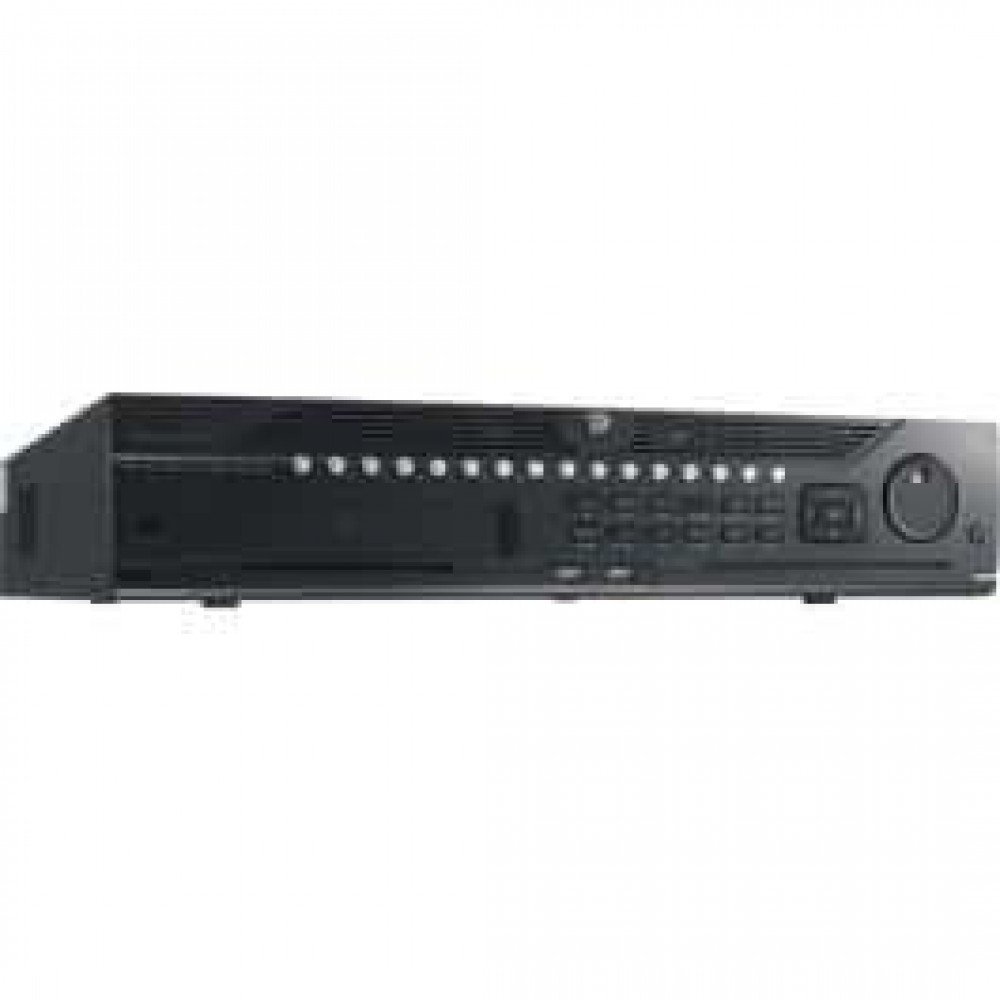
Whakaahua 1: Mua view of the Hikvision DS-9632NI-I8 NVR, showing its robust chassis and various interface ports.
2. Nga korero haumaru
Always follow basic safety precautions to reduce the risk of fire, electric shock, and injury to persons. This includes, but is not limited to:
- Whakamahia anake te urutau hiko kua tohua e te kaihanga.
- Me whakarite kia tika te hau kia kore e wera rawa.
- Do not expose the NVR to water or moisture.
- Avoid placing the NVR near heat sources or in direct sunlight.
- Tukuna nga ratonga katoa ki nga kaimahi ratonga whai tohu.
3. Ihirangi mokete
Verify that all items are present and in good condition. If any item is missing or damaged, contact your dealer immediately.
- Hikvision DS-9632NI-I8 NVR Unit
- Pūurutau/Taura Hiko
- Kiore USB
- Ngā tīwiri mō te Tāutanga HDD
- Aratohu Timata Tere
- CD-ROM (kei roto ngā pūmanawa me te pukapuka ā-ringa katoa)
4. Tatūnga
4.1 Tāuta Pūmārō
- Prepare Hard Disk Drives (HDDs): The DS-9632NI-I8 supports up to 8 SATA HDDs. Install HDDs into the NVR chassis using the provided screws. Ensure each HDD is securely mounted.
- Tūhono Pikitia:
- Honoa he mata ki te tauranga putanga HDMI, VGA rānei.
- Connect the included USB mouse to a USB port.
- Honoa te NVR ki to whatunga ma te whakamahi i te taura Ethernet.
- Whakahiko: Connect the power adapter to the NVR and then to a power outlet. Press the power button on the front panel.
4.2 Whirihoranga Tuatahi
Upon first boot, the NVR will guide you through an initial setup wizard.
- Set Administrator Password: Create a strong password for the 'admin' user.
- Tautuhinga Whatunga: Configure network parameters (DHCP or Static IP). Ensure the NVR is accessible on your local network.
- Rā me te Wā: Tautuhia te rā, te wā, me te rohe wā tika.
- Whakatīmatatanga o te HDD: The NVR will prompt you to initialize the installed HDDs. This process will format the drives for recording.
- Add IP Cameras: Use the wizard to search for and add compatible Hikvision IP cameras to the NVR.
5. Nga Tohutohu Whakahaere
5.1 Ora View
Whai muri i te takiuru, ka whakaatuhia te NVR i te whakaaturanga ora view interface, showing feeds from connected cameras. You can switch between different camera views and layouts.
- Kāmera Kotahi View: Double-click a camera window to view i te mata katoa.
- Layout Selection: Use the layout icons at the bottom of the screen to choose different grid arrangements (e.g., 4-channel, 9-channel).
5.2 Whakahaere Rekoata
The NVR supports continuous, scheduled, and event-triggered recording.
- Configure Recording Schedule: Whakatere ki Configuration > Storage > Schedule Settings to define recording times for each camera.
- Te tuhi ā-ringa: Click the record icon on the live view interface to start/stop manual recording.
5.3 Whakahoki
Ki te review tuhia footage:
- Haere ki te Whakahoki tahua.
- Tīpakohia te kāmera (ngā kāmera) e hiahiatia ana me te awhe rā/wā.
- Whakamahia te rārangi wā hei whakatere i roto i ngā rekoata.
- Playback controls (play, pause, fast forward, rewind) are available.
5.4 Uru Mamao
Ka taea te uru atu ki te NVR mai i tawhiti mā te web browser or Hik-Connect mobile app.
- Web Pūtirotiro: Enter the NVR's IP address into a web pūtirotiro.
- Hik-Connect: Download the Hik-Connect app, register an account, and add your NVR by scanning its QR code or entering its serial number.
6. Tiaki
6.1 Whakahoutanga Firmware
Regularly check for and install firmware updates to ensure optimal performance and security. Firmware can be downloaded from the official Hikvision webpae.
- Whakatere ki Configuration > System > Maintenance > Upgrade.
- Follow the on-screen instructions to perform the upgrade. Do not power off the NVR during the update process.
6.2 Whakahaere Puku Maama
Monitor the health of your HDDs and manage storage space.
- HDD Status: Check HDD status in Configuration > Storage > HDD Management.
- Aratau Tuhirua: Configure the NVR to overwrite old recordings when storage is full (default behavior).
6.3 Te horoi
Keep the NVR clean to prevent dust buildup, which can affect performance and lifespan.
- Power off and unplug the NVR before cleaning.
- Whakamahia he kakahu ngohengohe, maroke hei muru i te taha o waho.
- Whakamahia te hau kōpeke hei tango i te puehu mai i ngā pūaha hauhautanga.
7. Te Raru
| Raruraru | Take pea | Rongoā |
|---|---|---|
| Kaore he putanga ataata i runga i te aroturuki. | He koretake te hononga taura, he hē te pūtake tāuru o te mata, kāore te NVR i te whakakā. | Check HDMI/VGA cable connections. Ensure monitor is set to correct input. Verify NVR power. |
| Kāore e taea te uru atu ki te NVR mai i tawhiti. | Network configuration issues, firewall blocking, incorrect port forwarding. | Verify NVR network settings. Check router firewall and port forwarding rules. Ensure Hik-Connect is properly configured. |
| Cameras not recording. | HDD not initialized, recording schedule not set, HDD full. | Initialize HDDs. Configure recording schedule. Check HDD status and capacity. |
| Kua wareware te kupuhipa kaiwhakahaere. | Kua ngaro te kupuhipa. | Refer to the full manual or Hikvision support for password reset procedures. This often involves a security code or a physical reset button. |
8. Whakatakotoranga
| Āhuahira | Taipitopito |
|---|---|
| Tauira | DS-9632NI-I8 |
| Whakauru Ataata | 32-Channel IP Video Input |
| Putanga Ataata | HDMI (up to 4K), VGA |
| Hōpututanga Whakakore | H.265 + / H.265 / H.264 + / H.264 |
| Ororongo Whakauru/Putanga | 1-ch, RCA (2.0 Vp-p, 1 kΩ) / 2-ch, RCA (Linear, 1 kΩ) |
| SATA | 8 SATA interfaces for 8 HDDs |
| Te kaha | Up to 10 TB for each HDD (example, actual capacity may vary) |
| Atanga Matapihi | 2 RJ-45 10M/100M/1000M self-adaptive Ethernet interfaces |
| Atanga USB | Front panel: 2 × USB 2.0; Rear panel: 1 × USB 3.0 |
| Ahu (W × D × H) | 23 x 22 x 8 inihi (tata) |
| Tuku Hiko | 100 ki te 240 VAC, 50 ki te 60 Hz |
9. Pūtāhui me te Tautoko
9.1 Rarangi Whaiti
Hikvision products are covered by a limited warranty. The specific terms and duration of the warranty may vary by region and product type. Please refer to the official Hikvision webpaetukutuku, tirohia rānei tō tuhinga hoko mō ngā taipitopito mō te pūtāhui.
- Puritia to tohu hoko mo nga kereme whakamana.
- Tērā pea ka whakakorea te pūtāhui e ngā whakatikatika, e ngā whakarerekētanga rānei kāore i whakamanahia.
9.2 Tautoko Hangarau
For technical assistance, product inquiries, or service requests, please contact Hikvision support through the following channels:
- Whaimana Webpae: Haerenga www.hikvision.com mō ngā rauemi tautoko, ngā FAQ, me ngā taipitopito whakapā.
- Ratonga Kiritaki: Refer to the contact details provided on the Hikvision webpae mo to rohe motuhake.
- Kaihoko Whaimana: Your authorized Hikvision dealer can also provide support and service.


