1. Kupu Whakataki
The BONECO U350 Ultrasonic Humidifier is designed to improve indoor air quality by adding moisture to the air. This unit features an innovative top-fill design for easy refilling, touch-sensitive controls, and an LED display. It can operate in both warm and cool mist modes and includes an AUTO mode for self-regulating humidification. The integrated demineralization cartridge helps prevent limescale residue.
This manual provides essential information for the safe and efficient operation, maintenance, and troubleshooting of your BONECO U350 humidifier. Please read all instructions carefully before use.
2. Nga Tohutohu Haumaru
Always observe the following safety precautions to reduce the risk of injury, electric shock, or damage to the appliance:
- Panuihia nga tohutohu katoa i mua i te whakamahinga o te taputapu.
- Place the humidifier on a firm, level, water-resistant surface at least 6 inches (15 cm) away from walls and appliances.
- Kaua e rumakina te taputapu ki te wai, ki etahi atu wai ranei.
- Momotuhia te mono o te whakamakuku i mua i te whakakī, te horoi, te mahi rānei i tētahi mahi tiaki.
- Kaua e whakamahi i nga taapiri kaore i te tūtohutia e te kaiwhakanao.
- Kaua e taea e nga tamariki me nga kararehe.
- Use only clean, cool tap water or distilled water.
- Do not add essential oils directly into the water tank; use the designated fragrance tray.
3. Ihirangi mokete
Manatokona kei roto katoa nga taonga kei roto i te kete:
- BONECO U350 Humidifier Unit
- A250 AQUA PRO Water Filter
- Paraihe horoi
- Packet of EZCal Cleaning Solution
- Pukapuka Tohutohu (tenei tuhinga)
4. Tatūnga
Follow these steps to set up your BONECO U350 humidifier for first use:
- Wewetehia te Waehe: Carefully remove all packaging materials and place the humidifier on a stable, level surface.
- Tāuta Tātari Wai: The A250 AQUA PRO water filter is typically pre-installed. Ensure it is securely in place in the water tank. This filter helps demineralize water and prevent limescale.
- Whakakiihia te Tiwai Wai:

Image: A hand pouring water from a pitcher into the open top of the BONECO U350 humidifier. A small yellow cleaning brush is visible attached to the lid.
Lift the top lid of the humidifier. Pour clean, cool tap water or distilled water directly into the water tank until it reaches the 'MAX' fill line. Close the lid securely.
- Hono Hono: Monohia te taura hiko ki tetahi putanga hiko pai.
5. Nga Tohutohu Whakahaere
The BONECO U350 features a multifunctional digital display with touch-sensitive controls for easy operation.
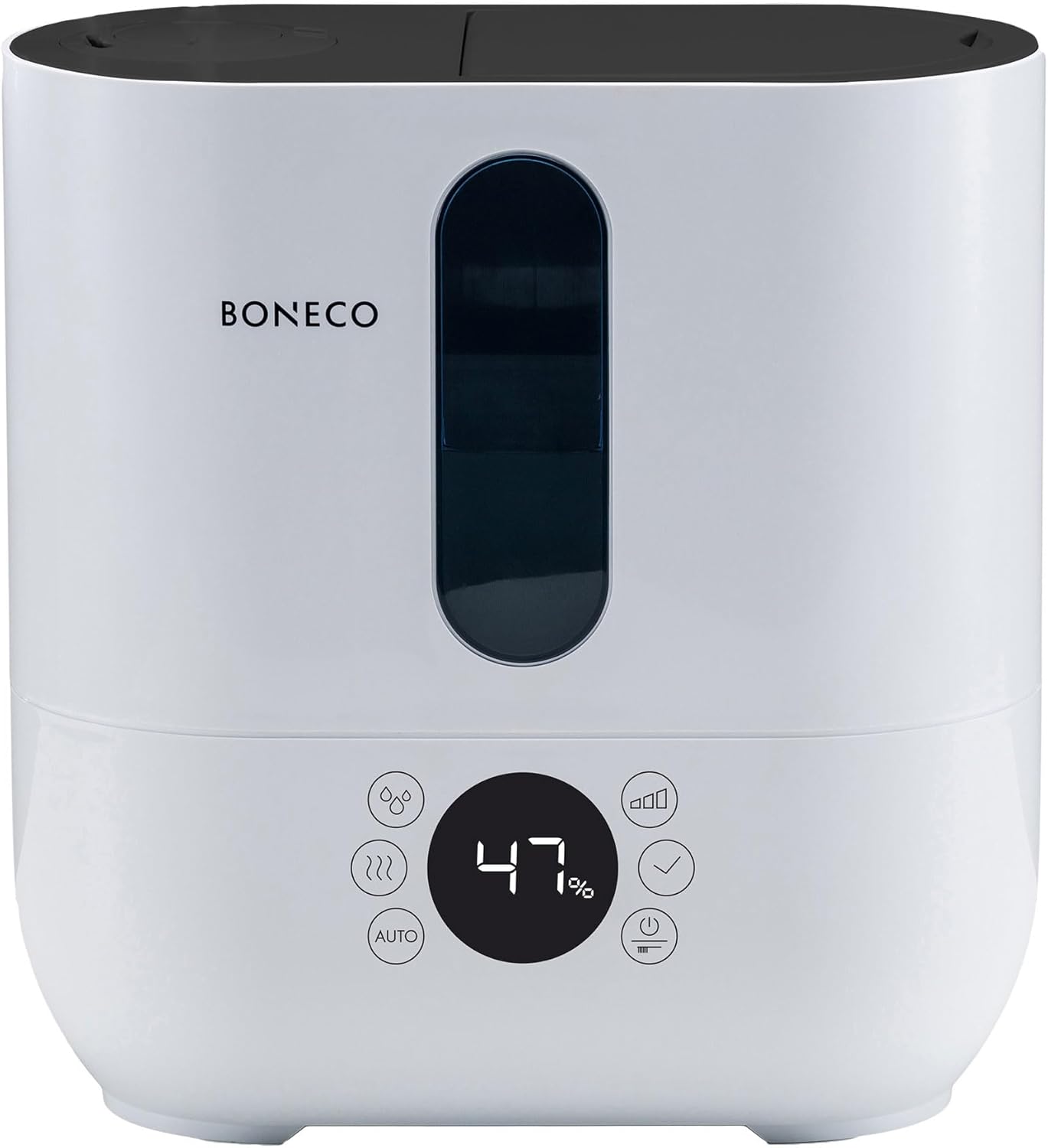
Whakaahua: Mua view of the BONECO U350 humidifier, highlighting its digital display and touch controls. The display shows '47%' humidity.
5.1. Mahi Taketake
- Hiko Whakaka/Weto: Pēhia te pātene hiko i te paewhiri mana hei whakakā, whakaweto rānei i te kōwae.
- Whakaritea te Putanga Kohu: The humidifier offers 3 performance levels (Low, Medium, High). Use the mist output button to cycle through these levels.
- Warm or Cool Mist: Select between warm or cool mist output using the dedicated button. Warm mist provides faster humidification during colder months.
- Double Jet Nozzle: The mist can be directed in two directions using the double jet nozzle. Adjust the nozzles as desired to distribute mist effectively in the room.
5.2. Aratau AUTO
The AUTO mode simplifies humidification by automatically maintaining an optimal relative humidity level.
- Activate AUTO Mode: Press the 'AUTO' button on the control panel.
- Whakamakuku Aunoa: In AUTO mode, the humidifier will automatically adjust its output to achieve and maintain a relative humidity of 50%. This is measured by the built-in humidistat.
- Customizing AUTO Mode: The target humidity can be adjusted from the default 50% if desired.
5.3. Fragrance Tray
The BONECO U350 includes a fragrance tray for using essential oils to scent your room.

Image: A hand holding a small bottle, adding drops of essential oil into the pull-out fragrance tray located at the back of the BONECO U350 humidifier.
- Access Tray: Locate the small pull-out tray on the side or back of the unit.
- Tāpiri Hinu Hiu: Place a few drops of your preferred essential oil onto the felt pad in the tray.
- Do Not Add to Water Tank: Never add essential oils directly into the water tank, as this can damage the unit.
5.4. Digital Display Reminders
The digital display provides helpful reminders:
- Whakakī Wai: Indicates when the water tank needs refilling.
- Replace Water Filter: Reminds you when it's time to replace the A250 AQUA PRO filter.
- Tohu Makuku: Shows the current relative humidity level in the room.
5.5. Hua Neke Atuview Ataata
Video: An official product video from BONECO North America Corp. demonstrating the features and operation of the BONECO U350 humidifier, including its top-fill design, mist output, and overall aesthetic.
6. Tiaki
Regular cleaning and maintenance are crucial for the optimal performance and longevity of your humidifier.
6.1. Tiaki i ia ra
- Whakakī Wai: Always use fresh water when refilling the tank.
- Mukua Raro: Wipe any condensation or water droplets from the exterior of the unit.
6.2. Whakapai ia wiki
- Wetewete: Wewetehia te whakamahana i mua i te horoi.
- Wai Putua: Putua nga toenga wai mai i te tank me te turanga.
- Puke Wai Ma: Use the provided cleaning brush to gently scrub the inside of the water tank and remove any mineral deposits or film. Rinse thoroughly.
- Kaata Whakakotahitanga: The integrated demineralization cartridge helps prevent limescale. Replace the A250 AQUA PRO filter as indicated by the display or approximately every 2-3 months, depending on water hardness and usage.
- Te whakakorikori: Periodically descale the unit using the EZCal cleaning solution or a vinegar solution as per the instructions provided with the cleaning solution. This helps remove stubborn mineral buildup.
- Horoi Maroke: Me whakamaroke nga wahanga katoa i mua i te whakahiato.
7. Te Raru
If you encounter issues with your BONECO U350, refer to the following common problems and solutions:
| Raruraru | Take pea | Rongoā |
|---|---|---|
| Kaore he putanga kohu | Te taumata iti o te wai Ko te hanga kohuke i runga i te transducer Karekau te waeine i whakahiato tika | Whakakiihia te taawai wai Clean the transducer with the cleaning brush and descale Ensure all parts are correctly seated and lid is closed |
| Te kakara kino | Stagwai nant Taaka wai paru | Empty and refill with fresh water daily Horoia rawatia te puna wai |
| Puehu mā huri noa i te waeine | Te wai pakeke Worn demineralization cartridge | Whakamahia te wai whakahinuhinu Replace the A250 AQUA PRO water filter |
| He haruru te waeine | Kāore te waeine i runga i te mata papatahi Internal component vibration | Me whakarite kei runga te waeine i runga i te mata papatahi Contact customer support if noise persists after checking water levels and placement |
If the problem persists after attempting these solutions, please contact BONECO customer support.
8. Whakatakotoranga
Detailed technical specifications for the BONECO U350 Humidifier:
| Āhuahira | Taipitopito |
|---|---|
| Waitohu | BONECO |
| Ingoa Tauira | U350 |
| Āhuahira Motuhake | Humidistat, Quiet Operation |
| Tae | Mā |
| Wāhanga Rūma Tūtohu | Tae atu ki te 860 sq. |
| Aratau Mahi | Aunoa |
| Rahi Hua (D x W x H) | 6.5" x 12.1" x 12.7" |
| Taumaha Tūemi | 7.7 Pauna |
| Putanga Haumaru | Up to 3 gallons/day |
| Nga Waahanga kei roto | Aqua Pro Filter, cleaning brush, EZCal cleaning solution |
| UPC | 834546000978 |
| Kaihanga | BONECO North America Corp. |
| Te Ra Wātea Tuatahi | Akuhata 17, 2017 |
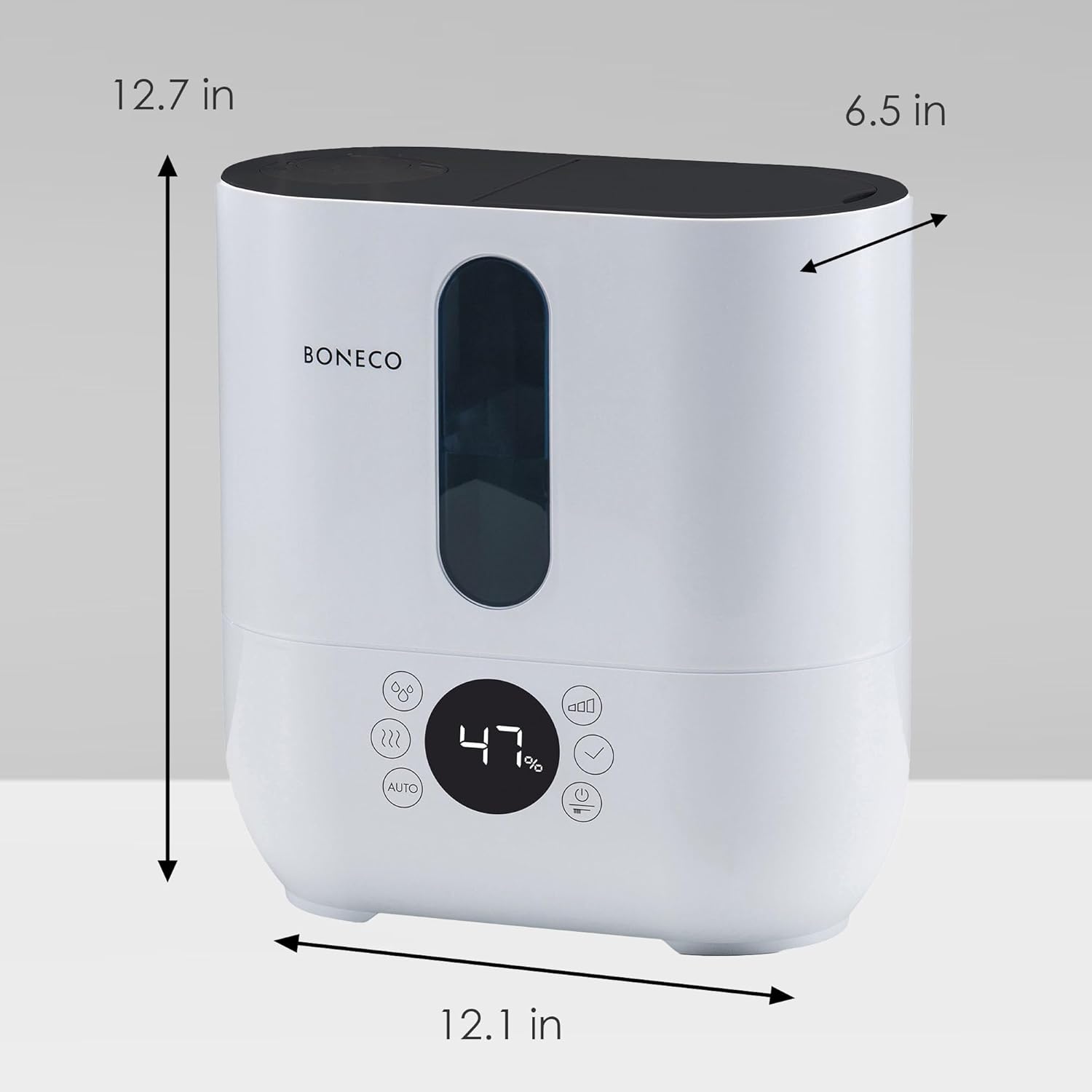
Image: A diagram showing the dimensions of the BONECO U350 humidifier: 12.7 inches high, 12.1 inches wide, and 6.5 inches deep.
9. Raihana me te Tautoko
For warranty information and customer support, please refer to the official BONECO website or contact BONECO North America Corp. directly. Keep your proof of purchase for any warranty claims.
- Tautoko Aipurangi: Visit the official BONECO webpae mo nga FAQ, rehitatanga hua, me nga rauemi tautoko.
- Whakapā Kaihanga: Refer to the contact information provided in your product packaging or on the BONECO webpae mo te awhina tika.