Kupu Whakataki
The OMRON HEM-6124 is a portable digital wrist blood pressure monitor designed for accurate and convenient measurement of your blood pressure. This device incorporates advanced features to ensure reliable readings and ease of use.
- Personalized Inflation: Adapts to your comfort level while ensuring precise and comfortable measurement.
- Pūoko Tūnga: Provides clear indications for correct wrist placement, contributing to accurate and reliable measurements.
- Rokiroki Pūmahara: Capable of storing up to 30 measurements, allowing you to track your results over time and share them with your healthcare provider.
- Clear and Legible Display: Shows your blood pressure readings clearly for easy interpretation.
- Te Kitenga Manawao Korekore: Alerts the user if irregular heartbeats are detected during measurement.
Its compact design makes it easy to carry, facilitating regular blood pressure monitoring anytime, anywhere. Trust OMRON's precision and quality for your cardiovascular health monitoring.
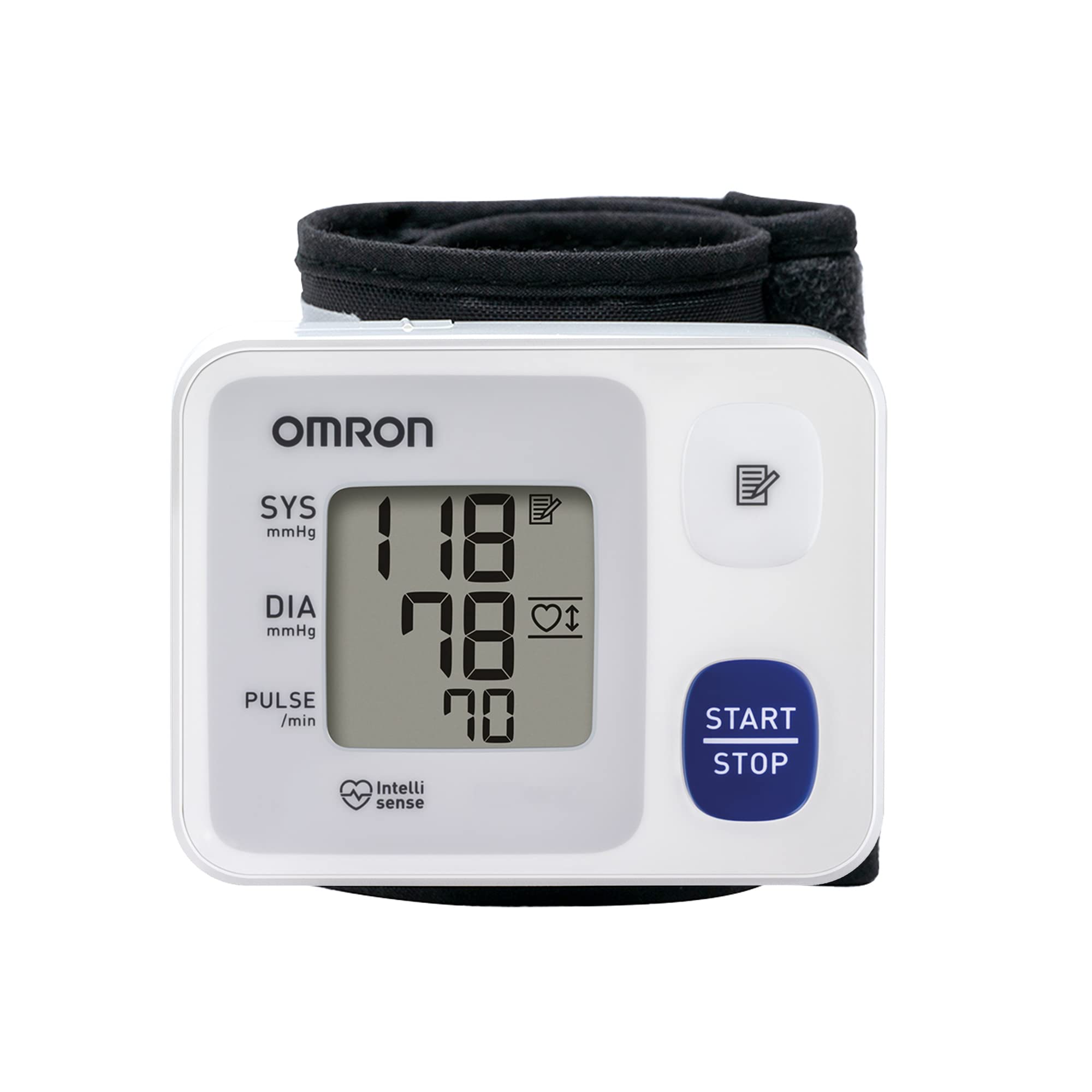
Image: OMRON HEM-6124 monitor and packaging, emphasizing key features.
Tatūnga
1. Tāuta Pūhiko
The OMRON HEM-6124 operates on batteries. Open the battery compartment cover, insert the required batteries (typically AAA, refer to the battery compartment for specifics) ensuring correct polarity (+/-). Close the cover securely.
2. Wrist Cuff Placement
Proper cuff placement is crucial for accurate readings. Follow these steps:
- Noho ki runga i te tuuru me o waewae ki runga i te papa.
- Place your left arm on a table so that the monitor is at heart level.
- Wrap the cuff around your left wrist, ensuring the monitor is on the inside of your wrist, approximately 1-2 cm from your palm.
- The position sensor will guide you to the correct placement.

Image: Correct wrist cuff placement for accurate measurement, guided by the position sensor.
Nga Tohutohu Whakahaere
Te Inenga
- Ensure the monitor is correctly placed on your wrist and your arm is at heart level.
- Pehia te TITIAKI/TATA pātene. Ka timata te awhi ki te pupuhi aunoa.
- Me noho puku me te wahangu i te wa e ine ana.
- Once the measurement is complete, the cuff will deflate, and your systolic pressure (SYS), diastolic pressure (DIA), and pulse rate will be displayed on the screen.
- Ka penapena aunoatia te inenga ki te mahara o te taputapu.
Te Maramatanga ki te Whakaaturanga

Image: Display showing measurement results and symbols.
- SYS (Pēhanga Systolic): Ko te nama runga, e tohu ana i te pehanga i roto i ou uaua i te wa e pa ana to ngakau.
- DIA (Pēhanga Diastolic): Ko te nama o raro, e tohu ana i te pehanga o ou uaua i waenga i nga pao.
- PULSE: Ko te tere o to ngakau ia meneti.
- Memory Symbol: Indicates that the reading has been stored in memory.
- Tohu Takotoranga Manawa: Appears if an irregular heartbeat is detected during the measurement. Consult your doctor if this symbol appears frequently.
Te tiaki
Te horoi
Horoia te kaitirotiro me te kaera ki te kakahu ngohengohe, maroke. Mena e tika ana, whakamahia he kakahu kia ngawari dampened with water or a mild detergent, then wipe dry. Do not use abrasive cleaners or immerse the device in water.
Whakakapinga Pūhiko
When the battery indicator appears on the display, replace all batteries with new ones. Do not mix old and new batteries or different types of batteries. Dispose of used batteries according to local regulations.
Rokiroki
Store the device in a clean, dry place away from direct sunlight, extreme temperatures, and humidity. Keep it out of reach of children and pets.
Raparongoā
- No Power/Display Blank: Tirohia te whakaurunga o te pākahiko. Whakakapihia nga pākahiko mehemea e tika ana.
- Error Message on Display: Refer to the specific error code in the full manual (if available) or try repositioning the cuff and retaking the measurement. Common errors can be due to movement during measurement or incorrect cuff placement.
- Nga Panui Heke: Ensure correct cuff placement and proper body posture. Avoid talking or moving during measurement. Take measurements at the same time each day for consistency.
- Irregular Heartbeat Symbol Appears Frequently: This device detects irregular heartbeats. If this symbol appears often, consult your doctor for advice.
For persistent issues, contact OMRON customer support.
Whakatakotoranga
| Āhuahira | Taipitopito |
|---|---|
| Ingoa Hua | Automatic Wrist Blood Pressure Monitor HEM-6124 |
| Waitohu | Omron |
| Ingoa Tauira | HEM-6124 |
| Puna Mana | Pūhiko |
| Momo Whakaatu | Mamati |
| Awhe Tau | Pakeke |
| Taumaha Hua | 169 Karamu |
| Rahi kuru | Mo nga tane me nga wahine |
| Hunga Hua | 13l x 13w x 8h centimeters |
| Nga Waahanga kei roto | Cuff ringa |
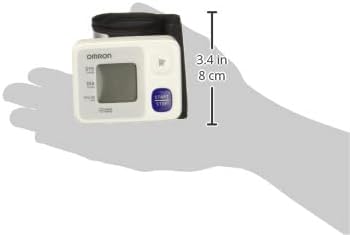
Image: Product dimensions for reference.
Pūtāhui
All OMRON arm and wrist blood pressure monitors, including the HEM-6124, come with a 5-tau pūtāhui mai i te ra o te hokonga. Ka kapi tenei raihana i nga hapa o nga rawa me nga mahi i raro i te whakamahinga noa. Tena koa pupurihia to tohu mo te hoko mo nga kereme whakamana.

Image: Product with 5-year warranty indication.
Tautoko
For further assistance, technical support, or warranty inquiries, please contact OMRON customer service. Refer to the contact information provided in the product packaging or visit the official OMRON webpae mo to rohe.
Mōhiohio Haumaru Nui: Always consult your physician regarding your blood pressure readings and any health concerns. This device is intended for home use and should not replace professional medical advice or treatment.


