1. Kupu Whakataki
Thank you for choosing the Vento Uragano 54-inch Indoor Chrome Ceiling Fan. This manual provides essential information for the safe installation, operation, and maintenance of your new ceiling fan. Please read all instructions carefully before beginning installation and retain this manual for future reference.
The Vento Uragano is designed for indoor use in bedrooms and living rooms, featuring a chrome finish, five yellow blades, and convenient remote control operation.
2. Nga Korero Haumaru Nui
WHAKATŪPATO: To reduce the risk of fire, electric shock, or personal injury, always follow these guidelines:
- Whakawetohia te hiko i te whati ara iahiko, i te pouaka fiusi rānei i mua i te tāutanga, i te mahi tiaki rānei.
- Ko nga waea katoa me rite ki nga tohu hiko o te motu me te rohe. Me toro atu ki tetahi tohunga hiko ki te kore koe e tino mohio mo nga tikanga waea.
- Ensure the installation site can support the fan's weight (approximately 20-30 lbs).
- Kaua e whakahaeretia te powhiriwhiri me nga matatahi kua pakaru, he whare ranei.
- Puritia ngā ringaringa, ngā kākahu me ētahi atu mea kia ma i ngā mata o te pā hau i te wā e whakahaerehia ana.
- This fan is for indoor use only. Do not expose to water or excessive humidity.
3. Ihirangi mokete
Verify that all components are present and undamaged before proceeding with installation. If any parts are missing or damaged, contact Vento customer support.
- Huihuinga Whare Motini
- Taiapa Whakaeke Pouaka
- Downrod and Canopy
- 5 Fan Blades (Yellow)
- Blade Attachment Hardware
- Mana Mamao me te Maunga Taiepa
- Waeine Kaiwhiwhi
- Kete Taputapu (ngā tīwiri, ngā nati waea, ngā horoi)
- Pukapuka Tohutohu (tenei tuhinga)
4. Tatūnga me te Tāuta
I mua i to tiimata: Ensure power is OFF at the circuit breaker. Gather necessary tools: screwdriver, wire strippers, ladder, and electrical tape.
4.1 Te Whakapiki i te Taiapa
Attach the ceiling mounting bracket to the outlet box using the screws provided. Ensure the bracket is securely fastened and can support the fan's weight. The outlet box must be listed for fan support.
4.2 Te Huihuinga i te Poho
- Feed the electrical wires from the motor assembly through the downrod.
- Secure the downrod to the motor housing with the provided pin and clip.
- Carefully lift the fan assembly and hang it on the mounting bracket hook.
4.3 Hononga Waea
Connect the fan's wires to the household wiring according to the diagram in your separate wiring guide (if provided) or standard electrical practices. Typically, this involves connecting:
- Green/Bare copper wire (Ground) to household ground wire.
- White wire (Neutral) to household neutral wire.
- Black wire (Live/Hot) to household live wire.
Ensure all connections are secure with wire nuts and electrical tape.
4.4 Te Whakapiri i ngā Mata
Attach each of the five yellow fan blades to the blade holders using the screws and washers provided. Then, attach the blade holders to the motor housing. Ensure all screws are tightened securely.
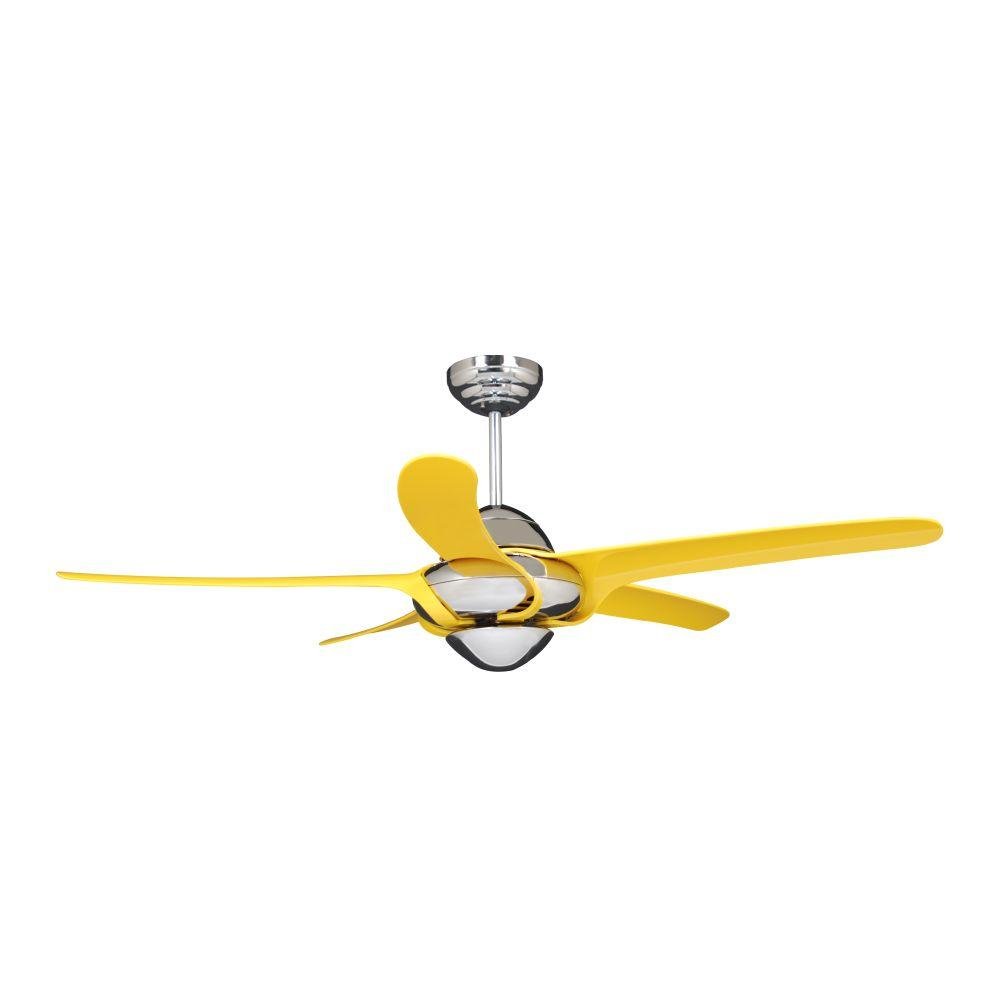
Image 1: The Vento Uragano 54-inch ceiling fan fully assembled, showcasing its chrome motor housing and five yellow blades. This image illustrates the fan's complete appearance after installation.
4.5 Te Whakapūmau i te Taupoki
Slide the canopy up against the ceiling and secure it to the mounting bracket with the provided screws. Ensure no wires are pinched.
5. Nga Tohutohu Whakahaere
Your Vento Uragano ceiling fan is operated via the included remote control.
5.1 Nga Mahi Mana Mamao
- Pātene ON/OFF: Pēhia kia whakakā, whakaweto rānei te pā.
- Ngā Pātene Tere o te Pā (1-3): Select desired fan speed (1=Low, 2=Medium, 3=High).
- Light Button (if applicable): Press to turn the fan light on or off. (Note: This model description does not specify a light kit, refer to your specific model for light functionality).
- Reverse Function Button: Ka huri i te ahunga o te hurihanga o te mata mō te mahi raumati (hau whakararo) mō te mahi takurua rānei (hau whakarunga).
Install 2 AAA batteries (not included) into the remote control, observing polarity.
5.2 Nga Mahi-a-Tama
- Aratau Raumati: Ka huri ngā mata i te taha maui o te karaka, ka pana i te hau ki raro hei hanga i te hau whakamatao.
- Aratau takurua: Blades rotate clockwise, drawing air upward to circulate warm air near the ceiling. Use this mode at a low speed.
6. Tiaki
Regular maintenance ensures optimal performance and extends the life of your Vento Uragano ceiling fan.
- Te horoi: Horoia ngā mata o te pā me te whare o te motuka ki te puehu ngohengohe i ia wā, i ia wā.amp kakahu. Kaua e whakamahia ngā kaihoroi whakakoi, ngā whakarewa rānei, nā te mea ka kino pea te āhua o te peita.
- Taurite Mata: If the fan wobbles, check that all blade screws are tight. A balancing kit (sold separately) can be used to correct persistent wobbling.
- Whakahinuhinu motuka: Ka whakahinuhinuhia te motuka powhiriwhiri, kaore e hiahiatia he hinu taapiri.
- Whakatikitia nga Piripiri: Ia wa, tirohia nga wiri katoa me nga here i runga i te powhiriwhiri me nga taputapu whakapuru kia mau ai.
Always turn off power to the fan at the circuit breaker before performing any cleaning or maintenance.
7. Te Raru
Before attempting any repairs, ensure the power is turned off at the circuit breaker.
| Raruraru | Take pea | Rongoā |
|---|---|---|
| Kaore e timata te Fan | Kāore he hiko mō te pā hau; Kua korekore ngā hononga waea; Kua mate te pākahiko o te mana mamao. | Tirohia te wehenga ara iahiko; Manatoko kei te mau nga hononga waea katoa; Whakakapihia nga pākahiko mana mamao. |
| Ka wiri rawa te Fan | Nga wiri o te mata; Matatahi kore taurite; Te awhi whakapuru wewete. | Whakakīia ngā tīwiri katoa o te mata; Whakamahia he kete taurite mata; Me whakarite kei te mau te pūmau whakairi. |
| Mahi haruru | Loose screws; Motor housing rubbing; Fan not level. | Check and tighten all screws; Ensure no parts are touching; Verify fan is level. |
| Ko te mana mamao kaore e mahi | Dead batteries; Incorrect pairing with receiver. | Replace batteries; Refer to remote control pairing instructions (usually involves turning power off/on and pressing a button). |
8. Whakatakotoranga
- Tauira: rorofa'i
- Waitohu: Vento
- Hoahoa Poho: Te Peera Taapiri
- Rahi: 54 inihi
- Te maha o nga Poraka: 5
- Tae Mata: Kōwhai
- Momo Mutu: Chrome (motor housing)
- Rauemi: Te whakarewa
- Whakamahinga o roto/waho: Roto anake
- Momo Rūma: Whare moenga, Rūma Noho
- Puna Hiko: Hiko Hiko
- Tikanga Mana: Mana Mamao
- Momo Whakapuru: Maunga Pouaka
9. Pūtāhui me te Tautoko
Vento products are manufactured to high-quality standards. For specific warranty details, please refer to the warranty card included with your purchase or visit the official Vento webpae. Puritia to tohu hoko mo nga kereme whakamana.
For technical support, replacement parts, or general inquiries, please contact Vento customer service. Contact information can typically be found on the Vento webte waahi kei runga ranei i te kohinga hua.
Tautoko Aipurangi: www.vento.com/support (Exoample link, replace with actual if known)


