1. Kupu Whakataki
Mauruuru koe mo te hokoasing the Coby CSB04 Bluetooth Soundbar Speaker. This manual provides important information regarding the setup, operation, and maintenance of your new soundbar. Please read this manual thoroughly before using the device and retain it for future reference.
The Coby CSB04 is a sleek and compact soundbar designed to enhance your audio experience. It features wireless Bluetooth connectivity, an RCA line input, and comes with a remote control for convenient operation.
2. Nga korero haumaru
Please observe the following safety precautions to prevent damage to the device or injury to yourself:
- Kaua e tukuna te pae oro ki te ua, te makuku, te wera nui ranei.
- Kaua e whakatuwheratia te casing. Tukuna atu nga ratonga katoa ki nga kaimahi whai tohu.
- Me whakarite he hototahi te urutau hiko ki to tuku hiko o to rohe.
- Keep the soundbar away from heat sources and direct sunlight.
- Horoia ki te kakahu maroke anake.
3. Ihirangi mokete
Carefully unpack your Coby CSB04 Soundbar and check that all items are present and in good condition. If any items are missing or damaged, contact your retailer.
- Coby CSB04 Bluetooth Soundbar Speaker
- Pouaka AC
- RCA Taura
- Mana Mamao
- Pukapuka Kaiwhakamahi (tenei tuhinga)

Image 3.1: Coby CSB04 Soundbar packaging. The box displays the Coby logo and "Slim 2.0 Sound Bar" text.
4. Hua Neke Atuview
Familiarize yourself with the components and controls of your Coby CSB04 Soundbar.
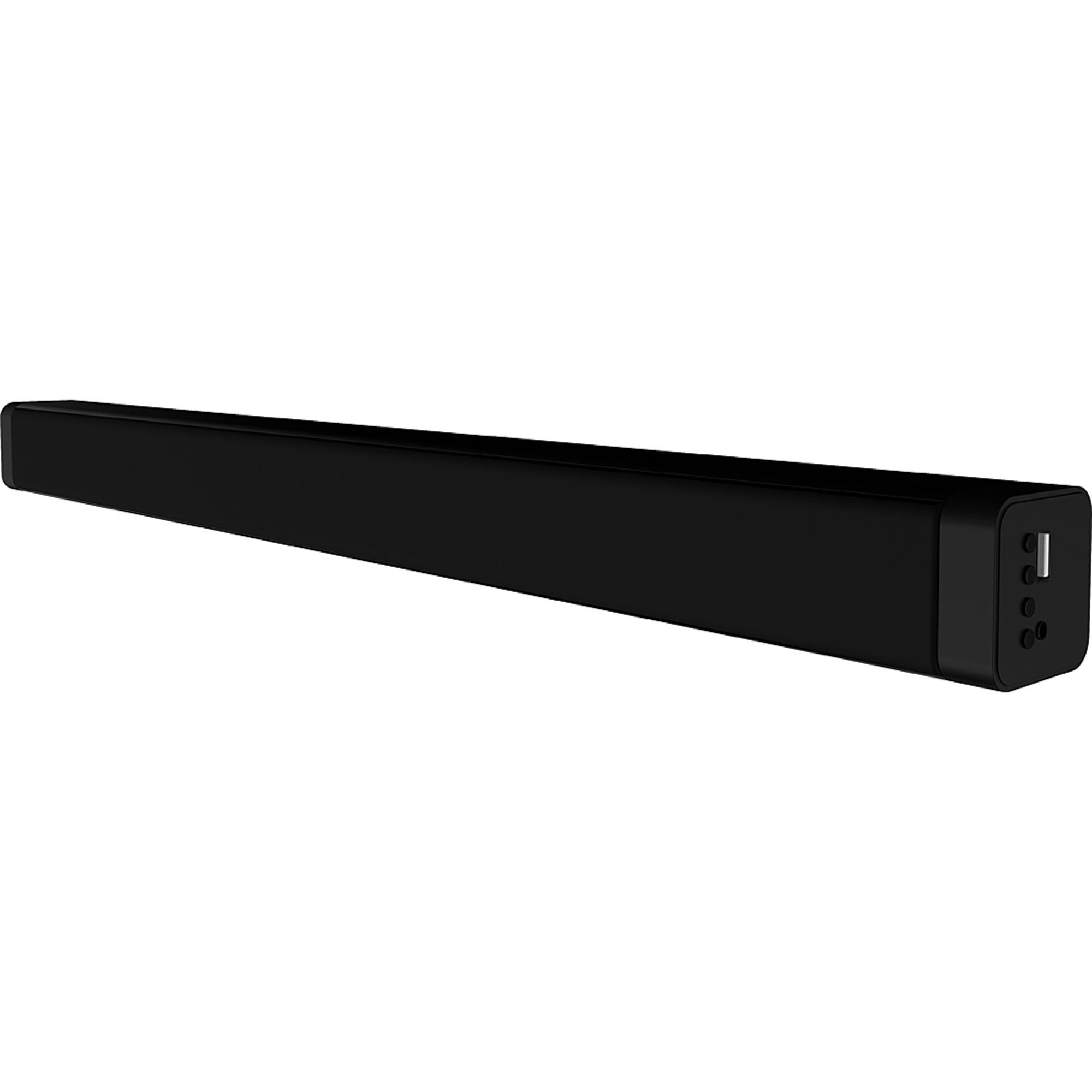
Whakaahua 4.1: Mua view of the Coby CSB04 Bluetooth Soundbar. The soundbar is black and rectangular.

Whakaahua 4.2: Taha view of the Coby CSB04 Soundbar, showing a USB port and other connection points.
4.1. Front Panel / Top Panel Controls
- Pātene Hiko: Ka whakakā, whakawetohia te pae oro.
- Rōrahi Whakarunga/Whakararo: Whakaritea te taumata oro.
- Patene Aratau: Switches between input modes (Bluetooth, RCA).
- Tohu LED: Shows current status (e.g., Bluetooth pairing, input mode).
4.2. Hononga Paewhiri Whakamuri
- DC IN: Whakauruhia te hononga hiko AC i konei.
- Tāurunga RCA L/R: Connect external audio devices using the RCA cable.
- Tauranga USB: For potential firmware updates or specific media playback (functionality may vary).
4.3. Mana Mamao
The included remote control allows for convenient operation of the soundbar from a distance. Functions typically include Power, Volume Up/Down, Mode Selection, Mute, and Playback controls for Bluetooth mode.
5. Tatūnga
5.1. Hononga Mana
- Honoa te urutau hiko AC ki te DC IN port on the rear of the soundbar.
- Monohia tetahi atu pito o te urutau hiko AC ki tetahi putanga pakitara.
- The soundbar will enter standby mode.
5.2. Hononga Ororongo
You can connect audio sources to the soundbar via Bluetooth or RCA cable.
5.2.1. Hononga Nihokikorangi
- Power on the soundbar using the Power button on the unit or remote control.
- Pehia te Aratau button repeatedly until the LED indicator shows Bluetooth mode (usually a blinking blue light).
- I runga i tō waea atamai, i tētahi atu pūrere rānei e whakahohea ana e te Nihokikorangi, whakahohea te Nihokikorangi, ka rapu i ngā pūrere e wātea ana.
- Select "CSB04" (or similar name) from the list of devices.
- Kia honoa, ka huri te tohu LED ki te kikorangi mārō, ā, ka rangona he oro whakaū.
- Ka taea e koe te purei i ngā oro mai i tō pūrere mā te paeoro.
5.2.2. Hononga RCA
- Connect one end of the RCA cable to the RCA L / R Whakauru ngā tauranga i runga i te paeoro.
- Connect the other end of the RCA cable to the audio output ports (usually "Audio Out" or "L/R Out") of your TV, DVD player, or other audio source.
- Te hiko i te pae oro.
- Pehia te Aratau button repeatedly until the LED indicator shows RCA mode (e.g., a green light).
- Purei ororongo mai i to taputapu hono.
6. Nga Tohutohu Whakahaere
6.1. Te Hiko / Whakaweto
Pehia te Mana patene i runga i te pae oro, i te mana mamao ranei hei whakaka, whakaweto ranei i te wae.
6.2. Whakaritea Rōrahi
Whakamahia te Rōrahi Whakarunga (+) a Raro Whakararo (-) buttons on the soundbar or remote control to adjust the audio level.
6.3. Changing Input Mode
Pehia te Aratau button on the soundbar or remote control to cycle through available input sources: Bluetooth, RCA.
6.4. Purei anō Nihokikorangi
Once paired, your Bluetooth device will automatically connect to the soundbar when both are powered on and within range. Use your device's controls or the soundbar's remote control (if applicable) for playback functions like Play/Pause, Next Track, and Previous Track.
7. Tiaki
Ko te tiaki tika ka mau te roa me te tino pai o te mahi o to pae oro.
- Te horoi: Use a soft, dry cloth to wipe the exterior of the soundbar. Do not use liquid cleaners or aerosols.
- Rokiroki: Mena kei te rongoa te pae oro mo te wa roa, momotuhia mai i te hiko ka penapena ki te waahi makariri, maroke.
- Whakahau: Ensure the soundbar has adequate ventilation and is not covered, to prevent overheating.
8. Te Raru
If you encounter issues with your Coby CSB04 Soundbar, refer to the following common problems and solutions:
| Raruraru | Take pea | Rongoā |
|---|---|---|
| Karekau he kaha | Ko te urutau hiko kaore i te hono, kei te he te putanga. | Ensure the power adapter is securely connected to the soundbar and a working power outlet. Try a different outlet. |
| Karekau he tangi | Incorrect input mode, low volume, or incorrect cable connection. |
|
| I rahua te takirua Nihokikorangi | Kāore te paeoro i te aratau takirua, kua tawhiti rawa te taputapu, kua pokanoa rānei. |
|
| Ko te mana mamao kaore e mahi | Nga pākahiko mate, arai ranei. | Replace the batteries in the remote control. Ensure there is no obstruction between the remote and the soundbar's sensor. |
9. Whakatakotoranga
Here are the technical specifications for the Coby CSB04 Bluetooth Soundbar Speaker:
- Tauira: CSB04
- Momo Kaikorero: Paorooro
- Hangarau Hononga: Nihokikorangi
- Te Mana Huaputa Tukuoro Nui: 10 Watts
- Ngā Pūrere Hototahi: Smartphone (and other Bluetooth/RCA audio sources)
- Tikanga Mana: Mana Mamao
- Puna Hiko: Electric Cable (AC Adapter)
- Tae: Pango
- Ahu: 85.09 x 14.22 x 38.35 cm (tata ki te 33.5 x 5.6 x 15.1 inihi)
- Taumaha: 1.54 kg (tata ki te 3.4 lbs)
- Momo Whakapuru: Maunga Papamahi
10. Pūtāhui me te Tautoko
For warranty information and technical support, please refer to the warranty card included with your product or visit the official Coby webpae. Puritia to riiki hoko hei tohu mo te hoko.
For further assistance, you may contact Coby customer service through their official channels.


