Kupu Whakataki
This manual provides detailed instructions for the setup, operation, and maintenance of the VILTROX JY-710-S2 Wireless Timer Remote Control. Please read this manual thoroughly before using the device to ensure proper function and to achieve optimal photographic results.

Image: The VILTROX JY-710-S2 Wireless Timer Remote Control system, including the transmitter, receiver, and camera connection cable.
Ihirangi mokete
Manatokona kei roto katoa nga mea kei roto i to kete:
- 1 x Timer Remote Control (Transmitter)
- 1 x Shutter Release Connection Cable (S2 type for Sony)
- 1 x Kaiwhiwhi
Nga waahanga matua
- Supports single shooting, 1-second continuous shooting, BULB mode, delayed shooting, and scheduled timer functions.
- Integrated FSK 2.4GHz wireless remote control system with 4 channels.
- Wireless operating range of approximately 50-80 meters.
- Minimizes camera shake for improved image integrity and quality.
- BULB function allows for exposures up to 100 hours.
- Programmable number of shots, up to 399 or unlimited.
Ka mutu te huaview
Transmitter (Timer Remote Control)
The transmitter features an LCD display for settings, control buttons for navigation, and a shutter release button. It is powered by two AAA batteries.

Whakaahua: Mua view of the VILTROX JY-710-S2 transmitter, highlighting the LCD screen and control buttons.
Kaiwhiwhi
The receiver connects to your camera's remote port and hot shoe. It receives signals from the transmitter and triggers the camera's shutter. It is also powered by two AAA batteries and has a channel selector switch.

Whakaahua: Kati-ake view of the VILTROX JY-710-S2 receiver, showing the channel switch and battery compartment.
Tatūnga
1. Tāuta Pūhiko
Both the transmitter and receiver require two AAA 1.5V LR03 alkaline batteries.
- Whakatuwheratia te taupoki o te wāhanga pākahiko kei muri o te tuku me te kaiwhiwhi.
- Whakauruhia kia rua ngā pākahiko AAA ki ia waeine, kia tika ai te polarity (+/-).
- Katia kia mau te uhi o te wahanga pākahiko.

Image: The back of the VILTROX JY-710-S2 transmitter with the battery compartment open for AAA battery installation.
2. Te Hononga i te Kaiwhiwhi ki te Kāmera
- Mount the receiver onto your camera's hot shoe. This provides a secure attachment point but is not necessary for electrical connection.
- Connect one end of the provided S2 shutter release cable to the receiver's port.
- Connect the other end of the S2 cable to your camera's remote control port.

Image: The VILTROX JY-710-S2 receiver securely mounted on a Sony camera's hot shoe and connected via the S2 cable.
3. Setting Communication Channel
Ensure both the transmitter and receiver are set to the same channel (1-4) using the channel selector switch on the receiver and the corresponding setting on the transmitter (refer to transmitter display for channel setting).
Mahi
Basic Shutter Release
The remote can be used for simple shutter release, either wired or wirelessly.
- Hawhe-Pēhi: Press the shutter button on the transmitter halfway down to activate autofocus.
- Pere-Katoa: Press the shutter button fully to trigger the camera's shutter.
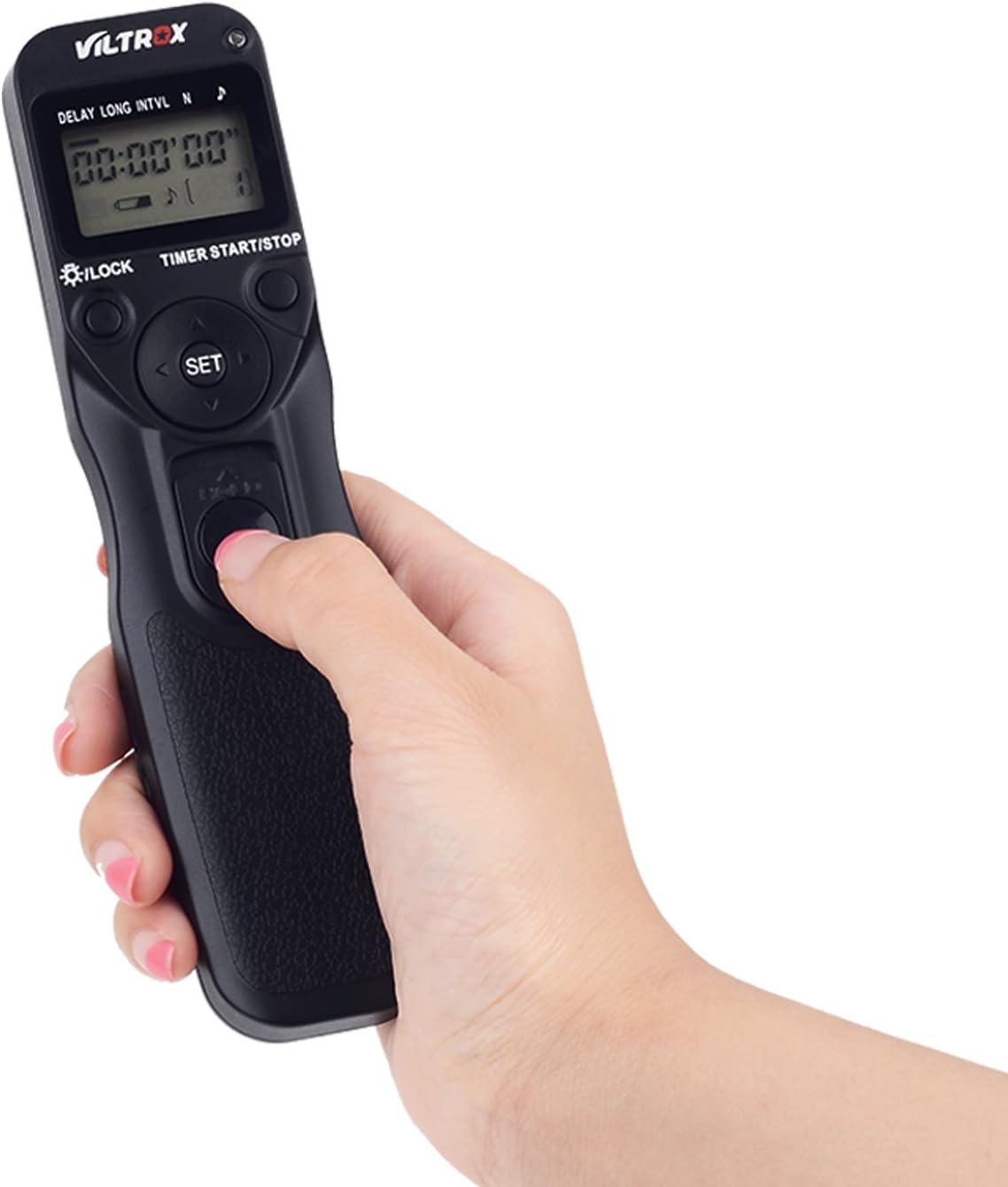
Image: A hand demonstrating pressing the shutter button on the VILTROX JY-710-S2 transmitter.
Mahi Waea
For wired operation, connect the S2 cable directly from the transmitter to your camera's remote port. The receiver is not needed in this mode.

Image: The VILTROX JY-710-S2 transmitter connected directly to a camera for wired shutter control.
Mahi Ahokore
For wireless operation, ensure the receiver is connected to the camera and both units are on the same channel. The transmitter can then control the camera remotely.
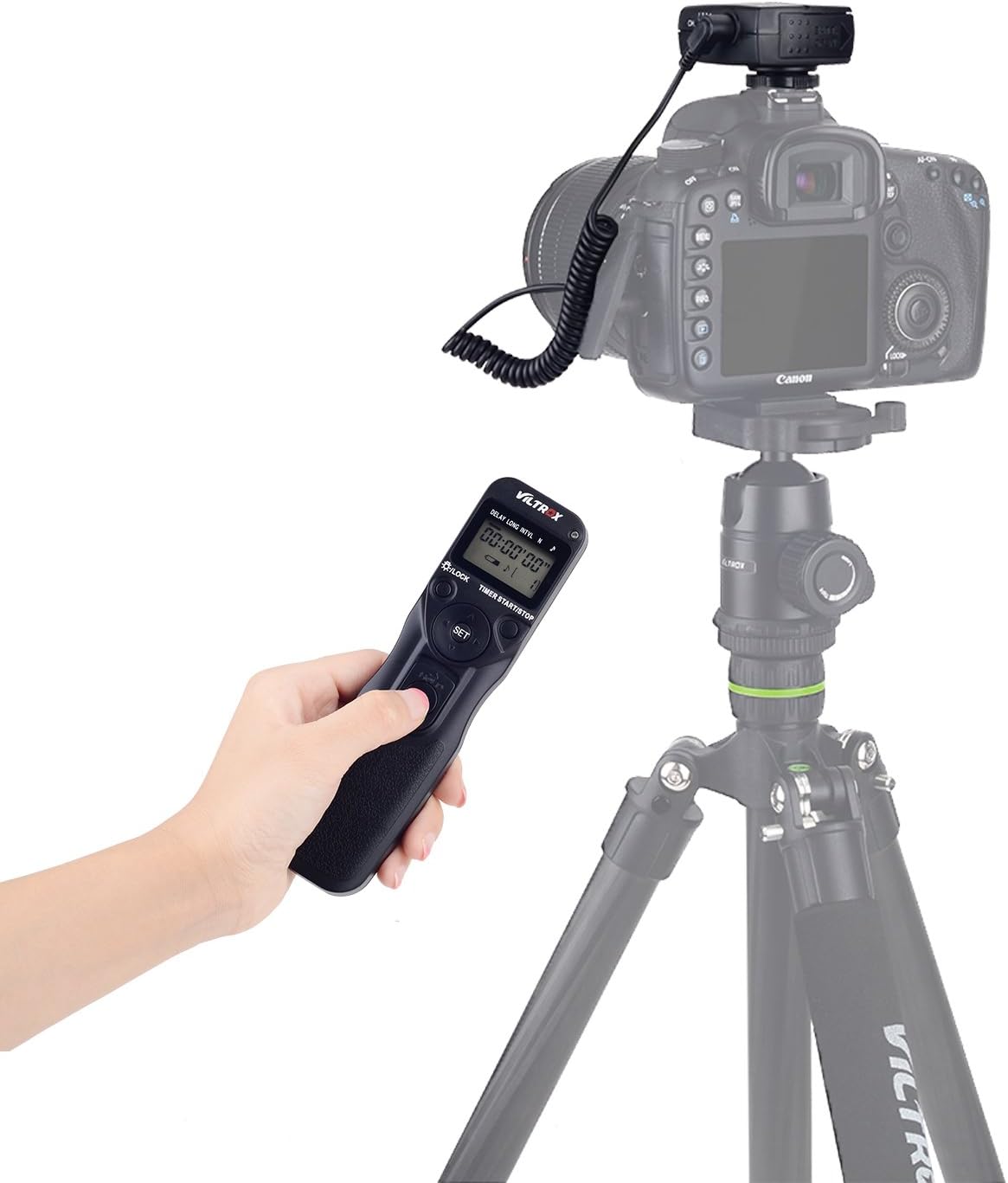
Image: A user operating the VILTROX JY-710-S2 transmitter wirelessly, with a camera mounted on a tripod in the background.
Nga Mahi Matama
The transmitter allows for precise control over various shooting parameters:
- Delay (DEL): Sets the delay time before the first shot, from 0 seconds to 99 hours, 59 minutes, 59 seconds.
- Te Whakamārama Roa (ROA): Sets the exposure duration for each shot, from 0 seconds to 99 hours, 59 minutes, 59 seconds. This is used for BULB mode.
- Wā (INTVL): Sets the time between consecutive shots, from 1 second to 99 hours, 59 minutes, 59 seconds.
- Te maha o ngā pupuhi (N): Sets the total number of exposures, from 1 to 399, or '--' for unlimited shots.
Use the navigation buttons (up, down, left, right) and the SET button to adjust these parameters on the LCD display. Press the TIMER START/STOP button to begin or end the timed sequence.
Whakatakotoranga
| Āhuahira | Whakatakotoranga |
|---|---|
| Te Taaroa | 0s to 99h 59min 59s (1s increments) |
| Wā Whakaaturanga | 0s to 99h 59min 59s (1s increments) |
| Wā Waa | 1s to 99h 59min 59s (1s increments) |
| Te maha o nga Matā | 1 to 399, or unlimited (--) |
| Puna Mana | 2 x AAA 1.5V LR03 alkaline batteries (for each unit) |
| Ora Pūhiko | Approx. 2 months (under specific usage conditions) |
| Te Waahi Mahi | -20°C ki +50°C (-4°F ki +122°F) |
| Ahu (Kaiwhakawhiti) | Approx. 155 x 40 x 18 mm (6.1 x 1.6 x 0.7 inihi) |
| Weight (with receiver) | Whakatata 125 g (3.7 oz) |
| Te roa o te taura | Tata ki te 850 mm (33.5 inihi) |
| Hangarau Hononga | FSK 2.4GHz Wireless, Infrared (Wired option) |
| Mokowoko Korekore | Tae atu ki te 80 mita |
Hototahi
The VILTROX JY-710-S2 is compatible with various Sony camera models, including but not limited to:
- Sony a58, A7SM2, A7RM2, A7, A7M2, A7R, A7S
- Sony A3000, A5000, A5100, A6000, A6300, A6500
- Sony HX50, HX60, HX300, HX400
Te tiaki
- Kia ma te taputapu ma te muru ki te kakahu ngohengohe, maroke. A ape i te whakamahi matū kino, whakarewa ranei.
- Store the remote control in a dry, cool place away from direct sunlight and extreme temperatures.
- Tango pākahiko ki te kore te taputapu e whakamahia mo te wa roa kia kore ai e pakaru.
- A ape i te tuku, te tuku ranei i te taputapu ki nga paanga kaha.
Raparongoā
- Kaore te taputapu i te hiko: Tirohia te tāutanga o te pākahiko, kia mōhio ai kei te hou tonu ngā pākahiko.
- Camera not triggering wirelessly: Verify that both transmitter and receiver have fresh batteries, are powered on, and are set to the same channel. Ensure the receiver is properly connected to the camera.
- Camera not triggering wired: Ensure the cable is securely connected to both the transmitter and the camera's remote port.
- pokanoa: If experiencing inconsistent wireless performance, try changing the channel on both the transmitter and receiver.
Pūtāhui me te Tautoko
VILTROX provides a warranty for manufacturing or performance defects. Within the first 6 months, non-human damage may be covered free of charge for new products. The product is covered by a 2-year warranty for defects in workmanship or performance. During the justified period, all materials are covered.
For further support or warranty claims, please contact your retailer or visit the official VILTROX webpae.


