Kupu Whakataki
Thank you for choosing the ECHTPower Solar Lights Outdoor. This product is designed to provide efficient and reliable outdoor lighting with advanced features such as a motion sensor, multiple lighting modes, and remote control. Its robust IP65 waterproof design ensures durability in various weather conditions. This manual provides detailed instructions for installation, operation, maintenance, and troubleshooting to ensure optimal performance and longevity of your solar light.
The warm white light offers a soft and gentle illumination, creating a comfortable and relaxing ambiance for your outdoor spaces.
Ihirangi mokete
Tena koa tirohia kei roto nga waahanga katoa i roto i te kete:
- 1 x ECHTPower Solar Light (60 LED)
- 1 x Waeine Mana Mamao
- 2 x Whakawhanui Pou-a-iwi
- 2 x Tāuta Tiuri
- 1 x Manual Kaiwhakamahi (tenei tuhinga)
Nga waahanga matua
- 60 nga rama rama tino marama: Emits over 1300 lumens, providing illumination for areas up to 540-860 square feet.
- Paewhiri Solar Tino-Kakama: Absorbs sunlight to charge the built-in 3.2V, 5000mAh LFP battery, ensuring long-lasting operation.
- PIR Whakaoho Nekehanga: Detects movement within 16-33 feet (5-10 meters) and a 120-degree wide angle.
- 5 Aratau Rama: Easily switch between modes using the included remote control for various lighting needs.
- IP65 parewai me te wera: Designed to withstand harsh weather conditions, ensuring reliable outdoor performance.
- Mana Ahokore: Conveniently adjust settings with the remote control.
Tatūnga me te Tāuta
Proper placement is crucial for the optimal performance of your solar light. Ensure the solar panel receives maximum direct sunlight throughout the day.
- Kōwhiria he Tauwāhi: Select an outdoor location that receives at least 6-8 hours of direct sunlight daily. Avoid areas under eaves, trees, or other obstructions that might block sunlight from reaching the solar panel. Ideal locations include front doors, yards, garages, decks, and porches.
- Tohua nga Tohu Keri: Hold the solar light against the desired mounting surface (wall, fence, etc.) and mark the positions for the two screw holes.
- Rua rua: Whakamahia he mata wiri e tika ana hei keri i ngā kōhao ki ngā tūranga kua tohua.
- Insert Expansion Pillar-hinges: Insert the provided expansion pillar-hinges into the drilled holes.
- Maunga te Maama: Align the solar light's mounting holes with the pillar-hinges and secure it firmly using the provided installing screws.
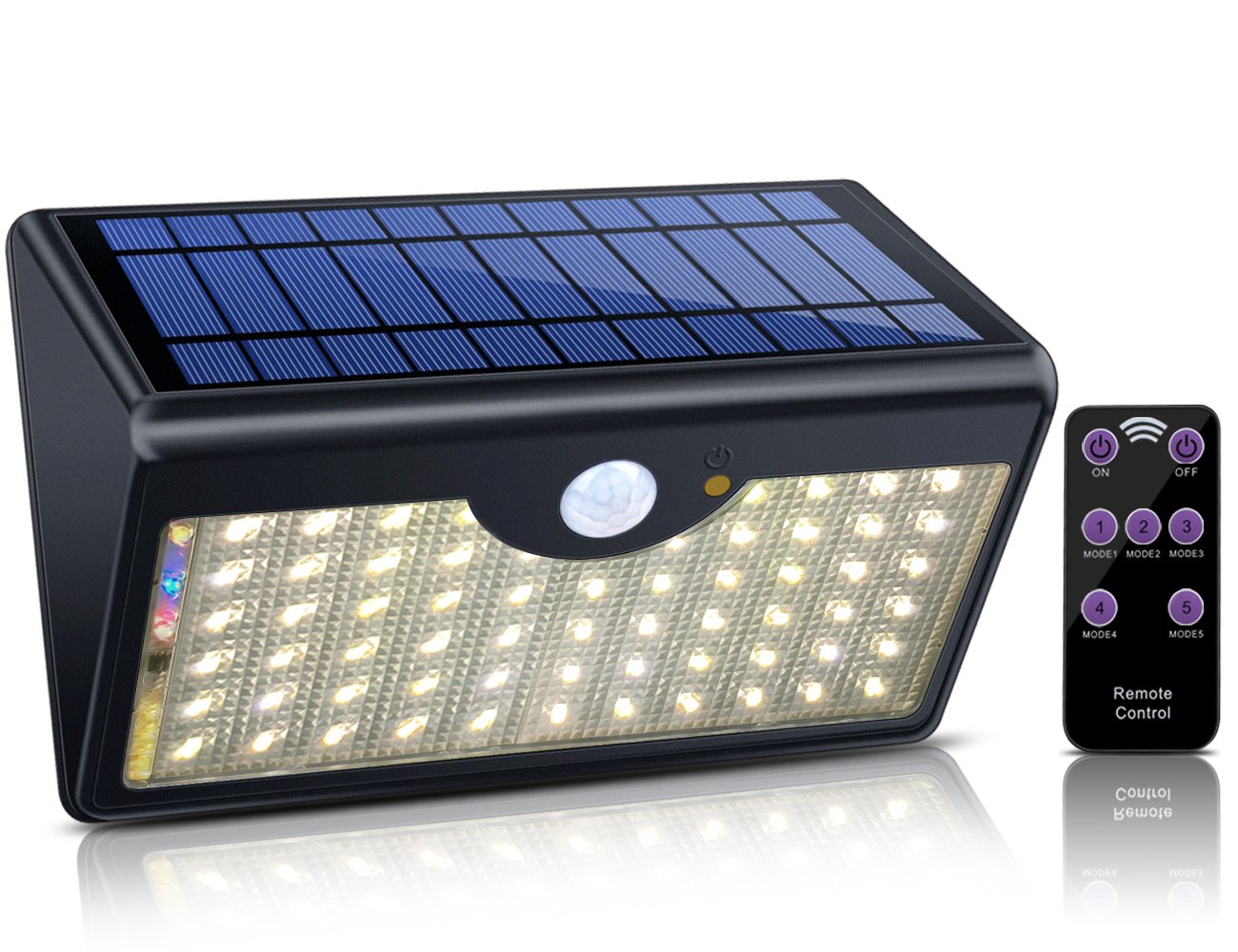
Image: ECHTPower Solar Light with its remote control, illustrating the product's design and components.

Whakaahua: Examples of the ECHTPower Solar Light installed in different outdoor environments, including a house facade, garage, and garden area, demonstrating its versatility.
Nga Tohutohu Whakahaere
The ECHTPower Solar Light features 5 distinct lighting modes, controllable via the included remote. Ensure the remote control is pointed towards the light for effective communication. The remote control has a range of 5-7 meters (16-23 feet) and a 120-degree angle.

Image: Visual representation of the 5 distinct lighting modes, showing how the light behaves in different scenarios and settings.

Image: Diagram illustrating the effective range and angle of the remote control for the solar light, showing typical usage scenarios.
Aratau Rama:
- MODE 1 (Motion Sensor + Low Light): The light stays on at a low brightness. When motion is detected, it switches to full brightness. After motion ceases, it returns to low brightness.
- MODE 2 (Motion Sensor - Power Saving): The light remains off. When motion is detected, it turns on at full brightness. After approximately 15 seconds of no motion, the light turns off completely to conserve power.
- MODE 3 (Always Lighting): The light automatically turns on at night and stays on at a constant brightness for approximately 5 hours, then switches off.
- MODE 4 (Automatic Mode): The light operates in Mode 3 when the battery power is above 60%. If the battery power drops below 60%, it automatically switches to Mode 2 to conserve energy.
- MODE 5 (Emergency Light Mode): The light turns on at full brightness and stays on for 1 hour, then automatically turns off. This mode is useful for temporary, continuous illumination.
Nga Mahi Mana Mamao:
- KIA/WATA: Turns the light on or off manually.
- MODE 1-5 Buttons: Selects the desired lighting mode.
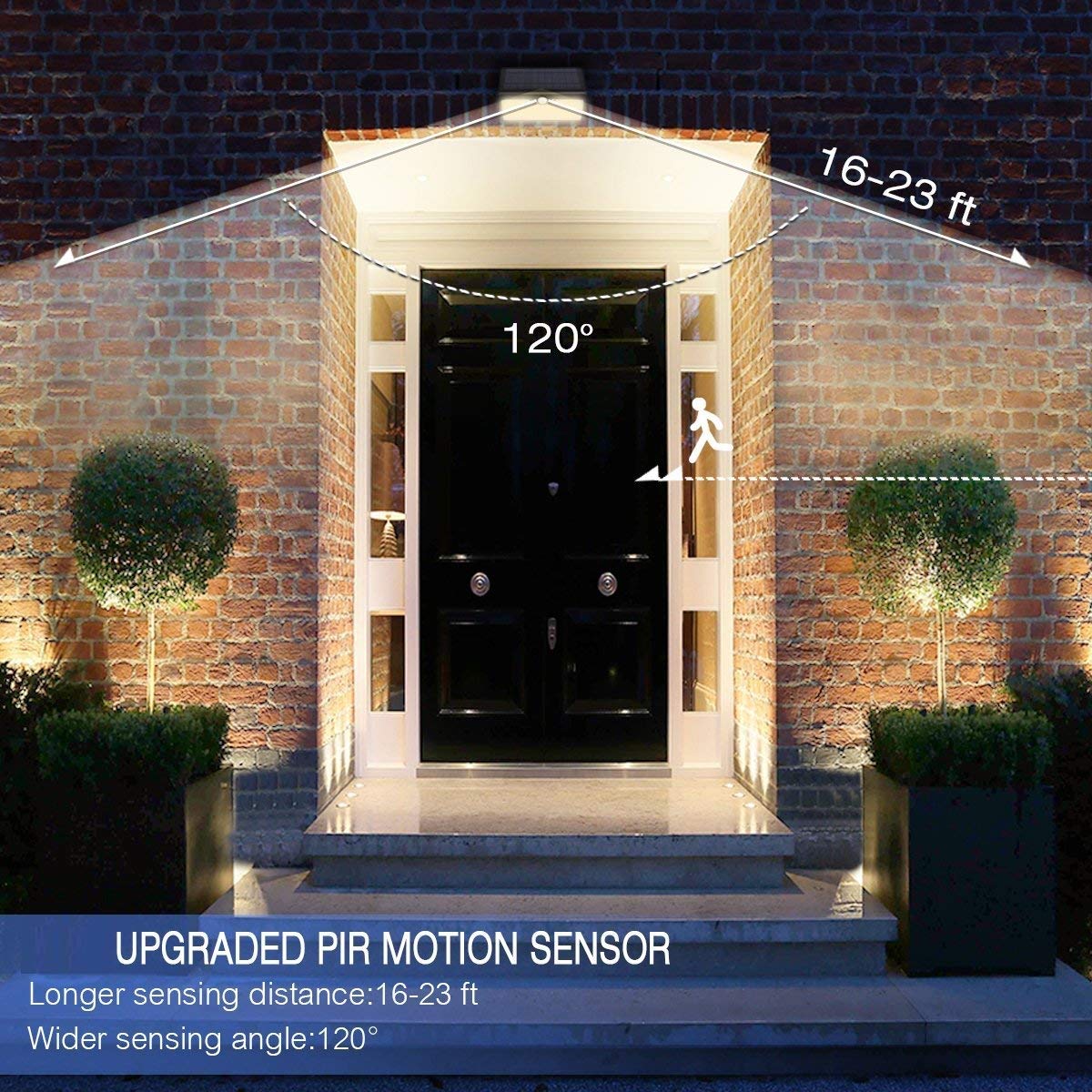
Image: Illustration of the PIR motion sensor's detection range and angle, showing its effectiveness in detecting movement in front of the light.
Te tiaki
To ensure the longevity and optimal performance of your ECHTPower Solar Light, follow these simple maintenance guidelines:
- Horoia te Paewhiri Solar: Me horoi i nga wa katoa te panui solar ki te ngohengohe, damp he kakahu hei tango i te puehu, te paru, te rau, te hukarere ranei. Ma te panui ma e whakarite te kaha o te ra o te ra me te pai o te utu.
- Tirotiro mo te kino: Periodically check the light for any physical damage, loose screws, or signs of wear.
- Tiaki Pūhiko: The built-in LFP battery is designed for long life. Avoid prolonged periods of storage without charging. If storing for an extended time, ensure the battery is partially charged.
- Hoahoa parewai: The IP65 rating means the light is protected against dust and low-pressure water jets. While it is designed to be waterproof, avoid submerging it in water.

Image: Depiction of the solar light's IP65 waterproof and heatproof capabilities, showing it enduring rain, highlighting its durability for outdoor use.
Raparongoā
If you encounter issues with your ECHTPower Solar Light, refer to the following common problems and solutions:
| Raruraru | Take pea | Rongoā |
|---|---|---|
| Kare te rama e mura i te po. | Insufficient sunlight exposure; Battery not charged; Light is in OFF mode. | Ensure the solar panel receives 6-8 hours of direct sunlight daily. Clean the solar panel. Use the remote to turn the light ON or select a mode. |
| He iti te marama, ka noho tonu ranei mo te wa poto. | Insufficient charging; Battery degradation over time. | Nekehia te rama ki tētahi wāhi e whiti tika ana te rā. Me whakarite kia ma te panera rā. |
| Kāore te pūoko nekehanga e kite i te nekehanga. | Sensor obstructed; Incorrect mode selected; Sensor range issues. | Ensure the sensor lens is clean and unobstructed. Verify the light is in Mode 1 or Mode 2. Check the installation height and angle. |
| Kaore e mahi te mana mamao. | Remote battery low/dead; Obstruction between remote and light; Remote out of range. | Replace the remote control battery. Ensure a clear line of sight to the light. Operate the remote within 5-7 meters of the light. |
Whakatakotoranga
Detailed technical specifications for the ECHTPower Solar Light:
| Huanga | Uara |
|---|---|
| Waitohu | ECHTPower |
| Tau tauira | LT01012-NG-US01 |
| Momo Puna Maama | LED (60 LED) |
| Rerewharewha | 1300 Rumeni |
| Tae Maama | Mahana Ma |
| Puna Mana | Ko te hiko o te ra |
| Momo Pūhiko | LFP (Lithium Iron Phosphate) |
| Pūhiko Raukaha | 5000mAh |
| Voltage | 3.2 Volts |
| Wattage | 10 Watts |
| Awhe Pūoko Motini | 16-33 putu (5-10 mita) |
| Koki Pūoko Motini | 120 nga nekehanga |
| Whakatauranga parewai | IP65 |
| Rauemi | Acrylonitrile Butadiene Styrene, Polycarbonate |
| Taumaha Tūemi | 680 g |
| Ahu (LxWxH) | 21.3 x 13.5 x 10.4 Centimeters (approx. 8.4 x 5.3 x 4.1 Inches) |

Image: Diagram highlighting the high solar transfer efficiency of the panel (up to 18.2%) and the brightness of the 60 SMD2835 LEDs (1300LM), along with product dimensions.
Pūtāhui me te Tautoko
ECHTPower stands behind the quality of its products. Your ECHTPower Solar Light comes with the following warranty and support:
- 3 Months Refund Policy: If you are not satisfied with your purchase, you may be eligible for a refund within 3 months from the date of purchase.
- 24 Months Free Replacement: We offer a 24-month free replacement service for any manufacturing defects or functional issues that arise under normal use.
For any inquiries, technical assistance, or warranty claims, please contact ECHTPower customer support through your purchase platform or the official ECHTPower webpae.


