1. Kupu Whakataki
This manual provides detailed instructions for the installation, operation, and maintenance of your DS18 CANDY-X2B Class D 2-Channel AmpKaiwhakaora. Pānuihia tēnei pukapuka ā-ringa i mua i te tāutanga, i te whakahaere rānei, kia tika ai te whakamahinga, kia kore ai hoki e kino te waeine, te pūnaha oro rānei o tō waka. Puritia tēnei pukapuka ā-ringa mō ngā tirohanga ā muri ake nei.
2. Nga korero haumaru
- Momotuhia te tauranga kino o te pākahiko o te waka i mua i te tiimata i nga mahi hiko.
- Me whakarite kia tika te rere o nga waea katoa kia kore ai e kowhakina mai, ka pakaru ranei.
- Whakamahia te waea ine tika mo te hiko, te whenua, me nga hononga korero kua tohua ki te waahanga whakaurunga.
- Tāutahia te amphe whakamahana ki tetahi waahi e taea ai te whai hau kia kore e wera rawa.
- A ape i te whakauru i te ampwhakawerawera i ngā wāhi e pāngia ana e te makuku, e te nui rawa rānei o te wiri.
- Mena karekau koe i te tino mohio mo tetahi waahanga o te mahi whakaurunga, me toro atu ki tetahi kaitautauta ororongo motoka ngaio.
3. Ihirangi mokete
Manatokona kei roto katoa nga mea kei roto i te kete:
- DS18 CANDY-X2B Ampkaikawe
- Ngā taputapu whakairi (ngā tīwiri, ngā mīhini horoi)
- Wiring Harness (for high-level input)
- Hex Keys (for terminal screws)
- Pukapuka Tohutohu (tenei tuhinga)
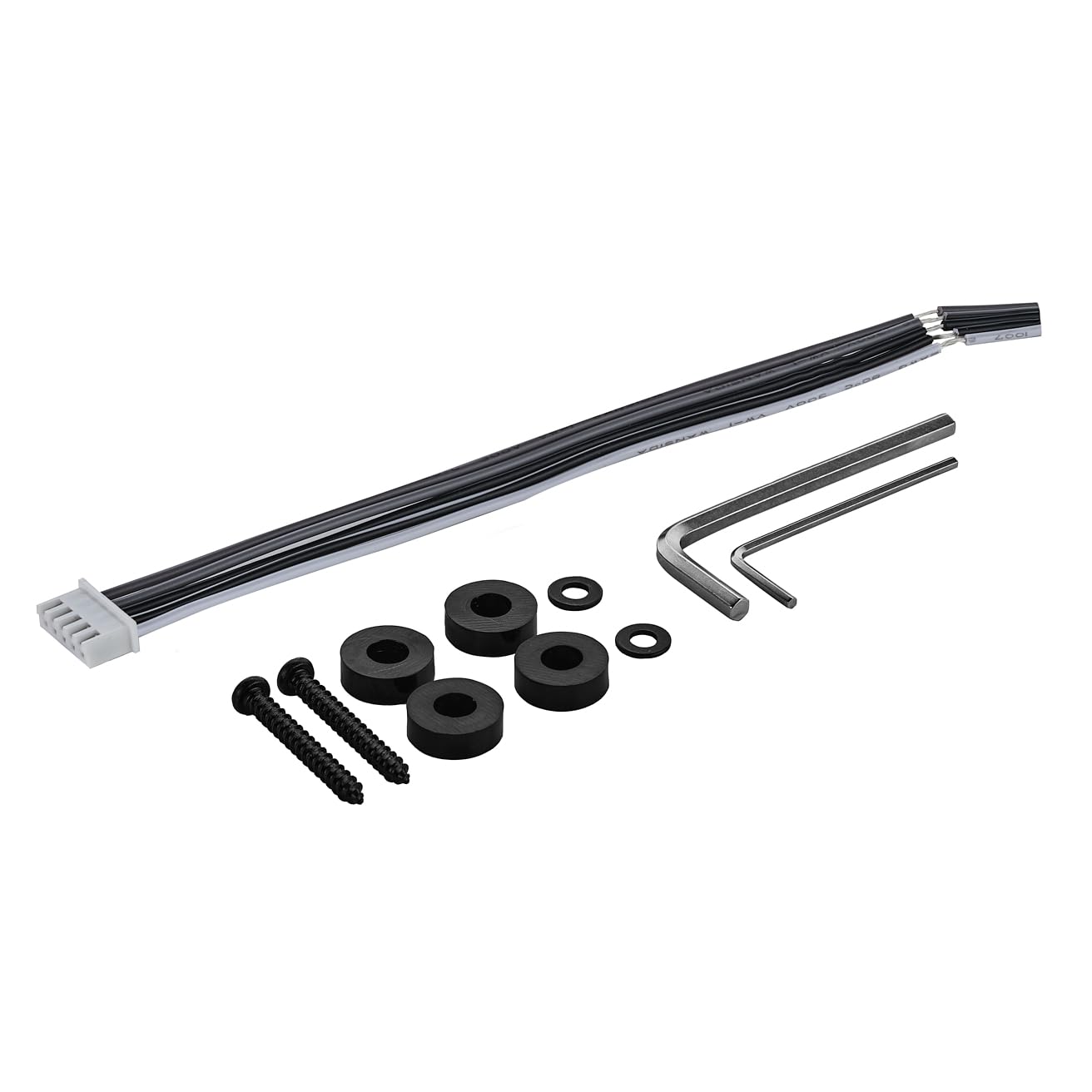
Image: Included accessories for the DS18 CANDY-X2B amplifier, showing the wiring harness, mounting screws, and hex keys.
4. Hua Neke Atuview
The DS18 CANDY-X2B is a compact Class D 2-channel amplifier designed to deliver significant power output in a small footprint. Its efficient design allows for installation in tight spaces while providing ample power for your car audio system.
Āhuatanga matua:
- Hoahoa Iti Iti: Measuring approximately 7.18" x 5" x 1.77", this amplifier can be installed in various locations within your vehicle.
- Putanga Mana Teitei: Delivers up to 800 Watts Max power at 1-Ohm, with RMS ratings of 2x120W at 4-Ohm, 2x200W at 2-Ohm, and 350W at 4-Ohm Bridge.
- Awhe Taupānga Whānui: Supports speaker impedances from 2 to 8 ohms, offering flexibility for various speaker configurations.
- Hiko Hiko: Class D topology ensures high efficiency, drawing minimal power from the vehicle's battery while maximizing output.
- OEM-Ready: Features high-level inputs for seamless integration with factory audio systems.
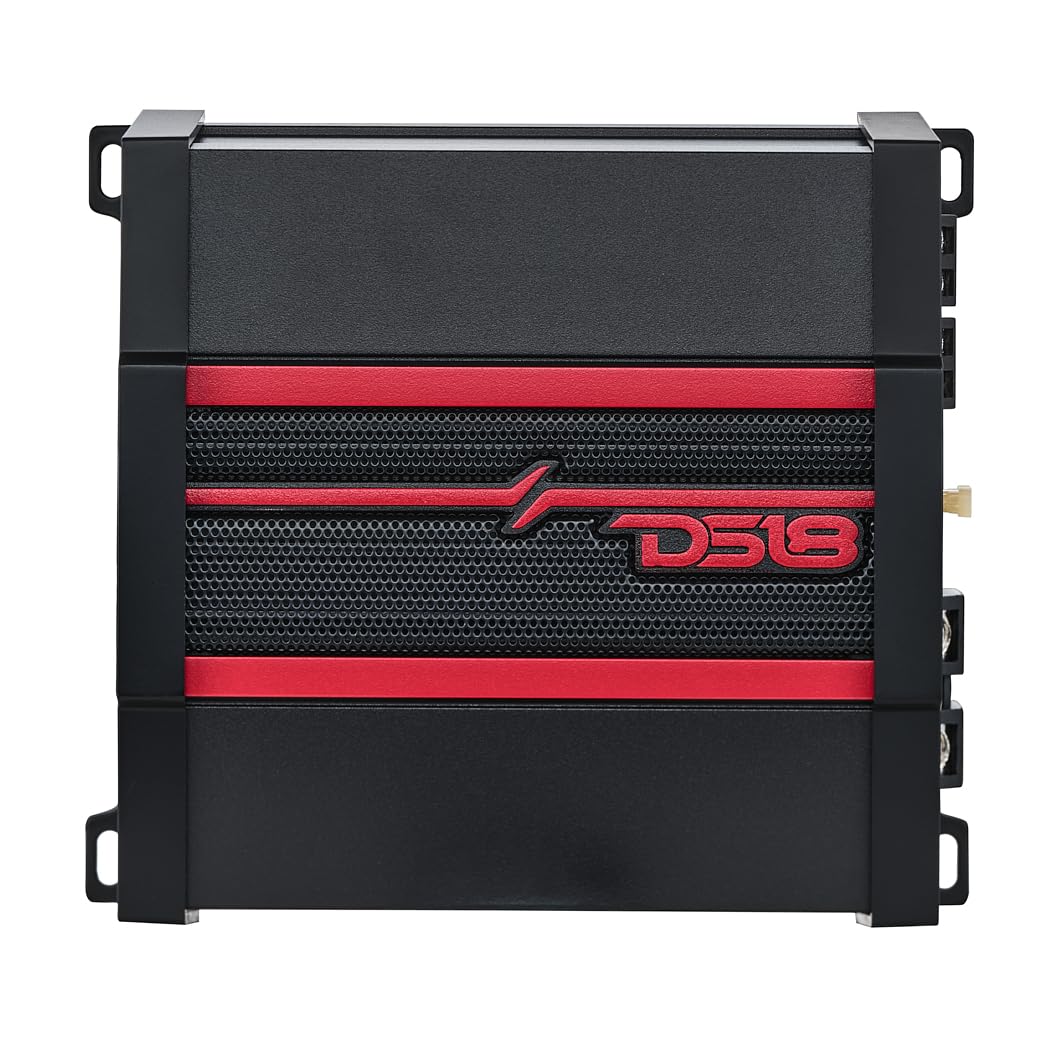
Image: The DS18 CANDY-X2B ampwhakarara, whakaatucasing its compact form factor and key power specifications.
5. Tatūnga me te Tāuta
He mea nui te whakaurunga tika mo te mahi tino pai me te roa o to oranga ampwhakarara. A pee i enei taahiraa.
5.1 Te Tauwhi Maunga
Choose a mounting location that is dry, well-ventilated, and protected from direct sunlight or excessive heat. Ensure there is enough space around the amplifier for air circulation. The compact size of the CANDY-X2B allows for flexible placement options.
5.2 Hononga Waea
Refer to the diagrams below for proper wiring of power, ground, remote, input, and speaker outputs.
Ngā Hononga Hiko me te Whenua:
- GND (Te Papa): Connect this terminal to a clean, unpainted metal surface of the vehicle chassis. Ensure a solid connection for optimal performance and safety.
- REM (Whakakā Mamao): Connect this to the remote output of your head unit. This signal turns the ampwhakakorikori me to punaha ororongo.
- +12V (Mana): Connect this terminal directly to the positive terminal of your vehicle's battery. An inline fuse (not supplied, typically 25A for this model) should be installed within 18 inches of the battery.
Ngā Hononga Putanga Kaikōrero:
Connect your speakers to the LEFT and RIGHT speaker output terminals. For bridged mode operation, refer to the diagram and connect to the designated BRIDGE terminals. Ensure correct polarity (+ to + and - to -).

Image: Rear panel connections of the DS18 CANDY-X2B amplifier, detailing the power, ground, remote, fuse, and speaker output terminals.
Hononga Whakauru:
The CANDY-X2B supports both Low-Level (RCA) and High-Level inputs.
- Tāuru Taumata-iti (RCA): Honoa nga taura RCA mai i to mahunga o mua-amp putanga ki te amplifier's INPUT L and R RCA jacks.
- Tāuru Taumata-Teitei: If your head unit does not have RCA outputs, use the supplied high-level input harness. Connect the speaker wires from your head unit to the corresponding wires on the harness, then plug the harness into the amplifier's HIGH INPUT port.

Image: Front panel connections and controls of the DS18 CANDY-X2B amplifier, illustrating low-level RCA inputs, high-level input, and various audio adjustment knobs.
6. Nga Tohutohu Whakahaere
Kotahi te amplifier is installed, adjust the settings for optimal audio performance.
6.1 Paewhiri Mana Ki rungaview
The front panel of the CANDY-X2B features several controls for fine-tuning your audio output:
- KAUPAPA KAUPAPA: Adjusts the bass level enhancement (0dB to +12dB). Use sparingly to avoid distortion.
- FREQ (auau): Selects the crossover frequency for the Low Pass Filter (LPF) or High Pass Filter (HPF).
- X-OVER (Crossover Switch): Selects between FULL (full range), LPF (Low Pass Filter), or HPF (High Pass Filter) modes.
- MAU: Ka rite ki te amplifier's input sensitivity to the output level of your head unit. Start with the gain at minimum and slowly increase until desired volume is achieved without distortion.

Whakaahua: Taipitopito view o nga amplifier's control panel, highlighting the Bass Boost, Frequency, Crossover, and Gain adjustment knobs.
6.2 Tatūnga Tuatahi me te Whakaritea
- Whakatakotoria nga mea katoa amplifier controls (Gain, Bass Boost) to their minimum positions.
- Whakatakotoria te oro o tō pane oro ki te 75% o tōna mōrahi.
- Whakarei ake i te amplifier's GAIN control until you hear slight distortion, then back off slightly.
- Adjust the X-OVER switch and FREQ knob according to your speaker type:
- For full-range speakers, set X-OVER to KATOA.
- For subwoofers, set X-OVER to LPF and adjust FREQ to the desired low-pass cutoff (e.g., 80Hz-120Hz).
- For component speakers or tweeters, set X-OVER to HPF and adjust FREQ to the desired high-pass cutoff (e.g., 80Hz-120Hz).
- Use the BASS BOOST control sparingly to enhance bass if desired, ensuring no distortion occurs.
7. Tiaki
The DS18 CANDY-X2B ampHe iti noa te tiaki e hiahiatia ana mō te kaiwhakaora kia roa ai te mahi.
- Te horoi: Ia wā horoia te ampHe kakahu ngohengohe, maroke te taha o waho. Kaua e whakamahi i nga matū kino, i nga horoi horoi ranei.
- Hononga: Tirohia tonutia ngā hononga hiko, whenua, mana mamao, me te pūoro kia mōhio ai kei te mau tonu, ā, kāore he waikura. Ka raru pea te mahi a ngā hononga wetekina, ka pakaru rānei.
- Whakahau: Me whakarite ko te ampKo nga tara whakamatao o te lifier he kore he puehu me te otaota kia mau tonu te tohanga wera.
8. Te Raru
Mena ka raru koe ki to ampmō te rapurongoā, tirohia te aratohu rapurongoā e whai ake nei i mua i te whakapā atu ki te tautoko.
| Raruraru | Take pea | Rongoā |
|---|---|---|
| Kore He Mana / Ampe kore e huri te kaitahu | Ka pupuhihia Te mana wewete, te hononga whenua ranei Karekau he tohu whakahuri mamao | Check and replace fuse (use correct rating) Me whakaū kei te mau tonu ngā hononga hiko me te whenua katoa Tirohia te hononga waea mamao me te putanga o te waeine matua |
| Kore Putanga oro | Loose input or speaker connections He iti rawa te utu He iti rawa te rōrahi o te wae matua He he nga tautuhinga whakawhiti | Check all RCA/high-level inputs and speaker wire connections Increase gain slowly Increase head unit volume Adjust X-OVER and FREQ settings |
| Oro Kopikopiko | He tiketike rawa te utu He iti rawa te aukati orooro He pai te hononga ki te whenua | Whakaitihia te tautuhinga whakanui Me whakarite kia rite nga kaikorero ampwhakatauranga impedance o lifier Verify ground connection is solid and clean |
| Amplifier Ka wera rawa | He iti rawa te hau He iti rawa te aukati orooro Extended high-volume operation | Te hūnuku amplifier or improve airflow Tirohia te aukati orooro Whakaitihia te rōrahi, tukua ranei amplifier to cool |
9. Whakatakotoranga
Detailed technical specifications for the DS18 CANDY-X2B AmpKaiwhakaora:
| Āhuahira | Whakatakotoranga |
|---|---|
| Tau tauira | CANDY-X2B |
| Te maha o nga hongere | 2 |
| Ampakomanga lifier | Te akomanga D |
| Mana Huaputa (Max) | 800 Watts |
| RMS Wattage @ 4 Ohm | 2 x 120W |
| RMS Wattage @ 2 Ohm | 2 x 200W |
| RMS Wattage @ 4 Ohm Bridge | 350W |
| Impedance Iti | 2 Ohm Stereo / 4 Ohm Bridge |
| Whakautu auau | 20Hz - 20KHz |
| Tauwehenga Waitohu ki te Haruru | 70dB |
| Voltage | 14.4 Volts (DC) |
| Te Waahi Mahi | Tae atu ki te 158 Ngā nekehanga Fahrenheit |
| Ahu (L x W x H) | 7.18 x 5 x 1.77 inihi |
| Taumaha Tūemi | 3 pauna |
| Rauemi | Te whakarewa |
| Tiwhikete | FCC |
10. Nga Korero Whakaputanga
He mea hanga, he mea hanga hoki ngā hua DS18 ki ngā paerewa kounga teitei rawa atu. Mō ngā tikanga me ngā herenga motuhake o te pūtāhui, tirohia te kāri pūtāhui kei roto i tō hua, tirohia rānei te paetukutuku mana o DS18. webpae. Puritia to riirii hoko hei tohu mo te hoko mo nga kereme whakamana.
11. Tautoko
If you require further assistance or have questions not covered in this manual, please contact DS18 customer support through their official webpae tukutuku, ngā mōhiohio whakapā rānei i tukuna tahitia me tō hua. Ka taea hoki e koe te toro atu ki te Toa DS18 i Amazon mo etahi atu korero hua me nga rauemi.


