Apple MPKY2LL/A

Apple iPad Pro 12.9-inch (2nd Generation, Wi-Fi Only) User Manual

Kupu Whakataki

This manual provides essential information for the Apple iPad Pro 12.9-inch (2nd Generation, Wi-Fi Only, 512GB, Model MPKY2LL/A). This device is a renewed product, meaning it has been inspected and tested to function like new. While the unit powers on with factory settings restored and includes original accessories, it may arrive in generic packaging.

The iPad Pro features a 12.9-inch Retina display, powered by the A10X Fusion chip, and runs on iOS 10. It offers 512GB of storage, a 12MP rear camera, and a 7MP front camera.

Tatūnga

1. Te Wetewete me te Tirotiro Tuatahi

Carefully remove your iPad Pro from its packaging. Verify that the following items are included:

  • Apple 12.9-inch iPad Pro (2nd Generation, Wi-Fi, 512GB, Space Gray, MPKY2LL/A)
  • USB-C charge cable (1 meter)
  • 20W USB-C urutau hiko

Note that the original box is not included with renewed units.

2. Ka tohatohahia te Pūrere

Before first use, it is recommended to fully charge your iPad Pro. Connect the USB-C charge cable to the iPad's charging port and the 20W USB-C power adapter to a wall outlet. The battery icon on the screen will indicate charging status.

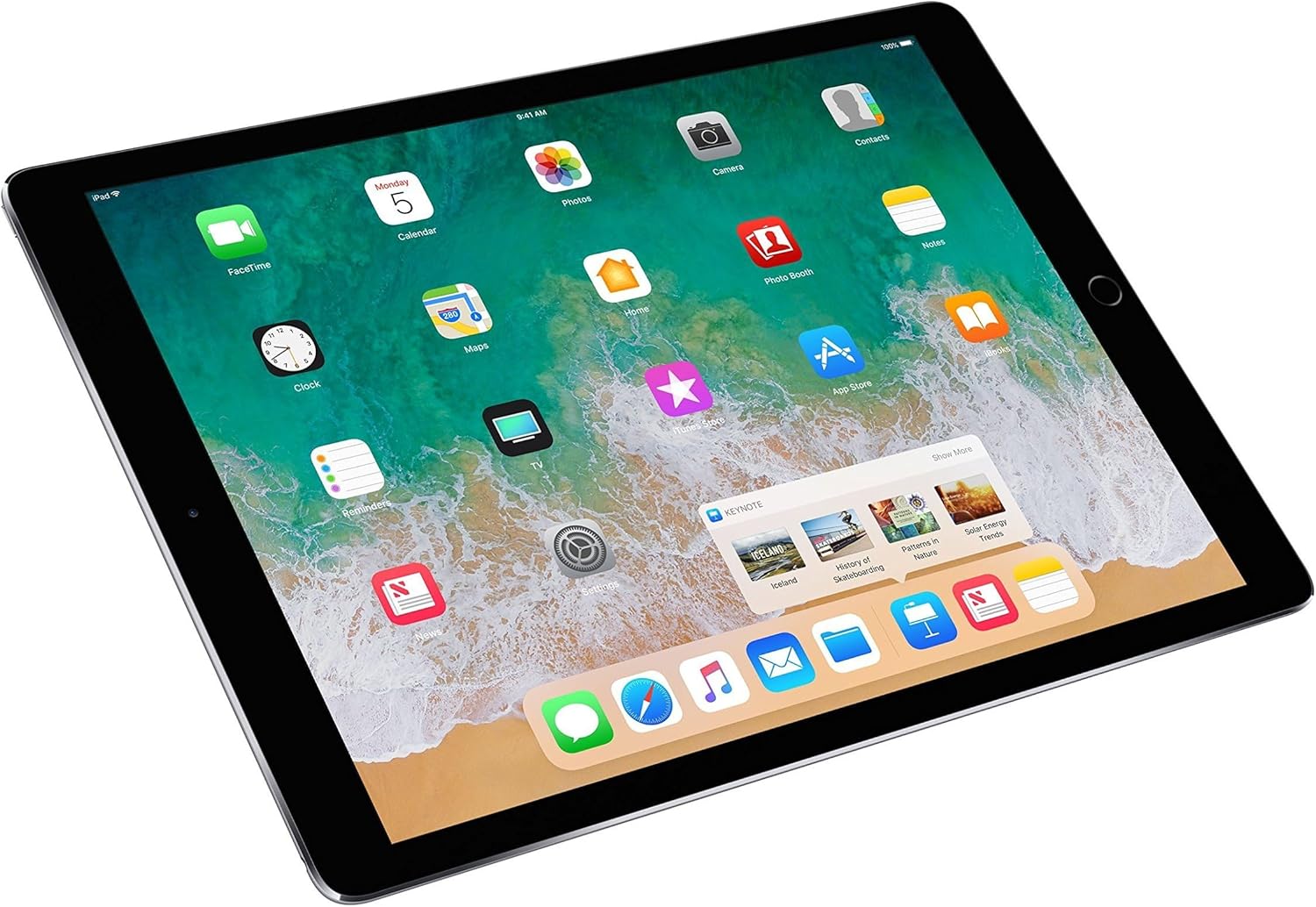
Apple iPad Pro 12.9-inch with home screen displaying various app icons

Whakaahua: Mua view of the Apple iPad Pro 12.9-inch, showing the device's home screen with standard iOS app icons.

3. Te Whakakaha/Weto

  • Hei Whakahiko: Patohia me te pupuri i te paatene Mana (kei te taha matau o runga) kia puta ra ano te tohu Apple.
  • Hei Whakaweto: Press and hold the Power button until the 'Slide to Power Off' slider appears. Drag the slider to the right.

4. Tatūnga Tuatahi

Follow the on-screen instructions to set up your iPad Pro. This typically includes selecting your language and region, connecting to a Wi-Fi network, setting up Touch ID, creating a passcode, and signing in with your Apple ID or creating a new one.
Nga Tohutohu Whakahaere

1. Whakaatuhia nga waahanga

Your iPad Pro features a 12.9-inch Retina display with a resolution of 2732 x 2048 pixels. It supports ProMotion technology for a 120Hz refresh rate, providing fluid scrolling and responsiveness. True Tone technology automatically adjusts the display's white balance to match the light around you.

2. Basic Navigation and Multitasking

Navigate your iPad using touch gestures. The Home button allows you to return to the home screen, activate Siri, or use Touch ID. Multitasking features like Split View and Slide Over allow you to use multiple apps simultaneously.

Apple iPad Pro 12.9-inch displaying multiple apps in multitasking view

Image: The iPad Pro screen showing several applications open simultaneously in a multitasking layout, demonstrating its capability to run multiple apps side-by-side.

Apple iPad Pro 12.9-inch displaying Control Center and app switcher

Image: The iPad Pro screen showing the Control Center overlay and the app switcher interface, allowing quick access to settings and recently used applications.

3. Whakamahinga Camera

The iPad Pro is equipped with a 12-megapixel iSight camera on the rear and a 7-megapixel FaceTime HD camera on the front. Open the Camera app to capture photos and videos.

4. Rokiroki me te Mahinga

Me te 512GB o te rokiroki ā-roto, kei a koe ample space for apps, documents, and media. The A10X Fusion chip ensures smooth performance for demanding applications and tasks.

5. Apple Pencil Compatibility

The iPad Pro (2nd Generation) supports the first-generation Apple Pencil (sold separately), allowing for precise drawing, writing, and annotation directly on the screen.

Hand holding an Apple Pencil and drawing on an Apple iPad Pro screen

Image: A close-up of a hand using an Apple Pencil to draw intricate designs on the screen of an iPad Pro, highlighting the device's creative capabilities.

Te tiaki

1. Cleaning Your iPad Pro

To clean your iPad Pro, use a soft, lint-free cloth. Avoid abrasive materials, aerosols, solvents, or ammonia-based cleaners. Do not spray cleaners directly onto the device.

2. Whakahōu Pūmanawa

Keep your iPad Pro's software up to date to ensure optimal performance and security. Go to Tautuhinga> General> Whakahou Pūmanawa ki te tirotiro me te whakauru i nga whakahou e waatea ana.

3. Tiaki Pūhiko

The iPad Pro has an average battery life of up to 10 hours. To maximize battery longevity, avoid extreme temperatures, and consider enabling Low Power Mode when battery levels are low. For long-term storage, charge the device to about 50%.

Raparongoā

Nga take me nga otinga noa

wheketere Tautuhi

If issues persist, you may consider restoring your iPad Pro to factory settings. This will erase all data and settings. Go to Tautuhinga> General> Whakawhiti ranei Tautuhi iPad> Mukua Ihirangi katoa me Tautuhinga. Ensure you have backed up important data before proceeding.

Whakatakotoranga

ĀhuahiraTaipitopito
WaitohuAporo
Ingoa TauiraiPad Pro (2nd generation)
Tau tauiraMPKY2LL/A
Te Rokiroki Mahara512 GB
Rahi Mata12.9 Inihi
Whakaatu Taumira Morahi2732 x 2048
WhakatupurangaWhakatupuranga tuarua
Tau tauira2017
TukatukaApple A10X Fusion (2.39 GHz)
Pūnaha MahiiOS 10 (ka taea te whakahou)
Pūhiko Wawaenga Te Ora10 haora
Kāmera Whakamuri12 MP iSight Camera
Kāmera Mua7 MP FaceTime HD Camera
TaeSpace Grey
Taumaha Tūemi1.49 Pauna
Hangarau HonongaWi-Fi, Nihokikorangi, USB
Te taha profile view of the Apple iPad Pro 12.9-inch

Whakaahua: taha profile of the Apple iPad Pro 12.9-inch, highlighting its thin design and physical buttons.

Nga korero Whakaputanga

This renewed Apple iPad Pro comes with a 90-ra iti pūtāhui. For specific terms and conditions, please refer to the warranty documentation provided with your purchase or contact the seller directly.

Tautoko

Mo etahi atu awhina, tautoko hangarau, patai ratonga ranei, tirohia te Manatoko Apple mana website or contact Apple customer service. You can find detailed guides, FAQs, and contact options on their webpae.

For issues related to your renewed product's condition or warranty, please contact the seller from whom you purchased the device.

Tuhinga e pa ana - MPKY2LL/A

Preview iPad 使用手冊 (iOS 7)
這份 iPad 使用手冊提供了關於 iPad 裝置、iOS 7操作系統的詳細指南,涵蓋了從基本設定到各項功能的全面介紹,包括 Siri、App Store、iCloud
Preview iPad Basics: He Aratohu Kaiwhakamahi Matawhānui
Akohia nga tikanga o te whakamahi i to iPad me tenei aratohu matawhānui e hipoki ana i nga ahuatanga tinana, te whakatere iOS, Wi-Fi, Safari, Camera, Mail, Apps, me etahi atu. He pai mo nga kaiwhakamahi iPad hou.
Preview Apple iPad 7 (7th Gen) Teardown and Repair Guide
He aratohu wehewehe matawhānui mo te Apple iPad 7 (10.2-inihi, whakatupuranga 7, tauira A2200). Ko tenei aratohu e whakaatu ana i nga whakaritenga o te taputapu, nga waahanga o roto, me te taahiraa-i-te-taahiraa o te mahi wetewete, ka mutu me te whiwhinga whakatika o te 2 o te 10.
Preview Aratohu Recycler Apple iPad: Wetewete me te Whakaora Rawa mo nga Tauira Whakatupuranga 6, 7, me te 8
Ko tenei aratohu e whakarato ana i nga miihini hiko me nga tohutohu taahiraa-i-te-taahiraa mo te wetewete i nga tauira Apple iPad (whakatupuranga 6, 7, me te 8) hei whakanui ake i te whakaora rawa. Kei roto ko nga whakaaro nui mo te haumaru, nga taputapu e taunakitia ana, me te whakarōpūtanga rauemi mo te tukatuka tika o raro, me te piri ki nga ture taiao.
Preview Aratohu Kaiwhakamahi iPad mo iOS 8.4 Pūmanawa
He aratohu kaiwhakamahi matawhānui mō ngā pūrere Apple iPad e whakahaere ana i te pūmanawa iOS 8.4. Akohia me pehea te whakarite, te whakamahi me te whakarite i to iPad, tae atu ki nga ahuatanga penei i a Siri, iCloud, FaceTime, Safari, me nga momo taupānga. Ka hipoki i nga korero rapurongoā me te haumaru.
Preview Aratohu Kaiwhakamahi Apple iPad: Te Whakahaere i te iOS 6 Nga ahuatanga me te mahi
He aratohu kaiwhakamahi matawhānui mo nga taputapu Apple iPad e whakahaere ana i te iOS 6. Ako ki te whakarite, te whakamahi i nga ahuatanga penei i a Siri, Camera, Mail, Safari, me te whakahaere i nga tautuhinga. Kei roto ko nga tohutohu mo te uru me te rapu raruraru.