1. Kupu Whakataki
This manual provides comprehensive instructions for the proper setup, operation, and maintenance of your VWR 10500-584 Traceable Refrigerator/Freezer Ultra Thermometer. This device is designed to accurately monitor temperatures in refrigerators and freezers, displaying current, minimum, and maximum readings simultaneously. It is engineered to meet stringent requirements for critical temperature monitoring, including CDC guidelines for vaccine storage.
2. Nga Hua o te Hua
- Whakaaturanga Takitoru: Simultaneously shows current, minimum, and maximum temperatures.
- Awhe Pawera Whānui: Nga ine mai i -50°C ki te 70°C (-58°F ki te 158°F).
- Taumira teitei: 0.1° resolution for precise readings.
- Ultra Accuracy: ±0.5°C accuracy between -30°C and 50°C; otherwise ±1°C.
- CDC Compliance: Designed to meet current CDC requirements for vaccine storage and monitoring.
- Kōwhiringa Probe: Features a switch for selecting between two probes (if applicable, based on image).
- Memory Clear Function: Button to reset minimum and maximum temperature records.
3. Tatūnga
Follow these steps to prepare your thermometer for use:
- Tāuta Pūhiko: Open the battery compartment (typically on the back) and insert the required batteries, observing correct polarity.
- Te Whakatakotoranga: Connect the temperature probe(s) to the designated ports. Place the probe(s) in the desired monitoring location within the refrigerator or freezer. Ensure the probe cable is not pinched or damaged by the door seal.
- Hiko Tuatahi: The device should power on automatically once batteries are installed. Verify the display shows temperature readings.
- Kōwhiringa Waeine: If applicable, select the desired temperature unit (°C or °F) using the appropriate button (often the 'MODE' button or a dedicated switch).
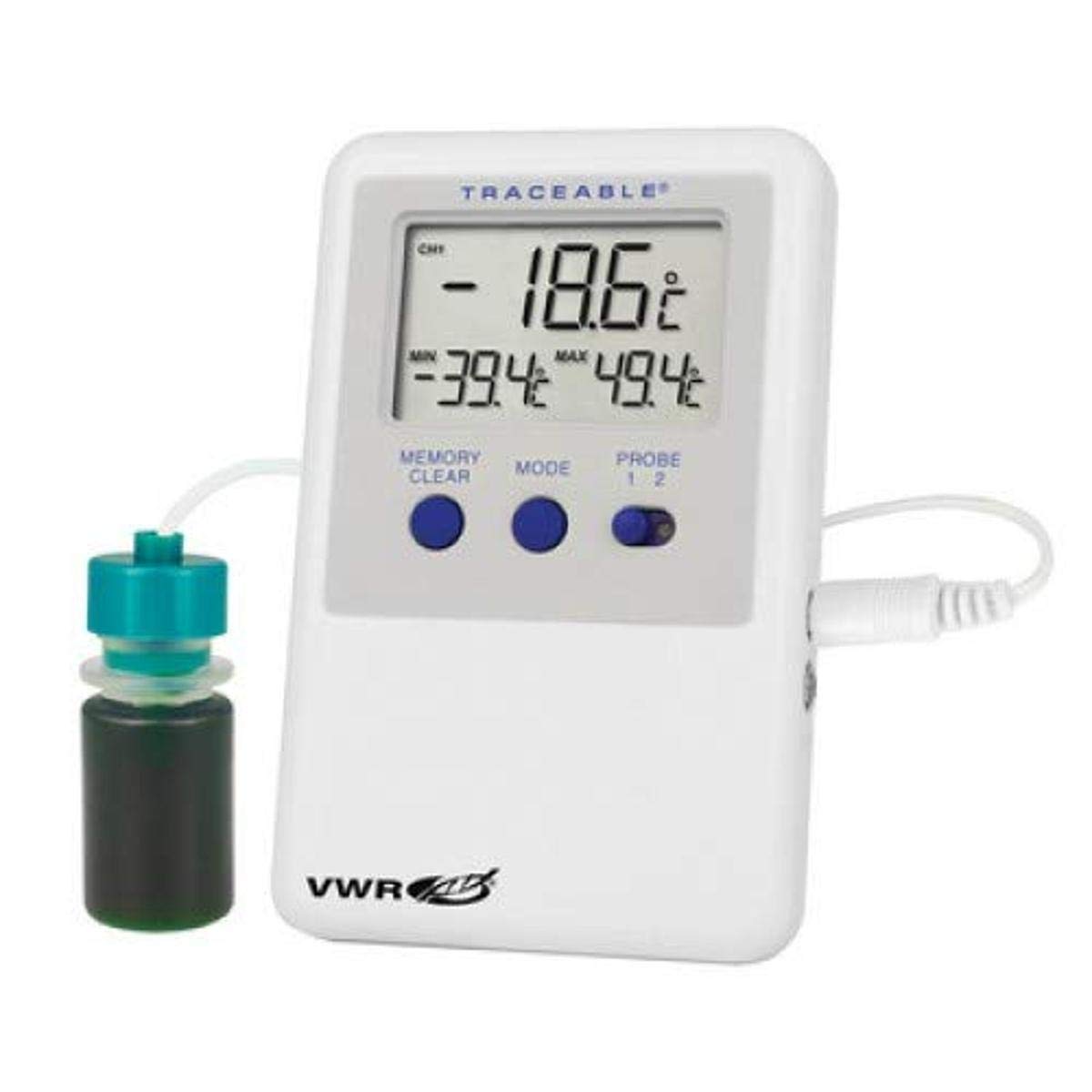
Whakaahua 1: VWR 10500-584 Traceable Refrigerator/Freezer Ultra Thermometer. The image displays the thermometer unit with its digital screen showing temperature readings, and a connected probe immersed in a small bottle, likely simulating a buffered solution for stable temperature measurement.
4. Nga Tohutohu Whakahaere
Understanding the display and controls:
- Te pāmahana o nāianei: The largest number on the display indicates the real-time temperature reading from the selected probe.
- Minimum (MIN) Temperature: Shows the lowest temperature recorded since the last memory clear.
- Maximum (MAX) Temperature: Shows the highest temperature recorded since the last memory clear.
- MEMORY CLEAR Button: Press this button to reset the recorded minimum and maximum temperatures. The current temperature will then become the initial MIN and MAX values until new extremes are reached.
- Pātene MODE: This button typically cycles through display modes or switches between Celsius and Fahrenheit units. Refer to the specific device markings for its exact function.
- PROBE Switch (1/2): If your model has two probes, use this switch to select which probe's readings are displayed as the current temperature. The MIN/MAX values will correspond to the currently selected probe.
5. Tiaki
- Te horoi: Wipe the thermometer unit and probes with a damp cloth. Do not immerse the main unit in water. Avoid using abrasive cleaners or solvents.
- Whakakapinga Pūhiko: When the display becomes dim or the low battery indicator appears, replace the batteries promptly. Use the specified battery type.
- Tiaki Tiaki: Handle probes carefully. Avoid bending or kinking the probe cables excessively. Ensure probe connections are secure.
- Rokiroki: When not in use for extended periods, remove batteries and store the thermometer in a cool, dry place.
6. Te Raru
| Raruraru | Take pea | Rongoā |
|---|---|---|
| Kaore he whakaaturanga, he whakaaturanga atarua ranei | Ngā pākahiko mate, iti rānei; te tāutanga pākahiko hē. | Whakakapihia nga pākahiko ki nga mea hou, kia tika te polarity. |
| Kore i tika te panui o te pāmahana | Probe not properly connected; damaged probe; external interference. | Check probe connection. Inspect probe for damage. Ensure probe is correctly positioned. |
| MIN/MAX values not resetting | 'MEMORY CLEAR' button not pressed firmly or device malfunction. | Press the 'MEMORY CLEAR' button firmly. If issue persists, contact support. |
7. Whakatakotoranga
- Tau tauira: 10500-584
- Awhe Pawera: -50°C ki te 70°C (-58°F ki te 158°F)
- Whakatau: 0.1°
- Tika: ±0.5°C between -30°C and 50°C; otherwise ±1°C
- Ahu mōkihi: 12.7 x 10.16 x 5.08 cm
- Taumaha: 1.36 kg
- Kaihanga: VWR International
8. Pūtāhui me te Tautoko
For warranty information or technical support regarding your VWR 10500-584 Traceable Refrigerator/Freezer Ultra Thermometer, please contact VWR International directly through their official webpae, hongere ratonga kiritaki ranei. Puritia to riiki hoko hei tohu mo te hoko.


