Kupu Whakataki
The Akuvox SP-R50 is a business IP phone designed to provide high-quality, cost-effective communication solutions. It features HD Voice, a 2.3-inch 132x64 graphical LCD with backlight, and supports 3-way conferencing. This manual provides essential information for setting up, operating, maintaining, and troubleshooting your SP-R50 IP phone.
Ihirangi mokete
I mua i to tiimata, tirohia koa ko nga mea katoa kei roto i te kete:
- IP Phone (Akuvox SP-R50) x 1
- Tu x 1
- Handset with Cord x 1
- Waea Itarangi x 1
- Pūurutau Hiko x 1
Tatūnga
Follow these steps to set up your Akuvox SP-R50 IP Phone:
- Whakapirihia te Tu: Securely attach the stand to the back of the IP phone.
- Honoa te Pukoro: Monohia tetahi pito o te taura pukoro kua kopikopiko ki roto i te ringaringa me tetahi pito ki te tauranga ringaringa i runga i te turanga waea.
- Hono atu ki te Whatunga:
- If using Power over Ethernet (PoE), connect one end of the Ethernet cable to the LAN port on the phone and the other end to a PoE-enabled network switch or router.
- If not using PoE, connect one end of the Ethernet cable to the LAN port on the phone and the other end to your network switch or router. Then, connect the power adapter to the phone's power port and plug it into a power outlet.
- Whakaara Tuatahi: The phone will power on automatically. The LCD screen will display the boot-up sequence. Once complete, it will attempt to obtain an IP address and register with your SIP server.
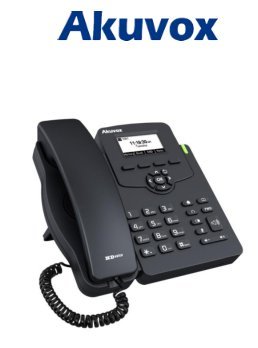
Image: Akuvox SP-R50 Business IP Phone, showing the main unit with the handset resting on its cradle and the stand attached, ready for setup.
Nga Tohutohu Whakahaere
This section covers the basic operation of your Akuvox SP-R50 IP Phone.
Te Waea me te Whiwhi Waea
- Hei Waea: Pick up the handset or press the Speaker button. Dial the desired number and press the Waea or # kī.
- Hei Whiwhi Waea: Kohia te ringaringa ka tohi ranei i te Kaikōrero pātene ka tangi te waea.
- Hei Whakamutu Waea: Whakairihia te ringaringa, pehia ranei te Kaikōrero pātene.
Karanga Whakaaturanga
- Waea Tatari: Allows you to answer a second incoming call while on an active call.
- Waea Whakamua: Redirects incoming calls to another number.
- Whakawhiti Waea: Transfers an active call to another party.
- Call on Hold: Puts an active call on hold.
- Wahangu: Ka whakamōkito i tō hopuoro i te wā e waea ana.
- Whakautu-aunoa: Configures the phone to automatically answer incoming calls.
- Tuarua: Waea atu ai ki te nama whakamutunga i karangatia.
- Kaua e whakararuraru (DND): Blocks all incoming calls.
- Local 3-Way Conference: Allows you to conduct a three-way conference call.
Phonebook and Settings
- Pukapuka Waea: The phone supports a phonebook of up to 500 groups and 5 remote phone book URLs. Access and manage contacts through the menu.
- Whakaritenga Rōrahi: Use the volume keys on the phone to adjust the handset, speaker, or ringer volume.
- Nga oro tangi: Select from various ring tones through the phone's settings menu.
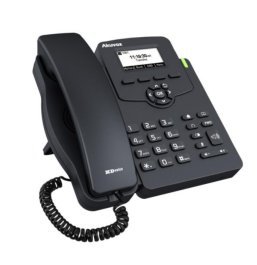
Image: Akuvox SP-R50 Business IP Phone, showcasing its ergonomic design and key layout from a slightly elevated angle, highlighting the display and navigation buttons.
Te tiaki
Mā te tiaki tika ka roa te ora me te mahi tino pai o tō waea IP.
- Te horoi: Use a soft, dry cloth to clean the phone's surface. For stubborn marks, slightly dampHoroia te kakahu ki te wai. Kaua e whakamahi i ngā matū kino, i ngā kaihoroi whakakoi, i ngā whakarewa rānei.
- Taiao: Keep the phone away from direct sunlight, excessive heat sources, and moisture. Ensure it is placed on a stable surface to prevent accidental falls.
- Kata: Tirohia ngā taura hono katoa i ia wā (waea waea, Ethernet, hiko) mō ngā tohu o te pakaru, te pakaru rānei. Whakakapia tonutia ngā taura pakaru.
Raparongoā
If you encounter issues with your Akuvox SP-R50, refer to the following common problems and solutions:
| Raruraru | Take pea | Rongoā |
|---|---|---|
| Karekau te waea i te hiko. | Kāore he hononga hiko, he hapa rānei te urutau hiko/PoE. | Check if the power adapter is securely plugged in or if the Ethernet cable is connected to a PoE-enabled port. Try a different power outlet or PoE port. |
| Kaore he reo waea. | Network connection issue or SIP registration failure. | Verify the Ethernet cable is properly connected. Check the network status on the phone's display. Contact your network administrator or SIP service provider if the issue persists. |
| Kaore e taea te waea, te whiwhi waea ranei. | SIP registration failed, DND enabled, or network problem. | Ensure the phone is registered (check display). Disable DND if active. Confirm network connectivity. |
| Te kounga o te waeatanga ngoikore (echo, static). | Pokamoka whatunga, pokanoa ranei. | Ensure your network has sufficient bandwidth. Avoid placing the phone near other electronic devices that may cause interference. |
Whakatakotoranga
Key technical specifications for the Akuvox SP-R50 Business IP Phone:
| Āhuahira | Whakaahuatanga |
|---|---|
| Waitohu | Akuvox |
| Tauira | Akuvox SP-R50 |
| Whakaatu | 2.3'' 132*64 Graphical LCD with Backlight |
| Nga Kaute SIP | 1 Line (Support 1 SIP account) |
| Nga waahanga reo | HD Voice, 3-Way Conference |
| Te Puka Waea Te kaha | 500 groups, 5 Remote Phone Book URL Tautokohia |
| Waea Rangitaki | 100 nga whakaurunga |
| Mana | PoE Support, Power Adapter (included) |
| Nga waahanga motuhake | Call Waiting, Call Forward, Call Transfer, Call on Hold, Mute, Auto-answer, Redial, DND, Speed Dial, Hotline, Direct IP call, Music on hold, Intercom, Call Pickup, Group Call Pickup, Anonymous Call, Anonymous Call Rejection |
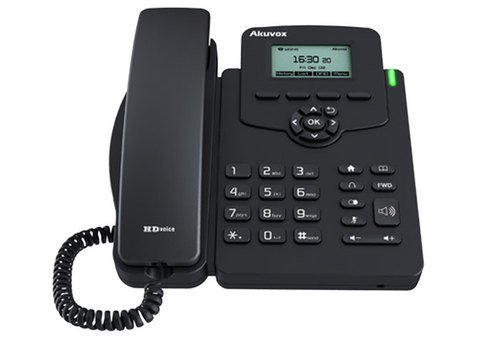
Whakaahua: Mua view of the Akuvox SP-R50 Business IP Phone, clearly showing the display, navigation keys, and numeric keypad.
Nga korero Whakaputanga
The Akuvox SP-R50 Business IP Phone comes with a 2 Tau Rarangi from the date of purchase. This warranty covers manufacturing defects and malfunctions under normal use. Please retain your proof of purchase for warranty claims. For detailed terms and conditions, refer to the warranty card included with your product or contact Akuvox customer support.
Tautoko
If you require further assistance or have questions not covered in this manual, please contact your vendor or Akuvox customer support. You may also visit the official Akuvox webpaetukutuku mō ētahi atu rauemi me ngā pātai e pātaihia pinepinetia ana.


