1. Kupu Whakataki
This manual provides detailed instructions for the Joyroom JR-P1 Bluetooth Headset. Please read this manual carefully before using the product to ensure proper operation and to maximize your user experience. The JR-P1 is a wireless on-ear headset designed for mobile phone compatibility, featuring a built-in microphone for calls and touch controls.
2. Hua Neke Atuview
The Joyroom JR-P1 features an ergonomic ear-hook design for comfortable and stable wear. It is lightweight and designed for various activities.
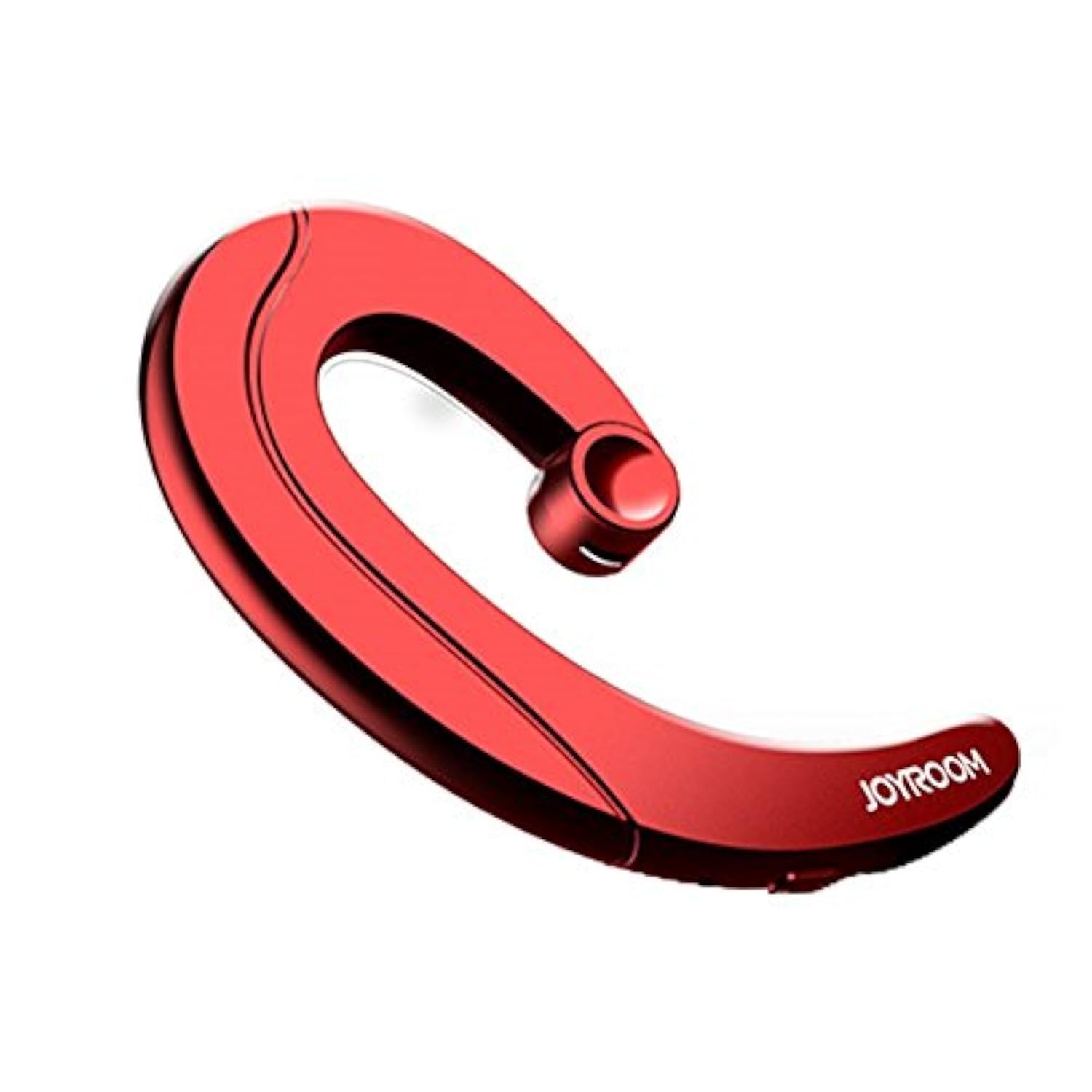
Figure 2.1: Joyroom JR-P1 Bluetooth Headset, showcasing its ear-hook design.
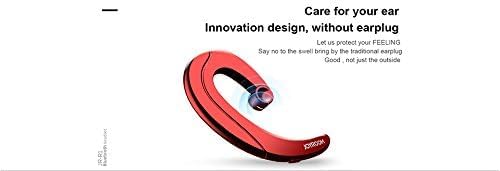
Figure 2.2: Illustration of the innovative design, providing comfort without an earplug.
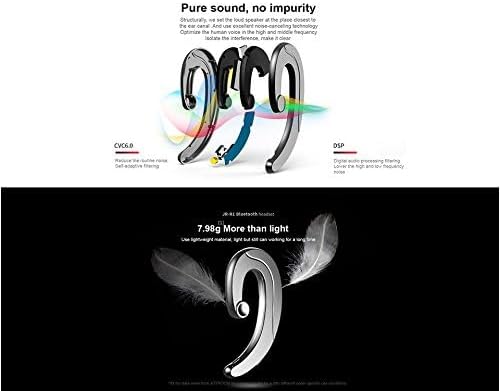
Figure 2.3: Internal technologies including CVC6.0 for noise reduction and DSP for digital audio processing.
3. Tatūnga
3.1 Te Whakataki i te Paneoro
Before first use, fully charge the headset. Connect the charging cable (not specified, assume standard USB) to the charging port on the headset and to a compatible USB power source. The indicator light will show charging status and turn off or change color when fully charged.
3.2 Takirua Nihokikorangi
- Me whakarite kua utua te pane whakarongo, ā, kua whakawetohia.
- Press and hold the power button (or multi-function button) on the headset until the indicator light flashes red and blue, indicating pairing mode.
- On your mobile phone or device, enable Bluetooth and search for available devices.
- Select "JR-P1" from the list of found devices.
- Once connected, the indicator light on the headset will typically flash blue slowly or turn off.
- Mena ka tonohia he kupuhipa, whakauruhia "0000".
4. Nga Tohutohu Whakahaere
The JR-P1 headset uses touch controls for various functions.
4.1 Hiko / Whakaweto
- Whakahiko: Press and hold the multi-function button for approximately 3 seconds until the indicator light flashes.
- Weto Whakakore: Press and hold the multi-function button for approximately 5 seconds until the indicator light turns off.
4.2 Whakahaere Waea
- Whakautu/Whakamutu Waea: Pāwhiritia te pātene maha-mahi kotahi.
- Whakakore Waea: Patohia me te pupuri i te paatene maha-mahi mo te 2 hēkona.
- Waea Anō te Tau Whakamutunga: Double-tap the multi-function button.
4.3 Purei Waiata
- Purei/Tatari: Pāwhiritia te pātene maha-mahi kotahi.
- Riu Panuku: Triple-tap the multi-function button.
- Riu o mua: Quadruple-tap the multi-function button.
4.4 Mana Rōrahi
Volume is typically controlled via your connected mobile device. Some headsets may have dedicated volume buttons; refer to the physical design of your JR-P1 headset.

Figure 4.1: The JR-P1 headset is suitable for hands-free communication, such as during driving.
5. Tiaki
Proper maintenance ensures the longevity and performance of your Joyroom JR-P1 headset.
- Te horoi: Use a soft, dry, lint-free cloth to clean the headset. Do not use harsh chemicals or abrasive materials.
- Ātete wai: Ko tenei pane e kore te wai āteteĀraia te pā ki te wai, te makuku, te ua, te werawera rānei, kia kore ai e pakaru.
- Rokiroki: Whakaorangia te pane ki te waahi makariri, maroke atu i te ra tika me te wera nui.
- Kei te utu: Do not overcharge the battery. Disconnect the charger once the headset is fully charged.
6. Te Raru
If you encounter issues with your JR-P1 headset, refer to the following common solutions:
| Raruraru | Rongoā |
|---|---|
| Karekau te paneoro i te hiko. | Ensure the headset is fully charged. Press and hold the power button for a longer duration. |
| Kaore e taea te hono ki te taputapu. | Ensure the headset is in pairing mode (flashing red/blue). Turn off and on Bluetooth on your device. Move the headset closer to your device. Clear previous Bluetooth connections on your device. |
| Karekau he oro, he kino te kounga oro. | Check the volume level on both the headset and your connected device. Ensure the headset is properly connected. Try re-pairing the headset. |
| Kaore e mahi ana te hopuoro. | Ensure the headset is properly connected and selected as the audio input device on your phone. Check for any obstructions on the microphone. |
7. Whakatakotoranga
Key technical specifications for the Joyroom JR-P1 Bluetooth Headset:
- Waitohu: Whare harikoa
- Tau tauira: JR-P1
- Hangarau Hononga: Ahokore
- Hangarau Ahokore: Nihokikorangi
- Tauwehe Puka Paneoro: On-ear (Ear-hook)
- Tikanga Mana: Paa
- Kei te hopuoro: Ae
- Wehenga Haruru: Kao
- Ngā Pūrere Hototahi: Waea pūkoro
- Whakamahi Manakohia: Te waea
- Taumaha: 20 karamu
- Rahi Hua: 7.36 x 3.89 x 0.65 cm
- Taumata Atete Wai: Ehara i te wai ātete
- Āhuahira taura: Without cable
8. Nga korero haumaru
Kia mau ki nga aratohu haumaru e whai ake nei:
- Do not disassemble or modify the headset. This may cause damage and void the warranty.
- Keep the headset away from extreme temperatures, humidity, and corrosive substances.
- A ape i te whakarongo ki nga reanga teitei mo te wa roa kia kore ai e pakaru te rongo.
- Use caution when using the headset in situations requiring awareness of your surroundings, such as driving or walking in traffic.
- Horoihia te hua me tana pākahiko kia rite ki nga ture o te rohe.
9. Pūtāhui me te Tautoko
For warranty information or technical support, please refer to the documentation included with your purchase or contact Joyroom customer service. Keep your proof of purchase for warranty claims.


