1. Kupu Whakataki
This manual provides essential information for the installation, operation, and maintenance of the Hirschmann RS20-0800T1T1SDAUHH Ethernet Rail Switch. This unmanaged Fast Ethernet switch is designed for industrial applications, offering reliable network connectivity with 8 ports and DIN rail mounting capabilities. Please read this manual thoroughly before operating the device.
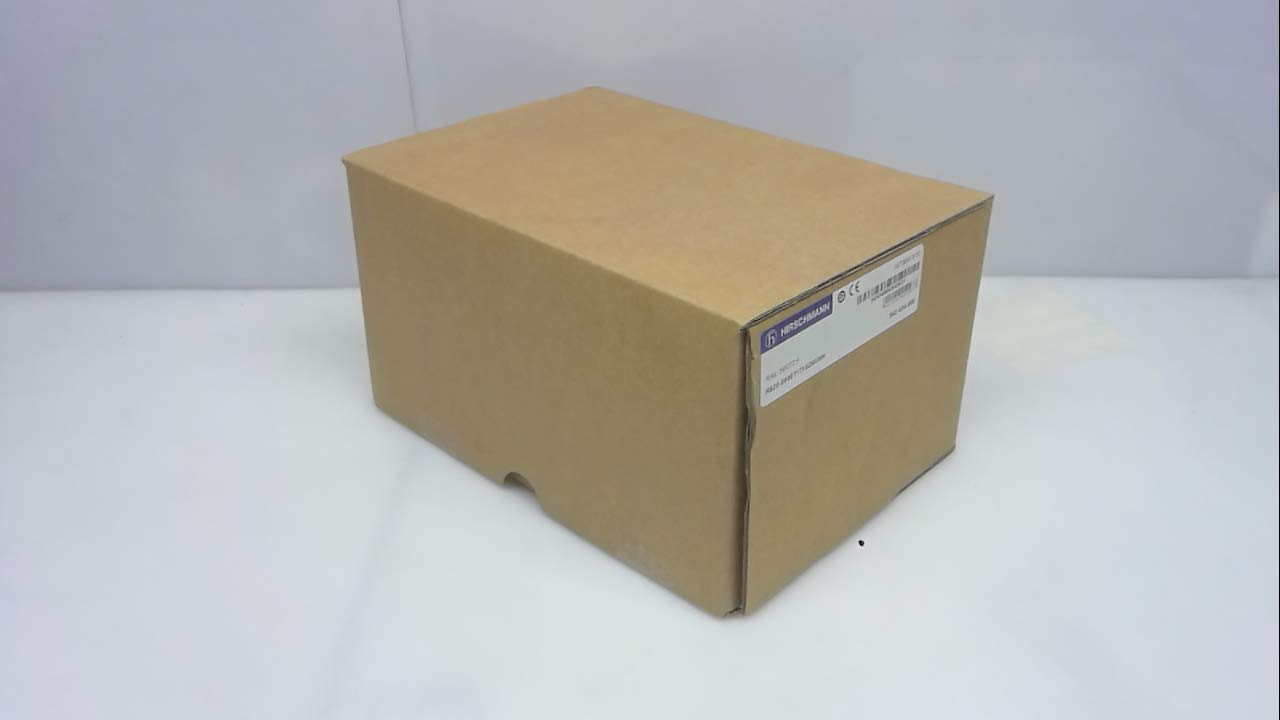
Whakaahua 1: Hirschmann RS20-0800T1T1SDAUHH Ethernet Rail Switch in its original packaging. The packaging indicates the model number and brand for verification.
2. Tatūnga me te Tāuta
Follow these steps for proper installation of your Hirschmann RS20-0800T1T1SDAUHH switch.
2.1 Te Wetewete
- Āta tango i te whakakā i tōna tākainga.
- Verify that all components are present and undamaged. The package should contain the switch and any included hardware.
2.2 Whakapiki
The RS20-0800T1T1SDAUHH is designed for DIN rail mounting.
- Attach the switch securely to a standard DIN rail in an industrial enclosure.
- Me whakarite kia rawaka te hau huri noa i te taputapu hei ārai i te wera nui.
2.3 Hononga Hiko
Whakauruhia te hiko ki te whakawhiti.
- The switch operates on 24V AC or 24-48V DC.
- Me whakarite kia ōrite te pūtake hiko ki te rōrahi kua tohuatage awhe.
- Connect the power cables to the designated power input terminals on the switch.
2.4 Hononga Whatunga
Connect Ethernet devices to the switch ports.
- The switch features 8 Fast Ethernet ports.
- Use standard Ethernet cables (e.g., Cat5e or Cat6) to connect your network devices (e.g., PLCs, industrial PCs, sensors) to any of the 8 ports.
- The switch automatically detects link speed and duplex mode.

Whakaahua 2: The Hirschmann RS20-0800T1T1SDAUHH switch, illustrating the 8 Ethernet ports and the power input terminal block for connection.
3. Nga Tohutohu Whakahaere
The Hirschmann RS20-0800T1T1SDAUHH is an unmanaged switch, designed for simple plug-and-play operation.
3.1 Te Whakahaa
Once the power supply is connected, the switch will power on automatically. There is no power button.
3.2 Hononga Whatunga
Upon connecting Ethernet devices to the switch ports, the switch will automatically establish network links. Data transmission will commence without further configuration.
3.3 Tohu LED
Observe the LED indicators on the switch for status information:
- Arahina hiko: Indicates the power status of the device. Typically green when powered on.
- Ngā LED Hononga/Mahi (mō ia tauranga):
- Kākāriki mārō: Indicates a successful network link.
- Kakariki kanapa: Indicates data activity on the port.
- Weto: No link detected or device is not connected.
4. Tiaki
The Hirschmann RS20-0800T1T1SDAUHH switch requires minimal maintenance.
4.1 Te horoi
- Me whakarite kua whakawetohia te hiko o te taputapu i mua i te horoinga.
- Whakamahia he kakahu ngohengohe, maroke hei muru i te taha waho o te pana.
- Do not use liquid cleaners or solvents, as these can damage the device.
4.2 Nga Whakaaro Taiao
The switch has an IP00 rating, meaning it is not protected against dust or water ingress. It must be installed in an appropriate enclosure that provides protection from environmental factors.
5. Te Raru
Ka whakaratohia e tenei waahanga nga otinga mo nga take noa.
5.1 Karekau he Mana
- Tohu: Kua kati te LED Hiko.
- Mahi:
- Check the power cable connection to the switch.
- Verify the power source is active and providing the correct voltage (24V AC / 24-48V DC).
- Inspect the power terminals for secure contact.
5.2 Kaore he Hononga Whatunga
- Tohu: Link/Activity LED for a port is off, or devices cannot communicate.
- Mahi:
- Me whakarite kei te hono tika te taura Ethernet ki te tauranga pana me te pūrere kua honoa.
- Whakamātauria he taura Ethernet rerekē.
- Manatokohia kei te noho te taputapu hono me te mahi tika.
- Ngana ki te hono i te taputapu ki tetahi tauranga rereke i runga i te whakawhiti.
6. Whakatakotoranga
Technical specifications for the Hirschmann RS20-0800T1T1SDAUHH Ethernet Rail Switch.
| Āhuahira | Whakatakotoranga |
|---|---|
| Tau tauira | RS20-0800T1T1SDAUHH |
| Waitohu | Hirschmann |
| Momo Whakawhiti | Whakawhiti Itarangi Tere kore whakahaere |
| Te maha o nga Tauranga | 8 |
| Momo Whakaeke | Rerewe DIN |
| Mahinga Mahi Voltage | 24V AC / 24-48V DC |
| Kawa Hononga | Itarangi |
| Rahi Hua (L x W x H) | 0.31 x 0.31 x 0.28 inihi |
| Taumaha | 5.67 Pauna |
| Whakatauranga Tiaki o te Ao | IP00 |
| Rauemi Whakapā | Te parahi |
| Te Ra Tuatahi Wātea | Haratua 11, 2018 |

Whakaahua 3: Product label for the Hirschmann RS20-0800T1T1SDAUHH, displaying key identification numbers such as UPC 4002044252977 and Alt ID 943 434-999.
7. Pūtāhui me te Tautoko
7.1 Nga Korero Whakaputanga
For specific warranty details regarding your Hirschmann RS20-0800T1T1SDAUHH switch, please refer to the warranty documentation provided with your purchase or contact Hirschmann directly. Warranty terms typically cover manufacturing defects for a specified period from the date of purchase.
7.2 Tautoko Hangarau
If you encounter issues that cannot be resolved using the troubleshooting guide, or require further technical assistance, please contact Hirschmann customer support or your authorized distributor. Have your product model number (RS20-0800T1T1SDAUHH) and serial number ready when contacting support.


