1. Kupu Whakataki
The Trust Smart Home ACM-250-LD is a compact, built-in LED dimmer designed for wireless control of your lighting. It allows you to dim LED lamps up to 50W and also supports traditional incandescent and halogen lamps up to 250W. Its discreet design allows for easy installation in a ceiling or junction box, maintaining the aesthetics of your living space while providing convenient wireless dimming capabilities.
Āhuatanga matua:
- Optimal solution for wireless dimming of LED lamps (up to 50W).
- Supports incandescent and halogen lamps (up to 250W).
- Features two distinct dimming functions (leading/trailing edge) for precise LED dimming performance.
- Compact design for easy installation in standard ceiling or junction boxes.
- Allows connection of up to two existing wall switches, ideal for multi-point control (e.g., staircase lighting).
- Ensures existing wall switches remain fully functional.

Whakaahua 1: Mua view of the Trust Smart Home ACM-250-LD Built-in LED Dimmer, showing its compact white casing and connection terminals.
2. Tatūnga me te Tāuta
Whakatupato Haumaru: Installation should only be performed by a qualified electrician. Always disconnect the main power supply before commencing any electrical work to prevent electric shock.
2.1 I Mua i te Whakanoho
- Me whakarite te lamps you intend to dim are compatible with dimmers. For LED lamps, verify they are specifically labeled as "dimmable."
- Check the total wattage o te lamps connected does not exceed the dimmer's maximum capacity (50W for LED, 250W for incandescent/halogen).
- Confirm you have the necessary tools (screwdriver, wire strippers, voltage te kaiwhakaatu).
2.2 Wiring Hoahoa
The ACM-250-LD dimmer features terminals for neutral (N), live (L), and switched live (S) connections, along with additional neutral (N) and live (L) terminals for loop-through or connecting multiple devices. Refer to the diagram below for proper wiring. Ensure all connections are secure.

Whakaahua 2: Raro view of the dimmer, illustrating the clearly labeled N, N, L, S, L terminals for electrical connections.
Connect the mains supply to the appropriate L (Live) and N (Neutral) terminals. Connect the lamp's live wire to the S (Switched Live) terminal and its neutral wire to an N terminal. If connecting existing wall switches, refer to the specific wiring instructions provided in the full product manual or consult a qualified electrician.
2.3 Whakapiki
Due to its compact dimensions, the ACM-250-LD can be easily installed inside a standard wall box, ceiling rose, or junction box. Ensure there is sufficient space for proper ventilation and to avoid overheating.

Figure 3: The dimmer shown with its dimensions: 4.5 cm (length), 4 cm (width), and 1.52 cm (height), highlighting its compact size for discreet installation.
3. Mahi
3.1 Basic Dimming
Once installed and paired with a Trust Smart Home wireless transmitter (e.g., a remote control or wall switch), you can wirelessly switch your lights on/off and dim them. Press the 'ON' button on your transmitter to turn lights on, and the 'OFF' button to turn them off. To dim, press and hold the 'ON' or 'OFF' button (depending on transmitter model) or use the dedicated dimming buttons if available.
3.2 Dimming Functions (Leading/Trailing Edge)
The ACM-250-LD offers two dimming modes to optimize performance for different types of LED lamps: leading edge (R,L,C) and trailing edge (RC). Use the small rotary switch on the dimmer unit to select the appropriate mode for your LED lamps. Experiment with both settings to find the one that provides the smoothest dimming and prevents flickering for your specific LED bulbs.

Whakaahua 4: Whakatata view of the dimmer's top surface, showing the rotary switch for selecting between R,L,C (leading edge) and RC (trailing edge) dimming modes.
3.3 Pairing with Wireless Switches
To enable wireless control, the dimmer must be paired with a Trust Smart Home transmitter. The pairing process typically involves putting the dimmer into learning mode (often by pressing a small button on the unit) and then activating the desired channel on your transmitter. Refer to your specific Trust Smart Home transmitter's manual for detailed pairing instructions.
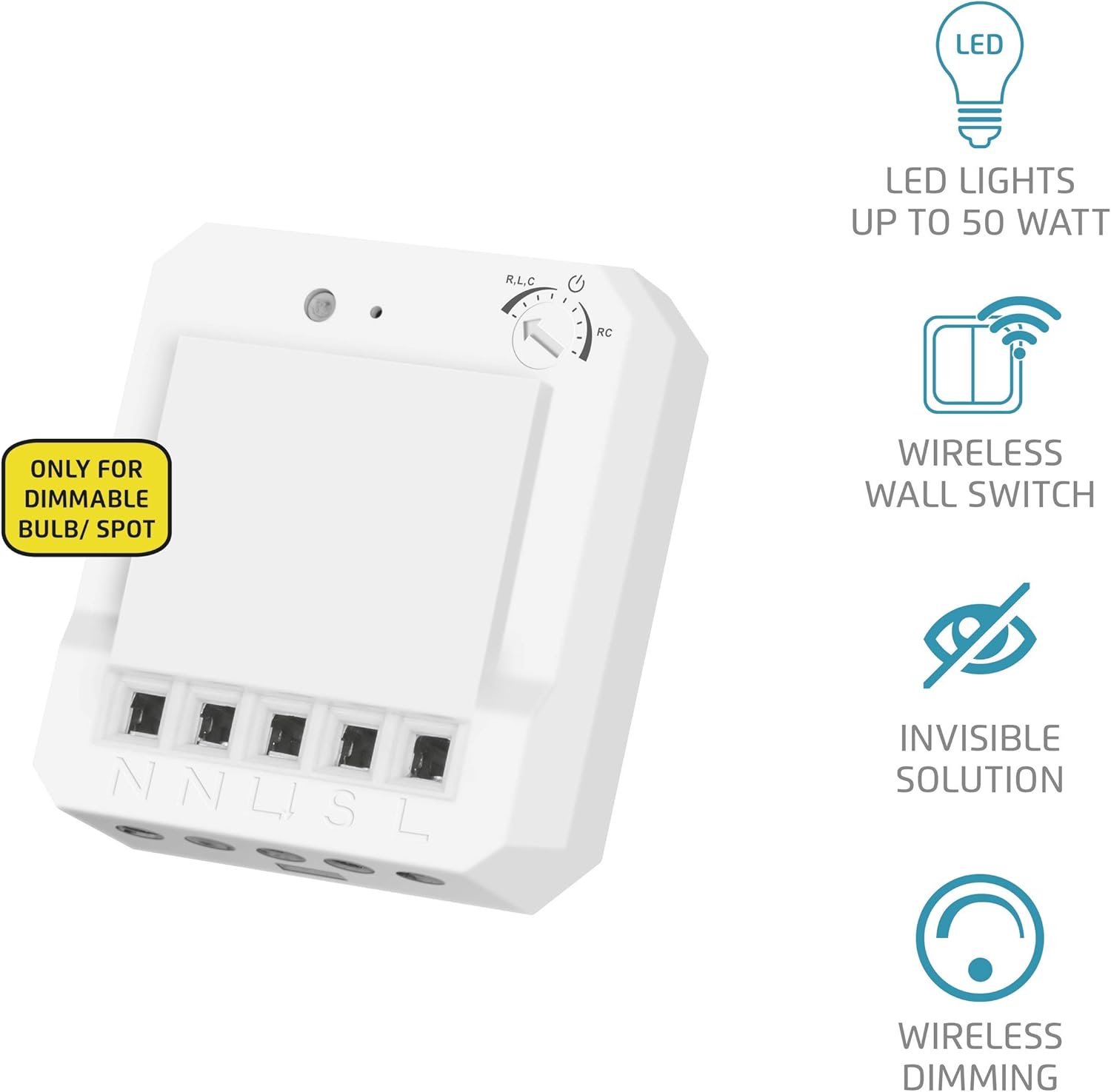
Figure 5: The dimmer displayed alongside icons representing its key features: compatibility with LED lights up to 50W, wireless wall switch functionality, invisible installation solution, and wireless dimming capability.
4. Tiaki
The Trust Smart Home ACM-250-LD dimmer requires minimal maintenance. Ensure the unit remains free from dust and debris. If cleaning is necessary, always disconnect power to the circuit first. Use a dry, soft cloth to wipe the exterior. Do not use liquid cleaners or abrasive materials, as these can damage the unit.
5. Te Raru
If you encounter issues with your ACM-250-LD dimmer, refer to the following common problems and solutions:
- Light does not dim or flickers:
- Ensure your LED lamps are explicitly labeled as "dimmable." Non-dimmable LEDs will not function correctly with a dimmer.
- Check the dimming function setting (R,L,C or RC) on the dimmer unit. Try switching to the other mode to see if it resolves the issue, as different LED lamps may require different dimming technologies.
- Manatokohia te wat katoatage o te l honoamps does not exceed the dimmer's maximum capacity.
- Dimmer does not respond to wireless commands:
- Confirm the dimmer is properly powered and wired.
- Re-check the pairing process between the dimmer and your Trust Smart Home transmitter. Ensure both devices are in learning mode during pairing.
- Ensure the transmitter's battery (if applicable) is not depleted.
- Check for potential radio interference from other 433 MHz devices.
- Existing wall switch does not work:
- Verify the wall switch is correctly wired to the dimmer according to the installation instructions.
- Ensure the wall switch itself is functional.
If problems persist after following these steps, please contact Trust customer support or consult a qualified electrician.
6. Whakatakotoranga Hangarau
| Āhuahira | Taipitopito |
|---|---|
| Kaihanga | Whakawhirinaki |
| Tau tauira | 71213 (ACM-250-LD) |
| Hunga Hua | 4.5 x 4 x 1.52 cm |
| Taumaha Tūemi | 27 g |
| Tae | Mā |
| Rauemi | Kirihou |
| Momo Whakawhiti | Karekau |
| Mono Profile | Wall Mount (Built-in) |
| Utaina LED mōrahi | 50W |
| Max. Incandescent/Halogen Load | 250W |
| Nga Mahi Ngahuru | Leading Edge (R,L,C) / Trailing Edge (RC) |
| Auau Ahokore | 433 MHz |
| Kei roto nga pākahiko | Kao |
| Nga Pikohiko e hiahiatia ana | Kao |
| GTIN | 08713439712131 |
7. Pūtāhui me te Tautoko
Trust products are designed and manufactured to the highest quality standards. For information regarding warranty terms and conditions, please refer to the warranty card included with your product or visit the official Trust website. For technical support, frequently asked questions, or to download the full product manual, please visit the Trust support page.
You can also visit the official Trust store on Amazon for more product information and accessories: Toa Trust i runga i Amazon


