1. Kupu Whakataki
The Fitbit Inspire HR is a friendly heart rate and fitness tracker designed to help you build healthy habits and achieve your wellness goals. This manual provides essential information for optimal use, including setup, operation, maintenance, and troubleshooting.
2. Hua Neke Atuview
The Fitbit Inspire HR is a versatile fitness tracker that helps you monitor your daily activity and health metrics. It features 24/7 heart rate tracking, calorie burn tracking, workout features, sleep stage analysis, and up to 5 days of battery life. It is designed for comfortable everyday wear and is water-resistant.
Āhuatanga matua:
- Utilize 24x7 heart rate to accurately track calorie burn, resting heart rate & heart rate zones during workouts.
- Track all day activity, including steps, distance, hourly activity, active minutes and calories burned. The Fitbit Inspire band is made of a flexible, durable elastomer material similar to that used in many sport watches, and fastens with a peg and loop.
- Automatically track sleep plus due to the heart rate feature and get more insights into your light & deep sleep stages.
- Enjoy up to 5 days of battery for daily progress without constant charging. Varies with use and other factors. Charge time (0 to 100 percent): 2 hours.
- Automatically and conveniently record workouts like walks, swimming & bike rides in a snap with SmartTrack. Stores heart rate data at 1 second intervals during exercise tracking and at 5 second intervals all other times.
- Radio transceiver: Bluetooth 4.0. Fitbit Inspire and Inspire HR are water resistant to 50 meters. We do not recommend wearing Inspire or Inspire HR in a hot tub or sauna. Operating temperature: 14 degree to 113 degree Fahrenheit. Maximum operating altitude: 28,000 feet.
Whakaaturanga Hua:
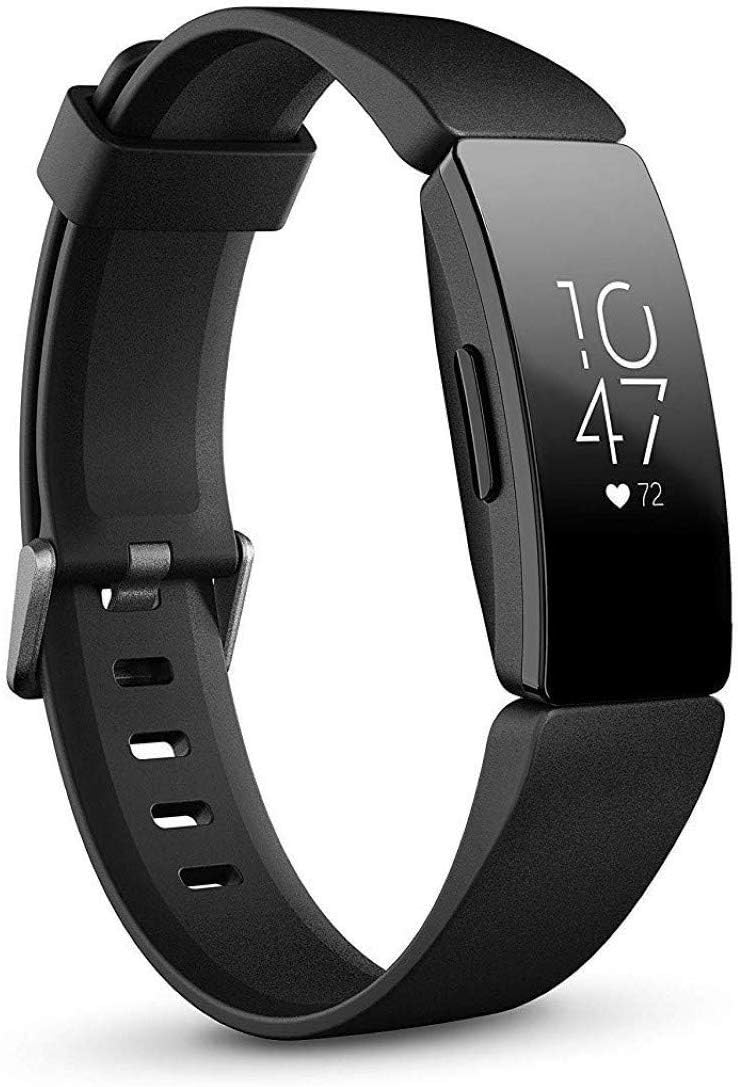
Whakaahua 2.1: Mua view of the Fitbit Inspire HR Fitness Tracker, displaying time and heart rate.
Video 2.1: Official Fitbit Inspire product overview, e whakaatu ana i ngā āhuatanga matua me ngā horopaki whakamahinga.
3. Tatūnga
3.1 Whakataki Tuatahi
Before first use, fully charge your Fitbit Inspire HR. A full charge typically takes about 2 hours.
- Connect the charging cable to a USB port on your computer or a UL-certified USB wall charger.
- Align the pins on the charging cable with the gold contacts on the back of your tracker.
- The tracker will vibrate and a battery icon will appear on the screen to indicate charging progress.

Figure 3.1: The Fitbit Inspire HR connected to its charging cable.
3.2 Taupānga Tāutanga & Tauhoa
To get the most out of your Fitbit Inspire HR, install the Fitbit app on your compatible device and pair your tracker.
- Download the Fitbit app from the Apple App Store (for iOS devices), Google Play Store (for Android devices), or Microsoft Store (for Windows 10 devices).
- Open the Fitbit app and tap Join Fitbit.
- Follow the on-screen instructions to create a Fitbit account or log in to your existing account.
- Continue to follow the app's instructions to pair your Inspire HR with your device. Ensure Bluetooth is enabled on your phone/tablet.
- Once paired, your tracker will sync automatically with the app.
4. Nga Tohutohu Whakahaere
4.1 Navigating the Device
The Inspire HR features a touchscreen display and a single button on the left side for navigation.
- Tap: Tap the screen to wake up the tracker or to cycle through your daily stats.
- Swipe: Swipe ki runga, ki raro ranei view different apps and stats like heart rate, steps, distance, calories burned, and active minutes.
- Pihi Patene: Press and hold the button to quickly access settings or shortcuts, such as turning off notifications or activating Quick View.
4.2 Tracking Activities
Your Inspire HR automatically tracks various activities throughout the day.
- Tere Manawa: The tracker continuously monitors your heart rate, providing real-time data on your current heart rate, resting heart rate, and heart rate zones during exercise.

Figure 4.1: The Fitbit Inspire HR displaying real-time heart rate data.
- Ngā Hikoi me te Tawhiti: Your tracker counts your steps and estimates the distance you've walked or run throughout the day.
- Calories kua tahuna: Based on your personal data and activity, the Inspire HR estimates the calories you've burned.
- Aroturuki Moe: Wear your tracker to bed to automatically track your sleep stages (Light, Deep, REM) and receive a Sleep Score in the Fitbit app.
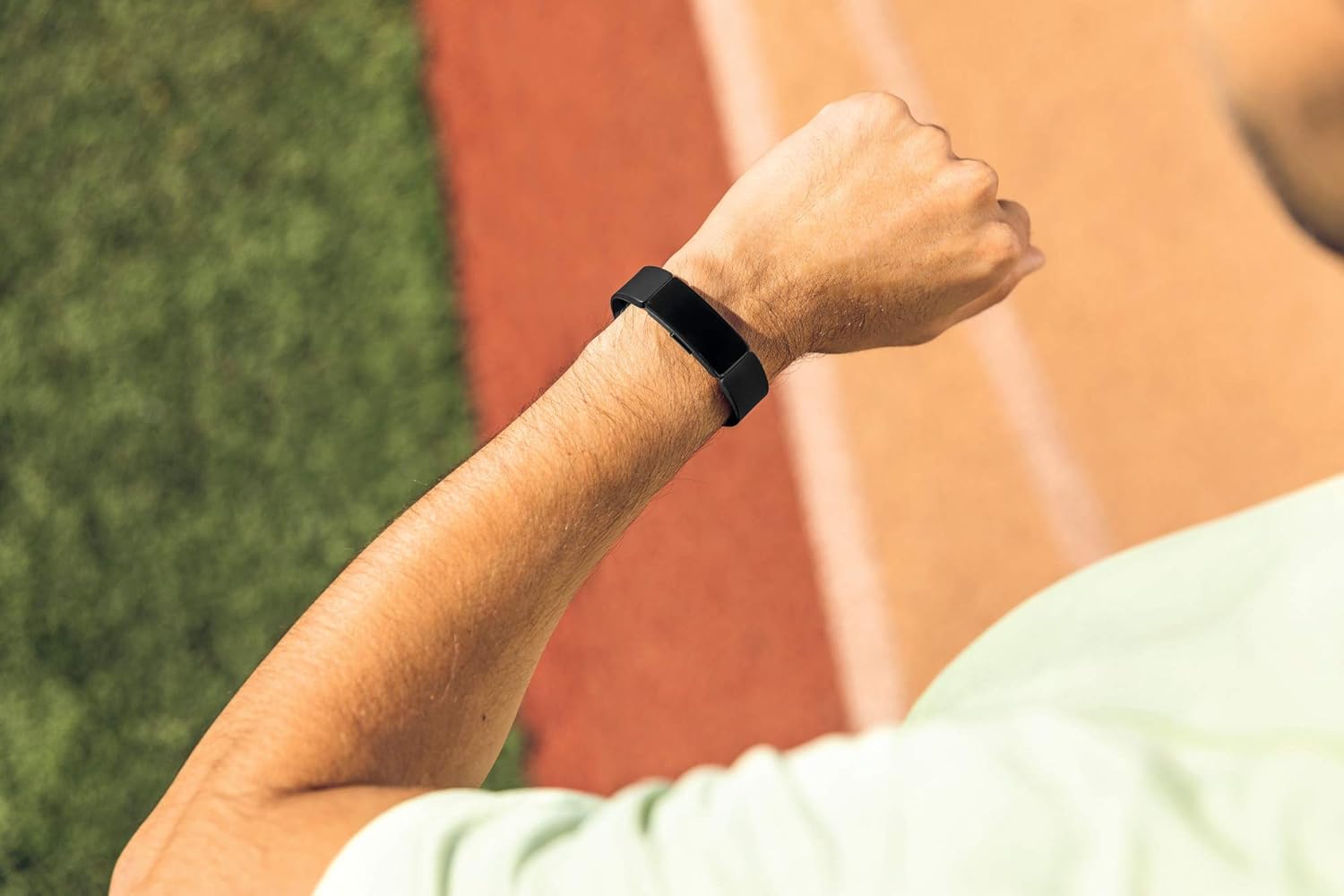
Figure 4.2: A user wearing the Fitbit Inspire HR during a workout, demonstrating its comfortable fit and activity tracking capabilities.
- SmartTrack: The device automatically recognizes and records select exercises like walks, runs, swims, and elliptical workouts, even if you forget to start a workout manually.
5. Tiaki
5.1 Te horoi i to taputapu
Regular cleaning helps maintain the appearance and functionality of your Inspire HR.
- Remove your tracker and clean the band and device regularly, especially after workouts or prolonged wear.
- Use a mild, soap-free cleanser and water to clean the band. Avoid harsh chemicals or abrasive materials.
- Ensure the tracker is completely dry before putting it back on.
5.2 Tiaki Pūhiko
To maximize battery life and ensure long-term performance:
- Charge your device fully when the battery is low.
- A ape i te wera nui, ka pa ki te ora o te pākahiko.
- If storing the device for an extended period, charge it to about 50% before storage.
6. Te Raru
If you encounter issues with your Fitbit Inspire HR, try the following common solutions:
| Putanga | Rongoā |
|---|---|
| Tracker not syncing | Ensure Bluetooth is enabled on your phone/tablet. Restart your tracker and your mobile device. Check for app updates. |
| Whakaatu kore whakautu | Connect the tracker to its charging cable and plug it into a power source. This often resolves display issues. If not, perform a restart. |
| He kore tika nga panui o te ngakau | Ensure the tracker is worn snugly but comfortably on your wrist, about a finger's width above your wrist bone. Clean the sensor on the back of the device. |
| He poto te ora o te pākahiko | Reduce notification frequency, turn off All-Day Sync, or decrease screen brightness. Ensure the device is fully charged. |
7. Whakatakotoranga
| Āhuahira | Taipitopito |
|---|---|
| Ingoa Tauira | Fitbit Inspire HR |
| Tauira Tuemi | FB413BKBK |
| Hunga Hua | 1.18 x 3.94 x 8.94 inihi; 0.71 hekere |
| Pūhiko | 1 He pākahiko e hiahiatia ana. (kei roto) |
| Hangarau Hononga | Nihokikorangi |
| Paerewa Whakawhitinga Korerokore | Nihokikorangi |
| Ātete wai | Tae atu ki te 50 mita |
| Hototahitanga Pūnaha Whakahaere | Windows 10, iOS, Android |
| Kaihanga | Fitbit Inc. |
| Te Ra Wātea Tuatahi | Maehe 7, 2019 |
8. Raihana me te Tautoko
Mō ngā mōhiohio pūtāhui me te tautoko taipitopito, tirohia te paetukutuku Fitbit mana webpaetukutuku, whakapā atu rānei ki te ratonga kiritaki a Fitbit. Puritia tō taunakitanga hoko mō ngā kereme pūtāhui.
You can also visit the official Fitbit Store for additional resources and product information: Fitbit Store on Amazon


