Kupu Whakataki
This manual provides detailed instructions for the setup, operation, and maintenance of your Sangean DT-800YL AM/FM/NOAA Weather Alert Pocket Radio. Please read this manual thoroughly before using the device to ensure proper function and longevity.
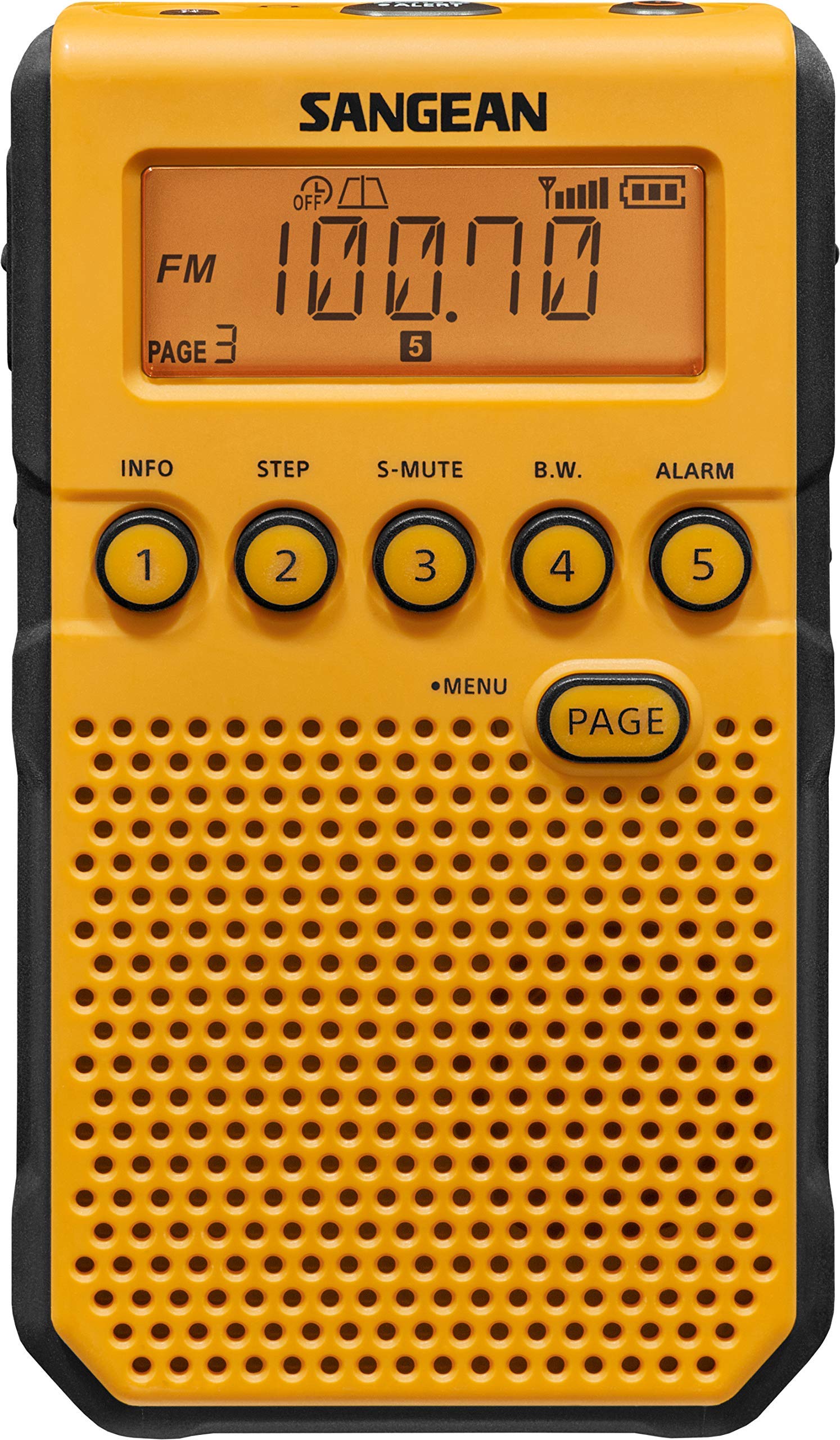
Whakaahua: Mua view of the Sangean DT-800YL radio, displaying its controls and screen.
Tatūnga
1. Tāuta Pūhiko
The DT-800YL requires AA batteries for operation. To install:
- Rapua te wahanga pākahiko kei muri o te reo irirangi.
- Kiriata te uhi o te wahanga pākahiko kia tuwhera.
- Whakauruhia ngā pākahiko AA e hiahiatia ana, me te whakarite kia tika te polarity (+/-).
- Katia kia mau te uhi o te wahanga pākahiko.
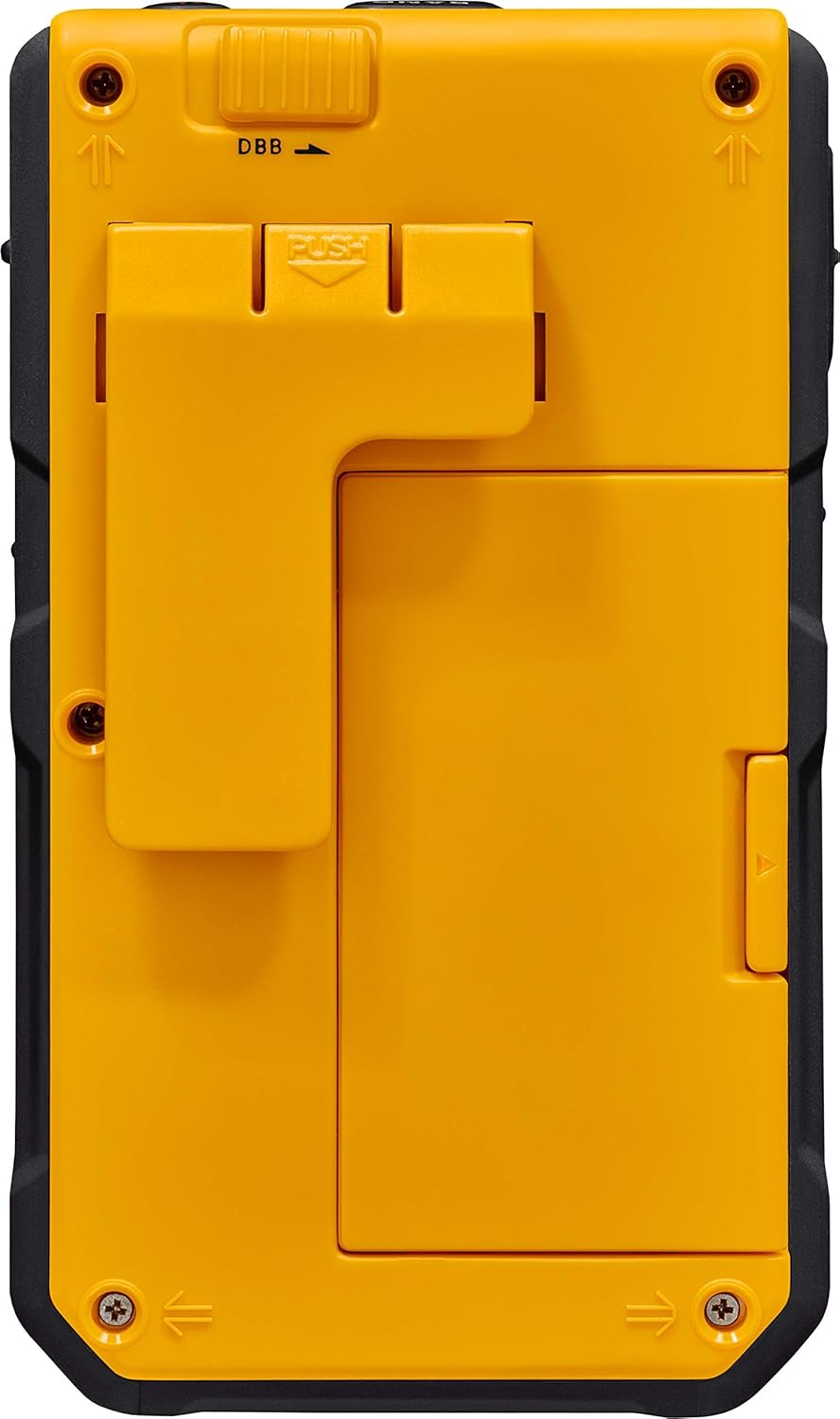
Whakaahua: Rear view of the radio, showing the battery compartment and removable belt clip.
2. Whakataki Tuatahi
The radio features a built-in battery charger. To charge the batteries:
- Connect the provided power adapter to the DC IN (5V/0.5A) Micro USB B Type socket on the side of the radio.
- Monohia te urutau hiko ki te putanga hiko paerewa.
- The radio will begin charging the installed rechargeable batteries.

Whakaahua: Taha view of the radio with the Micro USB charging cable connected.
3. Te Taapiri i te Topenga Belt
A removable belt clip is included for portability. Align the clip with the designated slots on the back of the radio and slide it into place until it clicks securely.
Nga Tohutohu Whakahaere
1. Te Hiko / Whakaweto
Pehia te Mana button located on the top of the radio to turn it on or off.
2. Tuning and Band Selection
- Whakamahia te Tuning up/down buttons on the side to manually adjust the frequency.
- Pehia te Roopu button (often labeled as INFO or a dedicated band button) to switch between AM, FM, and NOAA Weather bands.
- The radio features an Rapunga Teihana Aunoa function to find available stations automatically. Refer to the on-screen prompts or specific button for this feature.
3. Memory Station Presets
The DT-800YL allows for 45 memory station presets (20 FM, 20 AM, 5 WX).
- Whakatangihia ki te teihana e hiahiatia ana.
- Press and hold a numbered preset button (1-5) to save the current station.
- Whakamahia te PAGE button to access different pages of presets.
- To recall a saved station, simply press the corresponding numbered preset button.
4. Whakatūpato Huarere NOAA
The NOAA Weather Alert Emergency Channel provides critical alerts for extreme weather, police emergencies, child abductions, and other public awareness events.
- When an alert is issued, the radio will emit a loud tone.
- The LCD backlight will flash to indicate that the alert is active.
- You can select when the NOAA alert is active to conserve battery life. Consult the menu settings for this option.
- The radio receives all 7 NOAA Weather Channels for up-to-date weather information.
5. Dynamic Bass Boost (DBB)
Activate the Dynamic Bass Boost feature for enhanced low-frequency audio output, improving your stereo musical listening experience. This is typically controlled by a switch or button labeled DBB.
6. Whakawhiti Maukati
Whakamahia te Huri Raka to prevent accidental changes to settings or station selection during transport or storage.
7. Adjustable Auto Shutoff
The radio features an adjustable auto shutoff function to conserve battery life. Access the menu settings to configure the desired shutoff time.
8. Softmute
The Softmute feature reduces background noise for clearer reception. This can be toggled on or off via a dedicated button or menu option.
9. Karaka Whakaoho
The DT-800YL includes an alarm clock function. Refer to the radio's on-screen menu for setting the time and alarm preferences.
Te tiaki
1. Te horoi
Horoia a waho o te reo irirangi ki te ngohengohe, damp cloth. Do not use abrasive cleaners or solvents, as these may damage the finish. Ensure no liquid enters the device.
2. Tiaki Pūhiko
- If using rechargeable batteries, ensure they are fully charged before extended use.
- If the radio will not be used for a long period, remove non-rechargeable batteries to prevent leakage.
- Only use the built-in charger for compatible rechargeable batteries.
Raparongoā
- Kore Mana: Check battery installation and charge level. Ensure the power adapter is correctly connected if using external power.
- Poihiri kino: Extend the antenna fully for FM/NOAA. For AM, try rotating the radio for better signal. Ensure you are not in an area with heavy interference.
- Kore Oro: Check volume level. Ensure headphones are not connected if you expect sound from the speaker.
- NOAA Alert Not Activating: Verify that the NOAA alert function is enabled in the radio's settings. Ensure you are within range of a NOAA broadcast.
- Patene Karekau i te whakautu: Check if the Lock Switch is engaged. If so, disengage it. If the issue persists, try removing and reinserting batteries to reset the device.
Whakatakotoranga
| Waitohu | Sangean |
| Tau tauira | DT-800YL |
| Hunga Hua | 2.69 x 1.04 x 4.54 inihi (6.83 x 2.64 x 11.53 cm) |
| Taumaha Tūemi | 4.5 hekere (127.57 karamu) |
| Pūhiko | E hiahiatia ana nga pākahiko AA |
| Hangarau Tuner | AM/FM |
| Kua Tautokohia nga Roopu Irirangi | AM/FM/Wea |
| Hangarau Hononga | USB (mo te utu) |
| Puna Mana | Te Puhiko, Te Hiko Hiko |
| Nga waahanga motuhake | Built-In AM Antenna and clock, NOAA Weather Alert, Rechargeable, Alarm Clock, 45 Pre-Sets, Dynamic Bass Boost, Softmute, Lock Switch, Adjustable Auto Shutoff, Auto Station Seek |
| Nga Waahanga kei roto | Pūurutau Hiko |

Image: Dimensions of the Sangean DT-800YL radio.
Pūtāhui me te Tautoko
For warranty information and technical support, please refer to the documentation included with your purchase or visit the official Sangean website. Specific warranty terms may vary based on region and retailer.


