Kupu Whakataki
The Master & Dynamic MW07 True Wireless Earphones are designed to deliver a premium audio experience with a focus on aesthetics, strength, comfort, and exceptional sound. These noise-isolating, in-ear wireless earbuds feature advanced acoustics, best-in-class connectivity, and innovative comfort technology for an immersive listening experience.
Crafted with a luxurious handcrafted marbled acetate design, the MW07 earphones are both modern and timeless, transforming the way you listen to your favorite music.
He aha kei roto i te Pouaka
Your Master & Dynamic MW07 True Wireless Earphones package includes the following components:
- MW07 True Wireless Earphones (Left and Right)
- Stainless Steel Charging Case
- USB-C ki te USB-He Waea Whakakona
- USB-A Whāurutau
- 5 Pairs of Silicone Ear Tips (XS, S, M, L, XL)
- 2 Pairs of Silicone Fit Wings (Small, Large)
- Canvas Pouch for accessories
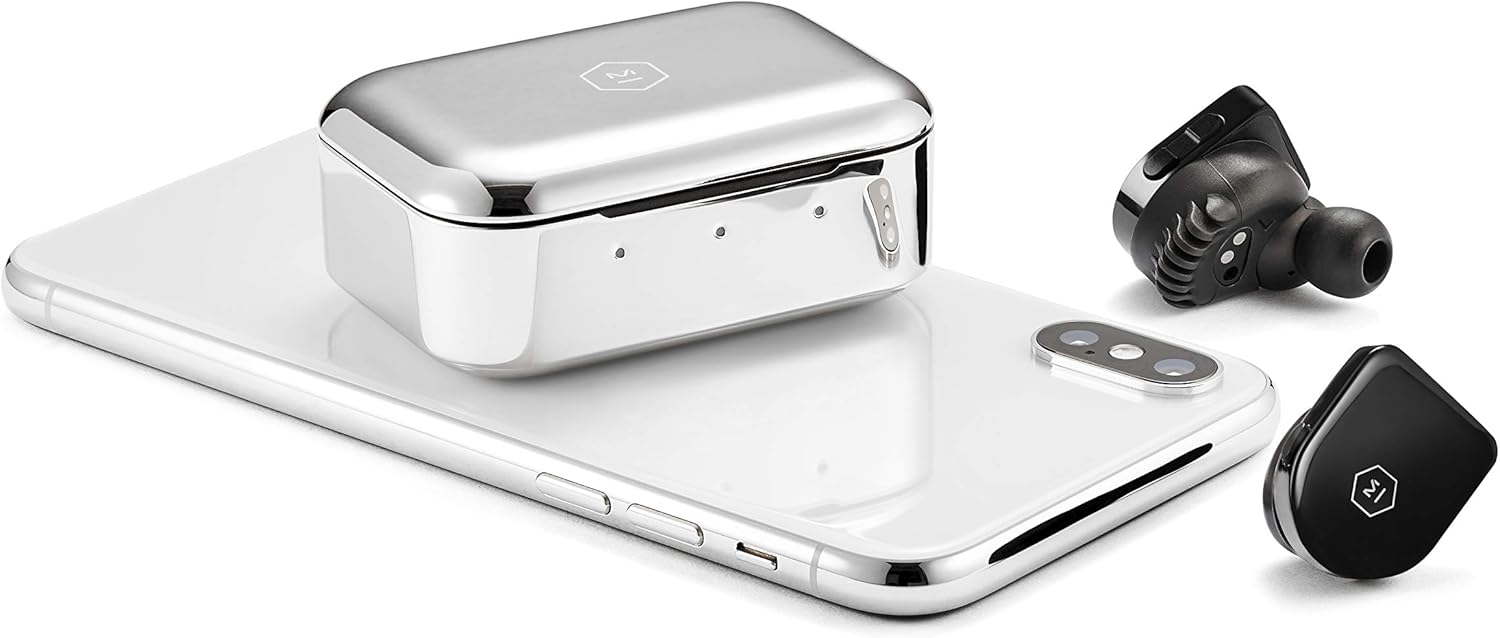
Figure 1: Included components of the MW07 True Wireless Earphones.
Ka mutu te huaview
The MW07 earphones are engineered for superior sound and user convenience. Key features include:
- 10mm High-Performance Beryllium Drivers: Deliver rich, expansive sound across all music genres.
- Hoahoa Whakawehe-Haruru: Provides a snug fit that reduces ambient noise for an immersive audio experience.
- Lightweight Slim Profile: Designed for comfortable, extended wear and easy portability.
- Handcrafted Marbled Acetate Construction: Offers a durable and aesthetically pleasinmutunga g.
- Hand-Polished Stainless Steel Charging Case: Provides elegant mobility and additional charges.
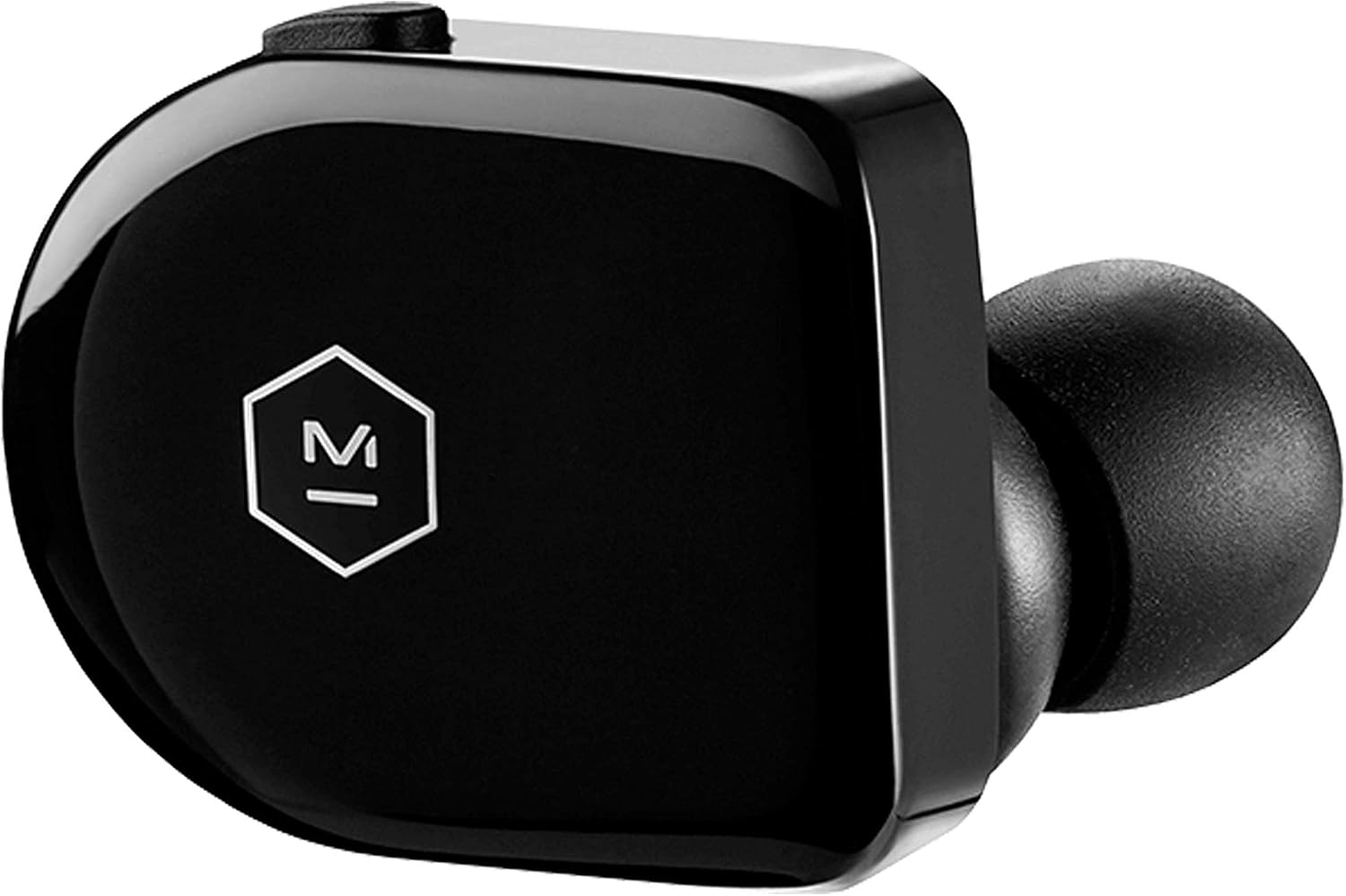
Whakaahua 2: Whakatata view of a single MW07 earbud.

Figure 3: MW07 earbuds and charging case with a smartphone.
Tatūnga
1. Te Whakataki i nga Waea taringa me te Puhi
Before first use, fully charge your MW07 earphones and the charging case. The case holds 3 additional charges, providing a total of 14 hours of listening time.
- Connect the provided USB-C to USB-A charging cable to the charging case and a power source.
- The indicator lights on the case will show the charging status:
- Whero: He iti te pākahiko
- Amber: Pūhiko waenga
- Kākāriki: Pūhiko katoa
- Place the earphones into the charging case. The earphone indicator lights will illuminate to show their charging status.
- A full charge for the earphones takes approximately 1.5 hours. The charging case can be charged to 50% in 15 minutes and 100% in 40 minutes.

Figure 4: Charging instructions (refer to the "充電方法" section).
2. Te Tāuta i ngā Taringa
Proper fit is crucial for optimal sound quality and noise isolation. The MW07 comes with various ear tips and patented silicone "fit wings" to ensure a secure and comfortable fit.
- Experiment with the 5 sizes of silicone ear tips to find the best seal for your ear canal.
- Select either the small or large silicone fit wings. These wings are designed to rest securely in the outer part of your ear.
- Gently insert the earphone into your ear, rotating it slightly until the fit wing sits comfortably and securely.

Figure 5: MW07 earbud with a silicone fit wing.

Figure 6: MW07 earbud properly seated in an ear.
3. Tauhoa ki to Pūrere
The MW07 earphones feature quick pairing Bluetooth 4.2 technology with a range of over 20 meters.
- Kia tino utua ngā taringa, ā, kia whakanohoia ki roto i te pouaka utu.
- Whakatuwheratia te pouaka utu. Ka uru aunoa ngā taringa ki te aratau takirua.
- I runga i tō pūrere (waea atamai, papa, rorohiko), whakatere ki ngā tautuhinga Nihokikorangi.
- Select "MW07" from the list of available devices.
- Once connected, the indicator light on the right earbud will turn solid blue.
- For subsequent uses, simply remove the earphones from the charging case, and they will automatically connect to the last paired device.
Figure 7: Pairing instructions (refer to the "ペアリング" section).
Te Whakahaere i ngā Taringa
1. Mana whakahaere
The MW07 earphones feature intuitive controls for media playback and calls:
- Right Earbud (Multifunction Button):
- Panui Kotahi: Purei/Tatari waiata.
- Press rua: Huka ki te riu panuku.
- Perehi Takitoru: Huka ki te riu o mua.
- Pēhi me te Puritia: Activate voice assistant (Siri, Google Assistant, etc.).
- Left Earbud (Volume Control):
- Pātene Rōrahi ake: Whakanuia te rōrahi.
- Pātene Whakararo Rōrahi: Whakaitihia te rōrahi.
Figure 8: Earphone controls (refer to the "本体操作" section).
2. Automatic Play and Pause
The MW07 earphones are equipped with optical sensors that detect in-ear placement. This enables an automatic play and pause function:
- Music will automatically pause when you remove one or both earphones from your ears.
- Music will automatically resume when you place both earphones back into your ears.
3. Hanga me te Whiwhi Waea
Mā te hopuoro kua whakauruhia ka taea te whakawhitiwhiti kōrero mārama i te wā waea.
- Whakautu/Whakamutu Waea: Single press the multifunction button on the right earbud.
- Te Whakakahore i tetahi Waea: Press and hold the multifunction button on the right earbud.
Te tiaki
To ensure the longevity and optimal performance of your MW07 earphones, follow these maintenance guidelines:
- Te horoi: Regularly wipe the earphones and charging case with a soft, dry, lint-free cloth. Do not use harsh chemicals or abrasive materials.
- Ear Tips and Fit Wings: Remove and clean the silicone ear tips and fit wings with mild soap and water. Ensure they are completely dry before reattaching.
- Rokiroki: When not in use, always store the earphones in their charging case to protect them and keep them charged. Store the case in a cool, dry place away from extreme temperatures.
- Ātete wai: The MW07 earphones are water-resistant. However, they are not waterproof. Avoid submerging them in water or exposing them to heavy rain. Dry them thoroughly if they get wet.
Raparongoā
If you encounter issues with your MW07 earphones, try the following troubleshooting steps:
| Raruraru | Rongoā |
|---|---|
| Earphones not pairing/connecting. |
|
| Karekau he oro, he iti te reo. |
|
| Karekau nga taringa e utu ana. |
|
| Automatic play/pause not working. |
|
Whakatakotoranga
| Āhuahira | Taipitopito |
|---|---|
| Ingoa Tauira | MW07PB |
| Hangarau Hononga | Nihokikorangi |
| Hangarau Whakawhitiwhiti Ahokore | Nihokikorangi |
| Putanga Nihokikorangi | 4.2 |
| Awhe Nihokikorangi | 20+ mita |
| Momo Atekōkiri Ororongo | Atekōkiri Hihiko |
| Rahi Atekōkiri Ororongo | 10 Mirimita |
| Mana Haruru | Wehenga oro |
| Te Ora o te Pūhiko (Ngā Taringa) | 3.5 haora |
| Total Listening Time (with Case) | 14 haora |
| Waa Whakatau | 1.5 Hours (Earphones), 40 minutes (Case to 100%) |
| Taumaha Tūemi | 9 Grams (each earbud) / 0.317 ounces |
| Hunga Hua | 0.98 x 0.89 x 1.11 inihi |
| Rauemi | Handcrafted Marbled Acetate (Earphones), Stainless Steel (Charging Case) |
| Taumata Atete Wai | Wai Atete |
| Nga Waahanga kei roto | Earphones, Case, Ear Tips, Fit Wings |
Ataata Hua Whaimana
Video 1: Master & Dynamic MW07 True Wireless Earphones Overview. This video highlights key features such as 10mm beryllium drivers, quick pairing, noise isolation, optical sensors for automatic play/pause, handcrafted marbled acetate design, and the stainless steel charging case.
Pūtāhui me te Tautoko
For detailed warranty information and customer support, please refer to the official Master & Dynamic webte pae, te aratohu kaiwhakamahi ranei e whakaratohia ana me to hua.
A digital version of the user guide can be found here: Master & Dynamic MW07 User Guide (PDF)
Mo etahi atu awhina, ka taea ano e koe te toro atu ki te MASTER & DYNAMIC Store on Amazon.


