1. Nga Korero Haumaru Nui
Please read all instructions carefully before using the blender. Failure to follow these instructions may result in electric shock, fire, or serious injury.
Whakatupato Haumaru Whānui
- Always unplug the blender from the electrical outlet when not in use, before assembling or disassembling parts, and before cleaning.
- Kaua e rukuhia te turanga motuka ki te wai, ki etahi atu wai ranei.
- A ape i te pa ki nga waahanga neke.
- Kaua e whakahaere i tetahi taputapu me te taura pakaru, te mono ranei, i muri ranei i te kino o te taputapu, kua taka, kua pakaru ranei ahakoa he aha.
- Ko te whakamahi i nga taapiri kaore i te taunakitia, i hokona ranei e te kaihanga ka puta he ahi, he wiri hiko, he whara ranei.
- Kaua e whakamahi i waho.
- Kaua e tukua te taura kia whakairi ki runga i te taha o te teepu, te porotiti ranei, ka pa ranei ki nga papa wera.
- Puritia nga ringa me nga taputapu ki waho o te ipu i te wa e whakaranu ana hei whakaiti i te tupono o te whara kino ki te tangata, te kino ranei o te whakaranu. Ka taea te whakamahi i te kirikiri engari ka kore e rere te whakaranu.
- He koi nga mata. Te hapai me te tupato.
- Me mahi tonu te whakaranu me te taupoki kei te waahi.
- Ko tenei taputapu ehara i te mea mo te whakamahi ma te hunga (tae atu ki nga tamariki) he iti te kaha o te tinana, te tairongo, te hinengaro, te kore wheako me te mohiotanga, mena ka tukuna atu ki a raatau te tirotiro, te tohutohu ranei mo te whakamahi i te taputapu e te tangata whai mana mo to raatau haumaru.
Haumaru Hiko
He mono polarized tenei taputapu (he whanui ake tetahi mata i tetahi). Hei whakaiti i te tupono o te wiri hiko, ko te tikanga kia uru tenei mono ki roto i te putanga polarized kotahi noa te huarahi. Ki te kore e uru te mono ki te putanga, whakahurihia te mono. Ki te kore e pai, whakapaa atu ki tetahi tohunga hiko. Kaua e ngana ki te whakarereke i te mono i tetahi huarahi.
2. Waenga Hua
Familiarize yourself with the parts of your Oster Classic Series 8-Speed Blender:
- Turanga Motika: Kei roto te motini me te paewhiri mana.
- 6-Cup Glass Jar: The main blending container.
- Te taupoki: Seals the jar during operation.
- Pūwhakakī: A removable cap in the lid for adding ingredients while blending.
- Huinga Mata: Consists of the Crush Pro 4® 4-point stainless steel blade, sealing gasket, and bottom cap.

Figure 2.1: Assembled Oster Classic Series 8-Speed Blender with empty glass jar.
This image displays the complete blender unit, including the motor base, the 6-cup glass jar, and the lid with its filler cap. Various fresh fruits are arranged around the base, indicating its use for preparing beverages and food.
3. Tohutohu Tatūnga
I mua i te Whakamahinga Tuatahi
- Wewetehia te whakaranu me ona waahanga katoa.
- Wash the glass jar, lid, filler cap, and blade assembly in warm, soapy water. Rinse thoroughly and dry.
- Horoia te turanga motuka me te panuiamp kakahu. Kaua e rukuhia te turanga motuka ki te wai.
Huihuinga
- Place the sealing gasket onto the blade assembly.
- Insert the blade assembly into the bottom opening of the glass jar.
- Screw the bottom cap onto the jar, ensuring it is tightened securely to prevent leaks.
- Place the assembled jar onto the motor base, ensuring it is seated correctly.
- Place the lid onto the glass jar, and insert the filler cap into the lid opening.
4. Nga Tohutohu Whakahaere
Te Whakarite Kai
- Tapatapahia ngā kai totoka kia iti (kia tata ki te 1-inihi te matotoru) hei whakaranu pai rawa atu.
- Always add liquids first, then soft ingredients, then hard ingredients, and finally ice.
- Do not overfill the blender jar. The maximum capacity for liquids is 6 cups.
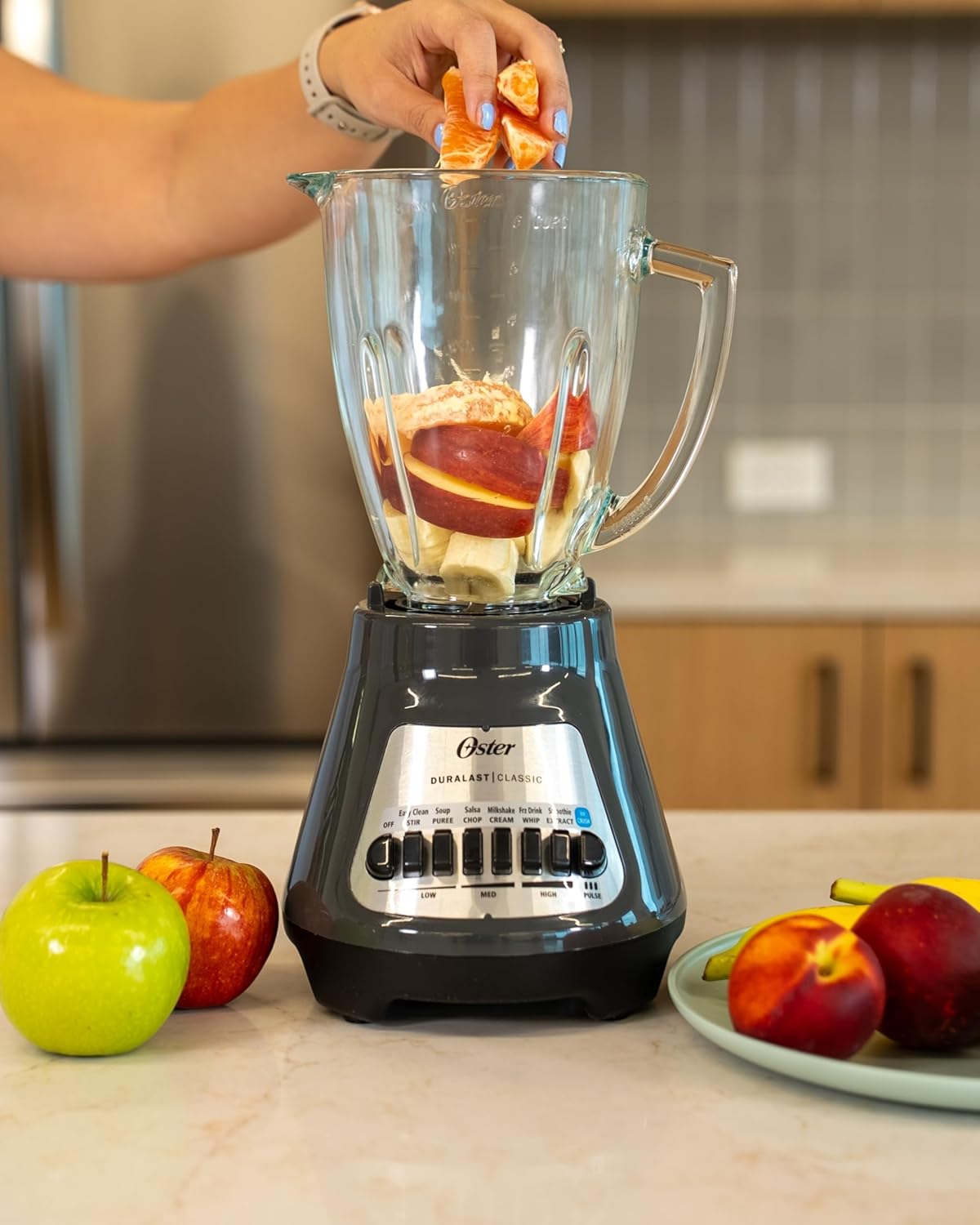
Figure 4.1: Adding ingredients to the blender jar.
This image shows a hand carefully placing orange segments into the blender's glass jar, which already contains other fruits like bananas and apple slices, demonstrating the process of loading ingredients.
Tukanga Whakaranu
- Ensure the blender is properly assembled and the lid is securely in place.
- Monohia te taura hiko ki te putanga hiko 220V.
- Select the desired speed setting using the push-button controls on the motor base. The blender offers 8 speeds, including specific functions like 'Ice Crush' and 'Pulse'.
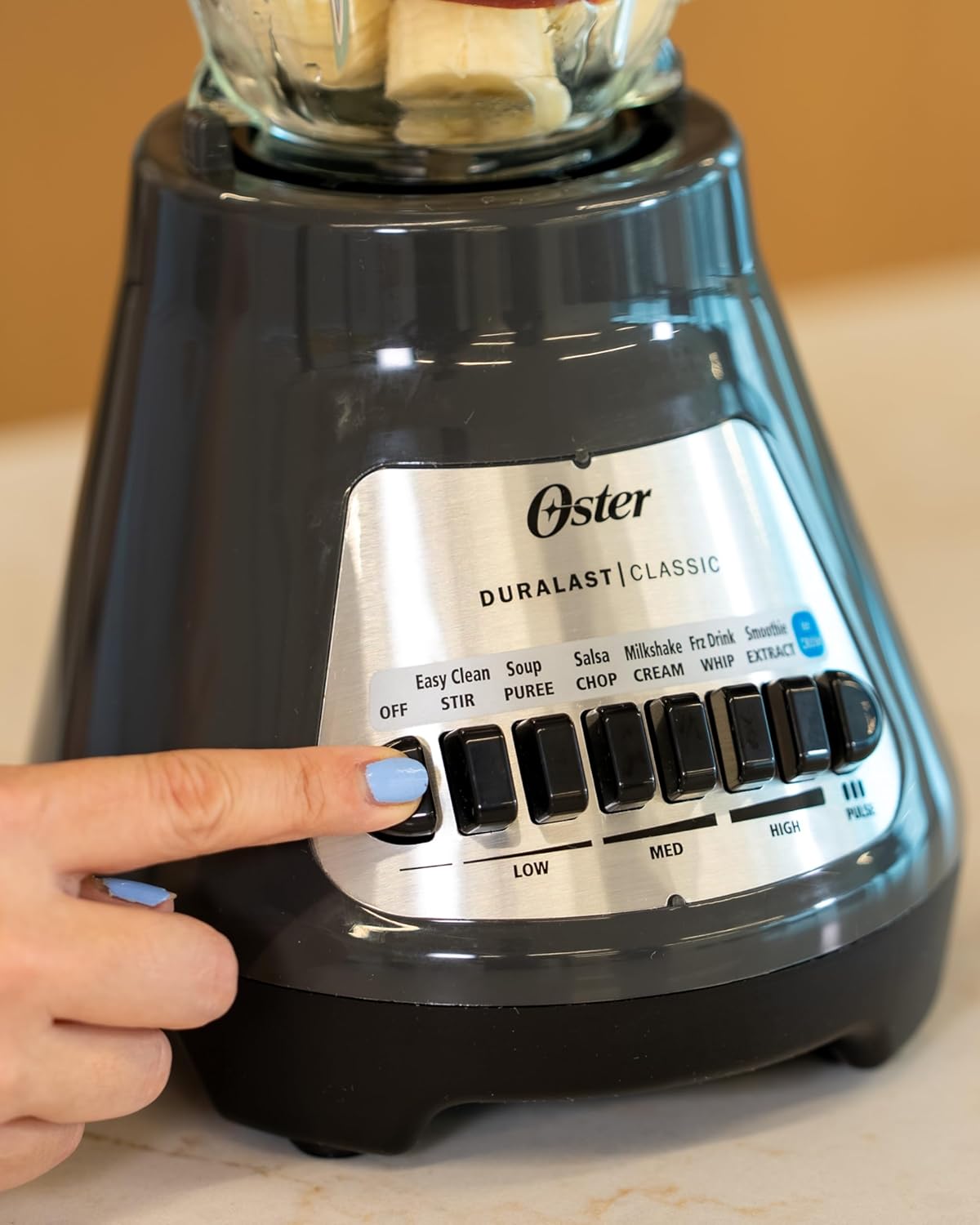
Figure 4.2: Operating the blender controls.
This image illustrates a user's hand pressing one of the control buttons on the blender's base, highlighting the push-button interface for speed selection and function activation.
- For continuous blending, press the desired speed button (Low, Med, High).
- For short bursts of power, use the 'Pulse' button. Release the button to stop.
- For crushing ice, use the dedicated 'Ice Crush' setting.

Figure 4.3: Blender in operation with fruits and ice.
This image shows the blender actively processing a mixture of colorful fruits and ice cubes within its glass jar, demonstrating its blending capability.

Figure 4.4: Blender prepared with ice and fruit.
This image displays the blender with its glass jar filled with ice and various fruits, indicating it is ready to begin the blending process.
5. Te horoi me te tiaki
Regular cleaning ensures optimal performance and extends the life of your blender.
Te horoi i ia ra
- Wetewetehia te whakaranu mai i te putanga hiko.
- Disassemble the glass jar, blade assembly, lid, and filler cap.
- Wash these parts in warm, soapy water. The glass jar, lid, and blade assembly are also dishwasher safe.
- Horoia te turanga motuka me te panuiamp kakahu. Kaua rawa e rumakina te turanga motuka ki te wai, ki tētahi atu wai rānei.
- Me whakamaroke nga wahanga katoa i mua i te whakahiato, te penapena ranei.

Figure 5.1: Blender components in a dishwasher.
This image shows the disassembled components of the Oster blender, specifically the glass jar, blade assembly, and lid, arranged within a dishwasher rack, indicating their dishwasher-safe nature for convenient cleaning.
Rokiroki
Store the blender in a clean, dry place. Ensure the power cord is neatly wrapped and not kinked.
6. Aratohu Rapanga
Mena ka pāngia koe e ngā raruraru me tō mīhini whakaranu, tirohia ngā raruraru me ngā otinga e whai ake nei:
| Raruraru | Take pea | Rongoā |
|---|---|---|
| Kare te Whakahanumi e huri. | Not plugged in; power outlet not working; jar not seated correctly; motor overheated. | Ensure plug is firmly in a working outlet; check circuit breaker; ensure jar is securely placed on base; allow motor to cool for 15-20 minutes. |
| Ko nga mea whakauru kaore i te pai te whakakotahi. | Too little liquid; too many ingredients; ingredients too large; blade assembly not tight. | Add more liquid; reduce ingredient quantity; cut ingredients into smaller pieces; ensure blade assembly is securely tightened. |
| Blender leaks from the bottom of the jar. | Blade assembly not tight; gasket missing or improperly placed; gasket damaged. | Tighten blade assembly securely; ensure gasket is correctly seated; replace damaged gasket. |
| Te kakara o te wera i te wa e mahi ana. | Te utaina rawa o te mōtini; te mahi tonu mō te wā roa rawa. | Reduce ingredient load; do not operate continuously for more than 3 minutes; allow motor to cool. If smell persists, discontinue use and contact customer support. |
7. Whakatakotoranga Hangarau
- Waitohu: Oster
- Tau tauira: BLSTMEGG00000
- Tae: Kerei
- Te maha o nga tere: 8
- Raukaha: 6 Cups (Glass Jar)
- Rauemi ipu: Karaihe
- Rauemi Mata: Stainless Steel (Crush Pro 4® 4-point)
- Puna Hiko: Hiko Hiko
- Voltage: 220 Volts
- Momo Mana: Push Button, Manual Speed Control
- Rahi Hua: 8.8"D x 10.2"W x 13.8"H
- Taumaha Tūemi: 6.78 pauna
- UPC: 034264492592
8. Raihana me te Tautoko
Nga korero Whakaputanga
This Oster Classic Series 8-Speed Blender comes with a standard manufacturer's warranty. For specific details regarding warranty coverage, duration, and terms, please refer to the warranty card included with your product packaging or visit the official Oster webpae.
Tautoko Kiritaki
For technical assistance, replacement parts, or any other inquiries, please contact Oster Customer Service. You can find contact information on the official Oster website or through the documentation provided with your blender.
Ōster Official Webpae: www.oster.com


