1. Kupu Whakataki
The Cooler Master MWE 600 White 230V V2 power supply unit (PSU) provides a reliable and efficient power solution for your computer system. Designed with 80 PLUS White 230V EU efficiency, a DC-to-DC + LLC circuit design, a single +12V rail, active PFC, and a temperature-sensitive HDB fan, this PSU delivers stable and consistent power. This manual will guide you through the installation, operation, maintenance, and troubleshooting of your MWE 600 White 230V V2 PSU.
2. Nga korero haumaru
Please read and understand all safety instructions before installing or operating this product. Failure to do so may result in personal injury or damage to the product and connected components.
- Haumaru Voltage: Do not open the power supply cover. There are no user-serviceable parts inside. Opening the unit will void the warranty.
- Puna Hiko: Me whakarite kia momotu te pūtake hiko mai i te putanga AC i mua i te tāutanga, i te tiaki rānei.
- Whakahau: Do not block any ventilation openings of the power supply. Ensure adequate airflow around the unit.
- Taiao: Install the power supply in a dry, well-ventilated area, away from heat sources, moisture, and direct sunlight.
- Whakapapa: Ensure the power supply and your computer system are properly grounded.
- Hototahi: Use only the cables provided with this power supply. Ensure all connections are secure and correctly oriented.
3. Ihirangi mokete
Manatokona kei roto katoa nga mea kei roto i to kete:
- Cooler Master MWE 600 White 230V V2 Power Supply Unit
- Waea hiko AC
- Whakaeke Tiu
- Pukapuka Kaiwhakamahi (tenei tuhinga)
4. Hua Neke Atuview
The MWE 600 White 230V V2 is designed for optimal performance and reliability. Key features include:
- 600 Watts Exceptional Efficiency: Exceeds 80 PLUS 230V EU energy efficiency standards, outperforming generic 80 PLUS Bronze competitors at medium load.
- Silent HDB Fan: The integrated 120mm fan utilizes superior hydro-dynamic bearings (HDB) to minimize noise levels (below 35.5 dBA at 1500 RPM max).
- Tukunga Mana Pumau: Supports Intel's low power states for motherboard protection and features a DC-DC with LLC circuit for efficient 12V to 3V and 5V conversion without energy loss.
- Reriwe Kotahi +12V: Ensures all system components receive consistent power from a single, stable source.
- Compact Cabling: Non-modular flat black cables save space and offer flexibility, ideal for smaller cases and maintaining internal airflow.

Whakaahua 4.1: Te katoa view of the Cooler Master MWE 600 White 230V V2 Power Supply Unit.

Figure 4.2: Close-up of the quiet Hydro-Dynamic Bearing (HDB) fan, designed for minimal noise.
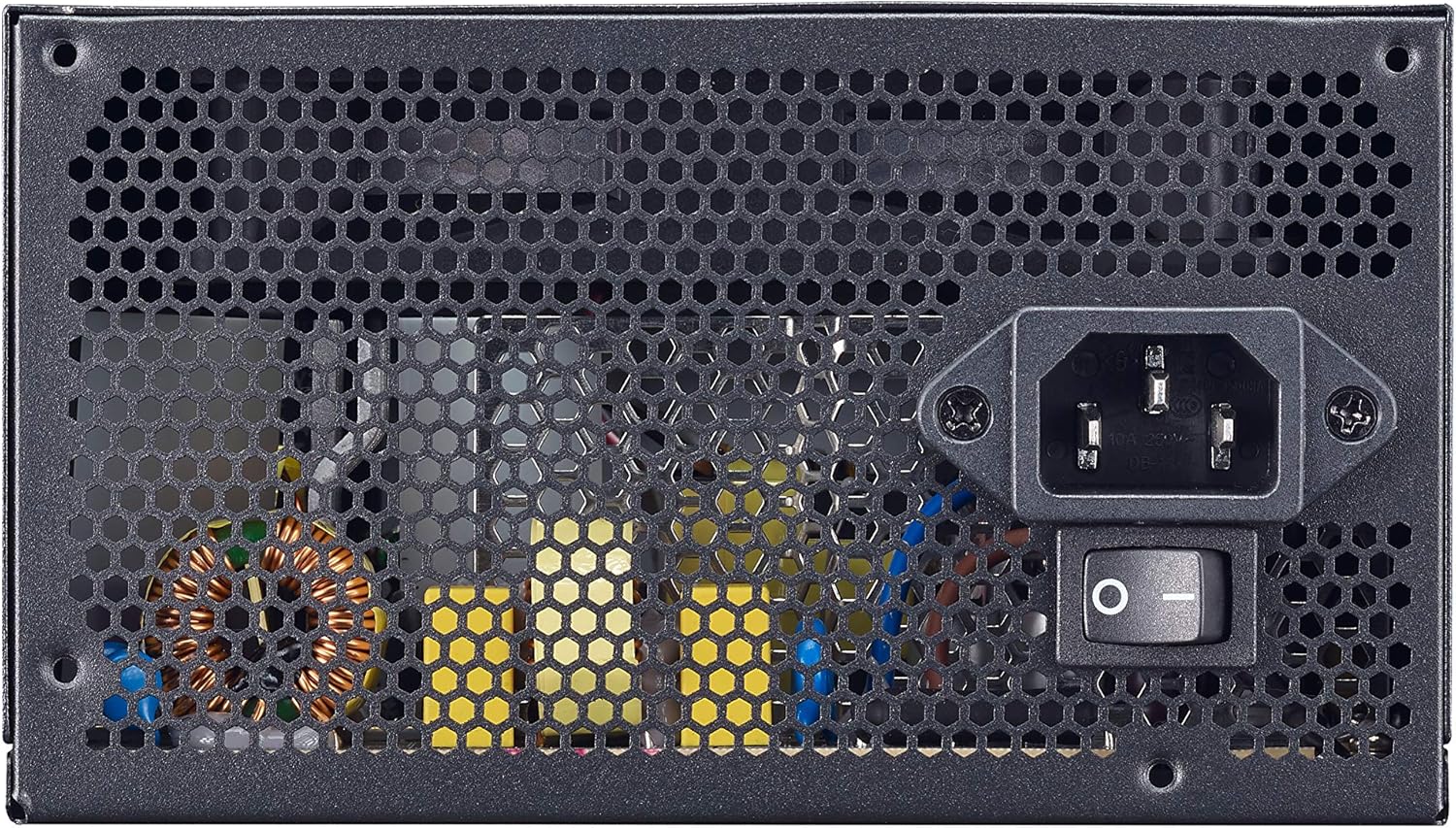
Figure 4.3: Rear panel showing the AC power input and the main power switch.

Whakaahua 4.4: Pahū view illustrating the internal layout and components of the power supply unit.
5. Tatūnga me te Tāuta
Follow these steps to properly install your Cooler Master MWE 600 White 230V V2 power supply:
- Whakaritehia to Pūnaha: Me mohio kua whakakorea katoatia to rorohiko me te wetewete mai i te putanga o te pakitara. Whakatuwherahia to pouaka rorohiko.
- Tango PSU Tawhito (mehemea e tika ana): Momotuhia nga taura katoa mai i to tuku hiko tawhito ka tango mai i te keehi.
- Tāuta PSU Hōu: Carefully place the MWE 600 White 230V V2 into the PSU mounting bay of your computer case. Ensure the fan is oriented correctly (usually facing downwards or upwards, depending on your case design, for optimal airflow). Secure the PSU with the provided mounting screws.
- Tūhono Mana Papa Matua: Connect the 24-pin ATX power cable to your motherboard's 24-pin connector. Ensure it clicks into place.
- Tūhono Mana PTM: Honoa te 4+4-pin EPS/ATX 12V taura ki te tūhono hiko PTM o to papahoa papa.
- Connect Graphics Card Power (PCI-e): If your graphics card requires additional power, connect the appropriate 6+2-pin PCI-e power cables from the PSU to your graphics card.
- Connect SATA/Peripheral Power: Connect SATA power cables to your storage drives (HDDs, SSDs) and other peripherals as needed.
- Whakaha Uepu: Utilize the flat black cables to manage and route them efficiently within your case to improve airflow and aesthetics.
- Katia te Pouaka ka Honoa te Mana AC: Close your computer case. Connect the AC power cord to the PSU's AC inlet and then plug the other end into a wall outlet.
6. Nga Tohutohu Whakahaere
After successful installation, operating your power supply is straightforward:
- Whakahiko: Ensure the main power switch on the back of the PSU (Figure 4.3) is in the "I" (On) position. Then, press the power button on your computer case.
- Weto Whakakore: To turn off your computer, use the operating system's shutdown procedure. For a complete power cycle, switch the PSU's main power switch to the "O" (Off) position after shutting down the system.
- Mahi Pūnoa: The PSU will automatically regulate power delivery to your components. The HDB fan will operate as needed to maintain optimal temperatures, adjusting its speed based on load and temperature.
7. Tiaki
Regular maintenance helps ensure the longevity and optimal performance of your power supply.
- Whakapai puehu: Periodically (e.g., every 3-6 months), power off and unplug your computer. Use compressed air to gently clean dust from the PSU's fan grille and ventilation openings. Hold the fan blades to prevent them from spinning rapidly during cleaning, which can damage the bearings.
- Tirohanga taura: Occasionally check all power cable connections to ensure they are secure and free from damage.
- Taki Taiao: Ensure the computer's environment remains clean, cool, and dry to prevent dust buildup and overheating.
8. Te Raru
Mena ka pā mai he raruraru ki tō pūtake hiko, tirohia ngā mahi rapurongoā noa e whai ake nei:
- Kore Mana:
- Me whakarite kia mau te taura hiko AC ki te PSU me te putanga o te pakitara.
- Verify the main power switch on the PSU is in the "I" (On) position.
- Whakamatautauria te putanga o te pakitara me tetahi atu taputapu hei whakaū i te mana.
- Check all internal power connections (24-pin, CPU, PCI-e, SATA) to ensure they are firmly seated.
- Pūnaha Haumarutanga/Kati Matarangi:
- This could indicate insufficient power or a faulty component. Ensure your system's power requirements do not exceed the PSU's 600W capacity.
- Check for overheating. Ensure the PSU fan and case fans are operating correctly and are free of dust.
- If possible, test the PSU with a different system or a PSU tester.
- Haruru Poihi Nui:
- While the HDB fan is designed for quiet operation, excessive noise might indicate dust buildup. Clean the fan as described in the Maintenance section.
- Ensure the PSU is not under extreme load, which can cause the fan to spin faster.
If problems persist after trying these steps, please contact Cooler Master support.
9. Whakatakotoranga
Detailed technical specifications for the Cooler Master MWE 600 White 230V V2 power supply:
| Āhuahira | Uara |
|---|---|
| Waitohu | Kaiwhakaako Matao |
| Ingoa Tauira | MWE White-v2 |
| Tau tauira | MPE-6001-ACABW-EU |
| Tae | WHITE V2 |
| Tauwehe Puka | ATX |
| Te Mana Putanga | 600 Watts |
| Tikanga whakamatao | Hau (Pūkaha HDB 120mm) |
| Tiwhikete Whaimana | 80 PLUS 230V EU White |
| Ahu (L x W x H) | 14 x 15 x 8.6 cm |
| Taumaha Tūemi | 1.5 Kirokaramu |
| Pūrere Hototahi | Rorohiko Whaiaro |
| Momo Tuhono | SATA (and other standard ATX connectors) |
DC Output Table

Figure 9.1: Detailed DC output specifications for the MWE 600 White 230V V2.
| Kounga DC | +5V | +3.3V | +12V | -12V | +5Vsb |
|---|---|---|---|---|---|
| Nāianei (A) | 18A | 18A | 49A | 0.3A | 3A |
| Hiko (W) | 120W | 120W | 588W | 3.6W | 15W |
| Te Mana Tapeke | 600W | ||||
10. Pūtāhui me te Tautoko
The Cooler Master MWE 600 White 230V V2 power supply comes with a standard limited manufacturer's warranty.
- Wā Pūtāhui: 3 tau mai i te ra i hokona ai.
- Te Rawhi Raati: This warranty covers defects in materials and workmanship under normal use. It does not cover damage resulting from accident, misuse, abuse, improper installation, unauthorized repairs, or modifications.
- Tautoko Hangarau: For technical assistance, warranty claims, or further information, please visit the official Cooler Master webpaetukutuku, whakapā atu ranei ki a raatau tautoko kaihoko.
Kaiwhakawā Matua o te Maama Webpae: www.coolermaster.com


