Kupu Whakataki
Thank you for choosing the Joyroom JR-T05 Wireless Earbuds. This manual provides essential information for the safe and efficient use of your device. Please read it thoroughly before use and retain it for future reference.
Ka mutu te huaview
The Joyroom JR-T05 consists of two wireless earbuds and a portable charging case. Familiarize yourself with the components:
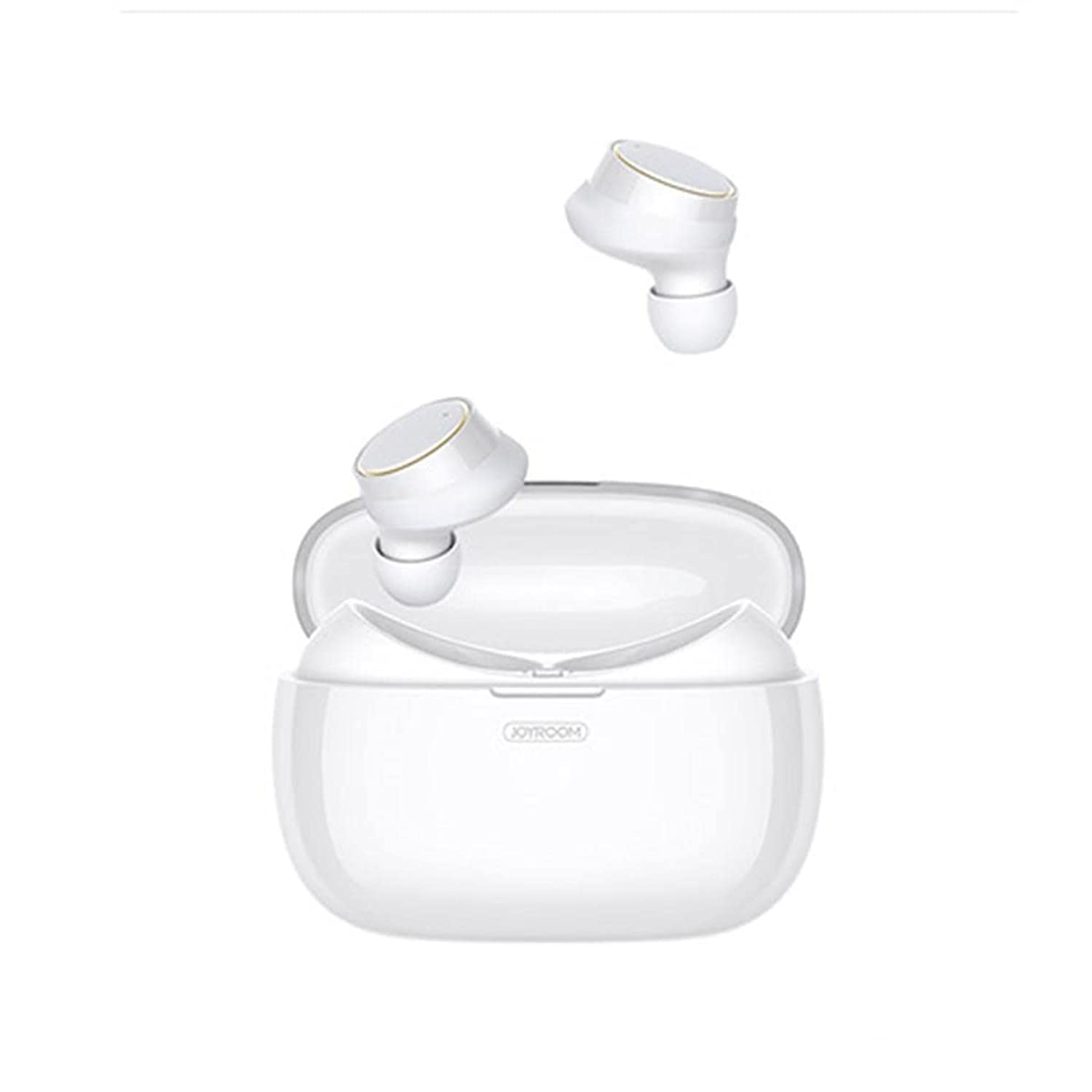
Image: Joyroom JR-T05 Wireless Earbuds and Charging Case. This image displays the white Joyroom JR-T05 wireless earbuds, with one earbud positioned partially within its charging case and the other earbud shown separately above. The charging case is also white and features the 'JOYROOM' brand logo.
- Nga taringa taringa: Left and Right wireless earbuds with in-ear design.
- Kei te Whakatakihia te Puhi: Puta kawe mo te utu me te penapena i nga taringa.
- Utaura Whakatau: (Not explicitly mentioned but implied for charging case)
Tatūnga
1. Whakataki Tuatahi
- Whakanohia nga taringa taringa e rua ki roto i te keehi ka utua.
- Honoa te pouaka utu ki tētahi pūtake hiko mā te whakamahi i tētahi taura USB hototahi.
- Allow the case and earbuds to fully charge before first use. Charging indicators will show the status.
2. Takirua Nihokikorangi
- Me whakarite kei te utu nga purongo.
- Open the charging case. The earbuds will automatically enter pairing mode (indicated by flashing lights, refer to product for specific light patterns).
- On your mobile phone or Bluetooth-enabled device, go to Bluetooth settings.
- Rapua "JR-T05" or a similar device name in the list of available devices.
- Select "JR-T05" to connect. Once connected, the earbuds will indicate successful pairing (e.g., a voice prompt or steady light).
- Mo nga whakamahinga ka whai ake, ka hono aunoa nga taringa ki te taputapu takirua whakamutunga ina tangohia mai i te keehi.
Nga Tohutohu Whakahaere
The JR-T05 earbuds feature touch controls for various functions:
- Whakahiko: Tangohia ngā pane taringa i te pouaka utu. Ka whakakā aunoatia.
- Weto Whakakore: Place earbuds back into the charging case. They will power off automatically. Alternatively, disconnect Bluetooth from your device.
- Purei/Tatari: Patohia tetahi purongo kia kotahi.
- Riu Panuku: Patohia-rua te purongo taringa matau.
- Riu o mua: Paoa rua te purongo maui.
- Whakautu/Whakamutu Waea: Tap either earbud once during an incoming call or during an active call.
- Whakakore Waea: Press and hold either earbud for approximately 2 seconds during an incoming call.
- Whakahohe i te Kaiawhina Reo: Patohia kia toru ngā patopato ki tētahi o ngā taringa (tērā pea ka rerekē te mahi i runga i te pūrere).
- Mana Rōrahi: Volume is typically controlled via your connected mobile device.
- Single/Dual Earbud Mode: The earbuds support independent use. You can use either the left or right earbud alone, or both together for stereo sound.
Te tiaki
- Te horoi: Whakamahia he kakahu ngohengohe, maroke, kore-raro hei horoi i nga pukoro taringa me te putea utu. Kaua e whakamahi i nga matū kino, i nga mea awhiowhio ranei.
- Rokiroki: Mena karekau e whakamahia, penapenahia nga purongo ki roto i to pukoro hei tiaki kia mau tonu te utu. Whakaorangia ki te waahi makariri, maroke atu i nga wera nui.
- Tiaki Pūhiko: To prolong battery life, avoid fully discharging the earbuds and charging case frequently. Charge regularly, even if not used for extended periods.
- Ātete wai: The earbuds feature an IPX5 water-resistant design, protecting them from sweat and light splashes. They are not designed for submersion in water or use during swimming. Ensure earbuds are dry before placing them in the charging case to prevent damage.
Raparongoā
| Raruraru | Rongoā |
|---|---|
| Karekau nga taringa e hono ana ki te taputapu. |
|
| Kotahi anake te pukoro e mahi ana. |
|
| Karekau nga taringa e utu ana. |
|
| Te kounga oro ngoikore, te momotu rānei o ngā hononga. |
|
Whakatakotoranga
| Āhuahira | Taipitopito |
|---|---|
| Waitohu | Whare harikoa |
| Tau tauira | JR-T05 |
| Hononga | Ahokore (Nihokikorangi 4.2) |
| Tae | Mā |
| Te Whakanoho Taringa | Roto-taringa |
| hopuoro | Yes, with Noise Cancellation |
| Ātete wai | IPX5 (Resistant to sweat and light splashes) |
| Whakatauhia te kaha o te pākahiko | 1500 mAh (can charge earbuds approximately 10 times) |
| Hunga Hua | 3.9 × 2 × 2 inches (approximate) |
| Taumaha Hua | 63.5 grams (earbuds and case combined) |
| Momo Mana | Mana Pa |
| Pūrere Hototahi | Waea Pukoro |
| Whakamahi Manakohia | Te Waea |
Nga korero haumaru
- Parenga Rongo: A ape i te whakarongo ki nga reanga teitei mo te wa roa kia kore ai e pakaru te rongo.
- Haumaru taraiwa: Kaua e whakamahi i ngā pane taringa i a koe e taraiwa ana, e eke pahikara ana rānei i ngā āhuatanga ka whakararuraru i a koe, ka tūpono rānei he mōrearea.
- Kei te utu: Use only approved chargers and cables. Do not attempt to charge the device if it is wet.
- Te tukunga: Me maka atu te hua me tōna pākahiko me te whakaaro nui kia rite ki ngā ture ā-rohe. Kaua e maka tahi me ngā para o te whare.
- Nga waahanga iti: Kei roto i tēnei hua he wāhanga iti ka ārai pea i te mate. Puritia kia kore e taea e ngā tamariki te toro atu.
Pūtāhui me te Tautoko
For warranty information and customer support, please refer to the documentation provided with your purchase or contact the retailer where you purchased the Joyroom JR-T05 Wireless Earbuds. Keep your proof of purchase for warranty claims.


