Kupu Whakataki
The GBC ShredMaster SX20-08 is a high-performance cross-cut paper shredder designed for secure disposal of sensitive documents. It offers a P-4 security level, shredding documents into small 5/32" x 1 1/2" pieces. With a capacity to shred up to 20 sheets at a time and an 8-gallon pull-out bin, it is suitable for home offices and small business environments. Key features include a long 240-minute run time, auto-reverse jam prevention, Whisper Shred Technology for quiet operation, and an Eco Power Save function for energy efficiency.
Nga Korero Haumaru Nui
Please read all safety instructions carefully before operating the shredder. Failure to follow these instructions may result in injury or damage to the unit.
- Keep hands, hair, loose clothing, and jewelry away from the paper entry slot.
- Do not insert more than the maximum recommended sheet capacity (20 sheets) at one time.
- Unplug the shredder when not in use or before cleaning, moving, or emptying the waste bin.
- Do not spray aerosols or lubricants into the shredder.
- This shredder is intended for indoor use only.
- Do not allow children or pets near the shredder.
- Whakahaerehia te kaitapahi i runga i te mata papatahi, pumau.
- WHAKATŪPATO: Ka taea e tenei hua te whakararu i a koe ki nga matū tae atu ki te mata, e mohiotia ana e te State of California ka pa mai te mate pukupuku me te koha whanau me etahi atu kino uri. Mo etahi atu korero haere ki www.P65Warnings.ca.gov.
Ihirangi mokete
Manatokona kei roto katoa nga mea kei roto i te kete:
- GBC ShredMaster SX20-08 Paper Shredder Unit
- Para Parapara
- Pukapuka Tohutohu (tenei tuhinga)
Tatūnga
- Wewete ana: Carefully remove the shredder from its packaging. Retain packaging for future transport or storage.
- Turanga: Position the shredder on a level, stable surface near a standard electrical outlet. Ensure adequate ventilation around the unit.
- Waste Bin Installation: Ensure the 8-gallon waste bin is correctly inserted into the shredder cabinet. The shredder will not operate if the bin is not properly seated.
- Hononga Hiko: Monohia te taura hiko ki roto i te putanga hiko kua tu.

Figure 1: GBC ShredMaster SX20-08 ready for setup.
Nga Tohutohu Whakahaere
Mahi Taketake
- Whakahiko: Press the power button on the control panel. The shredder will enter standby mode, indicated by an LED light.
- Feeding Documents: Insert paper directly into the paper entry slot. The shredder will automatically detect the paper and begin shredding. Do not exceed the 20-sheet capacity. The shredder can also handle staples and paperclips.
- Wā Whakahaere Tonu: The shredder is designed for a 240-minute continuous run time, making it suitable for large shredding tasks. Allow the unit to cool down if it reaches its thermal limit.
- Auto Reverse Jam Prevention: In case of an overload or jam, the shredder features an auto-reverse function to clear the jam. If a jam persists, manually reverse the shredder using the control panel.
- Whisper Shred Technology: This technology ensures quiet operation, maintaining noise levels below 58 dB to minimize disruptions in office environments.
- Eco Power Save: To conserve energy, the shredder will automatically turn off after 2 minutes of inactivity.

Figure 2: Feeding documents into the shredder.
Tohu LED
The control panel features LED indicator lights to provide operational status:
- Ipu Katoa: Illuminates when the waste bin is full and needs to be emptied.
- Kua Tuwhera: Indicates that the waste bin is not properly closed or seated. The shredder will not operate until the bin is correctly positioned.
- Te wera: Lights up if the shredder has been used continuously for too long and needs to cool down. Allow the unit to rest before resuming operation.
- Neke atu i te Uta: Activates if too many sheets are inserted at once, triggering the auto-reverse function.
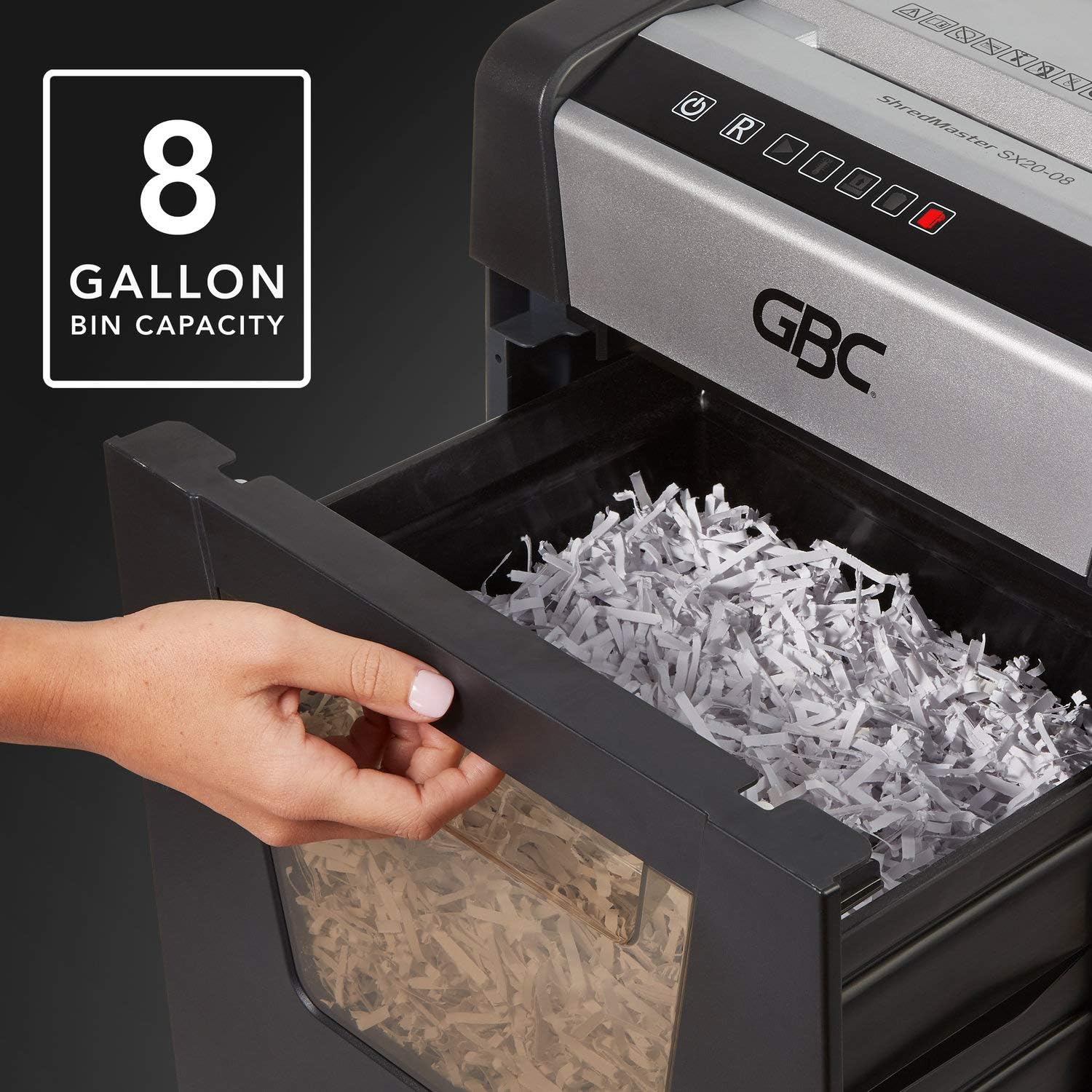
Figure 3: The 8-gallon pull-out waste bin.

Figure 4: The P-4 security level ensures confidential shredding.
Te tiaki
Te Putua i te Parapara
When the "Bin Full" indicator illuminates, the waste bin needs to be emptied. Simply pull out the bin from the front of the shredder, dispose of the shredded material, and slide the bin back into place until it clicks securely.
Te horoi
- Wewetehia te kaitapa i mua i te horoi.
- Horoia te waho o te kaitapahi ki te kakahu ngohengohe, maroke. Kaua e whakamahi i nga kai horoi me nga whakarewa.
- Periodically clean the paper entry area to remove any paper dust or debris.
Oiling the Shredder
For optimal performance and longevity, it is recommended to oil the shredder blades regularly, especially after emptying the waste bin or after heavy use. Use shredder oil specifically designed for paper shredders. Apply a thin line of oil across the paper entry slot and then run a few sheets of paper through the shredder to distribute the oil.
Raparongoā
| Raruraru | Take pea | Rongoā |
|---|---|---|
| Karekau e ka ana te kaipatu. | No power; Waste bin not properly inserted; Overheat protection activated. | Check power cord connection and outlet; Ensure waste bin is fully inserted and "Door Open" indicator is off; Allow shredder to cool down if "Over Heat" indicator is on. |
| Pepa tāmi. | Too many sheets inserted; Paper not fed straight. | Utilize the auto-reverse function or manually reverse the shredder; Remove excess paper; Feed paper straight. |
| Ka mutu te kaipatu i te wa e mahi ana. | Waste bin full; Overheat protection activated; Bin not properly seated. | Empty waste bin; Allow shredder to cool down; Re-insert waste bin securely. |
| He haruru te kaitapahi. | Blades require oiling; Debris in cutting mechanism. | Oil the shredder blades as per maintenance instructions; Unplug and carefully inspect for debris. |
Whakatakotoranga
| Āhuahira | Taipitopito |
|---|---|
| Tauira | SX20-08 (1758502) |
| Momo Karipi | Ripeka-Hati |
| Taumata Haumarutanga | P-4 (5/32" x 1 1/2" particles) |
| Raukaha Rau | Up to 20 sheets (20 lb bond paper) |
| Raukaha Bin | 8 Karani |
| Wā Whakahaere | 240 meneti tonu |
| Te wa whakamatao | Not specified, allow adequate time after overheat. |
| Taumata Haruru | Below 58 dB (Whisper Shred Technology) |
| Ahu (L x W x H) | 26.97 x 18.5 x 14.76 inihi |
| Taumaha Tūemi | 0.01 hekere (Note: The provided weight of 0.01 ounces may be a data entry error. Actual weight is typically much higher for a shredder of this capacity.) |
| Nga Riu | Paper, staples, paperclips |
Pūtāhui me te Tautoko
GBC products are manufactured to high-quality standards and are backed by a manufacturer's warranty. For specific warranty details, including duration and coverage, please refer to the warranty card included with your product or visit the official GBC webpae.
For technical support, troubleshooting assistance, or to inquire about replacement parts, please contact GBC Customer Service. Contact information can typically be found on the GBC webpae, i runga ranei i te kete o to hua.
You can also visit the official GBC Store on Amazon for more product information and support: GBC Store


