1. Kupu Whakataki
Thank you for choosing the FLYLINKTECH Portable Car Battery Jump Starter. This device is designed to provide a reliable and safe solution for jump-starting 12V vehicles with up to 5.0L gas or 4.0L diesel engines. It also functions as a portable power bank and features an integrated LED flashlight. Please read this manual thoroughly before use to ensure proper operation and safety.

Image: The FLYLINKTECH Portable Car Battery Jump Starter, showing the main unit, smart clamps, and charging cables.
2. Nga korero haumaru
WHAKATŪPATO: Pānuihia ngā whakatūpato me ngā tohutohu haumaru katoa i mua i te whakamahinga o tēnei hua. Ki te kore e whai i ngā whakatūpato me ngā tohutohu, ka pāngia pea koe e te ru hiko, te ahi, me/ranei te whara kino.
- Do not attempt to jump-start vehicles with engines larger than specified (5.0L gas or 4.0L diesel).
- Do not use the jump starter if the battery clamps kua pakaru ranei nga taura.
- Ensure proper polarity connection: Red clamp ki te pai (+), Pango clamp to negative (-). Reverse polarity can cause damage.
- Kaua e taea e nga tamariki.
- Kaua e tukuna te hua ki te ua, te hukarere ranei.
- Kaua e wetewete i te waeine. Tukuna atu nga ratonga katoa ki nga kaimahi whai tohu.
- Āta karohia te whakapoto i te ara iahikoamps.
- The device features intelligent chip protection against overcurrent, short-circuit, overload, overvoltage, overcharge, over-discharge, and reverse polarity. However, always exercise caution.
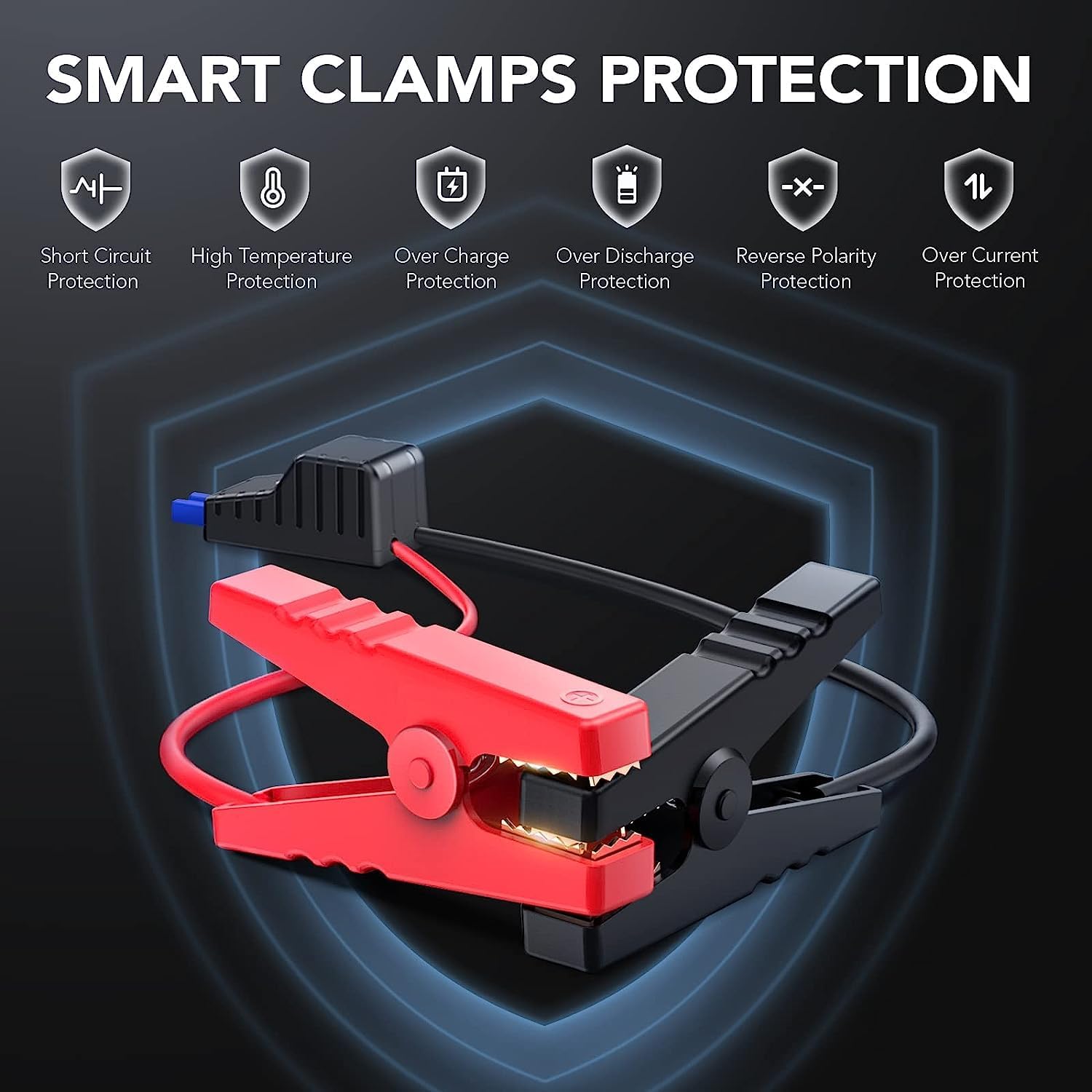
Image: Illustration of the smart clamps and their integrated safety protection features.
3. Ihirangi mokete
Manatokona kei roto katoa nga mea kei roto i to kete:
- FLYLINKTECH Jump Starter Unit
- Smart Jumper Cables (with Red and Black clamps)
- Moroiti USB Charging Cable
- Pukapuka Kaiwhakamahi
- EC5 Cigarette Lighter Adapter (Optional, may vary by package)

Pikitia: Kei roto i te kete hua ngā wāhanga katoa.
4. Hua Neke Atuview
Familiarize yourself with the components of your jump starter:

Image: Detailed diagram labeling the various ports, buttons, and indicators on the jump starter unit and its clamps.
- Pātene Hiko: Turns the unit on/off and cycles through flashlight modes.
- Rarama Tohu LED: Show the battery charge level.
- rama rama: Integrated LED light with multiple modes.
- Input USB Micro: Hei utu i te waeine tīmata peke.
- Putanga USB: For charging external devices (e.g., smartphones, tablets).
- Auto Jump Port: Connects to the smart jumper cables.
- Smart Jumper Cables: Whero (+) me te Pango (-) clamps with built-in safety features.
5. Te Whakahau i te Tīmatanga Peke
Before first use, fully charge the jump starter. It is recommended to recharge the unit every 3-6 months to maintain battery health, even if not in use.
- Connect the Micro USB charging cable to the Micro USB Input port on the jump starter.
- Connect the other end of the USB cable to a 5V/2A USB wall adapter (not included) or a car charger.
- The LED indicator lights will illuminate and flash to show the charging progress. All lights will be solid when fully charged.
6. Nga Tohutohu Whakahaere
6.1. Peke Timata i te Waka
Ensure the jump starter is at least 75% charged (3 LED lights illuminated) before attempting to jump-start a vehicle.

Image: The jump starter connected to a vehicle battery, ready for use.

Image: Visual guide for vehicle compatibility based on engine displacement.
- Connect Smart Clamps: Insert the blue plug of the smart jumper cables into the Auto Jump Port on the jump starter. Ensure a firm connection.
- Tāpiri ki te Pūhiko Waka: Honoa te whero (+) clamp ki te pito pai o te pākahiko o te motuka me te (-) cl pangoamp to the negative terminal. The smart clamps will indicate a successful connection (e.g., a green light). If an error is detected (e.g., reverse polarity), an alarm may sound or a red light may appear.
- Tīmata Waka: Kotahi te clamps are correctly attached and the indicator is green, start your vehicle.
- Tango Clamps: After the vehicle starts, immediately remove the smart clamps from the car battery, then disconnect the smart clampmai i te waeine tīmata peke.

Image: Step-by-step visual instructions for jump starting a vehicle.
6.2. Using as a Portable Power Bank
The jump starter can charge various USB-powered devices.
- Connect your device's USB charging cable to the USB Output port on the jump starter.
- Ka tīmata aunoa te peke tīmata ki te utu i tō pūrere.
- Aroturukihia te tūnga utu o tō pūrere.

Image: The jump starter functioning as a power bank, charging a smartphone and a tablet.
6.3. LED Flashlight Modes
The integrated LED flashlight has three modes:
- Mārama Noa: Kia kotahi te pehi i te paatene hiko hei whakaka.
- Aratau SOS: Press the power button a second time to activate the SOS signal.
- Maama Maama: Press the power button a third time for a flashing strobe light.
- Press the power button a fourth time to turn off the flashlight.

Image: The jump starter's LED flashlight in use, highlighting its three modes.
7. Te Whakatikatika me te Penapena
- Te horoi: Horoia te waeine ki te kakahu maroke, ngohengohe. Kaua e whakamahi i ngā matū kino, i ngā mea whakakoi rānei.
- Kei te utu: Recharge the unit every 3-6 months to prevent deep discharge and prolong battery life.
- Rokiroki: Penapenahia te tīmatanga peke ki te wāhi hauhautanga, maroke, kia matara atu i te rā tika me te pāmahana tino kino.
- Awhe Pawera: The device is designed to operate and be stored within a temperature range of -20°C to 60°C (-4°F to 140°F).
- Atete Wai me te Puehu: The unit has an IP67 rating, making it resistant to water and dust. However, avoid prolonged submersion.
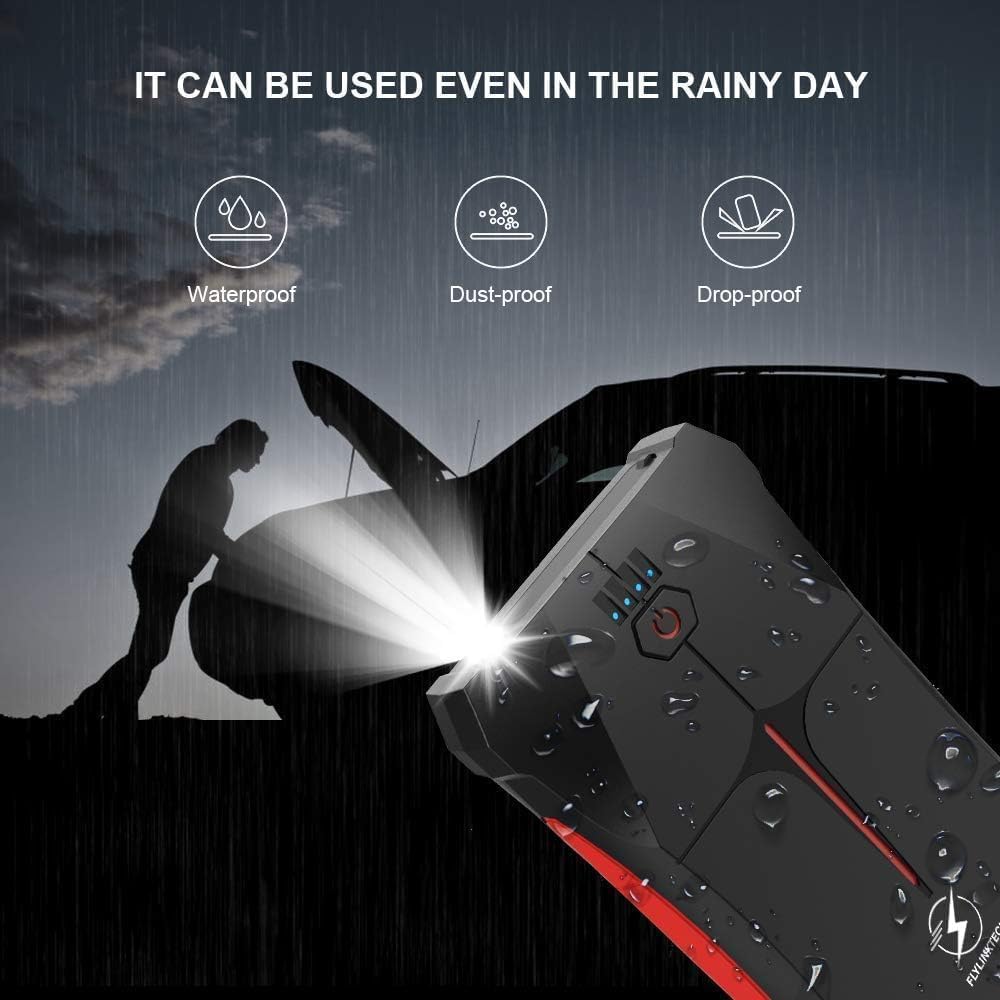
Image: The jump starter demonstrating its weather-resistant properties (waterproof, dust-proof, drop-proof).

Image: The jump starter's operational temperature range from -20°C to 60°C.
8. Te Raru
| Raruraru | Take pea | Rongoā |
|---|---|---|
| Kāore te peke tīmata e tahuri. | Kua pau katoa te pākahiko. | Whakakīia katoatia te pūwhakaoho peke. |
| Kāore te waka e tīmata. | hē clamp hononga. | Kia mārama te wheroamp is on positive (+), black on negative (-). Check smart clamp tohu. |
| Jump starter battery is low. | Whakaorangia te kaitao peke. | |
| Vehicle battery is severely damaged. | Whakawhitiwhiti kōrero ki tētahi mīhini ngaio. | |
| Cl atamaiamps show error/alarm. | Reverse polarity or short circuit. | Disconnect immediately and re-attach clamps tika. |
| USB device not charging. | Jump starter battery is low. | Whakaorangia te kaitao peke. |
| USB cable or device fault. | Whakamātauria he taura USB rerekē, he taputapu rānei. |
9. Whakatakotoranga
| Āhuahira | Taipitopito |
|---|---|
| Tauira | CF200 |
| Pūkenga o nāianei | 800A |
| Pūhiko Raukaha | 13200mAh (Lithium-polymer/Lithium-ion) |
| Tīmata Voltage | 12V |
| Whakatauranga Miihini Hau | Tae atu ki te 5.0L |
| Whakatauranga Miihini Diesel | Tae atu ki te 4.0L |
| Putanga USB | 5V/2.1A |
| Whakauru USB Micro | 5V/2A |
| Te Waahi Mahi | -20°C ki te 60°C (-4°F ki te 140°F) |
| Ahu (L x W x H) | 15.8 x 8.5 x 2 cm (6.2 x 3.3 x 0.8 inihi) |
| Taumaha | 370 g (0.82 lbs) |
| Te Atete Wai/Puehu | IP67 |
| Tiwhikete | CE |
10. Pūtāhui me te Tautoko
FLYLINKTECH provides a 3-year warranty for this product from the date of purchase. This warranty covers manufacturing defects and workmanship under normal use. It does not cover damage caused by misuse, accidents, unauthorized modifications, or natural disasters.
For warranty claims, technical support, or any questions regarding your product, please contact FLYLINKTECH customer service. Please have your purchase receipt and product model number (CF200) ready when contacting support.
Mōhiohio Whakapā:
- Īmēra: tautoko@flylinktech.hk
- Webpae: www.flylinktech.com (Please check for the most current contact details)
Note: No official product videos were found in the provided data for embedding in this manual.


