1. Kupu Whakataki
Thank you for choosing the ZIPRO Neon Magnetic Elliptical Trainer. This elliptical is designed for effective home workouts, allowing you to train endurance and strengthen muscles. Its compact size makes it ideal for smaller living spaces. The user-friendly computer tracks key workout parameters such as speed, distance, calories, and pulse. Featuring a robust construction, anti-slip footrests, and ergonomic handles, it ensures a comfortable and safe exercise experience. The internal magnetic mechanism provides smooth and quiet operation with 8 adjustable resistance levels to suit your individual training needs.

Image: The ZIPRO Neon Magnetic Elliptical Trainer, showcasing its sleek black design with green accents.
2. Nga Korero Haumaru Nui
Please read all instructions carefully before using this product. Failure to follow these instructions may result in injury or damage to the equipment.
- Me kōrero ki tētahi tākuta i mua i te tīmatanga o tētahi kaupapa whakakori tinana, ina koa mēnā he mate hauora tōu.
- Tiakina nga tamariki me nga kararehe mai i nga taputapu i te wa e mahi ana.
- Whakatakotoria te taputapu whakangungu porowhita ki runga i tētahi mata papatahi, pūmau, me te ātea e tika ana huri noa.
- Wear appropriate exercise clothing and athletic footwear. Avoid loose clothing that could get caught in moving parts.
- Before each use, ensure all bolts, nuts, and connections are securely tightened.
- Kaua e neke atu i te taumaha mōrahi e taea ana e te kaiwhakamahi te uta, arā, 120 kg (264 lbs).
- If you experience dizziness, chest pain, or any other abnormal symptoms, stop your workout immediately and consult a physician.
- Do not attempt to service the elliptical trainer beyond the maintenance steps described in this manual. Contact customer support for assistance.
3. Ihirangi mokete
Manatokohia kei te noho nga waahanga katoa i mua i te tiimata o te huihuinga. Mena kei te ngaro, kua pakaru ranei etahi waahanga, tena koa whakapiri atu ki te tautoko a nga kaihoko.
| Tūemi | Te nui |
|---|---|
| Huinga Tāpare Matua | 1 |
| Pae Whakau o Mua | 1 |
| Pae Whakapapa Whakamuri | 1 |
| Nga Kakau Neke | 2 |
| Fixed Handlebar Post | 1 |
| Waewae Waewae | 2 |
| Waeine Papatohu | 1 |
| Pouaka Pounamu Wai | 1 |
| Kete Taputapu (Pūtu, Horoi, Nati, Utauta) | 1 huinga |
| Pukapuka Kaiwhakamahi | 1 |
4. Huihuinga me te Tatūnga
4.1 Te Wetewete
Carefully remove all components from the packaging. Lay them out on a clean, flat surface to ensure all parts are accounted for and to prevent scratching.
4.2 Nga Mahi Huihuinga
- Tāpirihia ngā Pae Whakapūmau: Whakamaua ngā pae whakaū o mua me muri ki te anga matua mā te whakamahi i ngā pūtu me ngā whāriki kua whakaratohia. Me whakarite kia mau te whakau kia pumau ai.
- Install Pedal Arms and Moving Handlebars: Connect the pedal arms to the main crank assembly and then attach the moving handlebars to the pedal arms. Pay attention to left and right markings.
- Mount Console Post and Fixed Handlebars: Attach the console post to the main frame. Then, secure the fixed handlebars to the console post. Ensure all wiring for the console is routed correctly and connected.
- Attach Console Unit: Carefully connect the sensor wires from the console post to the back of the console unit. Then, mount the console onto its designated bracket on the console post.
- Tāutahia ngā Paepae Waewae: Secure the foot pedals to the pedal arms. Ensure they are oriented correctly and tightened to prevent wobbling during use.
- Tāpirihia te Pouaka Wai: Mount the water bottle holder to the designated spot on the frame.
- Taki Whakamutunga: Review all connections and ensure all bolts are tightened. Test the elliptical for smooth movement and stability. Adjust the leveling caps on the stabilizer bars if the unit is uneven.
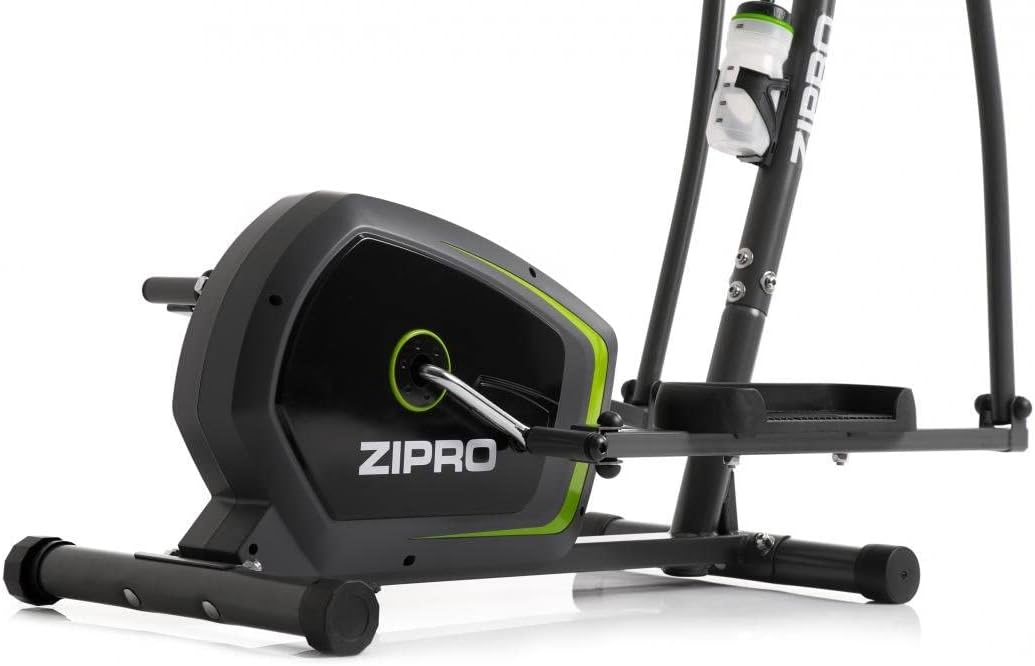
Image: Detail of the sturdy base and flywheel housing.

Whakaahua: taha profile of the elliptical, showing the pedal arms and handlebars.

Whakaahua: Mua view, highlighting the console post and handlebars.
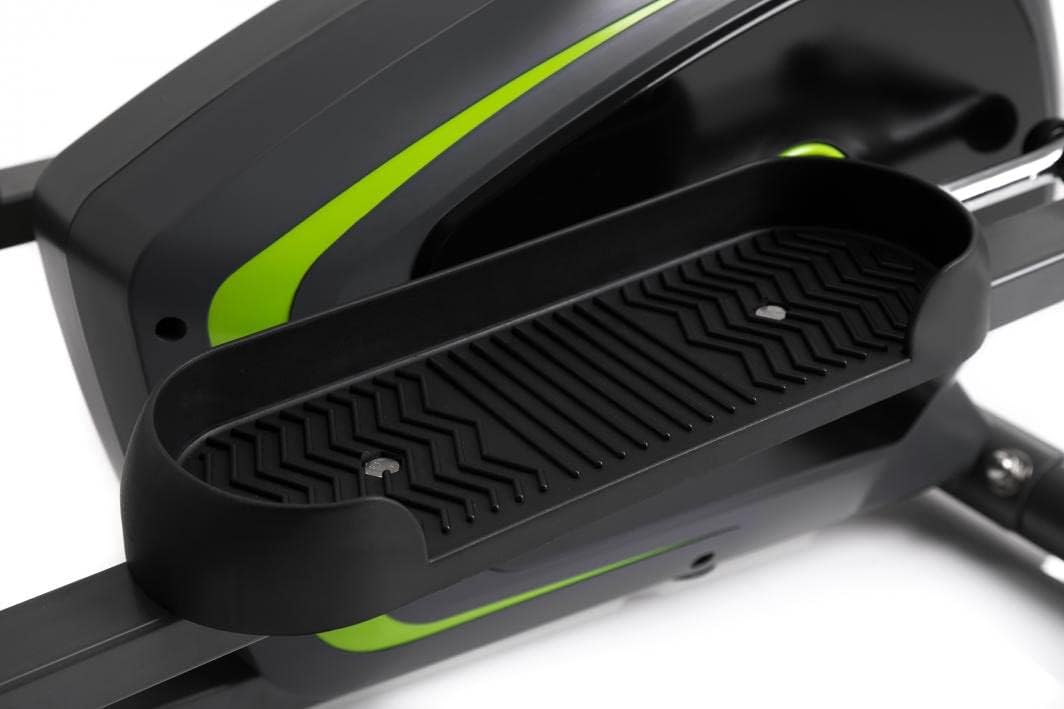
Image: Detail of the textured, anti-slip foot pedal surface.

Image: The integrated water bottle holder on the elliptical frame.

Image: The rear stabilizer bar with built-in transport wheels for easy relocation.
5. Nga Tohutohu Whakahaere
5.1 Ngā Mahi Papatohu
The integrated console provides real-time feedback on your workout. It typically displays:
- WĀ: Te roanga o to mahi.
- Tere: Current speed in km/h or mph.
- TARAU: Te tawhiti katoa i haerea i te wā o te whakangungu.
- HUANGA: Kua tahuna nga calories.
- PULSE: Your heart rate (measured via hand pulse sensors on fixed handlebars).
- Matawai: Ka huri aunoa i nga mahi whakaatu katoa.
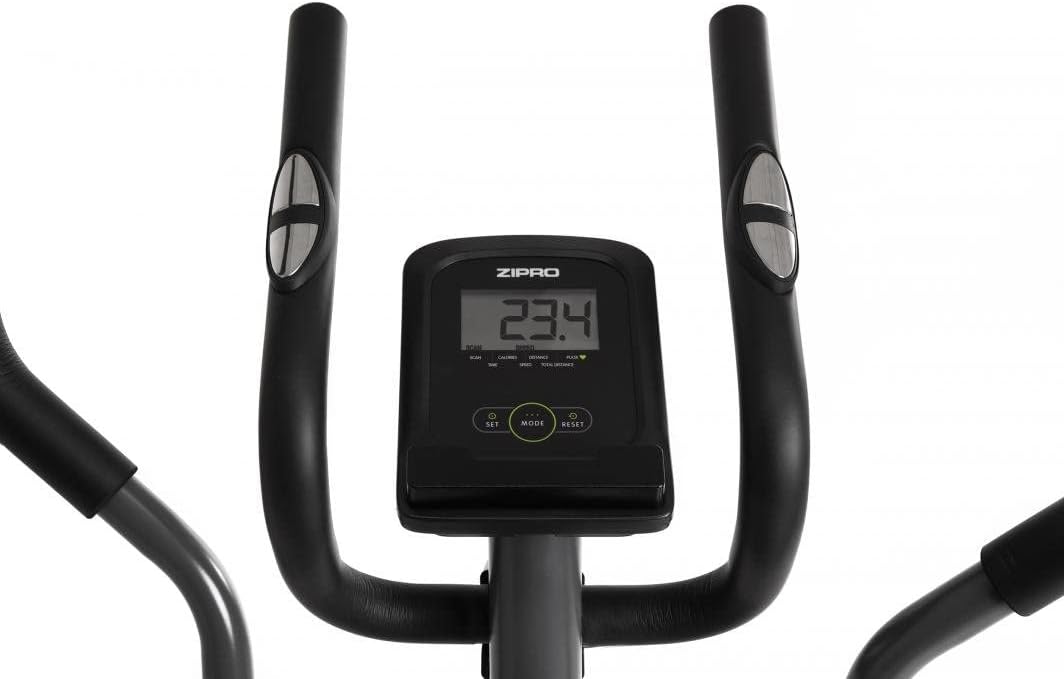
Image: The digital console displaying workout metrics.
Use the 'MODE' button to select a specific display function or 'SCAN' mode. 'RESET' will clear all workout data.
5.2 Te Whakatikatika Atete
The ZIPRO Neon Elliptical Trainer features 8 levels of magnetic resistance. To adjust the resistance, turn the tension control knob located on the main frame. Turn clockwise to increase resistance for a more challenging workout, and counter-clockwise to decrease resistance for an easier workout.

Image: The resistance control knob with settings from 1 to 8.
5.3 Te Whakamahi i te Pūmau Pūrere
The elliptical is equipped with a convenient shelf for mobile devices, allowing you to place your smartphone or tablet while exercising. This is located just below the console.

Image: The device holder, capable of holding a tablet or smartphone for entertainment during workouts.
5.4 Workout Guidelines
- Whakawera: Begin each workout with 5-10 minutes of light exercise and stretching.
- Mahi: Maintain a steady pace and resistance level for 20-30 minutes, or as recommended by your fitness plan.
- whakamatao: Finish with 5-10 minutes of slower pedaling and stretching.
- Whakahau: Use the integrated bottle holder to keep water accessible and stay hydrated during your workout.
6. Tiaki me te Tiaki
Regular maintenance will extend the life of your elliptical trainer.
- Te horoi: Horoia ngā taputapu ki te pānuitangaamp he kakahu i muri i ia whakamahinga hei tango i te werawera me te puehu. Kaua e whakamahi i nga kai horoi me nga whakarewa.
- Whakahinuhinu: Periodically check moving parts for friction. Apply a silicone-based lubricant to pivot points and joints if squeaking occurs.
- Whakatikitia nga Piripiri: Regularly inspect all bolts, nuts, and screws to ensure they are tight. Tighten as necessary to prevent noise and ensure stability.
- Rokiroki: Store the elliptical in a dry, cool place away from direct sunlight and extreme temperatures.
7. Te Raru
If you encounter issues with your elliptical trainer, refer to the table below for common problems and solutions.
| Raruraru | Take pea | Rongoā |
|---|---|---|
| Te haruru oro ranei | Ngā pūtu wetekina; te korenga o te hinu whakahinuhinu; ngā wāhanga kua tawhito. | Tighten all visible bolts. Apply silicone lubricant to pivot points. If noise persists, contact support. |
| Kāore te papatohu e whakaatu raraunga | Batteries low or dead; loose sensor connection. | Replace console batteries. Check all sensor cables are securely connected. |
| Kare e huri te parenga | Kua momotu, kua pakaru rānei te taura ātete. | Inspect the resistance cable connection to the knob and the flywheel mechanism. Reconnect if loose. |
| Elliptical feels unstable/wobbly | Uneven surface; loose stabilizer bar bolts. | Adjust the leveling caps on the stabilizer bars. Ensure all stabilizer bar bolts are tightened. |
8. Whakatakotoranga Hangarau
| Āhuahira | Whakatakotoranga |
|---|---|
| Ingoa Tauira | Neon |
| Waitohu | ZIPRO |
| Tae | Pango |
| Rahi Hua (L x W x H) | 107 x 67 x 152 cm (42.1 x 26.4 x 59.8 inihi) |
| Taumaha Tūemi | 29.8 kg (65.7 lbs) |
| Rauemi | Durable Steel Frame, Plastic Components |
| Tikanga Atete | aukume |
| Tohunga Taumaha Morahi | 120 kg (264 lbs) |
| Te roa o te hikoi | 27 cm (10.6 inihi) |
| Te maha o nga Taumata Atete | 8 |
| Nga Waahanga kei roto | Elliptical Trainer, Water Bottle Holder |
| Kei roto nga pākahiko | Ae |
| Kaihanga | Morele.net Sp. z oo |
| Tau tauira | 1592673 |
9. Pūtāhui me te Tautoko
Your ZIPRO Neon Magnetic Elliptical Trainer comes with a standard manufacturer's warranty covering defects in materials and workmanship. Please refer to the warranty card included in your package for specific terms and conditions, including the warranty period.
For technical support, replacement parts, or warranty claims, please contact ZIPRO customer service. Have your model number (1592673) and proof of purchase ready when contacting support.
Mōhiohio Whakapā:
Please visit the official ZIPRO website for the most up-to-date contact details for your region.


