Kupu Whakataki
Welcome to the user manual for your Soundcore Anker Liberty Neo True Wireless Earbuds. These earbuds are designed to provide a high-quality audio experience with features tailored for active lifestyles. This manual will guide you through the setup, operation, maintenance, and troubleshooting of your device to ensure optimal performance.

Figure 1: Soundcore Anker Liberty Neo True Wireless Earbuds in their charging case.
He aha kei roto i te Pouaka
Your Soundcore Anker Liberty Neo True Wireless Earbuds package includes the following items:
- Puhi utu
- Pukapuka Kaiwhakamahi (tenei tuhinga)
- Tauira Whakatau USB
- Multiple sizes of EarTips and WingTips for a secure fit

Figure 2: Included accessories with the Soundcore Anker Liberty Neo Earbuds.
Tatūnga
1. Te Whakahohe i ō Taringa me tō Pouaka
I mua i te whakamahinga tuatahi, whakakīia katoatia ngā pane taringa me te pouaka utu.
- Whakatakotoria ngā pane taringa ki roto i te pouaka utu. Kia tika te whakanoho; ka tiaho ngā tohu LED i runga i ngā pane taringa hei whakaū kua utuhia.
- Connect the provided USB charging cable to the charging port on the case and to a power source. The LED indicators on the charging case will show the charging status.
- Once fully charged, the LED indicators will turn solid or off, depending on the model.

Figure 3: Earbuds placed in the charging case.
2. Tauhoa ki to Pūrere
The Liberty Neo earbuds feature one-step pairing for convenience.
- Open the charging case. The earbuds will automatically enter pairing mode, and their LED indicators will flash white.
- I runga i to taputapu (waea atamai, papa, aha atu), whakaahei i a Nihokikorangi.
- Rapua "Soundcore Liberty Neo" in the list of available Bluetooth devices and select it to connect.
- Once connected, the LED indicators on the earbuds will turn solid white or off, indicating successful pairing.
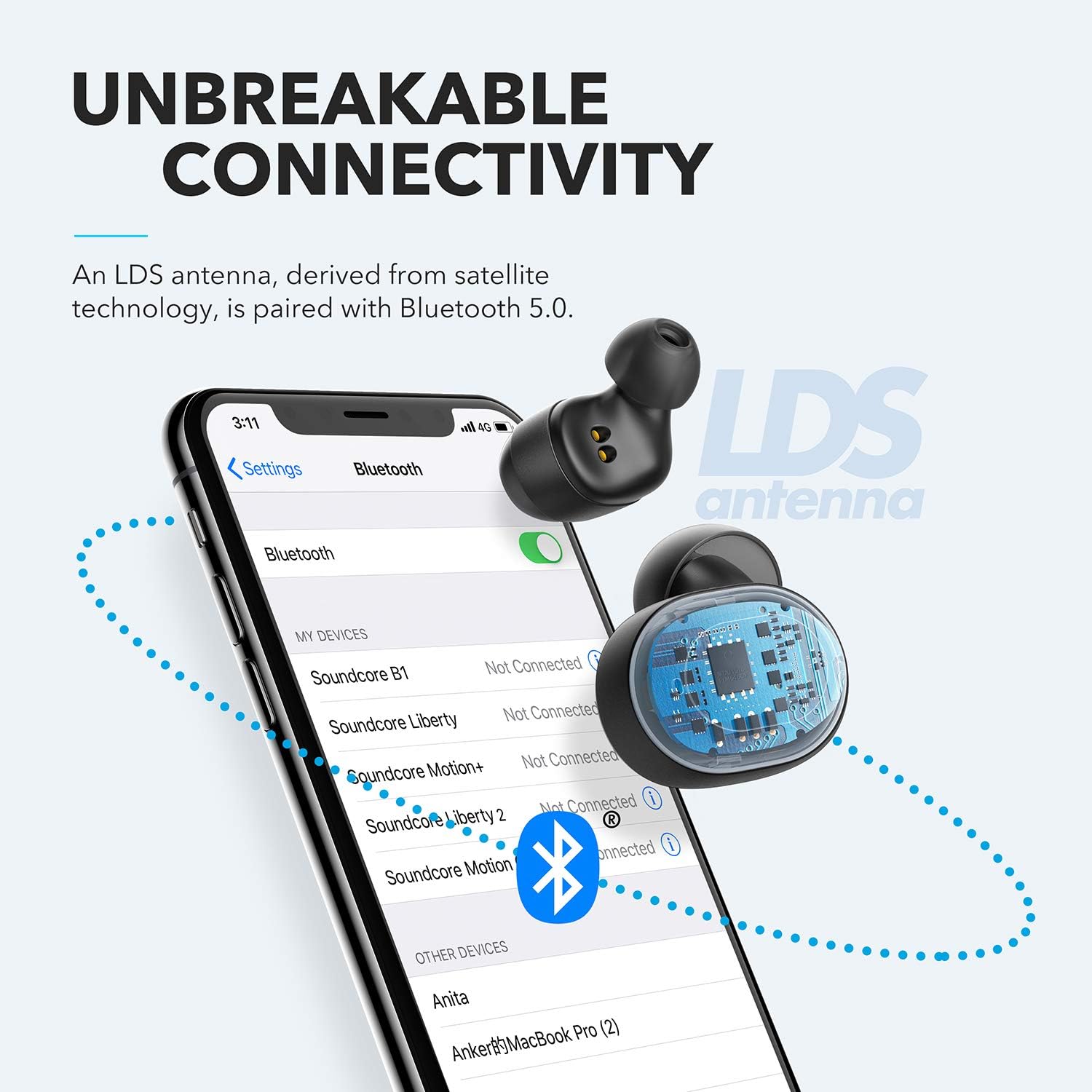
Figure 4: Bluetooth pairing process on a smartphone.
Te whakahaere i o Purongo
1. Te mau i nga Paorooro
For optimal sound quality and a secure fit, choose the correct size of EarTips and WingTips. Insert the earbuds into your ears and twist them gently until they feel snug and comfortable.

Figure 5: Proper wearing of the earbuds for a secure fit.
2. Mana whakahaere
The Liberty Neo earbuds feature intuitive touch controls:
- Purei/Tatari: Tap the multi-function button on either earbud once.
- Riu Panuku: Double-tap the multi-function button on the right earbud.
- Riu o mua: Double-tap the multi-function button on the left earbud.
- Whakautu/Whakamutu Waea: Tap the multi-function button on either earbud once.
- Whakakore Waea: Pēhia me te pupuri i te pātene maha-mahi i runga i tētahi o ngā taringa mō te 2 hēkona.
- Whakahohe i te Kaiawhina Reo: Press and hold the multi-function button on either earbud for 1 second.
3. Aratau oro
While the Liberty Neo earbuds offer excellent passive noise isolation, they do not feature Active Noise Cancellation (ANC) or Transparency modes. They are designed to provide a rich audio experience with Soundcore's signature sound and BassUp technology.
Te tiaki
Hei whakarite i te roanga me te mahi tino pai o o pukoro:
- Puritia kia ma, kia maroke hoki ngā pane taringa me te pouaka utu. Whakamahia he kakahu ngohengohe, maroke hei muru.
- A ape i te wera nui.
- Kaua e whakamahi i nga kai horoi pirau.
- The earbuds are IPX7 waterproof, meaning they can withstand sweat and rain. However, the charging case is not waterproof. Ensure earbuds are dry before placing them back in the case.

Figure 6: Earbuds demonstrating IPX7 waterproof rating.
Raparongoā
Mena ka pā mai he raruraru ki ō pane taringa, tirohia ngā otinga noa e whai ake nei:
| Raruraru | Rongoā |
|---|---|
| Karekau nga taringa e hono ana | Ensure earbuds are charged. Turn off Bluetooth on your device, then turn it back on. Try resetting the earbuds (refer to Soundcore support for specific reset instructions). |
| Kotahi anake te taringa e purei ana i te oro | Place both earbuds back into the charging case, close the lid, then open it again. Ensure both earbuds are connected to your device. |
| He kino te kounga oro | Ensure earbuds are clean and free of debris. Try different sized EarTips for a better seal. Check your device's audio settings. |
| Ngā taringa e taka ana | Experiment with different sizes of EarTips and WingTips to find the most secure and comfortable fit for your ears. |
Whakatakotoranga
| Āhuahira | Taipitopito |
|---|---|
| Ingoa Tauira | Ko Liberty Neo |
| Tau tauira | A3911 |
| Hangarau Hononga | Ahokore (Nihokikorangi 5.0) |
| Taumata Atete Wai | IPX7 (Ngā taringa anake) |
| Ora Pūhiko | 8 Hours (Earbuds), 40 Hours with Charging Case |
| Momo Atekōkiri Ororongo | Dynamic Driver (Graphene-enhanced) |
| Tikanga Mana | Paa |
| Taumaha Tūemi | 1.76 hekere |
| Hunga Hua | 2.95 x 1.38 x 1.18 inihi |
Pūtāhui me te Tautoko
Mō ngā mōhiohio pūtāhui me te tautoko kiritaki, tirohia te paetukutuku Soundcore mana webpaetukutuku, whakapā atu ranei ki ta raatau ratonga kaihoko. Puritia to rihiti hoko mo nga kereme whakamana.
Tautoko Aipurangi: Haerenga www.whakapapa.com mo nga FAQ, nga kaiarahi rapurongoā, me nga korero whakapā.


