1. Kupu Whakataki
This manual provides essential information for the proper installation, operation, and maintenance of your Amcrest 10FT Power Extension Cable. Please read this manual thoroughly before using the product to ensure optimal performance and safety. This cable is designed to extend the reach of 5V DC power adapters for compatible devices, primarily Amcrest security cameras.
2. Hua Neke Atuview
The Amcrest 10FT Power Extension Cable is a male-to-female DC power extension cable, specifically designed for 5V power supplies. It allows you to extend the distance between your power adapter and your compatible device, such as an Amcrest security camera, providing greater flexibility in device placement.
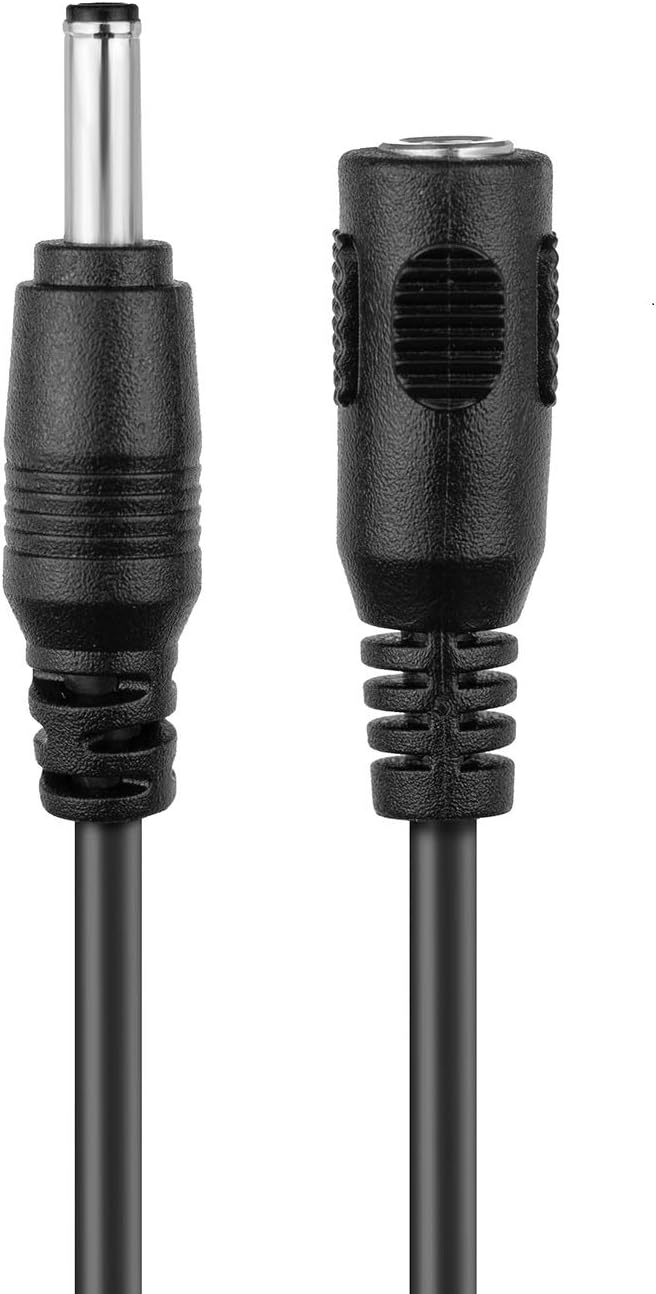
Image 1: Amcrest 10FT Power Extension Cable. This image displays the male and female ends of the 10-foot black extension cable, illustrating its design for extending power connections.
3. Tatūnga
- Identify Power Adapter: Ensure your device uses a 5V DC power adapter. This extension cable is designed for 5V applications.
- Momotu Mana: Before connecting the extension cable, unplug the original power adapter from the electrical outlet.
- Connect Extension Cable:
- Connect the male end of the extension cable to the female output of your device's 5V DC power adapter.
- Connect the female end of the extension cable to the power input port of your compatible device (e.g., Amcrest camera).
- Whakaora i te Mana: Once connections are secure, plug the power adapter back into the electrical outlet.
- Manatokohia te Mahi: Confirm that your device powers on and functions correctly.
Multiple cables can be daisy-chained together for longer runs, but be aware of potential voltage drop over excessive distances, which may affect device performance.
4. Nga Tohutohu Whakahaere
The Amcrest 10FT Power Extension Cable operates passively by extending the reach of your existing 5V DC power supply. No specific operational steps are required beyond proper connection. Ensure the cable is not kinked, pinched, or exposed to extreme temperatures or moisture, which could compromise its integrity and performance.
5. Hototahi
This extension cable is compatible with most devices utilizing a 5V DC input. It is specifically designed for and compatible with the following Amcrest camera models:
- IP2M-841B, IP2M-841W, IP2M-841S
- IP3M-941B, IP3M-941W, IP3M-941S
- IPM-721B, IPM-721W, IPM-721S
- IPM-HX1B, IPM-HX1W
- IP3M-HX2B, IP3M-HX2W
- IPM-721ES
It is also compatible with other brands such as Foscam, FDT, Dericam, and Zencam products that have a 5V DC input and matching connector size.
6. Tiaki
The Amcrest 10FT Power Extension Cable requires minimal maintenance. Keep the cable clean and free from dust and debris. Avoid placing heavy objects on the cable or bending it sharply, as this can damage the internal wiring. Store the cable in a cool, dry place when not in use.
7. Te Raru
| Raruraru | Take pea | Rongoā |
|---|---|---|
| Device does not power on after connecting the extension cable. |
|
|
| Intermittent power to the device. |
|
|
8. Whakatakotoranga
- Tau tauira: 20FTEXTW-5V
- Roa: 10 putu (3.05 mita)
- Tae: Pango
- Voltage: 5 Volts DC
- Ira Tuhono: Tane-ki-Wahine
- Hōputu Mono: Momo B
- Taumaha Tūemi: 2.82 hekere (80 karamu)
- Kaihanga: Kereira
9. Pūtāhui me te Tautoko
Amcrest provides a 1-Year US Warranty a Tautoko Mo Te Ao Katoa directly for this product. For technical assistance, troubleshooting, or warranty claims, please contact Amcrest customer support through their official channels. Refer to the Amcrest webpaetukutuku mō ngā mōhiohio tautoko me ngā taipitopito whakapā hou.
Video 1: Amcrest Brand Overview. Ko tenei ataata e whakarato ana i nga korero whanuiview of Amcrest's commitment to simple, reliable, and secure products, showcasing various security solutions and their benefits.


