Kupu Whakataki
Thank you for choosing the Celly Pantone Qi Wireless Charger. This device provides convenient and cable-free charging for all Qi-compatible smartphones and other devices. Its lightweight and compact design makes it ideal for use at home or in the office. Please read this manual carefully before use to ensure proper operation and to maximize the lifespan of your product.
Tatūnga
Ihirangi mokete
- 1 x Celly Pantone Qi Wireless Charger (Model PTWC001P)
- 1 x Micro USB Cable Taura
Te hono i te Kaitohu
- Connect the Micro USB power cable to the input port on the wireless charger.
- Connect the other end of the Micro USB cable to a compatible USB power adapter (not included). Ensure the power adapter provides sufficient output (e.g., 5V/2A, 9V/2A, 12V/1.5A for optimal performance).
- The charger's indicator light will briefly illuminate, indicating it is ready for use.

Image: The Celly Pantone Qi Wireless Charger, pink, with its Micro USB cable connected, ready for power supply.
Nga Tohutohu Whakahaere
Whakatau Ahokore
- Ensure the wireless charger is connected to a power source as described in the Setup section.
- Place your Qi-compatible smartphone or device directly onto the center of the charging pad.
- The charger features an rama tohu that will illuminate to confirm that charging has begun. Your device's screen should also indicate that it is charging wirelessly.
- For optimal charging efficiency, ensure your device is centered on the charging pad and remove any thick cases that might interfere with the wireless connection.
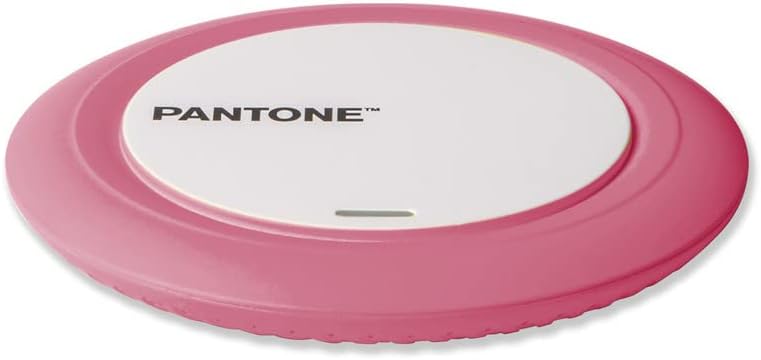
Image: A smartphone resting on the Celly Pantone Qi Wireless Charger, demonstrating the device in active use.
Hototahi
The Celly Pantone Qi Wireless Charger is compatible with a wide range of devices that support Qi wireless charging technology. This includes, but is not limited to:
- Apple iPhones (e.g., iPhone 11, iPhone 8 Plus, iPhone XR, and newer models with wireless charging)
- Samsung Galaxy smartphones (e.g., Galaxy Note 8, Galaxy S8, Galaxy S9, and newer models with wireless charging)
- Other Android smartphones from brands like Motorola, Xiaomi, OPPO, Huawei, TCL, Alcatel, Vivo, Realme, Honor that support Qi wireless charging.
- Smartwatches and MP3 players with Qi wireless charging capabilities.
Te tiaki
To ensure the longevity and optimal performance of your wireless charger, follow these maintenance guidelines:
- Te horoi: Use a soft, dry cloth to wipe the surface of the charger. Avoid using abrasive cleaners, solvents, or harsh chemicals, as these can damage the device.
- Rokiroki: Ki te kore e whakamahia, penapenahia te rihi ki tetahi waahi makariri, maroke kia matara atu i te ra me te wera nui.
- Te whakahaere: Kia tupato ki te hapai i te rihi. A ape i te tuku, te tuku ranei ki nga paanga kaha, ka kino nga waahanga o roto.
Raparongoā
If you encounter any issues with your Celly Pantone Qi Wireless Charger, please refer to the following common problems and solutions:
| Raruraru | Take pea | Rongoā |
|---|---|---|
| Karekau te taputapu ki te utu, ki te puhoi ranei |
|
|
| Kare te rama tohu e ka ana |
|
|
| Charger or device getting hot |
|
|
Whakatakotoranga
| Āhuahira | Taipitopito |
|---|---|
| Tauira | PTWC001P |
| Waitohu | Pantone |
| Whakauru Voltage | 120 Volt |
| Ampwhakatipu | 2 Ampmua |
| Wattage | 10 Watt (Mōrahi) |
| Ahu | 9.8 x 1.3 x 9.8 cm |
| Taumaha | 50 karamu |
| Hononga | Wireless (Qi Standard) |
| Puna Mana | Corded Electric (Micro USB) |
| Nga waahanga motuhake | Hoahoa Maamaa, Tohu Whakatau |
Pūtāhui me te Tautoko
This product is covered by a standard manufacturer's warranty. For specific details regarding warranty coverage, duration, and terms, please refer to the documentation included with your purchase or contact the retailer where the product was acquired.
For technical support or further assistance, please visit the official Pantone or Celly website, or contact their customer service department. Contact information can typically be found on the product packaging or their official webpae.
Ataata Hua
No relevant official product videos from a 'Seller' were found for this specific Celly Pantone Qi Wireless Charger (Model PTWC001P) based on the provided data.


