1. Nga korero haumaru
I nga wa katoa panui me te mohio ki nga whakatupato haumaru katoa, nga tohutohu, nga whakaahua, me nga korero e whakaratohia ana me tenei taputapu hiko. Ki te kore e whai i nga tohutohu katoa kua whakarārangihia i raro ake nei ka puta pea he ru hiko, he ahi, he whara kino/ranei.
Whakatupato Haumaru Utauta Hiko Whanui:
- Haumaru Wāhi Mahi: Kia ma te waahi mahi me te whakamarama pai. Ko nga waahi pouri, nga waahi pouri ranei ka pa mai nga aitua. Kaua e whakahaere i nga taputapu hiko i roto i nga hau pupuhi, penei i te waahi o te wai ka mura, te hau, te puehu ranei. Ka hangaia e nga taputapu hiko nga korakora e mura ai te puehu me te kohu.
- Haumaru Hiko: Me rite nga mono taputapu hiko ki te putanga. Kaua rawa e whakarereketia te mono i tetahi huarahi. Kaua e whakamahi i nga mono urutau me nga taputapu hiko kua oti te whakamaarama. Ko nga mono kare i whakarereketia me nga putanga orite ka whakaiti i te tupono o te ru hiko.
- Haumaru Whaiaro: Kia mataara, kia mataara i taau mahi me te whakamahi i te mohio noa i te wa e whakahaere ana i te taputapu hiko. Kaua e whakamahi i te taputapu hiko i te wa e ngenge ana koe, i raro ranei i te awe o nga raau taero, waipiro, rongoa ranei. Ko te wa poto i te wa e mahi ana i nga taputapu hiko ka pa mai pea te whara kino.
- Te Whakamahi me te Tiaki Taputapu: Kaua e kaha te taputapu hiko. Whakamahia te taputapu hiko tika mo to tono. Ko te taputapu hiko tika ka pai ake te mahi me te haumaru i te tere i hangaia ai.
- Utauta Pūhiko Whakamahi me te Tiaki: Whakaorangia anake me te riihi kua tohua e te kaihanga. Ko te rihi e tika ana mo tetahi momo kete pākahiko ka puta he morearea ki te ahi ina whakamahia me tetahi atu kete pākahiko.
2. Hua Neke Atuview
The WORKPRO 20V Cordless Impact Wrench is designed for efficient tightening and loosening of various nuts and bolts, suitable for automotive repairs, construction projects, and general maintenance.
Āhuatanga matua:
- Kiato me te Kaha: Delivers 320 ft-lbs of max torque and a max speed of 3200 RPM.
- Nga Tere Taurangi Mutunga: Speed control via the On/Off switch for precise operation.
- Fast Charger & Power Indicator: 20V 2.0 Ah lithium-ion battery fully charges in 1 hour. Integrated power indicator.
- Taupānga Whānui: 1/2'' chuck suitable for various tasks.
- Nga Rarama LED kua whakauruhia ki roto: Three LED lamps illuminate the work area for improved visibility.
Wae Hua:

The WORKPRO 20V Cordless Impact Wrench kit, including the wrench, 2.0Ah battery, fast charger, and belt clip.
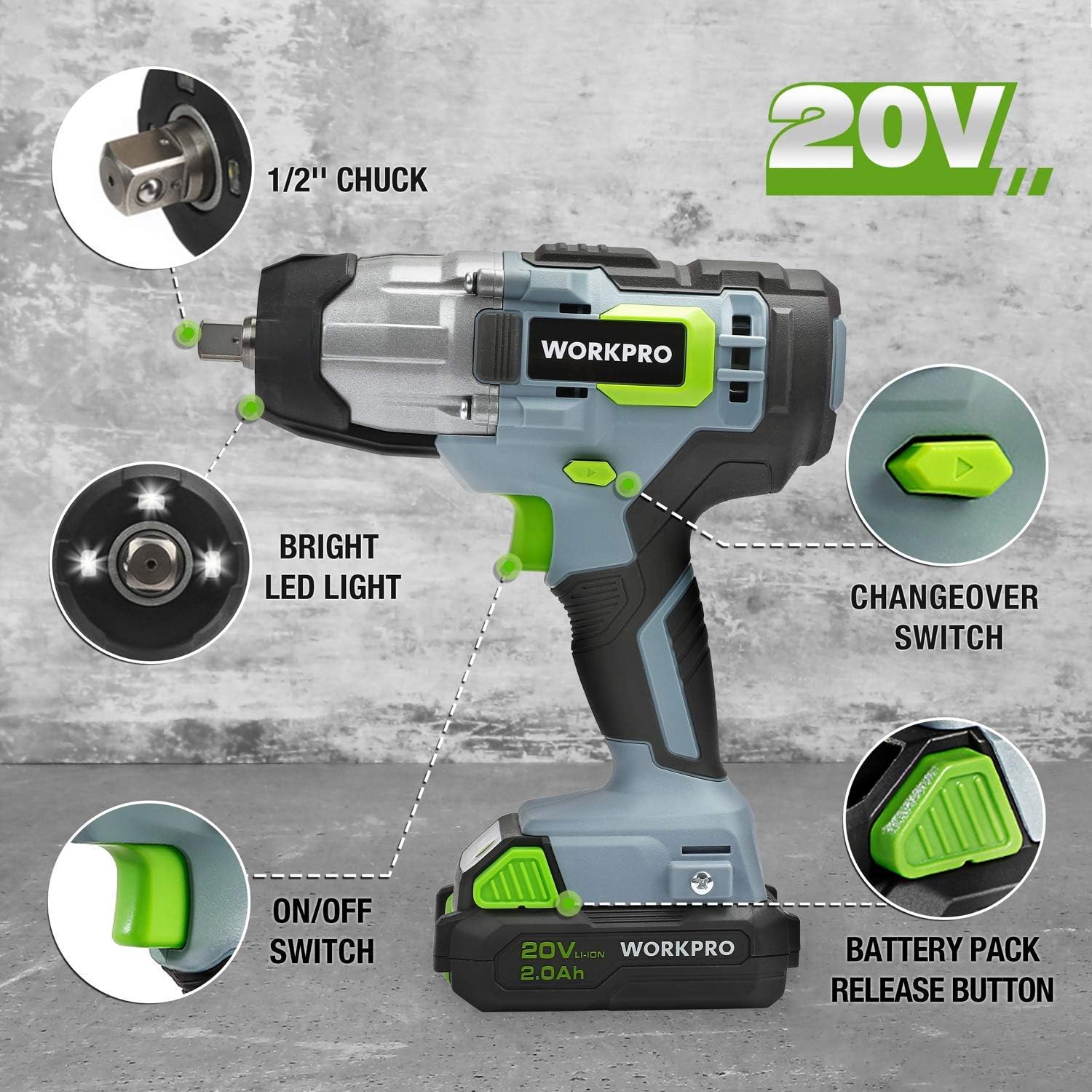
Taipitopito view of the impact wrench highlighting key components: 1/2" chuck, bright LED light, changeover switch, ON/OFF switch, and battery pack release button.
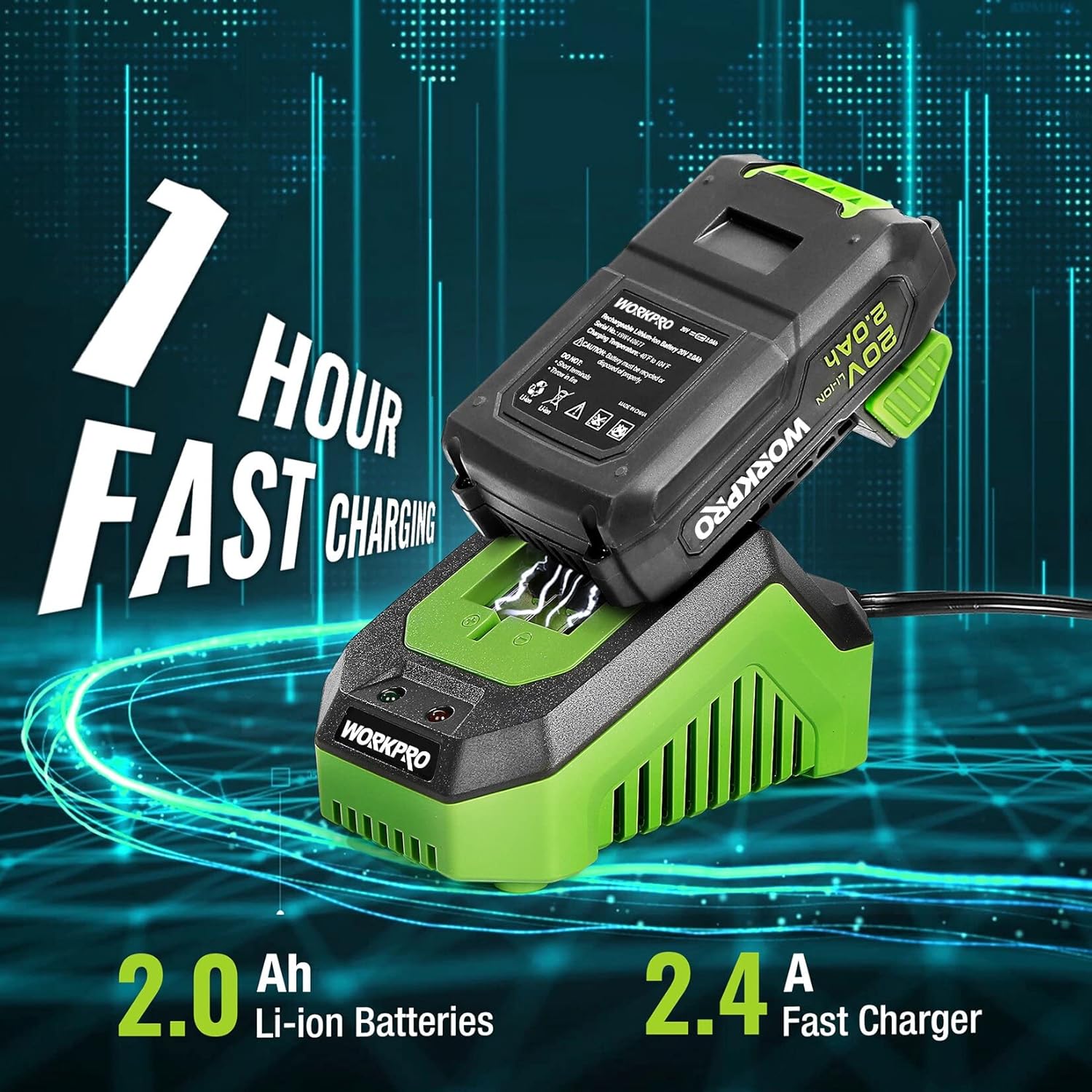
The 2.0Ah Li-ion battery being fast charged by the 2.4A charger, indicating a 1-hour charging time.
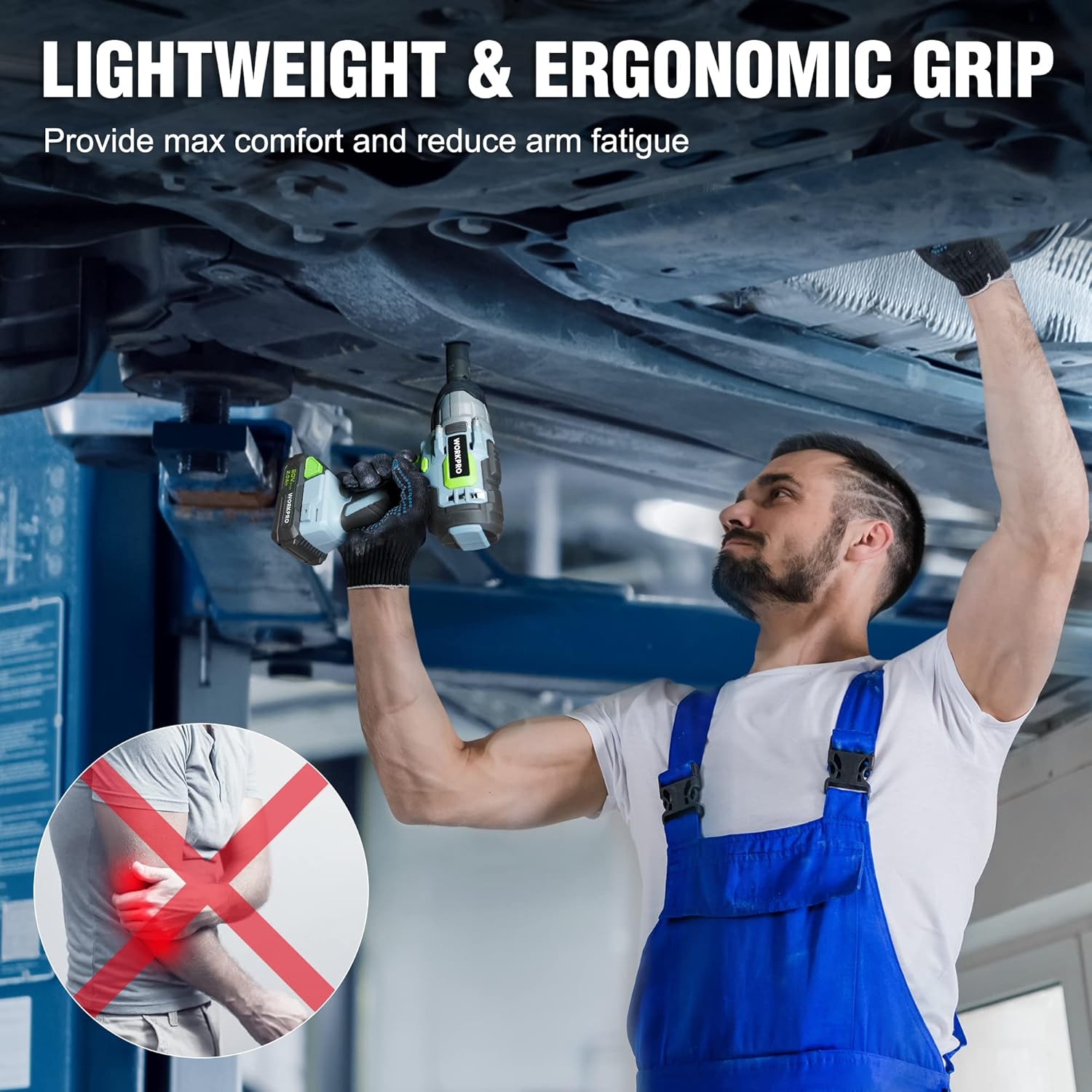
A mechanic demonstrating the lightweight and ergonomic grip of the impact wrench while working under a vehicle, designed for maximum comfort and reduced arm fatigue.

The impact wrench shown with debris, illustrating its robust construction and reliable protection against impacts.

A visual representation of the infinitely variable speed control, indicating the tool's 320 ft-lbs torque and 3200 RPM capabilities.
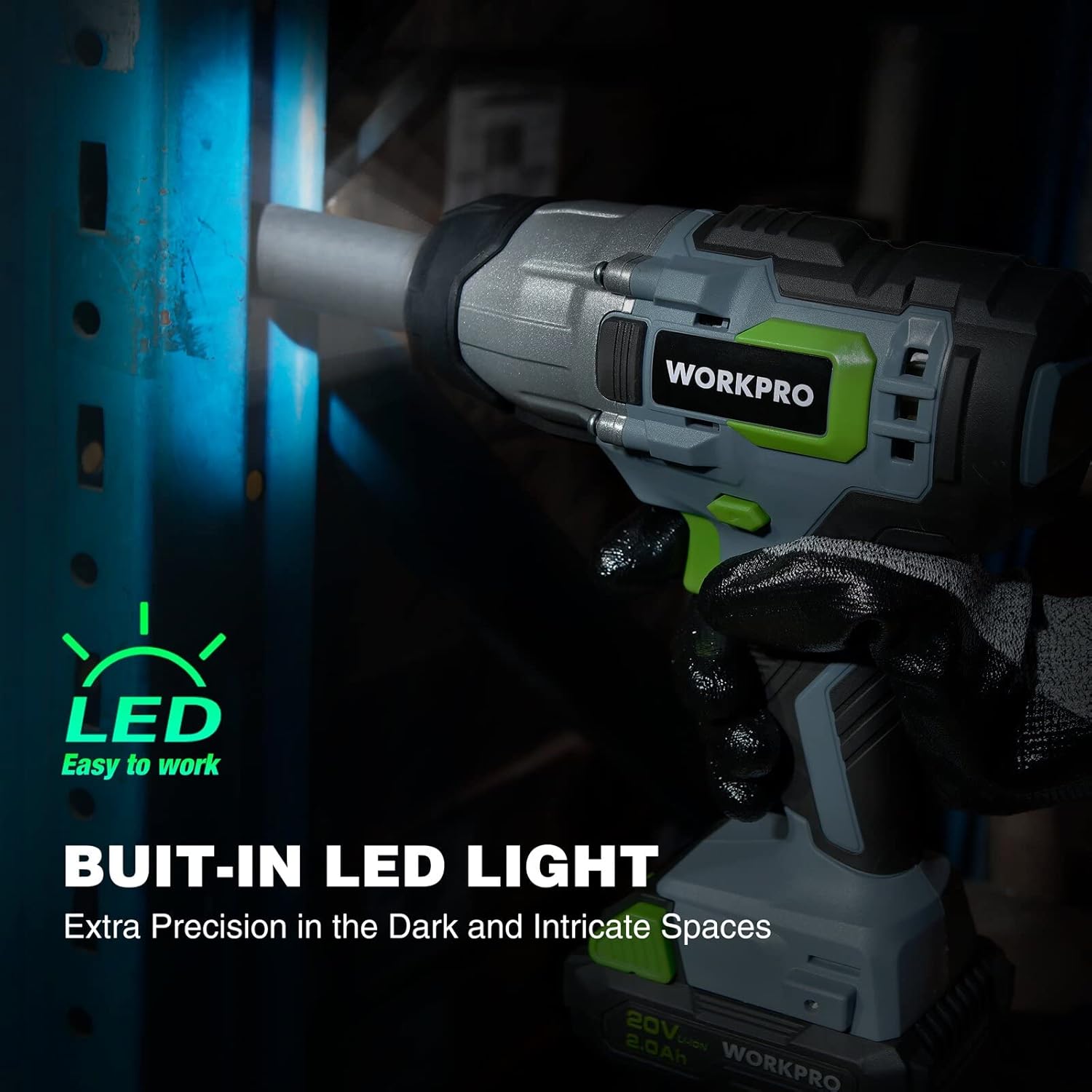
The impact wrench with its built-in LED light activated, demonstrating its ability to provide extra precision in dark and intricate spaces.
Ataata Hua:
Whakaaturanga ataata hua whaimanacasing the WORKPRO 20V Cordless Impact Wrench, highlighting its features such as the 1/2" chuck, forward/reverse button, variable speed trigger, anti-slip grip, belt clip, battery pack release button, bright LED lights, and the 20V 1-hour quick charge battery with indicator lights.
3. Tatūnga
Te Whakataki i te Pūhiko:
- Honoa te kaitahuri tere ki te putanga hiko paerewa.
- Slide the 20V 2.0Ah Li-ion battery pack onto the charger until it clicks into place.
- The charger indicator light will show the charging status. A full charge typically takes 1 hour.
- Kia oti te whakakii, tangohia te pākahiko mai i te rihi.
Attaching/Removing Battery:
- Āpitihia: Align the battery pack with the base of the impact wrench and slide it in until it locks securely.
- Tango ana: Press the battery pack release button (located on the battery pack) and slide the battery out from the tool.
Installing/Removing Sockets:
- Tāuta ana: Push the desired 1/2" drive socket firmly onto the square drive anvil until it snaps into place.
- Tango ana: Pull the socket directly off the square drive anvil.
4. Nga Tohutohu Whakahaere
Kei te Hia/Weto:
- To turn the tool ON, press the ON/OFF switch (trigger).
- To turn the tool OFF, release the ON/OFF switch.
Mahi Whakamua/Whakamuri:
- Locate the forward/reverse button above the trigger.
- Push the button to the left for forward rotation (tightening).
- Push the button to the right for reverse rotation (loosening).
- Ensure the button is in the center position for trigger lock when not in use.
Mana Tere Taurangi:
- The speed of the impact wrench is controlled by how far you depress the ON/OFF switch.
- Pressing the trigger further increases the speed and torque.
Using the Impact Wrench:
- Tīpakohia te turanga e tika ana mo te whakapiri.
- Me whakarite kua utua katoatia te pākahiko, ā, kua mau te hononga.
- Tautuhia te whakawhiti whakamua/whakamuri ki te ahunga e hiahiatia ana.
- Place the socket onto the fastener, ensuring a firm grip.
- Depress the trigger to begin operation. Adjust pressure for desired speed.
- For tightening, always finish with a torque wrench to ensure proper torque specifications are met, especially for critical applications like lug nuts.
5. Tiaki
Te horoi:
- Kia ma tonu ngā pūaha hau o te taputapu, kia kore hoki he paru hei ārai i te wera nui.
- Whakamahia he ngohengohe, damp kakahu hei horoi i waho o te taputapu. Kaua e whakamahi i nga matū kino, i nga horoi horoi ranei.
Tiaki Pūhiko:
- Whakaorangia nga pākahiko ki te waahi makariri, maroke atu i te ra tika me te wera nui.
- Kaua e rongoatia ngā pākahiko i roto i te āhua kua pau mō te wā roa. Whakakīia anō i ia wā mēnā kāore e whakamahia ana.
- Āta tirohia ngā pākahiko kia kore e pāngia e te wai, e te makuku rānei.
Rokiroki:
- When not in use, store the impact wrench and battery in a secure, dry place out of reach of children.
- Remove the battery from the tool before storage.
6. Te Raru
| Raruraru | Take pea | Rongoā |
|---|---|---|
| Kaore e timata te taputapu. | Karekau te pākahiko i utaina, kaore ranei i tika te whakauru. | Me whakarite kia whakakiia te pākahiko me te paato tika ki te waahi. |
| Te mana/taipana kua whakaitihia. | Low battery charge; worn carbon brushes (for brush motor); excessive load. | Recharge battery. If issue persists, contact customer support for brush inspection/replacement. Reduce load. |
| Te wera o te taputapu. | Ngā mokowā hauā kua āraia; te whakamahinga nui tonu. | Maamaa nga waahi whakangao. Tukua kia whakamatao te taputapu i te wa e whakamahia ana mo te wa roa. |
| Karekau te pākahiko e utu ana. | Kāore anō kia monohia te rihi; he hapa te pākahiko, te rihi rānei. | Check power connection. Test with another battery/charger if available. Contact customer support. |
7. Whakatakotoranga
| Āhuahira | Whakatakotoranga |
|---|---|
| Tau tauira | W125042 |
| Voltage | 20 Volts |
| Max Torque | 320 ft-lbs (approx. 300 Newton Meters) |
| Tere Kore-Utaina Mōrahi | 3200 RPM |
| Rahi Huka | 1/2-inch Square Drive |
| Momo Pūhiko | Lithium Ion |
| Pūhiko Raukaha | 2.0Ah |
| Momo Kaitohu | Fast Charger (2.4A) |
| Waa Whakatau | Approx. 1 haora |
| Taumaha Tūemi | 6.5 Pauna |
| Rauemi | Te whakarewa, te Kirihou |
| UPC | 820909759805 |
8. Pūtāhui me te Tautoko
WORKPRO products are manufactured to high-quality standards and are guaranteed against defects in materials and workmanship. For specific warranty details, please refer to the warranty card included with your product or visit the official WORKPRO webpae.
If you encounter any issues or require technical assistance, please contact WORKPRO customer support. Have your model number (W125042) and purchase information ready when contacting support.
Ka taea hoki e koe te korero ki te PDF Manual Kaiwhakamahi mana mo etahi atu taipitopito: Tikiake i te Pukapuka Kaiwhakamahi (PDF)


