Kupu Whakataki
This manual provides comprehensive instructions for the safe and efficient use of your TUINYO TP19 Bluetooth Wireless Over-Ear Headphones. Please read this manual thoroughly before operating the device and retain it for future reference.

Image: TUINYO TP19 Bluetooth Wireless Over-Ear Headphones, showcasing the sleek design in black and blue.
Nga korero haumaru
- A ape i te rongonga roa ki nga taumata oro teitei kia kore ai e pakaru te rongo.
- Kaua e whakamahi i ngā pane taringa i a koe e taraiwa ana, e eke pahikara ana, i ngā āhuatanga rānei e morearea ai te kore e taea te whakarongo ki ngā oro o te taiao.
- Tiakina te taputapu mai i te wai, te makuku, me te wera nui.
- Kaua e ngana ki te wetewete, ki te whakarerekē rānei i ngā paneoro. Tērā pea ka whakakorea te pūtāhui, ka pakaru pea.
- Clean the headphones with a soft, dry cloth. Avoid using harsh chemicals.
Ihirangi mokete
- TUINYO TP19 Bluetooth Wireless Over-Ear Headphones
- Moroiti USB Charging Cable
- 3.5mm Waea Ororongo
- Take Tiaki
- Pukapuka Kaiwhakamahi (tenei tuhinga)

Image: All items included in the TUINYO TP19 headphone package: the headphones, a protective case, a micro USB charging cable, and a 3.5mm audio cable.
Ka mutu te huaview
The TUINYO TP19 headphones feature a comfortable over-ear design with soft memory-protein earmuffs and an adjustable stainless steel headband for a perfect fit. Controls are intuitively placed on the earcup.

Whakaahua: Taipitopito view of the headphone's ergonomic features: leather-padded headband, adjustable headband mechanism, soft memory-protein earmuffs, and the equalizer (EQ) button.
Āhuatanga matua:
- High Fidelity Stereo Sound: Powered by 40mm neodymium drivers for immersive audio.
- Hoahoa whakamarie: Memory-protein ear cushions and adjustable headband for extended wear.
- Aratau Takirua: Supports both wireless Bluetooth and wired 3.5mm audio connections.
- Roa te Ora o te Pūhiko: Tae atu ki te 40 haora o te wa takaro i runga i te utu kotahi.
- Puoro-roto: Mō ngā waea kore-ā-ringa me ngā whakahau reo.
- Hoahoa Kopa: Mō te ngāwari o te kawe me te rokiroki.
Tatūnga
1. Te Whakataki i nga Paneoro
- Connect the micro USB charging cable to the charging port on the headphones.
- Honoa te tahi pito o te taura ki te urutau hiko USB (kaore i whakauruhia), ki te tauranga USB rorohiko ranei.
- The LED indicator will show charging status (typically red while charging, off or blue when fully charged).
- A full charge takes approximately 2-2.5 hours and provides up to 40 hours of music playtime.

Image: Graphic illustrating the impressive battery duration, highlighting up to 35 hours of battery life and a quick charge feature where 15 minutes of charging provides 3 hours of playtime.
2. Te Hiko / Whakaweto
- Whakahiko: Press and hold the Power button (usually the multi-function button) for a few seconds until the LED indicator lights up and you hear a power-on prompt.
- Weto Whakakore: Press and hold the Power button again for a few seconds until the LED indicator turns off and you hear a power-off prompt.
3. Takirua Nihokikorangi
- Me mohio kua weto nga taringa.
- Pēhia, pupuritia hoki te pātene Mana mō te 5-7 hēkona pea kia mura te tohu LED i te whero me te kikorangi, e tohu ana i te aratau takirua.
- I runga i to taputapu (waea atamai, papa, PC), whakaahei i te Nihokikorangi me te rapu mo nga taputapu e waatea ana.
- Select "TP 19" from the list of devices.
- Once paired, the LED indicator will flash blue slowly, and you will hear a connection confirmation.
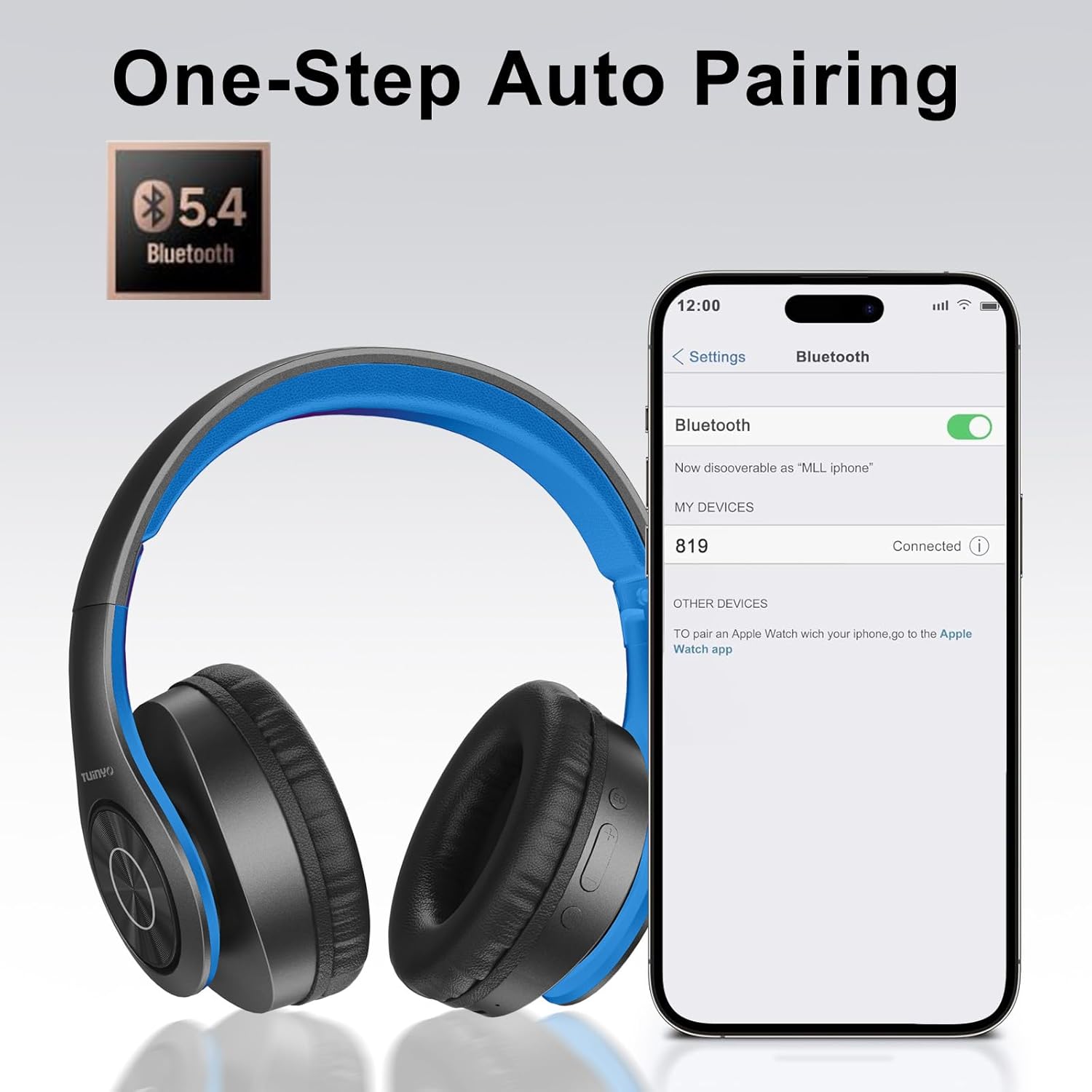
Image: A smartphone screen displaying the Bluetooth settings, showing the "819" (representing the TP19 headphones) successfully connected, illustrating the one-step auto pairing feature.
Video: An official TUINYO video demonstrating the Bluetooth pairing process and showing the headphones in use. This video highlights the ease of connecting the headphones to a device.
Nga Tohutohu Whakahaere
1. Wireless Mode
- Purei/Tatari: Patohia te paatene Maha-mahi kotahi.
- Runga Runga: Patohia te paatene "+".
- Raro Raro: Patohia te paatene "-".
- Riu Panuku: Patohia me te pupuri i te paatene "+".
- Riu o mua: Patohia me te pupuri i te paatene "-".
2. Aratau Waea
Ina iti te pākahiko, ki te hiahia rānei koe ki te hononga waea, ka taea e koe te whakamahi i te taura oro 3.5mm kua whakaurua.
- Honoa tetahi pito o te taura oro 3.5mm ki te tauranga tāuru oro i runga i ngā paneoro.
- Connect the other end to your audio device's 3.5mm jack.
- In wired mode, controls on the headphones may be limited, and playback will be controlled by your connected device.
3. Nga Mahi Waea
- Whakautu/Whakamutu Waea: Patohia te paatene Maha-mahi kotahi.
- Whakakore Waea: Patohia me te pupuri i te paatene Maha-mahi mo te 2 hēkona.
- Waea Anō te Tau Whakamutunga: Patohia-taarua te paatene Mahi-maha.
4. Kaiāwhina reo
The headphones support voice-enabled assistants like Siri. Press the Multi-function button twice to activate your device's voice assistant.
5. Sound Effects (EQ Mode)
The headphones feature multiple sound effects (EQ modes) to customize your listening experience. Press the EQ button (often labeled "EQ" or a similar icon) to cycle through available modes such as Normal, Rock, Pop, Classic, Jazz, and Country.
Video: An official TUINYO video showcasing the various sound modes and controls on the headphones, demonstrating how to switch between different equalizer settings.
Te tiaki
- Store the headphones in the protective case when not in use to prevent damage.
- Puritia te tauranga utu me te jack ororongo kia kore he puehu me te para.
- Avoid exposing the headphones to direct sunlight or extreme heat for extended periods.
- Do not use abrasive cleaners or solvents on the headphones.
Raparongoā
| Raruraru | Rongoā |
|---|---|
| Kare e kaha te orooro. | Me mohio kei te whakakiia nga taringa. Tūhono ki tētahi puna hiko ka ngana anō. |
| Kaore e taea te hono ki te taputapu. |
|
| Kāore he oro i te aratau ahokore. |
|
| Karekau he oro i te aratau waea. |
|
Whakatakotoranga
| Āhuahira | Taipitopito |
|---|---|
| Ingoa Tauira | TP 19 |
| Hangarau Hononga | Ahokore (Nihokikorangi) |
| Hangarau Whakawhitiwhiti Ahokore | Nihokikorangi 5.1 |
| Awhe Nihokikorangi | 10 Mita |
| Momo Atekōkiri Ororongo | Atekōkiri Hihiko |
| Rahi Atekōkiri Ororongo | 40 Mirimita |
| Whakautu auau | 20 KHz |
| Te aukati | 32 Ohm |
| Ora Pūhiko | 40 haora |
| Waa Whakatau | 2.5 haora |
| Pooro Jack | 3.5 mm Jack |
| Momo Mana | Mana Reo, Pa |
| Āhuahira Motuhake | Ka taea te kopa |
| Taumaha Tūemi | 8.9 hekere (251 Karamu) |
| Hunga Hua | 6.85 x 3.9 x 9.72 inihi |
| Rauemi | Kirihou |
| Nga Waahanga kei roto | Cable, Protective Case, micro usb cable |
Pūtāhui me te Tautoko
By choosing TUINYO, you are covered by a 30-day hassle-free return policy and a one-year warranty. For any inquiries or assistance, please contact our prompt and friendly customer service, available 24/7.
For further support, visit the official TUINYO store: TUINYO Store


