1. Kupu Whakataki
Thank you for choosing the Vacmaster Orson Lite 24V Max Cordless Vacuum Cleaner. This manual provides essential information for the safe and efficient use, maintenance, and troubleshooting of your new appliance. Please read these instructions carefully before use and retain them for future reference.
Nga Tohutohu Haumaru Nui
- Always ensure the vacuum is switched off and unplugged before cleaning or performing maintenance.
- Do not use the vacuum cleaner to pick up water or wet materials.
- Tiakina nga makawe, nga kakahu taratara, nga maihao, me nga wahanga katoa o te tinana mai i nga tuwhera me nga waahanga neke.
- Kaua e whakamahi i waho i te ipu puehu me nga whiriwhiringa.
- Store the vacuum in a dry, indoor area.
2. Ihirangi mokete
Carefully unpack your Vacmaster Orson Lite and check that all items are present and in good condition. If any items are missing or damaged, please contact customer support.
- Main Vacuum Unit (with integrated battery)
- Toronga Toronga
- Powered Floor Head
- Utauta Kohao 2-i roto-i te-1 me te Paraihe Whakakore Puehu
- Wall Mount / Charging Dock
- Charging Adapter (UK)
- 2 Washable HEPA 13 Filters
- Pukapuka Kaiwhakamahi

Whakaahua: Ka mutuview of the Vacmaster Orson Lite cordless vacuum cleaner and its included accessories, such as the main unit, extension wand, floor head, and various attachments.
3. Huihuinga
Follow these steps to assemble your Vacmaster Orson Lite vacuum cleaner.
- Āpitihia te Toka Toronga: Whakauruhia te tokotoko toronga ki roto i te waeine korehau matua kia pāwhiritia rā anō ki tōna wāhi tika.
- Honoa te Upoko Papa: Attach the powered floor head to the other end of the extension wand, ensuring it clicks firmly.
- Tāuta Maunga Taiepa: Choose a suitable location near a power outlet. Secure the wall mount/charging dock to the wall using appropriate screws and anchors (not included). Ensure it is mounted at a height that allows the vacuum to hang freely.

Image: The Vacmaster Orson Lite cordless vacuum cleaner securely stored on its wall-mounted charging dock, ready for use.
4. Te Whakataki i te Pūhiko
The Vacmaster Orson Lite is powered by a 24V Max lithium-ion battery. For optimal performance, fully charge the battery before first use.
- Tūhono Pūhiko: Plug the charging adapter into a wall outlet and connect the other end to the charging port on the wall mount or directly to the vacuum unit.
- Tohu Utu: The LED battery display on the vacuum will show the charging status. It will illuminate progressively as the battery charges and indicate a full charge when all segments are lit.
- Wā Whakataki: He 4-5 haora pea te utu katoa.

Image: Close-up of the Vacmaster Orson Lite's control panel, showing the LED battery display indicating the current charge level.
5. Mahi
The Vacmaster Orson Lite offers versatile 3-in-1 cleaning for various surfaces.
Power On/Off and Speed Selection
- Pēhia te pātene hiko i runga i te kakau hei whakakā, whakaweto rānei i te korehau.
- Press the speed selection button to switch between standard and Turbo modes. Turbo mode provides increased suction for stubborn dirt and pet hair, but reduces runtime.
- The LED battery display indicates remaining power during use.
Aratau horoi
- Upright Stick Vacuum: For cleaning hard floors and carpets. The powered floor head features LED task lights to illuminate dust and debris.
- Pūwero horoi ringaringa: Detach the extension wand and floor head to use the main unit as a handheld vacuum for furniture, car interiors, or small spills.
- With 2-in-1 Tool: Attach the crevice tool and dusting brush directly to the main unit or the extension wand for cleaning tight spaces, upholstery, or delicate surfaces.

Image: A user operating the Vacmaster Orson Lite in handheld mode, effectively cleaning stairs with its compact design.
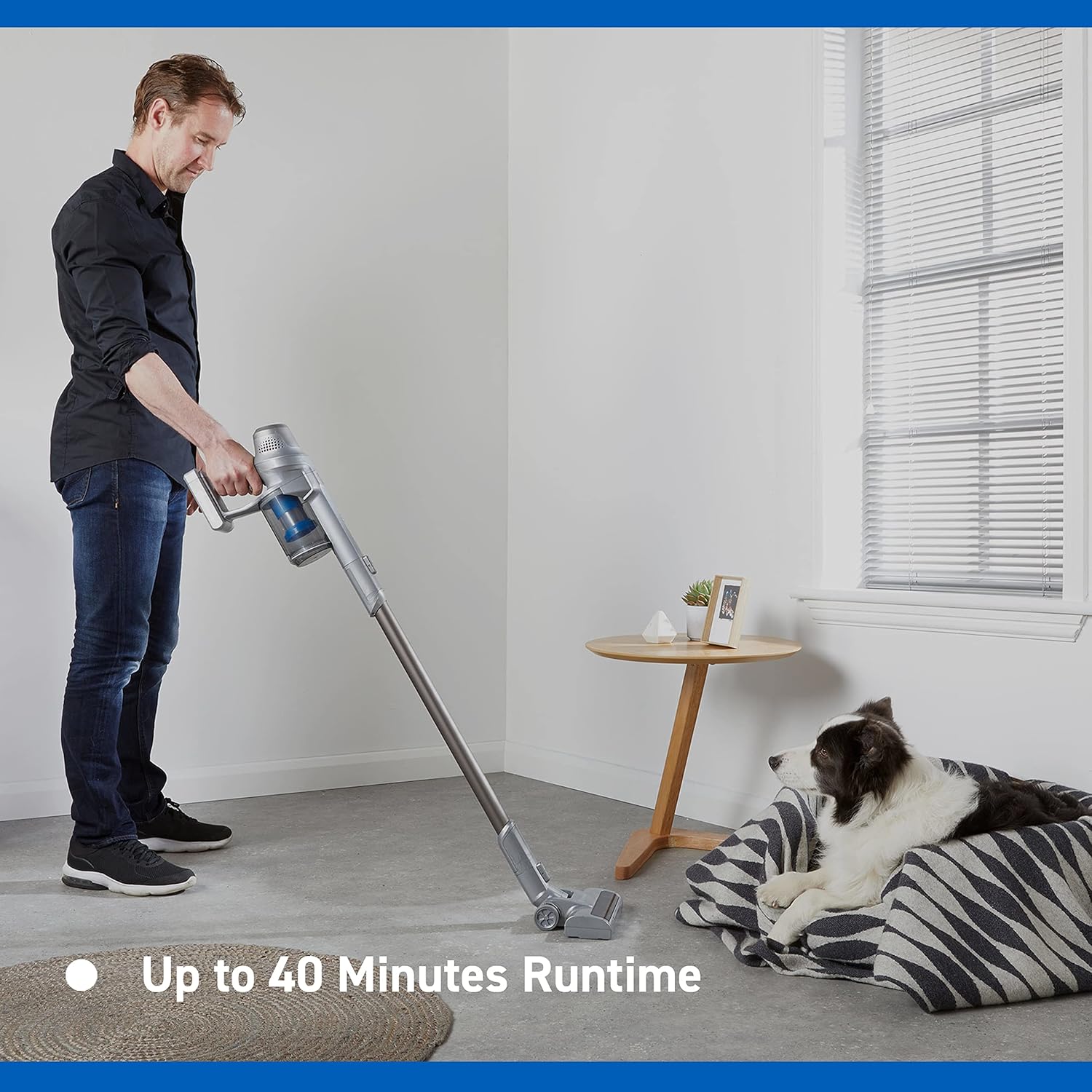
Image: Close-up of the Vacmaster Orson Lite's powered floor head, showcasing its integrated LED task lights illuminating debris on a hard floor.

Image: A man using the lightweight Vacmaster Orson Lite with its extension wand to easily clean dust from a high corner of a room.
6. Tiaki
Regular maintenance ensures your Vacmaster Orson Lite operates efficiently and prolongs its lifespan.
Te Tango i te Para Puehu
- Me whakaweto te mīhini horoi.
- Press the dust bin release button to detach the dust bin from the main unit.
- Position the dust bin over a trash receptacle and press the bottom release button to open the flap and empty the contents.
- Close the flap and reattach the dust bin to the main unit until it clicks securely.

Image: A hand demonstrating the easy-to-empty dust bin feature of the Vacmaster Orson Lite, showing debris being released into a trash can.
Te horoi i nga whiriwhiringa
The Vacmaster Orson Lite includes 2 washable HEPA 13 filters. Clean them regularly to maintain suction power.
- Tango i te ipu puehu pera i te korero i runga ake nei.
- Twist and pull out the filter assembly from the dust bin.
- Tap the filters gently to remove loose dust. For a deeper clean, rinse the filters under cold running water until the water runs clear.
- Allow the filters to air dry completely for at least 24 hours before reassembling. Do not use a dryer or heat source.
- Reinsert the dry filters into the dust bin and reattach the dust bin to the vacuum.
Te horoi i te Paraihe Roll
Periodically check the brush roll in the powered floor head for tangled hair or debris. Use scissors to cut away any tangled material and remove it by hand.
7. Te Raru
If you encounter issues with your Vacmaster Orson Lite, refer to the following common problems and solutions.
| Raruraru | Take pea | Rongoā |
|---|---|---|
| Karekau e ka ana te korehau | Kua pau te pati Kaore te pākahiko i hono tika | Whakatakina katoatia te pākahiko Me whakarite kia whakauruhia te pākahiko |
| Te ngaronga o te momi | Kua ki te ipu puehu Kua purua nga tātari Blockage in nozzle, wand, or hose | Putua te ipu puehu Whakapaihia, whakakapihia ranei nga whiriwhiringa Tirohia me te whakawātea i ngā aukatinga |
| Kare te roi paraihe e huri | Ngā paru kua rarangatia Floor head not properly connected | Clean brush roll of hair and debris Ensure floor head is securely attached |
| Wā whakahaere poto | Kaore i tino utua te puhiko Using Turbo mode excessively Te paheketanga o te pākahiko | Whakatakina katoatia te pākahiko Use standard mode for general cleaning Contact customer support if battery life significantly decreases |
8. Whakatakotoranga
| Āhuahira | Whakatakotoranga |
|---|---|
| Waitohu | Wacmaster |
| Tau tauira | VSE2101EU |
| Rahi Hua (L x W x H) | 23.5 x 22.5 x 116 cm |
| Taumaha Tūemi | 2.55 Kirokaramu |
| Mana | 450 Watts |
| Voltage | 24 Volts |
| Te maha o nga tere | 2 |
| Taumata oro | 70 Decibels |
| Wā whakahaere | Tae atu ki te 40 meneti |
| Momo Pūhiko | 1 Lithium-ion (kei roto) |
| Nga waahanga motuhake | Lightweight, Cordless, Bagless |
| Momo Tātari | Washable HEPA 13 |
| Kaihanga | Cleva |
| Whenua Taketake | Haina |
9. Pūtāhui me te Tautoko
Nga korero Whakaputanga
The Vacmaster Orson Lite VSE2101EU comes with a 2-tau pūtāhui on spare parts, covering defects in materials and workmanship from the date of purchase. This warranty does not cover damage caused by misuse, neglect, accident, or unauthorized modification. Please retain your proof of purchase for warranty claims.
Tautoko Kiritaki
For technical assistance, warranty claims, or to order replacement parts, please visit the official Vacmaster webpaetukutuku, whakapā atu ranei ki ta raatau tari ratonga kaihoko. Ko nga korero whakapiri ka kitea i runga i te kete hua, i te mana o te waitohu webpae.


