1. Kupu Whakataki
This user manual provides comprehensive instructions for the setup, operation, and maintenance of your INSIGNIA NS-24DF311SE21 24-inch Smart HD TV - Fire TV Edition. Please read this manual thoroughly before using your television to ensure proper functionality and safety.
2. He aha kei roto i te Pouaka
Manatokona kei roto katoa nga taonga kei roto i te kete:
- INSIGNIA NS-24DF311SE21 24-inch Smart HD TV
- Voice Remote with Alexa (includes 2 AAA batteries)
- Pouaka Whakaata (2 nga waahanga)
- Waea hiko
- Aratohu Tatūnga Tere (tenei tuhinga)
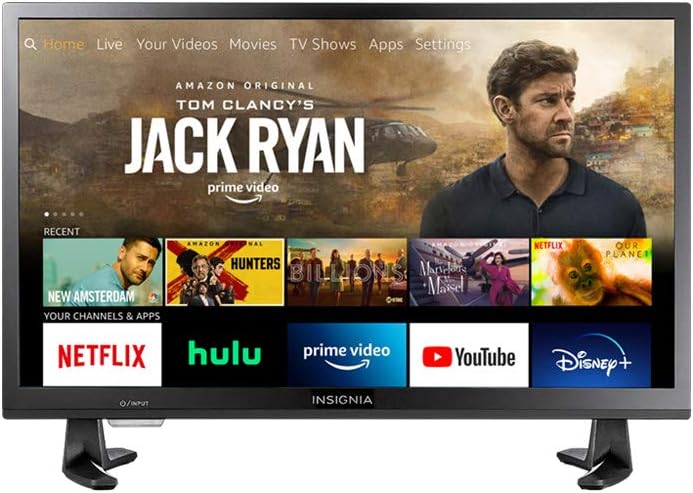
Figure 2.1: INSIGNIA NS-24DF311SE21 Smart HD TV with Fire TV interface.
3. Tatūnga
3.1 Te Whakapiri i te Pouaka Whakaata
- Tuhia te pouaka whakaata kia anga whakararo ki runga i te mata ngawari, ma kia kore ai e pakaru te mata.
- Tiarohia nga pihi tu ki nga kohao wiri kei raro o te pouaka whakaata.
- Whakaorangia nga pihi tu ma te whakamahi i nga wiri kua whakaratohia. Me whakarite kia mau tonu.

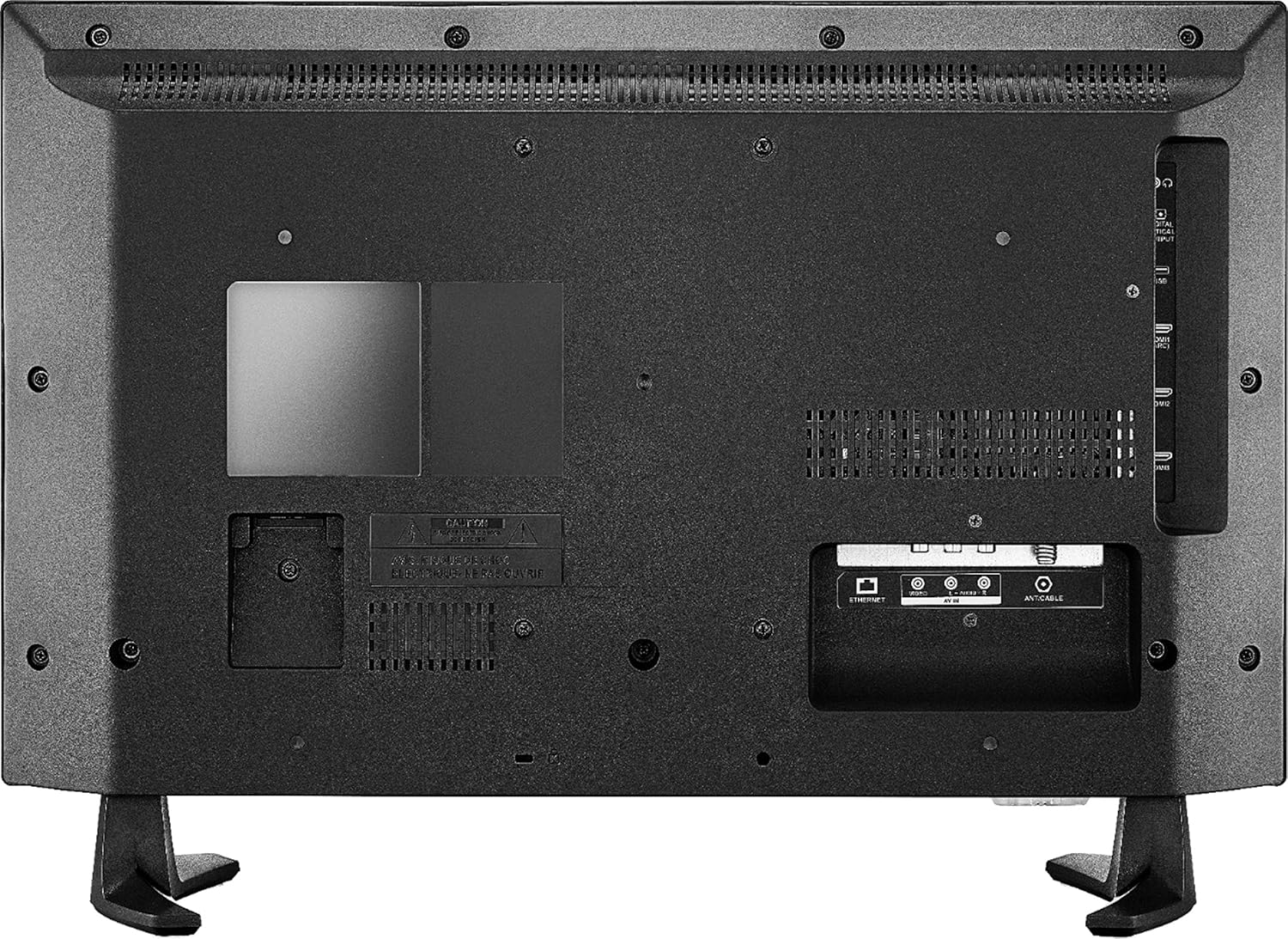
Figure 3.1: TV with stand attached.
3.2 Te Mana Hononga
Monohia te taura hiko ki te whakauru hiko o te pouaka whakaata, katahi ka honoa tetahi pito ki te putanga pakitara.
3.3 Tatūnga Tuatahi
- Whakakāhia te pouaka whakaata ma te whakamahi i te paatene mana i te mamao.
- Whaia nga tohutohu i runga-mata hei whiriwhiri i to reo, hono atu ki te whatunga Wi-Fi, ka haina ki to putea Amazon.
- The TV will guide you through pairing the Voice Remote with Alexa.
4. Nga Tohutohu Whakahaere
4.1 Te Whakamahi i te Mamao Reo me Alexa
The included Voice Remote with Alexa allows for intuitive control of your TV. Press and hold the microphone button to issue voice commands for searching content, launching apps, controlling smart home devices, and more.
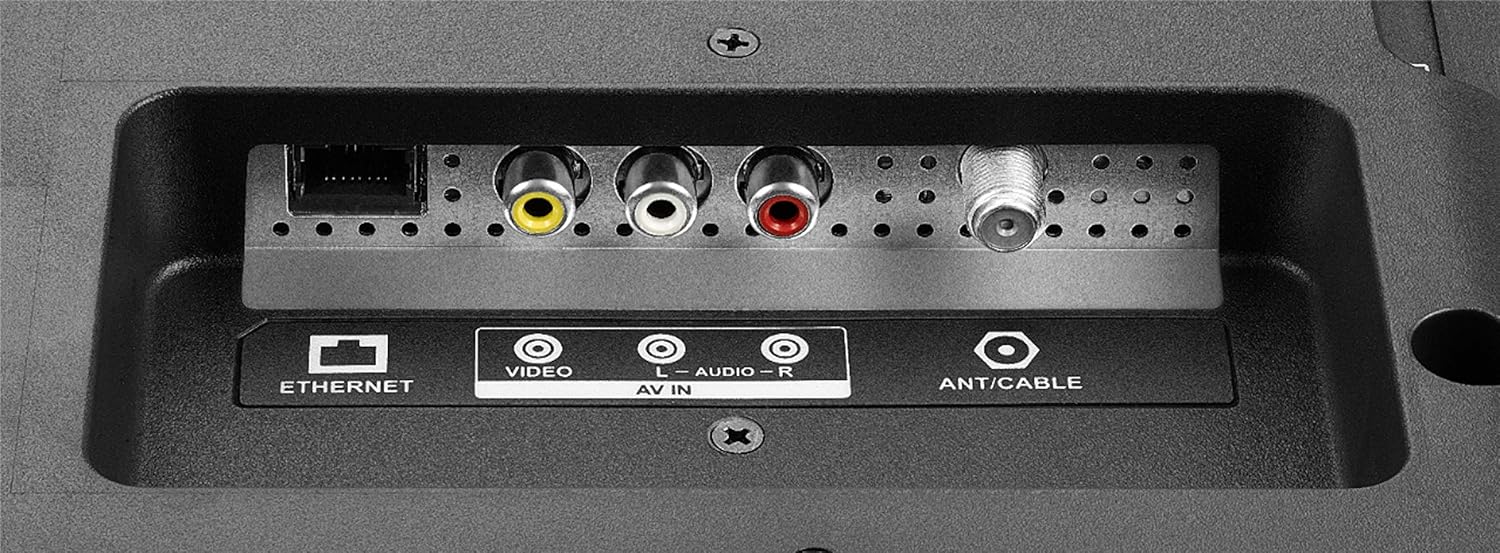
Figure 4.1: Voice Remote with Alexa.
4.2 Te whakatere i te Atanga TV ahi
The Fire TV interface provides a unified home screen for live TV and streaming channels. Use the navigation buttons on your remote to browse content, access apps, and adjust settings.
- Kāinga: Returns to the main Fire TV home screen.
- Taupānga: Access your installed applications.
- Tautuhinga: Configure TV and Fire TV settings.
- Pātene Motuhake: Quick access to popular streaming services like Netflix and Amazon Prime Video.

Figure 4.2: Fire TV interface and remote in use.
5. Nga waahanga matua
- Mamao Reo me Alexa: Whakahaerehia to pouaka whakaata, whakarewahia nga taupānga, rapu taitara, purei puoro, whakawhiti whakaurunga, me te whakahaere i nga taputapu kaainga atamai ma te whakamahi i nga whakahau reo.
- Wheako Whakakotahi Fire TV: Access over 500,000 streaming movies and TV episodes from tens of thousands of channels and apps.
- Unified Home Screen: Seamlessly integrates live over-the-air TV and streaming channels.
- Taumahinga TV Ataata: Built-in Wi-Fi and integrated apps for streaming content.
- Taumira HD: Provides clear picture quality for an enhanced viewte wheako.
- Multiple HDMI Connections: Facilitates easy connection of external devices.
6. Hononga
Your INSIGNIA TV offers various ports for connecting external devices.
6.1 Side Panel Connections
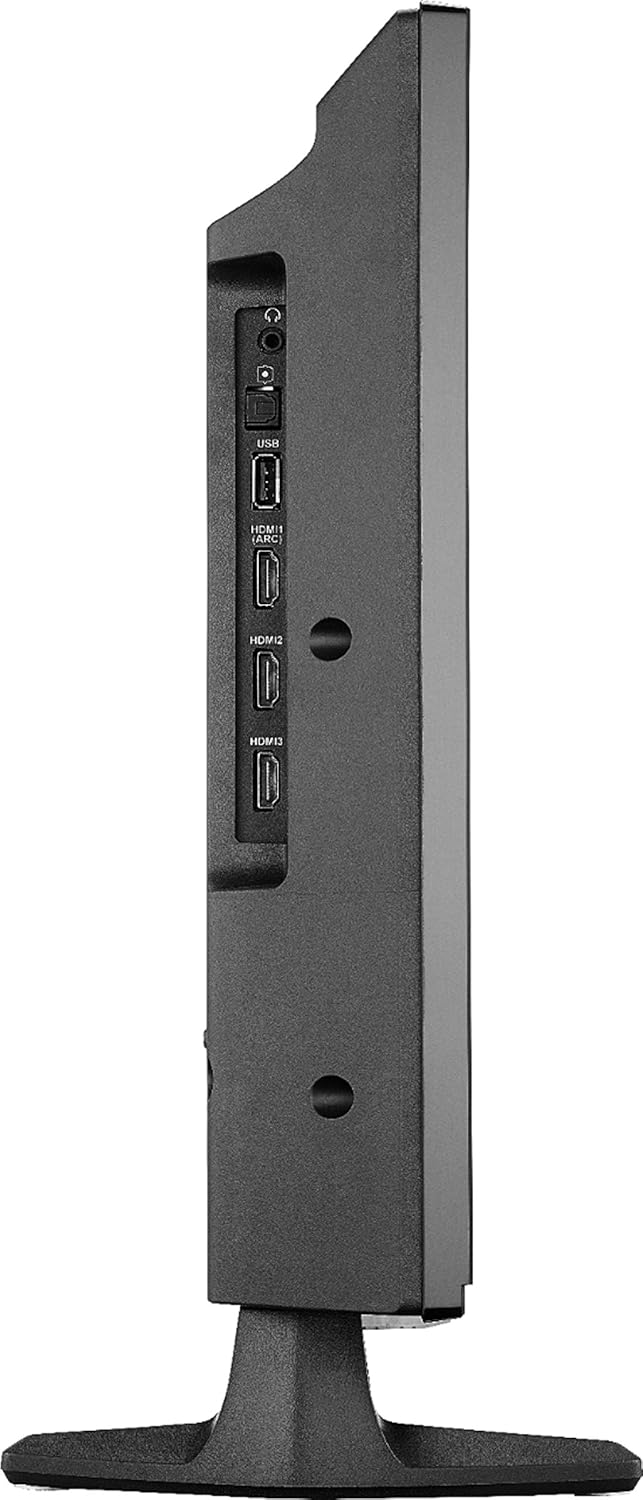
Figure 6.1: Side panel connections.
- USB: Honoa nga taputapu rokiroki USB mo te purei pāpāho.
- HDMI (ARC): Connect HDMI devices. Audio Return Channel (ARC) allows audio to be sent back to a compatible audio system.
- HDMI 2, HDMI 3: Connect additional HDMI devices such as gaming consoles, Blu-ray players, or cable boxes.
- PUTANGA OPTIKAL MAmati: Mo te hono atu ki te kaikawe oro matihiko, ki te paeorooro ranei.
- 3.5mm Jack Paneoro: Mo te hono taringa.
6.2 Hononga Paewhiri Whakamuri
Whakaahua 6.2: Nga hononga o te paewhiri o muri.
- ETHERNET: Mo te hononga ipurangi waea.
- AV IN (Ataataata, L-Ororongo, R-Ororongo): Tuhonohia nga taputapu tawhito ma te whakamahi i nga waea ataata hiato me nga taura ororongo hiko.
- ANT/ KAUPAPA: Honoa he antenna mo nga haapurorotanga-a-rangi, he hononga pouaka whakaata ranei.
7. Whakatakotoranga
| Āhuahira | Taipitopito |
|---|---|
| Waitohu | Insignia |
| Tau tauira | NS-24DF311SE21 |
| Rahi Mata | 23.6 Inihi (24-inihi karaehe) |
| Hangarau Whakaatu | LED |
| Whakatau | HD (720p) |
| Rere tāmata | 60 Hz |
| Aspect Ratio | 16:9 |
| Hangarau Hononga | HDMI, Wi-Fi, Itarangi |
| Rahi Hua (D x W x H) | 7.1"D x 21.7"W x 14.4"H |
| Taumaha Tūemi | 6.4 Pauna |
| Momo Kaikorero | Hanga-roto |
| Āhuahira Motuhake | Flat Screen, Fire TV Edition |
| Pūhiko | 2 pākahiko AAA (kei roto mo te mamao) |
| Tae | Pango |
| VESA Maunga Hototahi | 100 x 100mm (Note: May use 2 mounting points, refer to mounting instructions for details) |
8. Te Raru
Mena ka raru koe ki to pouaka whakaata, tirohia nga rongoa e whai ake nei:
- Kore Mana: Me whakarite kia mau te hononga o te taura hiko ki te pouaka whakaata me te putanga hiko e mahi ana. Whakamātauria tētahi atu putanga.
- Kore Pikitia/Oro:
- Verify the correct input source is selected (e.g., HDMI 1, Antenna).
- Check all cable connections (HDMI, AV, etc.) are secure.
- Kia tino mōhio kei te whakaitihia te oro, kei te iti rawa rānei te oro.
- Mamao Kaore i te Whakautu:
- Whakakapihia nga pākahiko i te mana mamao.
- Me whakarite karekau he arai i waenga i te mamao me te pouaka whakaata.
- Re-pair the remote if necessary (follow on-screen instructions during initial setup or in TV settings).
- Nga Take Hononga Whatunga:
- Tīmataria anō tō pouara Wi-Fi me tō pouwhanga.
- Check TV network settings to ensure it's connected to the correct network.
- Mena kei te whakamahi hononga waea, me whakarite kia hono tika te taura Ethernet.
- Nga Take Kounga Pikitia:
- Whakaritehia nga tautuhinga pikitia (te kanapa, te rereke, te tae) i te tahua TV.
- Me whakarite kei te whakarato te pūtake tāuru i tētahi tohu kounga teitei.
For further assistance, consult the online support resources or contact customer service.
9. Tiaki
- Te horoi i te Mata: Me ata horoia te mata ki te kakahu ngohengohe, kore-puru. Mo nga tohu pakeke, kia ngawari dampen te kakahu ki te wai, he otinga horoi mata ranei i hangaia mo te hikohiko. Kaua e rehu tika te wai ki runga i te mata.
- Te horoi i te rūnanga: Whakamahia he kakahu ngohengohe, maroke hei muru i te pouaka pouaka whakaata. A ape i te whakamahi i nga kai horoi, i nga whakarewa ranei.
- Whakahau: Me whakarite kia kaua e araia nga kohao hau i runga i te pouaka whakaata kia kore ai e wera rawa.
- Waea Hiko: Regularly check the power cord for any damage. If damaged, discontinue use and replace it with an authorized replacement.
10. Nga korero haumaru
Please read and follow all safety instructions to prevent injury or damage to your TV.
- Kaua e tukuna te pouaka whakaata ki te ua, ki te makuku ranei.
- Do not open the TV cabinet; there are no user-serviceable parts inside. Refer all servicing to qualified personnel.
- Me whakarite kia tika te hau huri noa i te pouaka whakaata.
- A ape i te whakatakoto i te pouaka whakaata ki te ra tika, ki te tata ranei ki nga puna wera.
- Kaua e waiho nga mea taumaha ki runga ake o te pouaka whakaata.
- Puritia te pouaka whakaata kia matara atu i ngā pūtake o ngā papa aukume kaha.
- This item arrives in packaging that reveals what’s inside and can’t be hidden.
11. Whakakahoretanga Ture
WebKo nga ratonga me nga ihirangi e hiahia ana ki te ratonga Ipurangi tere. Ka hiahia pea etahi ratonga ki te ohaurunga.
12. Pūtāhui me te Tautoko
For warranty information and technical support, please refer to the documentation included with your purchase or visit the official INSIGNIA website. You can also find support resources on the Amazon product page for this model.
Rauemi ipurangi:


