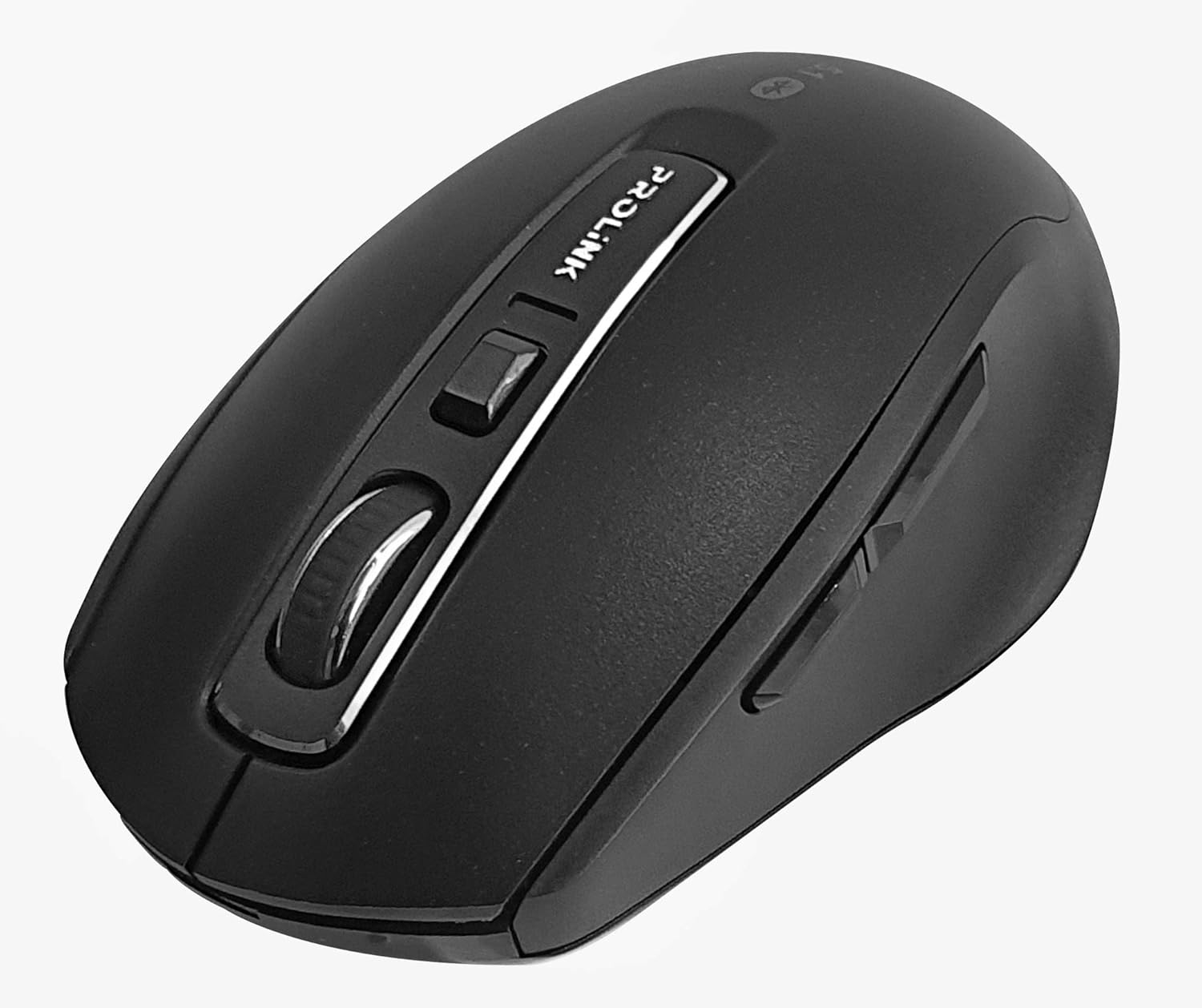
Whakaahua: Runga-raro view of the Prolink PMB8502 Bluetooth Wireless Optical Mouse.
1. Kupu Whakataki me Nekeview
The Prolink PMB8502 Bluetooth Mouse is designed for seamless wireless control of your desktop, laptop, or tablet. It features Bluetooth 5.2 connectivity, an ergonomic design, and adjustable DPI settings for personalized comfort and precision. This manual provides detailed instructions for setup, operation, maintenance, and troubleshooting.
Āhuatanga matua:
- Bluetooth 5.2 connectivity (backward compatible with 5.1/5.0/4.2/4.1/4.0)
- Up to 27 months battery life (based on supplied batteries)
- DPI ka taea te whakarite: 800/1200/1600
- 6-button design including back and forward buttons
- Hoahoa ergonomic mo te whakamahi whakamarie
- Operating range of up to 10 meters

Image: Prolink PMB8502 mouse highlighting its Bluetooth 5.2, battery life, DPI, and range features.
2. Ihirangi mokete
- Prolink PMB8502 Bluetooth Wireless Optical Mouse
- 1 x Pūhiko AA (kua whakauruhia i mua, kua whakauruhia motuhake ranei)
- Pukapuka Kaiwhakamahi (tenei tuhinga)
3. Tohutohu Tatūnga
3.1. Tāuta Pūhiko
- Rapua te uhi o te wahanga pākahiko kei raro o te kiore.
- Paheke marietia, hikitia ranei te uhi hei whakatuwhera i te waahanga.
- Whakauruhia kia kotahi te pākahiko AA, kia noho tika nga pito pai (+) me te kino (-) ki nga tohu kei roto i te waahanga.
- Whakakapia te uhi o te wahanga pākahiko kia pao pai ki te waahi.
3.2. Takirua Nihokikorangi
Before pairing, ensure your device (computer, laptop, tablet) has Bluetooth enabled.
- Whakakāhia te kiore mā te whakamahi i te pātene Whakakā/Whakaweto kei raro.
- Press and hold the Bluetooth 'Connect' button (usually located near the On/Off switch or within the battery compartment) for 3-5 seconds until the LED indicator on the mouse begins to flash, indicating it is in pairing mode.
- I runga i to taputapu, whakatere ki nga tautuhinga Nihokikorangi.
- Rapua new devices. The mouse should appear as "Prolink PMB8502" or similar.
- Select the mouse from the list to complete the pairing process. The LED indicator on the mouse will stop flashing and remain solid for a few seconds, then turn off, indicating a successful connection.

Whakaahua: Mua view of the Prolink PMB8502 mouse, showing its ergonomic shape.
4. Nga Tohutohu Whakahaere
4.1. Nga Mahi Patene
- Pātene Pātene Mauī: Kōwhiringa paerewa me te whakahohe.
- Pātene Pāwhiri Matau: Ka uru ki nga tahua horopaki.
- Panuku Wira: Panuku tuhinga me web pages vertically. Can also be pressed for middle-click functionality.
- Patene Whakatikatika DPI: Located below the scroll wheel. Press to cycle through DPI settings (800/1200/1600).
- Pātene Whakamua: Ka whakatere whakamua ki roto web kaitirotiro ranei file kaihōpara.
- Pātene Whakamuri: Ka whakatere whakamuri ki roto web kaitirotiro ranei file kaihōpara.

Whakaahua: Taha view of the Prolink PMB8502 mouse, illustrating the placement of the back and forward navigation buttons.
4.2. Whakatikatika DPI
The mouse offers three DPI (Dots Per Inch) settings: 800, 1200, and 1600. Press the DPI button located below the scroll wheel to switch between these sensitivities. A higher DPI setting results in faster cursor movement across the screen.
4.3. Whakahaere Mana
- Whakawhiti Whakaka/Weto: To conserve battery life, turn off the mouse using the switch on its underside when not in use for extended periods.
- Aratau Moe Aunoa: The mouse automatically enters a sleep mode after more than 10 minutes of inactivity. To wake it up, simply move the mouse or click any button.
5. Tiaki
5.1. Te horoi
To clean the mouse, use a soft, dry, lint-free cloth. For stubborn dirt, slightly dampen the cloth with water or a mild cleaning solution. Avoid using harsh chemicals, abrasive cleaners, or spraying liquids directly onto the mouse.
5.2. Whakakapinga Pūhiko
When the mouse performance degrades or the LED indicator suggests low battery, replace the AA battery following the steps in Section 3.1. Dispose of used batteries responsibly according to local regulations.
6. Te Raru
- Mouse not connecting or erratic movement:
- Me whakarite kua whakakā te kiore.
- Tirohia te taumata o te pākahiko me te whakakapi mehemea e tika ana.
- Me mohio kei te whakahohea te Nihokikorangi ki to taputapu.
- Try re-pairing the mouse with your device (refer to Section 3.2).
- Whakanuia te kiore kia tata atu ki to taputapu hei whakakore i nga take awhe.
- Kia tino mohio kei reira ētahi atu tohu ahokore kaha e whakararuraru ana i te hononga Nihokikorangi.
- Cursor not moving smoothly:
- Horoia te pūoko whatu kei raro o te kiore.
- Whakamahia te kiore ki runga i te mata ma, kaore e whakaata.
- Adjust the DPI setting to a level that suits your preference.
- Patene kaore i te whakautu:
- Tirohia te taumata pākahiko.
- Ensure the mouse is properly connected via Bluetooth.
- Tīmataria tō rorohiko, tō pūrere rānei.
7. Whakatakotoranga
| Āhuahira | Taipitopito |
|---|---|
| Patene | 6 |
| Pūoko | Optical |
| DPI Resolution | 800 / 1200 / 1600 DPI |
| Atanga | Bluetooth 5.2 (backward compatible with Bluetooth 5.1/5.0/4.2/4.1/4.0) |
| Reiti Ripoata USB | 125Hz |
| FPS | 2400 wa/hekona |
| Te haumākū whakahaere | 30%RH - 95%RH |
| Te Waahi Mahi | -20°C - +60°C |
| Pūnaha Mahi | Windows 7 / 10 / 11, Mac OS 10.2 above |
| Ahu (L x W x H) | 108 mm x 66.7 mm x 40.2 mm |
| Taumaha | 69.2g (product only) |
| Momo Pūhiko | 1 x Pūhiko AA |

Image: Graphic displaying the technical specifications of the Prolink PMB8502 mouse.
8. Pūtāhui me te Tautoko
The Prolink PMB8502 Bluetooth Wireless Optical Mouse typically comes with a 3-tau pūtāhui from the date of purchase. Please refer to your purchase receipt or the official Prolink website for specific warranty terms and conditions applicable in your region.
For technical support, troubleshooting assistance, or warranty claims, please visit the official Prolink website or contact their customer service department. Contact information can usually be found on the product packaging or the Prolink official webpae.
Rauemi ipurangi:

Image: Prolink PMB8502 mouse with a "3 Year Warranty" label, indicating product assurance.


