1. Kupu Whakataki
Mauruuru koe mo te hokoasing the VILTROX AF 23mm F1.4 XF lens. This prime wide-angle lens is designed for APS-C-format FUJIFILM X-mount mirrorless cameras, providing a 35mm equivalent focal length. It features a bright f/1.4 maximum aperture, an STM stepping motor for autofocus, and advanced optical elements for high clarity and color accuracy. This manual provides essential information for the proper use and maintenance of your lens.
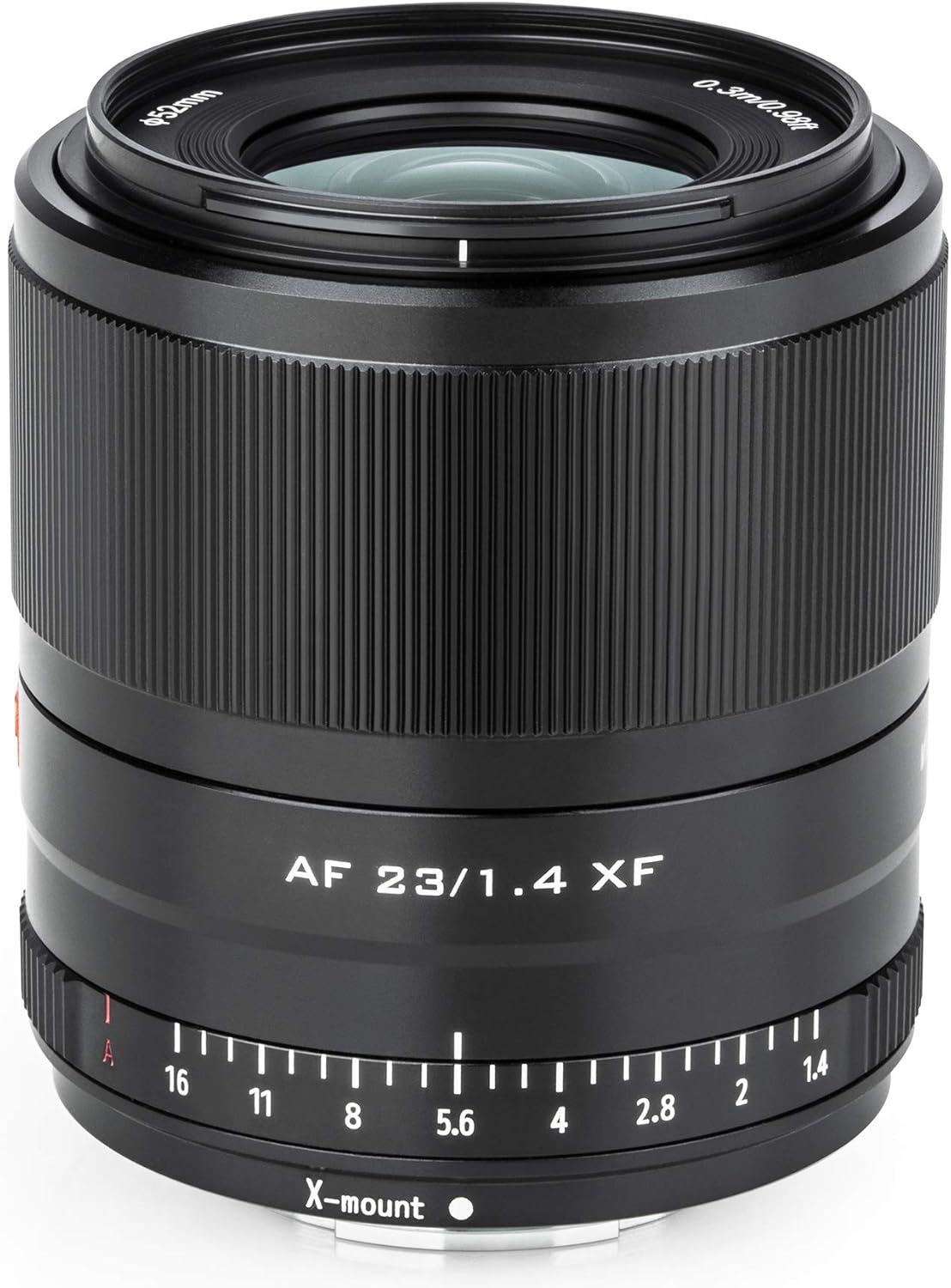
Whakaahua 1: Mua view of the VILTROX AF 23mm F1.4 XF lens.
2. Whakatupato Haumaru
- Do not expose the lens to direct sunlight for extended periods, as this may damage the internal components.
- Avoid dropping the lens or subjecting it to strong impacts.
- Keep the lens away from water and moisture.
- Do not attempt to disassemble or repair the lens yourself. Contact authorized service personnel for repairs.
- Tuhipoka Nui: Due to its physical design, this lens is not suitable for use on the FUJIFILM X-Pro3 camera and may scratch the camera body if attached.
3. Ihirangi mokete
Manatokona kei roto katoa nga mea kei roto i to kete:
- VILTROX AF 23mm F1.4 XF Lens
- Potae Karu o Mua
- Topanga Arata Whakamuri
- Hoa Arotahi
- Kaha Arataki
- Pukapuka Tohutohu

Figure 2: Included items in the VILTROX AF 23mm F1.4 XF lens package.
4. Tatūnga
4.1 Te Whakapiri i te Arotahi
- Me mohio kua weto to kamera.
- Remove the rear lens cap from the VILTROX lens and the body cap from your camera.
- Align the white mounting index on the lens with the white mounting index on your Fujifilm X-mount camera body.
- Whakauruhia te arotahi ki roto i te maunga o te kamera ka huri i te taha karaka kia pao noa.
- Attach the front lens cap and lens hood as needed.

Whakaahua 3: Whakamuri view of the lens, highlighting the X-mount for attachment to compatible cameras.

Figure 4: The lens correctly mounted on a Fujifilm X-mount camera.
4.2 Whakahōu Firmware
The lens features an integrated micro-USB port for firmware updates. To update the firmware:
- Tirohia te VILTROX mana website to download the latest firmware for your lens model.
- Connect the lens to your computer using a micro-USB cable.
- Follow the instructions provided with the firmware download to complete the update process.

Figure 5: The micro-USB port on the lens for firmware updates.
5. Te Mahi i te Arotahi
5.1 Arotahi Aunoa (AF)
The VILTROX AF 23mm F1.4 XF lens features an STM stepping motor for quick, quiet, and precise autofocus performance.
- Set your camera's focus mode to AF.
- The internal focusing design maintains the overall lens length during use, contributing to improved handling and quicker response.
- Full-time manual focus override is available, allowing you to fine-tune focus even in AF mode.
5.2 Mana Whakatūwhera
The lens offers a bright f/1.4 maximum aperture, ideal for low-light conditions and achieving shallow depth of field.
- Use the integrated manual aperture ring on the lens for tactile exposure control.
- The aperture ring also features an 'A' position. When set to 'A', aperture selection is automated and controlled by the camera.

Figure 6: Detail of the lens barrel, showing the aperture ring with 'A' setting.
5.3 Hoahoa Optical
The lens incorporates advanced optical elements for superior image quality:
- Two Extra-Low Dispersion Elements: These elements reduce color fringing and chromatic aberrations, enhancing clarity and color accuracy.
- Two High Refractive Index Elements: These help control spherical aberrations and reduce distortion, resulting in high sharpness and accurate rendering.
- HD Nano Multi-layer Coating: Applied to individual elements, this coating suppresses flare and ghosting for improved contrast and color fidelity when working in strong lighting conditions.
6. Tiaki
- Te horoi i te Mata Arotahi: Whakamahia he kakahu ngohengohe, kore-miro, i hangaia mō ngā mata whatu. Mō ngā paru uaua, whakamahia he iti noa te wai horoi karaihe kua pania ki te kakahu, kaua e whakamahia tika ki te karaihe.
- Te horoi i te Tinana Arotahi: Horoia te tinana o te karu whakaata ki tētahi kakahu ma, maroke. Āta karohia te whakamahi i ngā matū kino, i ngā whakarewa rānei.
- Rokiroki: When not in use, store the lens with both front and rear caps attached in a cool, dry place, away from direct sunlight and extreme temperatures. Use the provided lens pouch for added protection.
- Puehu me te Makuku: Protect the lens from dust and moisture. If exposed to rain or snow, wipe it dry immediately.
7. Te Raru
- Arotahi kaore e mohiotia e te kamera: Ensure the lens is securely attached to the camera body. Power off and restart the camera. Check for available firmware updates for both the lens and camera.
- He puhoi, he hē rānei te arotahi aunoa: Ensure sufficient light for the autofocus system. Check that the camera's autofocus settings are appropriate for your shooting conditions. Clean the lens contacts on both the lens and camera body.
- Image quality issues (e.g., blur, chromatic aberration): Ensure the lens is clean and free from smudges or dust. Check camera settings for proper exposure and focus. While the lens is designed to minimize aberrations, extreme lighting conditions can sometimes reveal them.
- Aperture ring not responding: If using the manual aperture ring, ensure it is not set to the 'A' position. If it is, the camera controls the aperture.
8. Whakatakotoranga
| Āhuahira | Taipitopito |
|---|---|
| Waitohu | VILTROX |
| Tau tauira | AF 23/1.4 XF |
| Roa Arotahi | 23 mm |
| Momo Arotahi | Koki Whanui |
| Whakanuia Hototahi | Fujifilm X |
| Aperture Morahi | f/1.4 |
| Aperenga Iti | f/16 |
| Motika Aunoa | STM Stepping Motor |
| Hoahoa Optical | 11 Elements in 10 Groups (including 2 ED, 2 HR elements) |
| Rahi Tātari | 52mm |
| Te Tino Maama Maama | 0.3 mita (0.98 putu) |
| Taumaha Tūemi | 1.08 pauna (tata ki te 490g) |
| Hunga Hua | 3.39 x 4.92 x 4.92 inihi (tata ki te 86 x 125 x 125 mm) |
9. Whakaaturanga Ataata Hua
Tirohia te ataata hua mana mo te tirohangaview of the VILTROX AF 23mm F1.4 XF lens features and design.
Video 1: Official VILTROX demonstration of the AF 23mm F1.4 XF lens, showcasing tona hoahoa me nga ahuatanga matua.
10. Pūtāhui me te Tautoko
For warranty information, technical support, or service inquiries, please refer to the warranty card included in your product package or visit the official VILTROX webpae.


