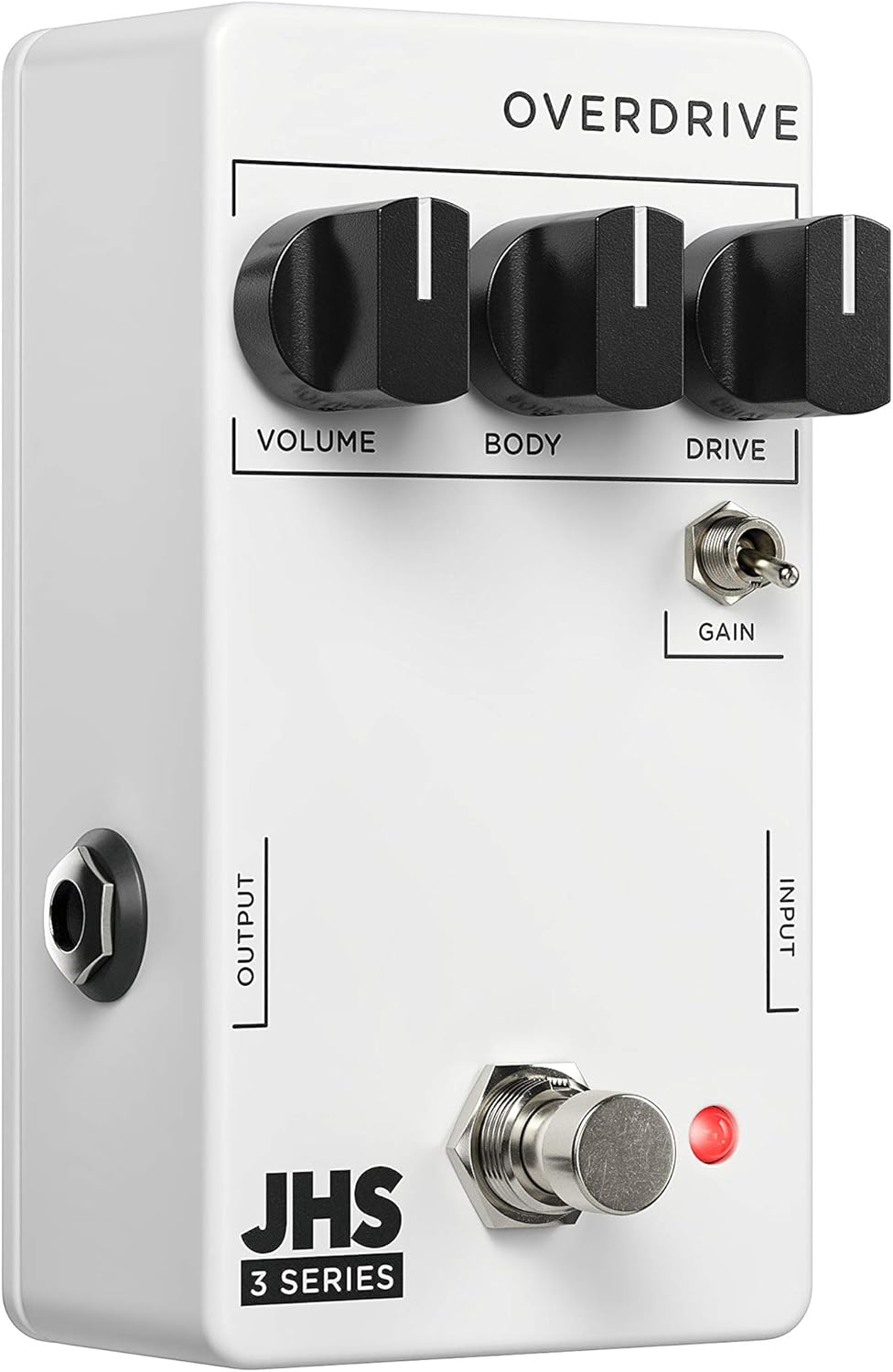
The JHS Pedals 3 Series Overdrive is a versatile guitar effects pedal designed to provide a wide range of overdrive sounds. Its straightforward design allows users to achieve various tones, from clean boost and transparent low-gain overdrive to saturated, amp-like medium overdrive. This manual provides detailed instructions for the proper setup, operation, maintenance, and troubleshooting of your JHS 3 Series Overdrive pedal.
Image: JHS 3 Series product line banner, showcasing the minimalist design.
Tatūnga
Follow these steps to properly set up your JHS 3 Series Overdrive pedal:
Hononga Hiko: The JHS 3 Series Overdrive requires a 9V DC Negative Center power supply. Connect a compatible power adapter to the 9V DC input jack on the pedal. The pedal consumes 12mA of current. Ensure your power supply meets these specifications to prevent damage.
Hononga Whakauru: Tuhonohia to kitara, tetahi atu taonga puoro ranei ki te WHAKATOHU jack on the right side of the pedal using a standard 1/4 inch (6.35mm) instrument cable.
Hononga Huaputa: Honoa te PUTANGA Jack i te taha maui o te pedal ki tou amplifier or the next pedal in your signal chain using a standard 1/4 inch (6.35mm) instrument cable.
Turanga: Place the pedal on a stable surface, such as a pedalboard, to prevent accidental movement during use.
Whakaahua: Koki view of the JHS 3 Series Overdrive pedal, highlighting the input and output jacks for connection.
Operating the JHS 3 Series Overdrive
The JHS 3 Series Overdrive features three primary control knobs and one toggle switch, allowing for intuitive tone shaping.
Whakaahua: Runga-raro view of the JHS 3 Series Overdrive pedal, showing the layout of its controls.
Mana:
Rōrahi: This knob controls the overall output level of the pedal. Turn clockwise to increase the volume, and counter-clockwise to decrease it. Use this to balance the pedal's output with your amplifier's clean signal or to provide a volume boost.
Body (EQ): The Body knob acts as an EQ control, allowing you to shape the tonal character of the overdrive. Adjusting this knob will affect the mid-range and overall fullness of your sound, from thinner, brighter tones to thicker, warmer tones.
Puku: This knob controls the amount of overdrive or gain. Turning it clockwise increases the saturation and distortion, ranging from subtle breakup to heavy overdrive. Experiment with this control to find your desired level of grit.
Gain Toggle: This two-position toggle switch alters the gain structure and dynamics of the pedal. In one position, it provides a more saturated and compressed sound, ideal for lead tones or heavier rhythm. In the other position, it offers a more open and crunchy dynamic, allowing for greater touch sensitivity and articulation. This switch significantly impacts how the pedal responds to your playing style.
To activate the pedal, press the footswitch. The red LED indicator will illuminate when the effect is active.
Te tiaki
Te horoi: Use a soft, dry cloth to clean the pedal's exterior. Avoid using abrasive cleaners or solvents, as they may damage the finish or internal components.
Rokiroki: When not in use for extended periods, disconnect the power supply and instrument cables. Store the pedal in a cool, dry place away from direct sunlight and extreme temperatures.
Whakaha Uepu: Ensure all cables are properly routed and not under excessive tension to prevent damage to the jacks or cables themselves.
Tuku Hiko: Always use a regulated 9V DC negative center power supply. Using an incorrect power supply can damage the pedal and void the warranty.
Raparongoā
If you encounter issues with your JHS 3 Series Overdrive, try the following troubleshooting steps:
Kore Oro:
Tirohia nga hononga taura katoa (whakauru, putanga, hiko) kia noho haumaru.
Verify that the power supply is correctly connected and providing the specified 9V DC negative center power.
Ensure your guitar and amplifier are working correctly by testing them without the pedal in the signal chain.
Check the pedal's footswitch and LED indicator. If the LED does not light up when pressed, there might be a power issue.
Oro ngoikore, he kino ranei:
Whakaritea te Rōrahi a Peia knobs. Ensure the Volume is not set too low and the Drive is not excessively high, which can lead to unwanted distortion.
Whakamātauria te Tinana (EQ) knob to adjust the tonal balance.
Check your guitar's pickups and volume/tone controls.
Haruru/Hum:
Ensure you are using a high-quality, isolated power supply. Daisy-chaining power with other noisy pedals can introduce hum.
Check for faulty cables. Try swapping out instrument cables.
Ensure proper grounding of your ampwhakakakahu me etahi atu taputapu.
If these steps do not resolve the issue, please contact JHS Pedals customer support for further assistance.
Whakatakotoranga
Āhuahira
Whakatakotoranga
Tauira
3SOVERDRIVE
Whakaritenga Mana
9V DC Negative Center
Kohi o naianei
12mA
Ahu
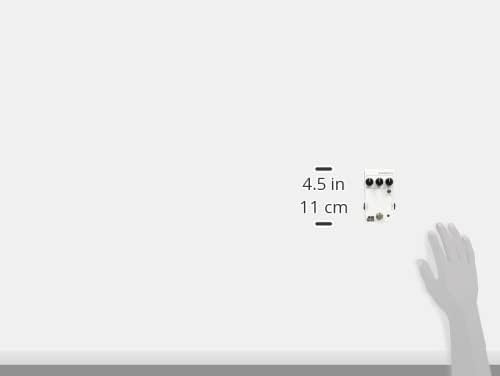
4 x 3 x 2 inihi (10.16 x 7.62 x 5.08 cm)
Taumaha Tūemi
7.4 hekere (0.21 Kirokaramu)
Momo Tuhono
1/4 inihi (6.35mm) jack ororongo
Hōputu Tohu
Tauritenga
Image: JHS 3 Series pedal shown with approximate dimensions for reference.
Pūtāhui me te Tautoko
JHS Pedals products are known for their quality and reliability. For detailed warranty information and customer support, please refer to the official JHS Pedals webpaetukutuku, whakapā atu ranei ki ta raatau ratonga kaihoko. Puritia to tohu hoko mo nga kereme whakamana.