1. Kupu Whakataki
Thank you for choosing the MIFA X11 True Wireless Earbuds. This manual provides essential information on how to set up, operate, and maintain your earbuds to ensure optimal performance and longevity. Please read this manual thoroughly before using the product.
2. He aha kei roto i te Pouaka
- MIFA X11 True Wireless Earbuds (Left & Right)
- Puhi utu
- Uinga Taringa (he rereke nga rahi)
- Tauira Whakatau USB
- Pukapuka Kaiwhakamahi
3. Nga Hua o te Hua
- Hoahoa Tuturu Ahokore: Bluetooth 5.0 for total freedom, switch between Twin Mode and Mono Mode.
- Expertly Tuned Sound: Powerful bass and clear details with advanced Qualcomm chip, supporting APT-X and ACC.
- IPX7 Parewai: Protection against sweat, rain, and snow, ideal for sports.
- Pūhiko kaha: Up to 5 hours of playtime on a single charge, with the charging case providing up to 100 additional hours.
- Hoahoa Ergonomic: Unique ear-fins for a secure, comfortable fit.
- CVC 8.0 Whakaiti Haruru: Built-in microphone with CVC 8.0 for crystal-clear phone calls and voice assistant support.
4. Tatūnga
4.1 Whakataki Tuatahi
Before first use, fully charge both the earbuds and the charging case. Place the earbuds into the charging case. Connect the USB charging cable to the case and a power source. The indicator lights on the case will show the charging status.
4.2 Takirua
The MIFA X11 earbuds feature one-step pairing for convenience.
- Take both earbuds out of the charging case. They will automatically power on and connect to each other.
- On your mobile device, open the Bluetooth settings.
- Select "MIFA X11" from the list of available devices to pair.
- Ina hono koe, ka rongo koe i te tono whakau.
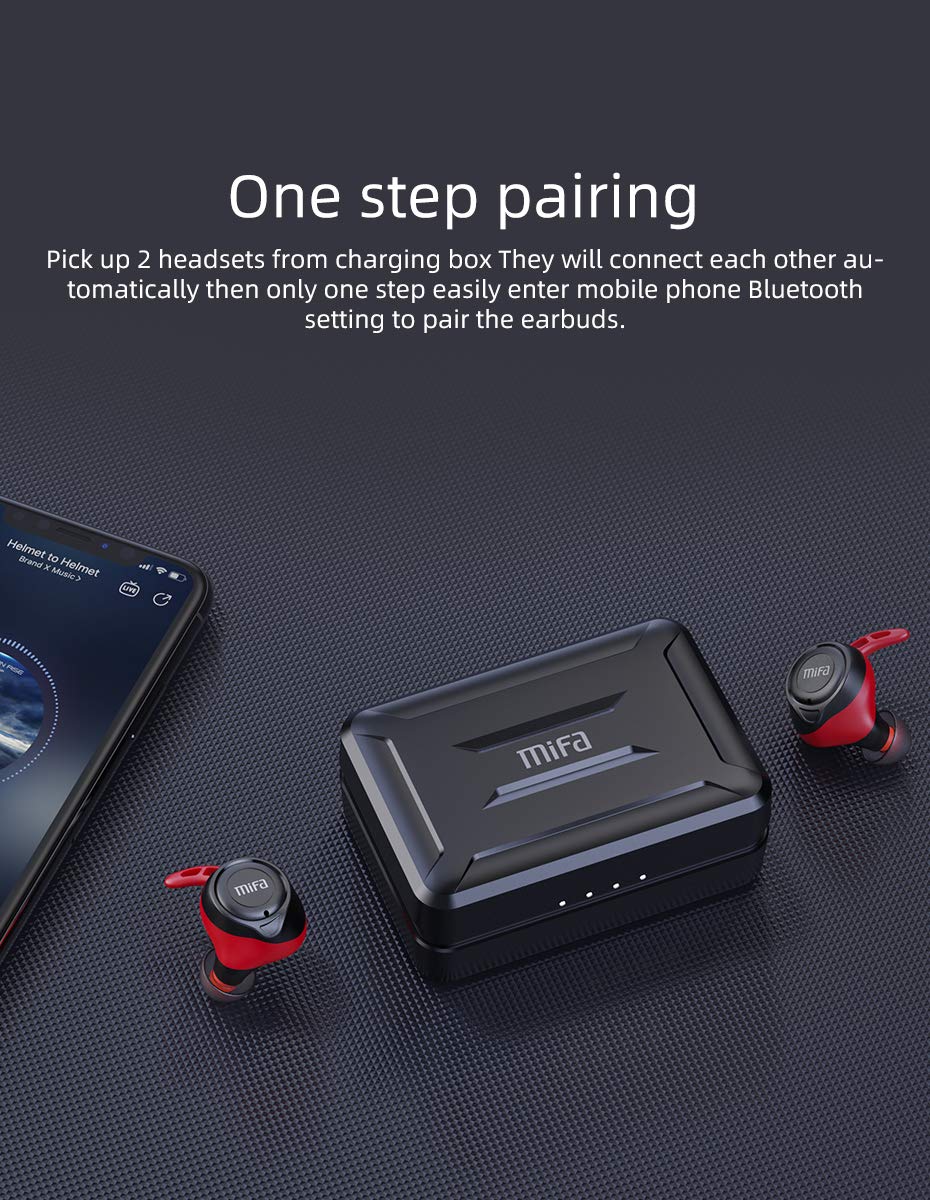
Figure 4.2.1: One-step pairing process with earbuds and charging case.
5. Nga Tohutohu Whakahaere
5.1 Mana Taketake
The MIFA X11 earbuds feature physical buttons for reliable control. Specific functions may vary slightly based on your device and application.
- Hiko Whakaka/Weto: Ka whakakā aunoa ngā taringa ina tangohia mai i te pouaka, ā, ka whakaweto ina whakahokia ki roto.
- Purei/Tatari: Pēhia te paatene ki runga i tetahi purongo kia kotahi.
- Riu Panuku: Pēhia rua te pātene kei te taringa matau.
- Riu o mua: Pēhia rua te pātene kei te taringa maui.
- Runga Runga: Pēhia te pātene i te taringa matau kia toru ngā wā.
- Raro Raro: Pēhia kia toru ngā wā te pātene kei te taringa maui.
5.2 Mono Mode and Twin Mode
The earbuds can be used individually (Mono Mode) or together (Twin Mode).
- Aratau Mono: Simply take one earbud out of the charging case. It will automatically connect to your device, allowing you to use it independently for calls or audio while maintaining awareness of your surroundings.
- Aratau Mahanga: Take both earbuds out of the charging case. They will automatically connect to each other and then to your device, providing an immersive stereo sound experience.
5.3 Waea Waea
The MIFA X11 earbuds support call control functions.
- Whakautu/Whakamutu Waea: Pēhia te paatene ki runga i tetahi purongo kia kotahi.
- Whakakore Waea: Pēhia, ka pupuri i te pātene i runga i tētahi o ngā taringa mō te 2 hēkona.
5.4 Kaiawhina Reo
Whakahohehia te kaiawhina reo o tō pūrere (Siri, Google Assistant, me ētahi atu) tika mai i ngā pane taringa.
- Whakahohe i te Kaiawhina Reo: Press and hold the button on either earbud for 2 seconds (after rejecting a call, if applicable).

Figure 5.4.1: Activating voice assistant with MIFA X11 earbuds.
6. Tiaki
6.1 Te horoi
Ko te horoi i nga wa katoa ka awhina i te pupuri i te kounga oro me te akuaku.
- Me ata muru nga pukoro me te pukoro utu ki te kakahu ngohengohe, maroke, kore-rara.
- Mō ngā pito taringa, tangohia ka horoia ki te hopi ngawari mēnā e tika ana, kātahi ka horoia kia tino maroke i mua i te tāpiri anō.
- Kaua e whakamahi i nga kai horoi me nga whakarewa.
6.2 Ātete Wai (IPX7)
The MIFA X11 earbuds are IPX7 waterproof, meaning they can withstand immersion in water up to 1 meter for 30 minutes. This makes them suitable for workouts and use in rainy conditions.
- Kaua e āta rumakina te pouaka utu, nā te mea ehara i te mea ātete wai.
- Me whakarite kia maroke ngā pane taringa i mua i te whakahokinga ki roto i te pouaka utu hei ārai i te pakaru.
- IPX7 rating applies to fresh water; exposure to salt water, chlorinated water, or other liquids may cause damage.

Figure 6.2.1: MIFA X11 earbuds demonstrating IPX7 waterproof capability.
7. Te Raru
If you encounter issues with your MIFA X11 earbuds, try the following solutions:
- Karekau nga taringa e hono tahi ki tetahi: Place both earbuds back into the charging case, close the lid for a few seconds, then take them out again. They should automatically connect.
- Kāore ngā taringaoro e hono ana ki te pūrere: Ensure Bluetooth is enabled on your device. Forget "MIFA X11" in your device's Bluetooth settings and attempt to pair again.
- Karekau he oro mai i tetahi pukoro: Ensure both earbuds are charged. Try placing them back in the case and taking them out again. If the issue persists, reset the earbuds (refer to manufacturer's webpae mo nga tohutohu tautuhi ki te hiahiatia).
- Nga take utu: Ensure the charging cable is securely connected and the power source is working. Clean the charging contacts on both the earbuds and the case with a dry cotton swab.
- He pai te kounga oro: Ensure earbuds are properly seated in your ears. Try different sized ear tips for a better seal. Check if there is any debris in the earbud nozzles.
For further assistance, please contact MIFA customer support.
8. Whakatakotoranga
| Ingoa Tauira | MIFA X11 |
| Hangarau Hononga | Ahokore (Nihokikorangi 5.0) |
| Taumata Atete Wai | IPX7 parewai |
| Te ora o te Pūhiko (Ngā taringa) | Tae atu ki te 5 haora |
| Te Ora o te Pūhiko (me te Puhi Katoa) | Tae atu ki te 100 haora |
| hopuoro | Yes (with CVC8.0 Noise Reduction) |
| Momo Mana | Call Control, Remote |
| Pūrere Hototahi | Waea atamai, Papa, Rorohiko, Pūrere Whakahohe Nihokikorangi |
| Rauemi | Silicone, Kirihou |
| Hunga Hua | 3.1 x 2.5 x 2.6 cm |
| Taumaha Tūemi | 249 g |
9. Pūtāhui me te Tautoko
MIFA products are manufactured to the highest quality standards. For information regarding warranty coverage, technical support, or service inquiries, please visit the official MIFA webpaetukutuku, whakapā atu ranei ki ta raatau ratonga kaihoko. Tena koa pupurihia to tohu mo te hoko mo nga kereme whakamana.