1. Hua Neke Atuview
The Philips Audio TAT1215 True Wireless Earbuds offer a seamless audio experience with up to 18 hours of playtime, clear sound, and a secure fit. Designed for convenience, these earbuds feature intuitive controls and IPX4 splash resistance.
He aha kei roto i te Pouaka
- 1 pair of Philips TAT1215 True Wireless Headphones
- 1 USB Momo-C Utaura Whakatau
- 1 Keehi Whakatutuki
- 3 sets of Ear Tips (Small, Medium, Large)
- 1 Pukapuka Kaiwhakamahi (tenei tuhinga)
- 1 Aratohu Timata Tere

Image: Philips TAT1215 True Wireless Earbuds in their charging case, illustrating the product and its primary accessory.
2. Aratohu Tatūnga
2.1 Te Whakahohe i ō Taringa me tō Pouaka
Before first use, fully charge the earbuds and the charging case. A full charge provides up to 18 hours of total playtime (6 hours on a single charge from the earbuds, plus 12 hours from the charging case).
- Whakanohoia nga purongo ki roto i te pukoro utu. Me whakarite kia tika te noho.
- Connect the USB Type-C charging cable to the charging case's port and the other end to a USB power source.
- The charging indicator on the case will illuminate to show charging status. A full charge typically takes 2 hours.

Image: Philips TAT1215 Earbuds removed from their charging case, ready for use or charging.
2.2 Te hono ki te Pūrere Nihokikorangi
Follow these steps for initial pairing with your smartphone, tablet, or other Bluetooth-enabled device.
- Me whakarite kei te utu nga purongo.
- Whakatuwherahia te putea utu. Ka uru aunoa nga taringa ki te aratau takirua, e tohuhia ana e te rama rama rama i runga i nga taringa.
- I tō pūrere, haere ki ngā tautuhinga Nihokikorangi ka whakahohe i te Nihokikorangi.
- Select "Philips TAT1215" from the list of available devices.
- Once connected, the LED indicator on the earbuds will stop flashing.
Ka hono aunoa nga taringa ki te taputapu takirua whakamutunga ina tangohia mai i te keehi, mena ka taea te Nihokikorangi ki runga i te taputapu.
3. Nga Tohutohu Whakahaere
The Philips TAT1215 earbuds feature integrated controls for managing audio and calls.
3.1 Mana Pupuri
The earbuds utilize physical buttons for control. Pressing the button on either earbud performs specific functions:
- Purei/Tatari Puoro: Pēhia kotahi ki tētahi o ngā pane taringa.
- Riu Panuku: Double-press the right earbud.
- Riu o mua: Double-press the left earbud.
- Whakautu/Whakamutu Waea: Pēhia kotahi ki tētahi o ngā pane taringa.
- Whakakore Waea: Pēhi me te pupuri mō te 2 hēkona i runga i tētahi o ngā pane taringa.
- Whakahohe i te Kaiawhina Reo: Triple-press on either earbud.
3.2 Kaiawhina Reo
The earbuds support voice assistant activation. Triple-press the button on either earbud to activate your device's voice assistant (e.g., Google Assistant, Siri).
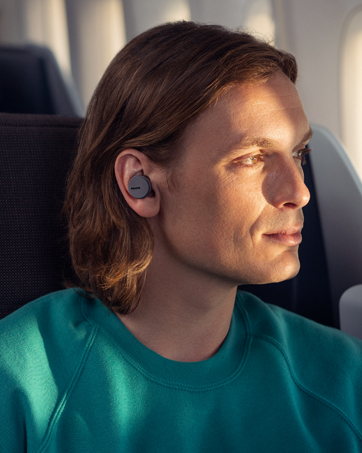
Image: A person wearing Philips TAT1215 earbuds, demonstrating typical usage during daily activities.
4. Tiaki
4.1 Te horoi
Mā te horoi auau ka āwhina i te pupuri i te mahi tino pai me te akuaku.
- Me ata muru nga pukoro me te pukoro utu ki te kakahu ngohengohe, maroke, kore-rara.
- Tangohia nga tohu taringa ka horoi ki te hopi me te wai ngawari, ka whakamaroke i mua i te whakapiri ano.
- Kaua e whakamahia nga kai horoi, te waipiro, te whakarewa matū ranei.
4.2 Rokiroki
Mena karekau e whakamahia, penapenahia nga purongo ki roto i te putunga utu hei whakamarumaru kia mau tonu te utu.
4.3 Ātete Wai (IPX4)
The Philips TAT1215 earbuds are IPX4-rated, meaning they are resistant to splashing water from any direction. This makes them suitable for workouts and light rain. However, they are not designed for submersion in water.
- Kaua e rukuhia nga purongo ki te wai.
- Ki te mākū ngā pane taringa, murua kia maroke i mua i te whakahokinga ki roto i te pouaka utu.

Image: Philips TAT1215 Earbuds in their charging case with water droplets, visually representing their IPX4 splash resistance.
5. Te Raru
Mena ka pāngia koe e ngā raruraru me ō pane taringa Philips TAT1215, tirohia ngā otinga noa e whai ake nei:
| Raruraru | Rongoa pea |
|---|---|
| Karekau nga taringa e hono ana |
|
| Kaore he tangi, he iti ranei te rahinga |
|
| Kotahi te pukoro kore e mahi |
|
| Nga take utu |
|
6. Whakatakotoranga Hangarau
| Āhuahira | Whakatakotoranga |
|---|---|
| Ingoa Tauira | TAT1215 |
| Hangarau Hononga | Nihokikorangi 5.1, Ahokore |
| Tawhiti Mahi Morahi | 10 Mita |
| Wā purei (Ngā taringa) | Tae atu ki te 6 haora |
| Wā Takaro Tapeke (me te Puhi) | Tae atu ki te 18 hāora (6 + 12 hāora) |
| Waa Whakatau | 2 haora |
| Rahi taraiwa | 6 mm Neodymium drivers |
| Whakautu auau | 20 Hz - 20000 Hz |
| Te aukati | 16 Aue |
| hopuoro | Built-In with echo cancellation |
| Ātete wai | IPX4 (Ātete ki te Pāhū) |
| Momo Mana | Physical Buttons (Music, Call, Voice Assistant) |
| Taumaha Tūemi | 43 g |
| Hunga Hua | 3.6 x 6.5 x 3.3 cm |
7. Pūtāhui me te Tautoko
7.1 Nga Korero Whakaputanga
This Philips Audio TAT1215 product comes with a 1 tau te whakamana a te kaiwhakanao mai i te ra o te hokonga. Tena koa pupurihia to tohu mo te hoko mo nga kereme whakamana.
7.2 Tautoko Kiritaki
For further assistance, technical support, or warranty claims, please contact Philips Audio customer service. Manufacturer contact information:
- Kaihanga: TPV Technology India Private Limited
- Tau Whakapā: 18004256396
- Wāhi noho: 501-508, 5TH FLOOR BESTECH CHAMBERS, BLOCK B SEC 27, SUSHANT LOK 1 GURUGRAM – 122002


