1. Kupu Whakataki
This manual provides essential information for the safe and efficient operation, maintenance, and troubleshooting of your GBC AutoFeed+ 230X Paper Shredder. Please read these instructions thoroughly before using the shredder and retain them for future reference.
2. Nga korero haumaru
Observe the following safety precautions to prevent injury or damage to the shredder:
- Tiakina nga ringa, nga makawe, me nga kakahu taratara mai i te mokowhiti pepa.
- Tiakina nga tamariki me nga kararehe mai i te kaitapahi.
- Do not spray aerosols or lubricants into the shredder.
- Wewetehia te kaitapahi i mua i te neke, te horoi, te putu ranei i te ipu para.
- Do not shred metal objects, large paper clips, or non-approved materials.
- Me whakarite kia noho te kaitapahi ki runga i te mata papa.
3. Hua Neke Atuview
The GBC AutoFeed+ 230X is designed for efficient and secure document destruction in small office environments. It features both automatic and manual feed options.

Whakaahua: Mua view of the GBC AutoFeed+ 230X Paper Shredder, showing the auto-feed tray and control panel.
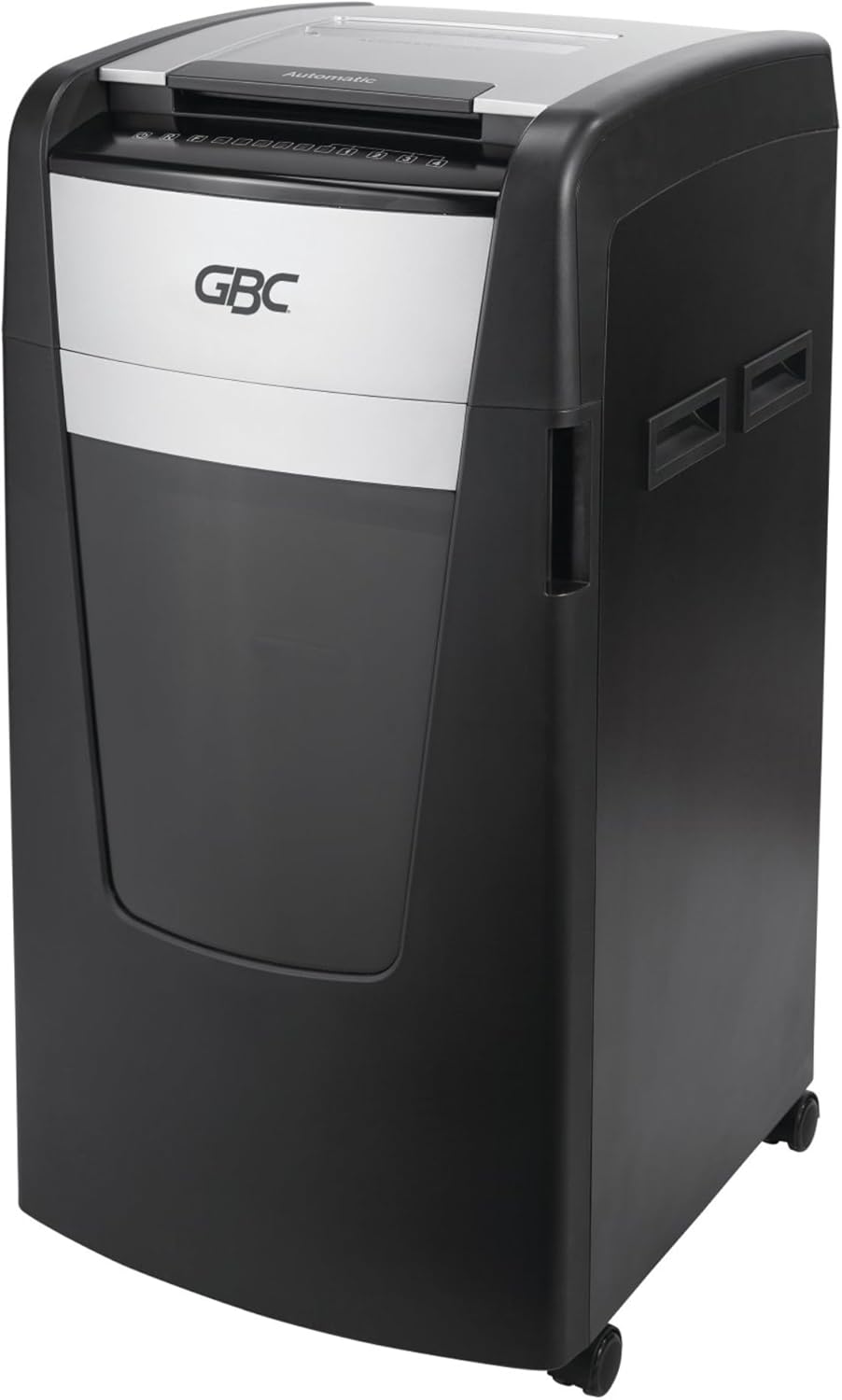
Whakaahua: Taha view of the GBC AutoFeed+ 230X Paper Shredder, highlighting its compact design and casters for mobility.
4. Tatūnga
- Wewete ana: Ata tango i te kaitapahi mai i tana putunga. Pupuri rawa i nga taputapu mo te kawe waka, ratonga ranei kei te heke mai.
- Turanga: Position the shredder on a flat, stable surface. Ensure adequate space around the unit for ventilation and access to the waste bin. The shredder dimensions are approximately 19 x 17 x 29 inches.
- Ipu Para: Ensure the 16-gallon waste bin is correctly inserted into the shredder cabinet. The shredder will not operate if the bin is not properly seated.
- Hononga Hiko: Monohia te taura hiko ki te putanga hiko paerewa.
- Whakahiko: Locate the main power switch, typically on the back or side of the unit, and turn it to the 'ON' position.
5. Mahi
5.1 Auto-Feed Operation
The AutoFeed+ feature allows for hands-free shredding of multiple sheets.
- Whakatuwheratia te uhi paepae whangai-aunoa.
- Stack up to 230 sheets of paper neatly into the auto-feed chamber. Ensure papers are flat and free of folds.
- Close the auto-feed tray cover. The shredder will automatically begin processing the documents.

Image: A person loading a stack of documents into the auto-feed tray of the GBC shredder, demonstrating the hands-free operation.

Image: A visual guide showing the three steps of auto-feed shredding: 'Stack' papers, 'Shut' the lid, and the machine 'Shreds' automatically.
5.2 Manual Feed Operation
For smaller quantities or specific items, use the manual feed slot.
- Insert up to 10 sheets of paper at a time into the manual feed slot.
- Credit cards must be manually inserted one at a time into the designated slot.

Image: A graphic comparing the AutoFeed method (up to 600 sheets, though this model is 230) and the Manual Feed method (up to 15 sheets, though this model is 10), highlighting the versatility of the shredder.
5.3 Shredding Capabilities
The GBC AutoFeed+ 230X can shred:
- Paper (up to 230 sheets auto-feed, 10 sheets manual feed)
- Pepa pepa
- Maamaa
- Credit cards (manual feed only)
5.4 Taumata Haumarutanga
This shredder provides P-4 Level Security with a Super Cross-Cut style, creating small particles for enhanced data protection.
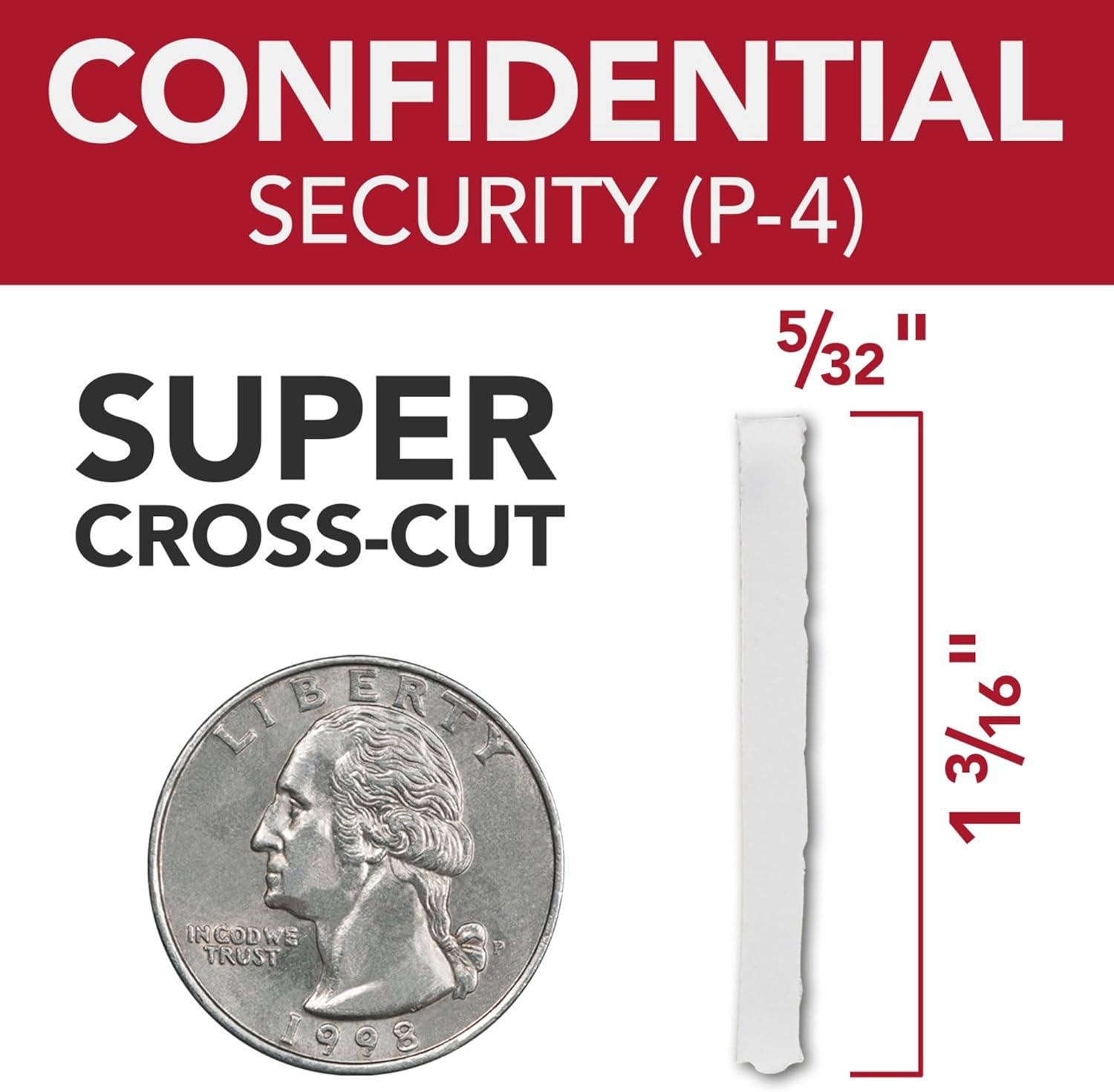
Image: A graphic illustrating the P-4 Super Cross-Cut shred size (5/32" x 1 3/16") next to a US quarter for scale, demonstrating the high level of security.
5.5 Continuous Run Time
The shredder features a 30-minute continuous run time, allowing for extended shredding sessions before requiring a cool-down period.

Image: An icon displaying '30 min Run Time', indicating the shredder's continuous operation capability.
5.6 Mahi Ataahua
Designed with an ultra-quiet motor, this shredder minimizes noise disruption in office environments.

Image: An icon depicting a speaker with sound waves, labeled 'Quiet Shredding', highlighting the low noise level during operation.
6. Tiaki
Ko te tiaki i nga wa katoa ka tino pai te mahi me te whakaroa i te ora o to kaitahuri.
- Te hinu: Apply shredder oil regularly to the cutting blades. Follow the instructions provided with your shredder oil for frequency and application method. This helps maintain cutting efficiency and prevents jams.
- Te Putua i te Ipu Para: Empty the 16-gallon waste bin when the 'Bin Full' indicator illuminates. Overfilling can lead to jams and reduced performance.
- Te horoi: Periodically clean the exterior of the shredder with a soft, dry cloth. Do not use abrasive cleaners or solvents.
- Jam Prevention: The shredder features auto forward and reverse functions to help prevent and clear minor jams. Avoid exceeding the sheet capacity.
7. Te Raru
Tirohia te ripanga e whai ake nei mo nga take noa me o raatau otinga.
| Raruraru | Take pea | Rongoā |
|---|---|---|
| Karekau e ka ana te kaipatu. | No power, waste bin not seated, main switch off. | Check power cord, ensure bin is fully inserted, turn main switch ON. |
| Pepa tāmi. | Overfed paper, foreign object. | Use reverse function. If persistent, unplug, carefully remove paper. Do not force. |
| Ka mutu te kaipatu i te wa e mahi ana. | Overheat protection, waste bin full. | Allow to cool down (approx. 30 minutes). Empty waste bin. |
| Reduced shredding performance. | Blades require oiling. | Apply shredder oil as per maintenance instructions. |
8. Whakatakotoranga
| Āhuahira | Taipitopito |
|---|---|
| Tau tauira | WSM1757606 |
| Waitohu | GBC |
| Momo Karipi | Super Cross-Cut |
| Taumata Haumarutanga | P-4 |
| Raukaha Whangai-Aunoa | Tae atu ki te 230 rau |
| Te kaha o te whangai a-ringa | Tae atu ki te 10 rau |
| Te Raukaha Ipu Para | 16 Karani |
| Wā Whakahaere Tonu | meneti 30 |
| Taumaha Tūemi | 55.6 pauna |
| Hunga Hua | 19 x 17 x 29 inihi |
| Āhuahira Motuhake | Mahi Ata |
9. Pūtāhui me te Tautoko
For warranty information, product support, or service inquiries, please refer to the official GBC website or contact GBC customer service directly. Keep your purchase receipt as proof of purchase.


