Kupu Whakataki
Thank you for choosing the Sinocare Smart Scale. This digital bathroom scale is designed to provide accurate weight measurements and comprehensive body composition analysis when paired with the SinoHealth smartphone application. This manual will guide you through the setup, operation, and maintenance of your new smart scale, ensuring you get the most out of its features.
Nga korero haumaru
- Kaua e whakamahia tēnei taputapu mēnā he taputapu whakatere manawa tōu, he taputapu hauora rānei ā-roto.
- Kaua e whakamahi i tenei taputapu mena kei te hapu koe.
- Keep the scale dry. Do not immerse it in water or use it in extremely humid environments.
- The scale surface can be slippery when wet. Step on and off carefully.
- Kaua e peke i runga i te tauine.
- This scale is intended for household use only and should not be used for medical diagnosis or treatment.
- Kaua e taea e nga tamariki.
Ihirangi mokete
Tena koa tirohia nga ihirangi o te kete kia mohio kei te noho katoa nga taonga:
- Sinocare Smart Scale
- 3 x AAA Pūhiko
- Pukapuka Kaiwhakamahi (tenei tuhinga)
Ka mutu te huaview



Tatūnga
- Whakauruhia nga Pataha: Open the battery compartment on the back of the scale. Insert the 3 AAA batteries, ensuring correct polarity (+/-). Close the compartment.
- Turanga: Whakatakotoria te pauna ki runga i tētahi mata mārō, papatahi. Āta karohia ngā whāriki, ngā papa koretake rānei, nā te mea ka pā kino tēnei ki te tika.
- Whakaritenga Tuatahi: Gently tap the scale with your foot to turn it on. Wait for the display to show "0.0" or "CAL" before stepping on it. This calibrates the scale.
- Kōwhiringa Waeine: On the back of the scale, locate the "UNIT" button. Press it to cycle through the available units: pounds (lb), kilograms (kg), and stones (st). Select your preferred unit.
- Download SinoHealth App: For full body composition analysis, download the "SinoHealth" app from the Apple App Store or Google Play Store.


- Tauhoa ki te Taupānga:
- Whakahohehia te Nihokikorangi i runga i to waea atamai.
- Open the SinoHealth app and create your user profile (or log in).
- Step onto the scale barefoot. The scale will activate and attempt to connect to the app via Bluetooth.
- Follow the in-app instructions to complete the pairing process. Ensure your feet are in full contact with the electrode pads for accurate body composition readings.
Nga Tohutohu Whakahaere
Basic Weighing (Without App)
To measure only your weight:
- Whakanohoia te unahi ki runga i te mata pakeke, papatahi.
- Gently tap the scale to turn it on. Wait for "0.0" to appear.
- Step onto the scale with both feet centered on the platform. Stand still until your weight is displayed and stabilizes.
- The scale will automatically turn off after approximately 10 seconds of inactivity to conserve battery.
Body Composition Analysis (With App)
For a full body composition analysis, ensure the scale is paired with the SinoHealth app and Bluetooth is enabled on your device.
- Open the SinoHealth app on your smartphone.
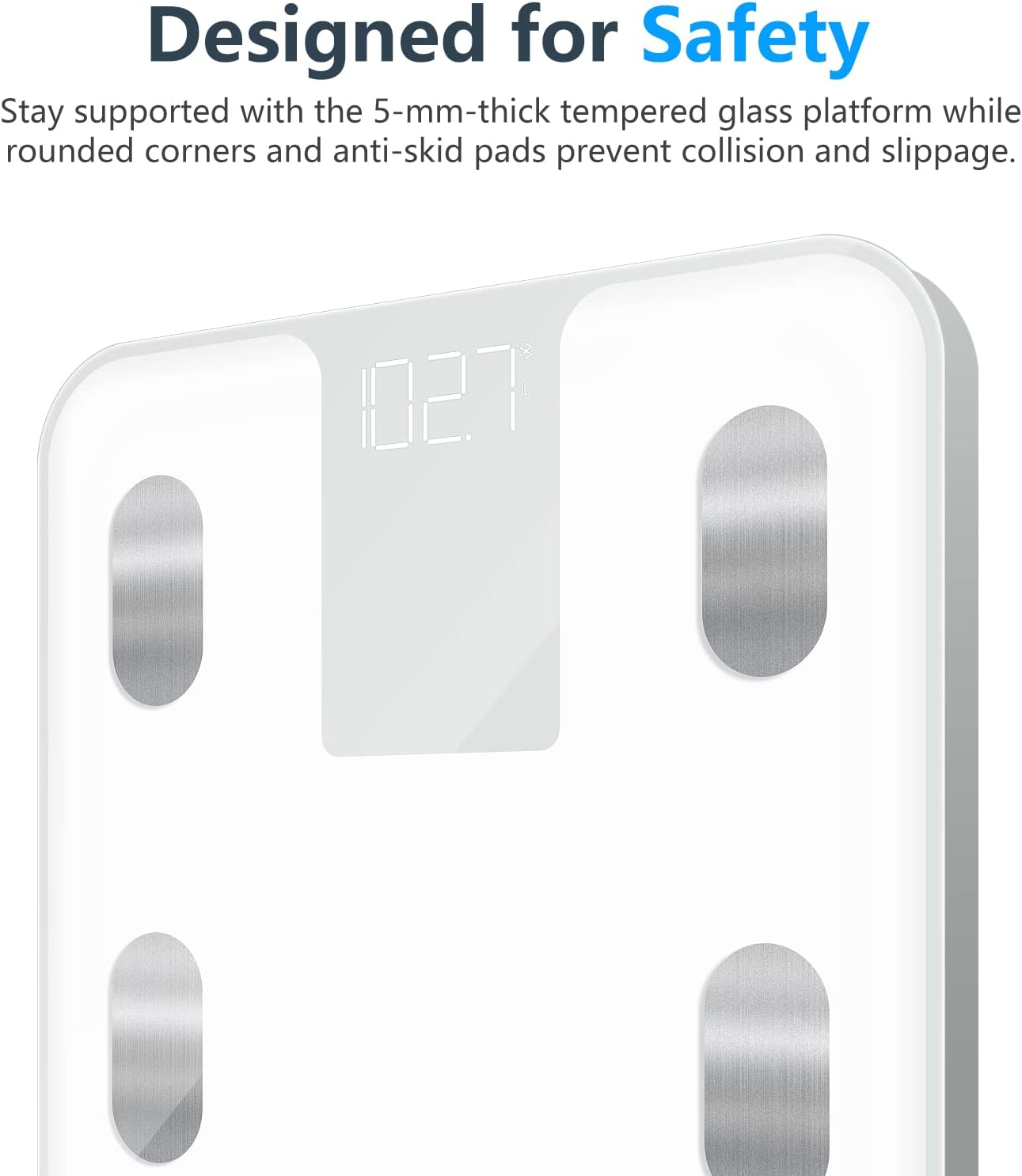
- Step onto the scale barefoot, ensuring your feet are in full contact with all four electrode pads.
- Stand still. The scale will display your weight, and then the app will begin to receive and process your body composition data.
- The app will display various metrics, including:
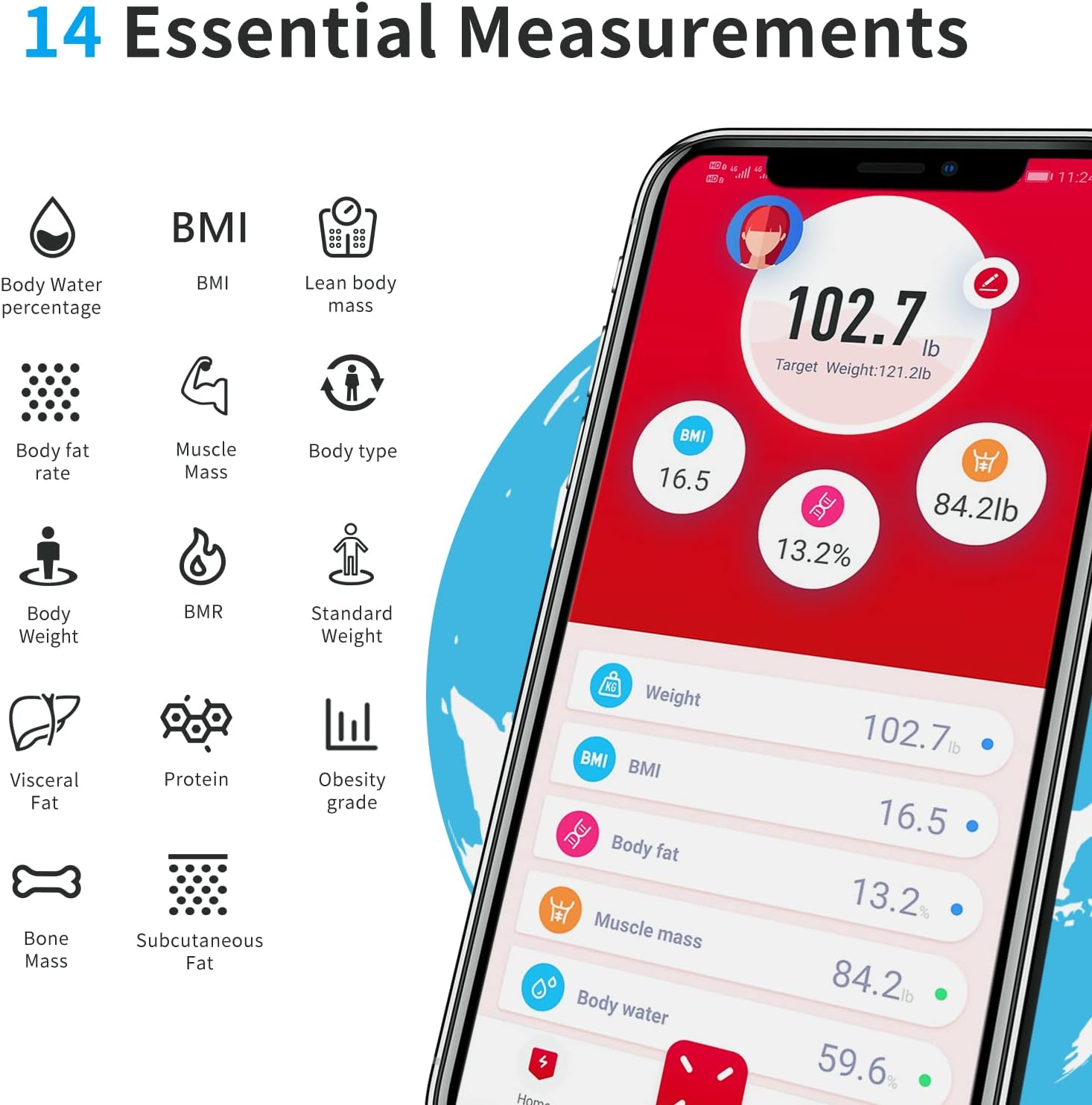
The SinoHealth app provides 14 essential body measurements, including Body Water percentage, BMI, Lean body mass, Body fat rate, Muscle Mass, Body type, Body Weight, BMR, Standard Weight, Visceral Fat, Protein, Obesity grade, Bone Mass, and Subcutaneous Fat. - Taumaha Tinana
- Taupū Papatipu Tinana (BMI)
- Te Ngako Tinana
- Papatipu uaua
- Te wai o te tinanatage
- Papatipu Bone
- Reiti Metabolic Basal (BMR)
- Ngako Visceral
- Pūmua
- Ngako Subcutaneous
- Papatipu Tinana Hiroki
- Momo Tinana
- Taumaha Paerewa
- Obesity Grade
- The app will automatically sync and store your data, allowing you to track your progress over time.

SinoHealth App Usage
The SinoHealth app is your central hub for tracking and analyzing your body composition data. It is compatible with iOS and Android devices.
Āhuatanga matua:
- Kaiwhakamahi Profiles: Waihanga me te whakahaere i te maha o nga kaiwhakamahi profiles, making it ideal for families. The app can automatically recognize different users.
- Te Aroturuki Raraunga: View historical data for all 14 body composition metrics in easy-to-read graphs and charts.
- Tautuhinga Whainga: Set personal health goals and track your progress towards them.
- Whakauru: Syncs with popular fitness apps like Fitbit, Google Fit, and Apple Health for a holistic view o ō raraunga hauora.

The SinoHealth app allows easy sharing and synchronization of your body data with other popular fitness applications such as Fitbit, Google Fit, and Apple Health. - Ngā Pūrongo Hauora: Generate detailed health reports based on your measurements.
For detailed instructions on specific app features, refer to the in-app help section or the SinoHealth webpae.
Te Tiaki me te Tiaki
- Te horoi: Horoia te mata tauine me te panuiamp kakahu me te horoi ngawari. Kaua e whakamahi i nga kai horoi, kaua e rukuhia te unahi ki te wai.
- Rokiroki: Store the scale in a cool, dry place. Avoid extreme temperatures.
- Whakakapinga Pūhiko: If the display shows "Lo" or becomes dim, it's time to replace the batteries. Use 3 new AAA batteries.
- Aukati i te Paanga: Protect the scale from strong impacts or dropping, as this can damage the sensors.
Raparongoā
| Raruraru | Take pea | Rongoā |
|---|---|---|
| Kaore te tauine e ka ana. | Kua mate nga pākahiko, kua he ranei te whakaurunga. | Tirohia te polarity pākahiko. Whakakapihia ki nga pākahiko AAA hou. |
| Ko nga panui kore tika. | Scale is on an uneven surface; not calibrated; or moved. | Place scale on a hard, flat surface. Tap to turn on and wait for "0.0" before stepping on. Avoid moving the scale between uses. |
| "Lo" displayed. | He iti te pākahiko. | Whakakapihia nga pākahiko. |
| "Err" displayed. | Overload or measurement error. | Ensure weight is within the 396 lb (180 kg) limit. Step off and on again. |
| Kāore te taupānga e hono ana ki te tauine. | Bluetooth is off; app not open; scale not active; pairing issue. | Ensure Bluetooth is on. Open SinoHealth app. Step on scale to activate. Try re-pairing the device in the app settings. Ensure no other devices are connected to the scale. |
| Body composition data not showing. | Not stepping on barefoot; feet not fully on electrodes. | Step on the scale barefoot, ensuring both feet make full contact with all four metallic electrode pads. |
Whakatakotoranga
- Tauira: CS20B
- Waitohu: Sinocare
- Rahi Hua: 4.34 x 4.34 x 0.39 inches (11 x 11 x 1 cm); 2.82 Pounds (1.28 kg)
- Tepe Taumaha: 396 Pauna (180 kg)
- Momo Whakaatu: Arahina Mamati
- Puna Hiko: 3 x AAA Battery (kei roto)
- Nga waahanga motuhake: Body Fat, Body Mass Index, Smart Connectivity (Bluetooth)
- Wae Ine: lb/kg/st
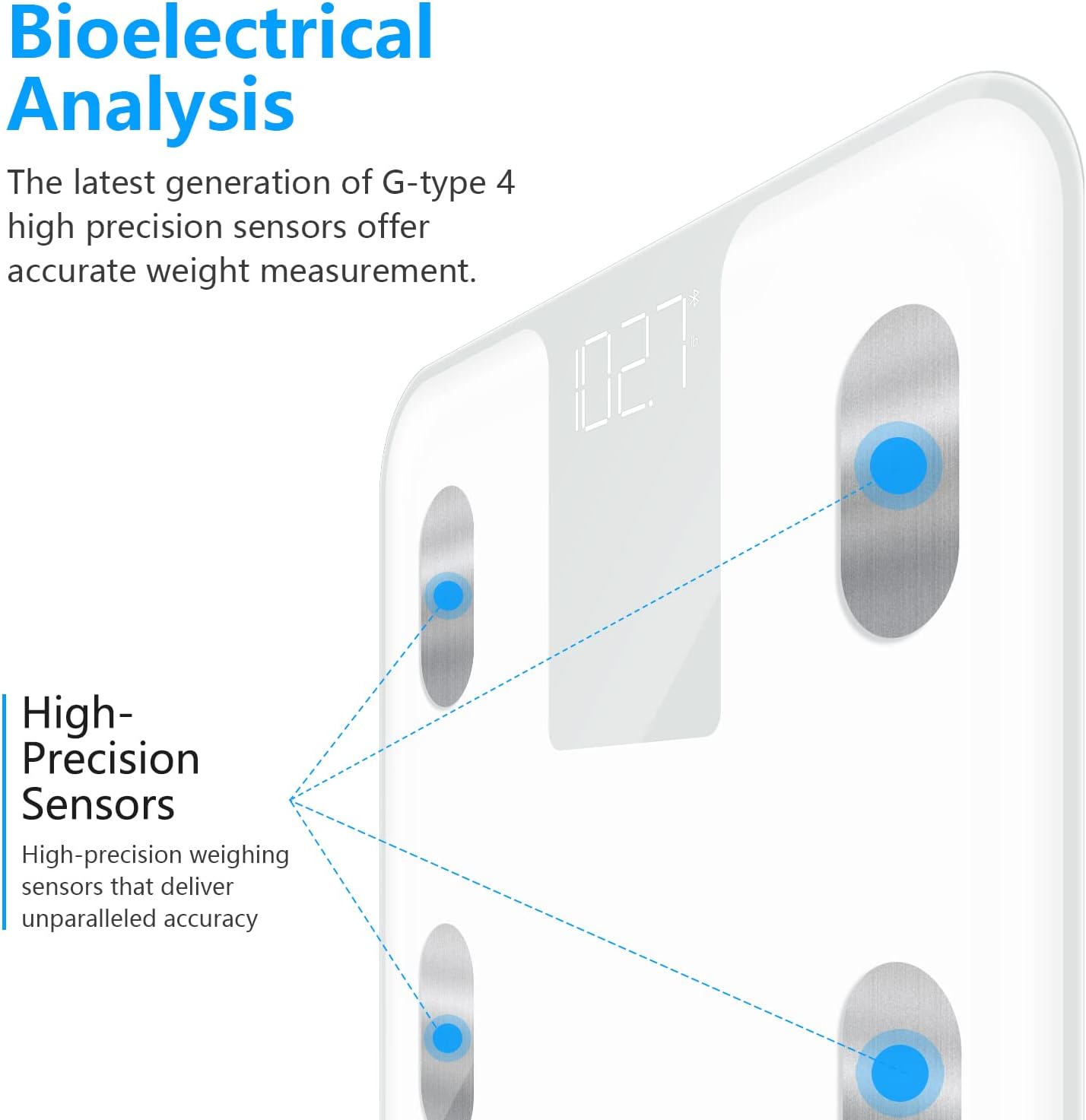
- Pūoko: 4 High-Precision Sensors
Pūtāhui me te Tautoko
Sinocare provides a standard warranty for this product. For specific warranty terms, conditions, and support inquiries, please refer to the warranty card included in your package or visit the official Sinocare website. You may also contact Sinocare customer service through the contact information provided on their website or within the SinoHealth application.
For the latest information and updates, please visit the Sinocare Store on Amazon.


