Kupu Whakataki
Thank you for choosing the iHome AC Pro 2-Port USB Wall Charger. This manual provides essential information for the safe and efficient use of your new charger. Please read these instructions thoroughly before operation and retain them for future reference.
Nga korero haumaru
- Kaua e tukuna te rihi ki te wai, te makuku, te wera nui ranei.
- Do not disassemble or attempt to repair the charger. This may void the warranty and pose a safety risk.
- Ensure the wall outlet is easily accessible and not overloaded.
- Momotuhia te mono o te rihi hiko mai i te putanga hiko ina kore e whakamahia, ina rānei e puta ana ngā āwhā hiko.
- Kaua e taea e nga tamariki.
Ka mutu te huaview
The iHome AC Pro 2-Port USB Wall Charger is designed for convenient and efficient charging of your electronic devices. Its compact and flat design allows for easy access to outlets in tight spaces and portability for travel.
Nga waahanga matua
- Nga Ports USB: Charge up to two devices simultaneously.
- Ultra-Slim Profile: Designed to fit behind furniture and in narrow spaces without blocking other outlets.
- Rapid Charging Port: Includes a dedicated 2.4A port for faster charging of compatible devices.
- Poronga Kopa: For enhanced portability and protection during travel.
- Hototahi Ao: Works with a wide range of USB-powered devices including smartphones, tablets, and other gadgets.

Image: The iHome 2-Port USB Wall Charger featuring its two USB ports, allowing simultaneous charging of two devices.
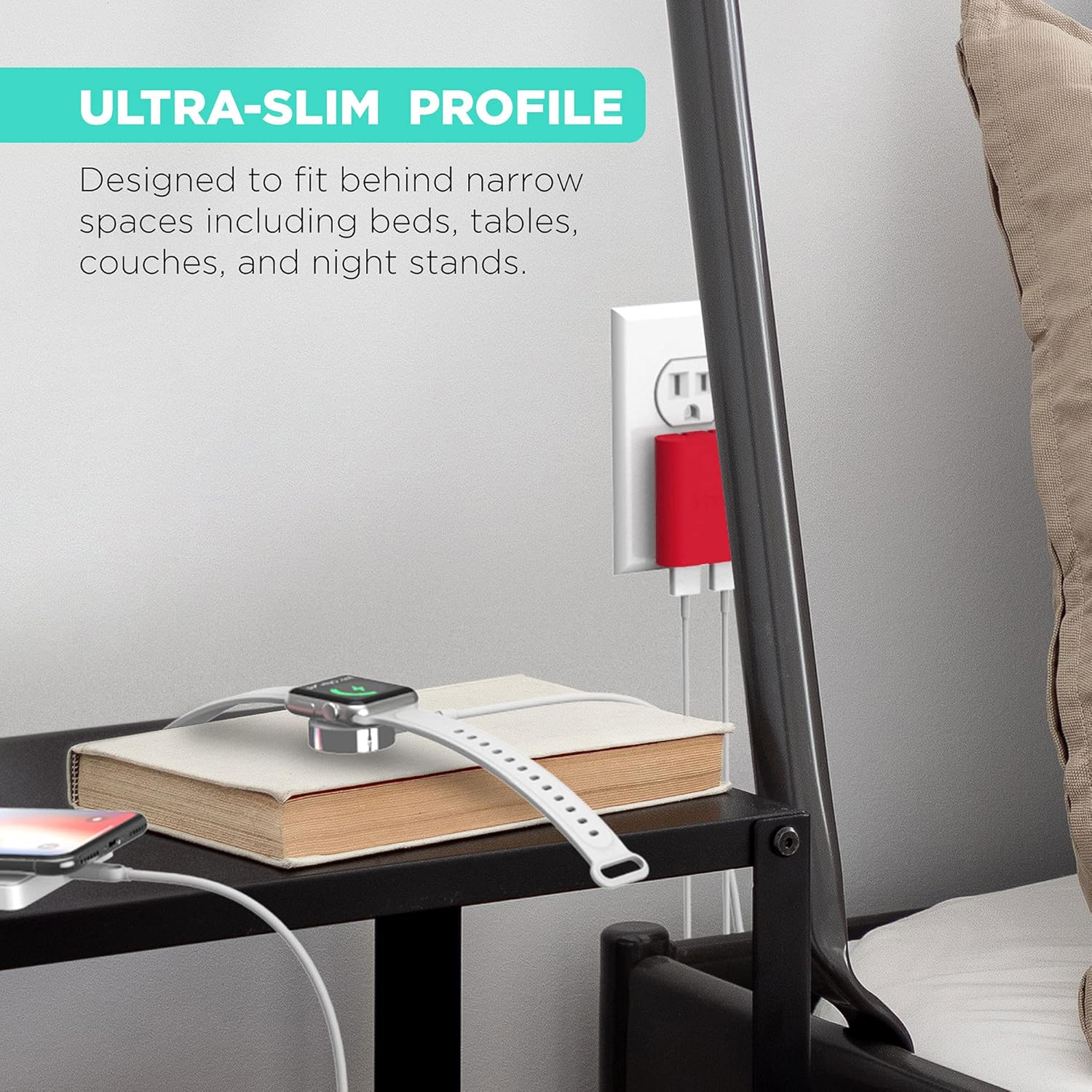
Image: The ultra-slim profile of the iHome charger, demonstrating its ability to fit discreetly behind furniture like a nightstand.

Whakaahua: He tata view of the iHome charger, pointing out the 3.4A USB port designed for rapid charging.

Image: The iHome charger with its foldable prongs, illustrating its compact design for convenient storage and travel.

Whakaahua: He whakaaturanga whakaahuacasing the universal compatibility of the iHome charger with a range of devices including smartphones, tablets, and wearables.
Tatūnga
- Wewetehia nga Prongs: Unuhia marietia nga peka takai mai i te tinana o te riihini kia kati ra ano.
- Plug into an AC Outlet: Insert the charger into a standard 120V AC wall outlet. The flat design ensures it sits flush against the wall.
- Tūhono Pūrere: Plug your device's USB charging cable into one of the available USB ports on the charger.
Nga Tohutohu Whakahaere
The iHome AC Pro 2-Port USB Wall Charger is designed for simple plug-and-play operation. Once plugged into a wall outlet, it is ready to charge your devices.
Kei te utu i o taputapu
- Identify the appropriate USB cable for your device.
- Connect one end of the USB cable to your device and the other end to an available USB port on the iHome charger.
- For faster charging, utilize the dedicated 2.4A USB port (often indicated by a blue interior or specific labeling) for compatible smartphones and tablets. The other port provides standard charging speed.
- Me tohu e tō pūrere kei te utu.
Video: Demonstrates the iHome AC Pro 3.4 Amp 2-Port USB Wall Charger, highlighting its flat foldable plug and ease of use for charging various devices.
Te tiaki
- Te horoi: Momotuhia te rihi mai i te putanga hiko i mua i te horoi. Whakamahia he kakahu ngohengohe, maroke hei muru i te mata. Kaua e whakamahia nga kai horoi wai, aerosol ranei.
- Rokiroki: When not in use, fold the prongs for compact storage. Store in a cool, dry place away from direct sunlight.
Raparongoā
| Raruraru | Take pea | Rongoā |
|---|---|---|
| Kaore te taputapu e utu ana. | Charger not properly plugged in; faulty cable; device issue. | Ensure charger is securely plugged into a live outlet. Try a different USB cable. Test the charger with another device. |
| He puhoi te tere utu. | Using a standard port for a fast-charge compatible device; cable quality. | Ensure you are using the 2.4A rapid charging port for devices that support it. Use a high-quality USB cable. |
| Ka mahana te pukoro. | Mahi noa i te wa e utu ana. | A slight warmth is normal. If it becomes excessively hot, discontinue use and contact support. |
Whakatakotoranga
- Tau tauira: IH-CT539R
- Whakauru Voltage: 120 Volts
- Tauranga USB Tapeke: 2
- Ampera: 3.4 Amps (Tapeke)
- Wattage: 10 watts
- Āhuahira Motuhake: Fast Charging (via dedicated 2.4A port)
- Ahu: 8.07 x 4.41 x 0.91 inihi (Pake)
- Taumaha Tūemi: 2.89 hekere
- Kaihanga: Lifeworks Technology, Inc.
Nga korero Whakaputanga
This iHome product is covered by a limited manufacturer's warranty. For specific warranty terms and conditions, please refer to the documentation included with your purchase or visit the official iHome webpae. Puritia to tohu hoko mo nga kereme whakamana.
Tautoko Kiritaki
For further assistance, technical support, or to inquire about replacement parts, please contact iHome customer service. Contact information can typically be found on the product packaging or the official iHome webpae. Ka taea hoki e koe te toro atu ki te iHome Store on Amazon mo etahi atu korero hua me nga rauemi tautoko.


