1. Kupu Whakataki
This manual provides detailed instructions for the installation, operation, and maintenance of your Xigmatek Aero Black Micro-ATX Case. Please read this manual thoroughly before beginning assembly to ensure proper setup and to maximize the lifespan of your components.
2. Hua Neke Atuview
The Xigmatek Aero is a compact Micro-ATX PC case designed for efficient component housing and airflow. It features a simple and stylish design, incorporating a tempered glass front panel and an acrylic side panel for visibility of internal components.
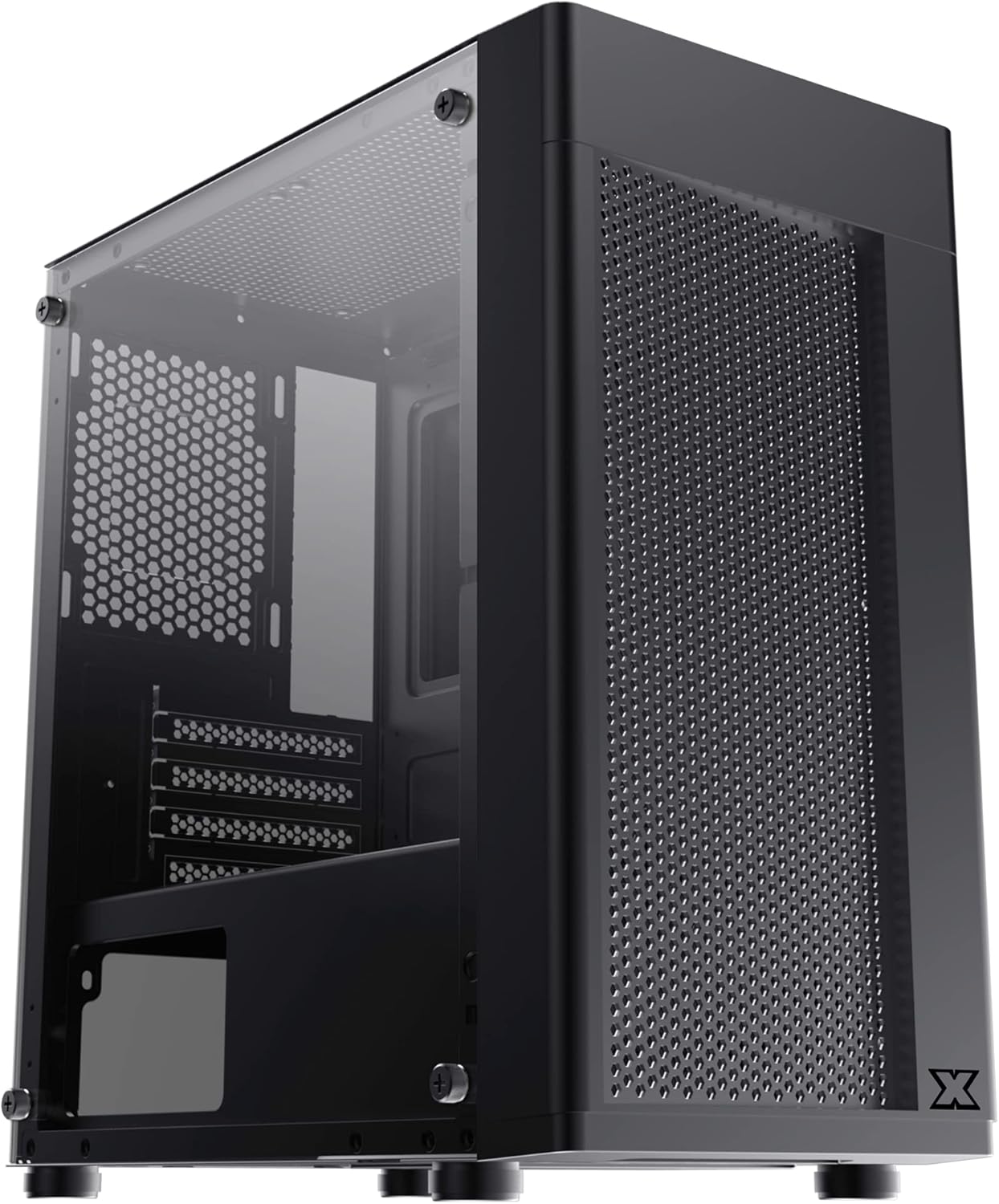
Whakaahua 2.1: Mua-maui view of the Xigmatek Aero Black Micro-ATX Case, showcasing the tempered glass front panel and acrylic side panel.
3. Nga waahanga matua
- Paepae Taha Karahe Maamaa: Ka whakarato marama view o nga waahanga o roto.
- Bottom Mounted PSU: Dedicated compartment for power supply unit, aiding in thermal management and cable routing.
- Mesh Design Front Panel: Enhances airflow for improved cooling performance.
- Whakahaere taura ngawari: Designed with routing options and a PSU shroud to facilitate neat cable organization.
- Compact Micro-ATX Form Factor: Optimized for smaller builds while maintaining compatibility with standard components.
4. Ihirangi mokete
Me manatoko kei roto i te kete ngā taonga katoa i mua i te tāutanga:
- Xigmatek Aero Black Micro-ATX Case
- Accessory Box (containing screws, standoffs, zip ties)
- Pukapuka Kaiwhakamahi (tenei tuhinga)
5. Tatūnga me te Tāuta
Follow these steps carefully for proper installation of your PC components into the Xigmatek Aero case.
5.1 Te Whakarite i te Take
- Whakanohoia te keehi ki runga i te mata papatahi, pumau.
- Tangohia marietia te taha o te karāhe whakamaroke mā te wetewete i ngā tīwiri e whā o te koromatua. Whakatakotoria te karāhe ki tahaki ki runga i tētahi mata ngohengohe, kāore e mura, hei ārai i ngā karawarawa.
- Remove the rear side panel (solid metal panel) by unscrewing the two thumb screws at the back and sliding it off. This provides access for cable management.
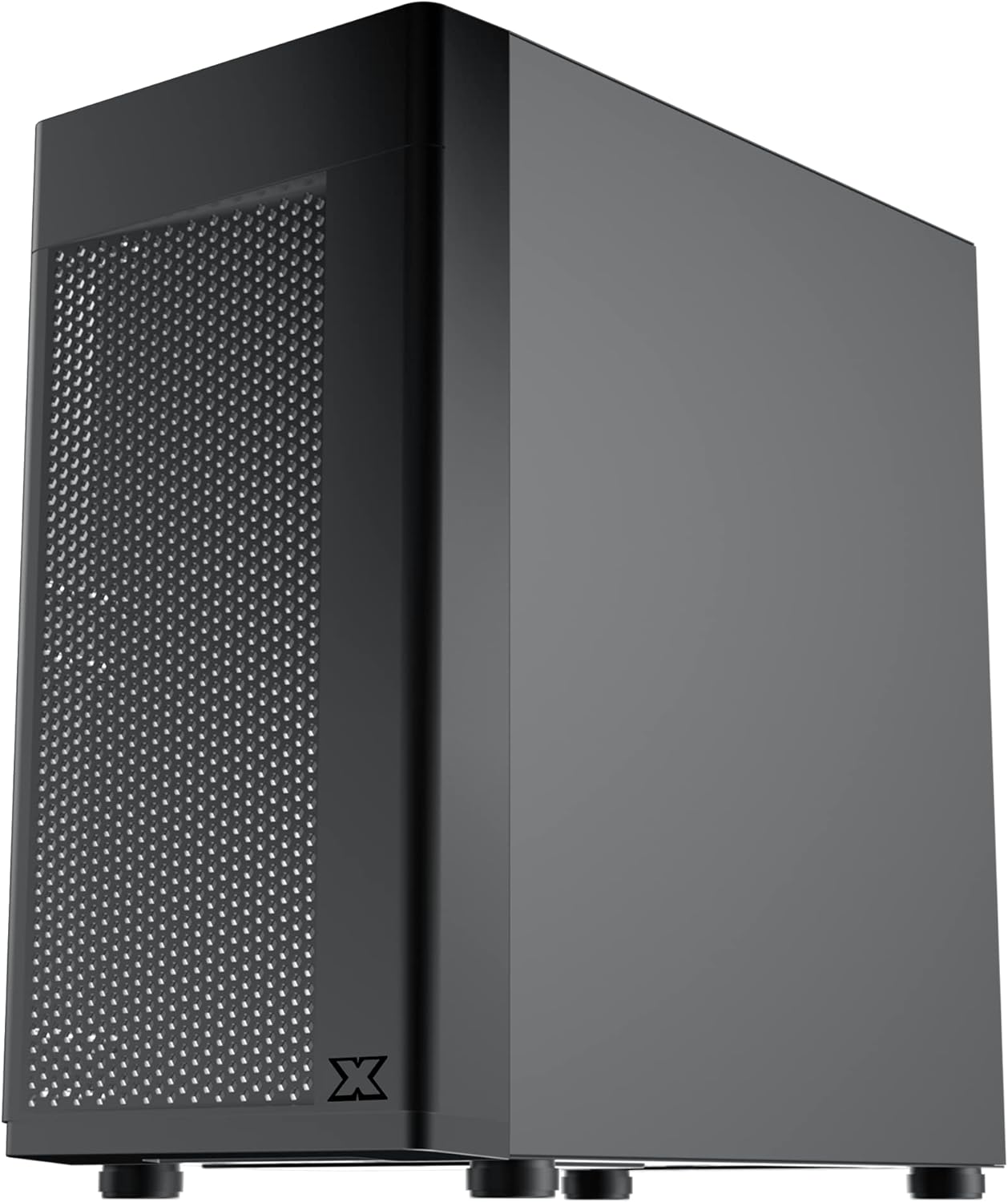
Whakaahua 5.1: Taha view of the case, showing the tempered glass panel secured by four thumb screws.
5.2 Whakaaturanga Whakaaturanga Hiko (PSU) Whakauru
- Locate the PSU mounting area at the bottom rear of the case, within the PSU shroud.
- Slide your PSU into the designated slot from the rear of the case. Ensure the PSU fan faces downwards (if the case has a bottom vent) or upwards, depending on your cooling preference and PSU design.
- Whakaorangia te PSU me nga wiri mai i muri o te keehi.
- Route necessary PSU cables through the cutouts in the PSU shroud to the main compartment.

Whakaahua 5.2: Roto view highlighting the PSU shroud and cable routing options.
5.3 Whakaaturanga Papa Pouaka
- Tāutahia te whakangungu I/O (mēnā e tika ana) ki roto i te pūaha o muri o te pouaka.
- Align your Micro-ATX motherboard with the pre-installed standoffs. Ensure the screw holes on the motherboard match the standoffs.
- Whakamaua te papahoahoa mā te whakamahi i ngā tīwiri kua whakaratohia. Kaua e whakakī rawa.

Whakaahua 5.3: Roto view of the case, showing the motherboard tray and standoff locations.
5.4 Te Whakanoho Puku Rokiroki
The case supports 3.5-inch HDDs and 2.5-inch SSDs.
- Pūhiko Matapihi 3.5": Locate the drive cage under the PSU shroud. Slide the HDD into the drive bay and secure with screws. Note: Some users find it easier to remove the drive caddy by unscrewing from the underside of the case first.
- 2.5" SSD: SSDs can typically be mounted on dedicated brackets behind the motherboard tray or on top of the PSU shroud. Secure with screws.
5.5 Kāri Whakairoiro me ngā Kāri Whakawhanui
- Remove the necessary expansion slot covers from the rear of the case. These are break-off covers, so bend them carefully until they detach.
- Insert your graphics card or other expansion cards into the appropriate PCIe slots on your motherboard.
- Whakauhia ngā kāri ki ngā tīwiri.

Whakaahua 5.4: Whakamuri view of the case, showing expansion slots and I/O shield opening.
5.6 Tāutanga o te Pā me te Whakamatao
The Xigmatek Aero supports multiple fan configurations for optimal airflow.
- Mua: Up to 2x 120mm or 140mm fans. Can also support a 240mm AIO liquid cooler.
- Runga: Up to 2x 120mm fans.
- muri: 1x 120mm fan.
Install fans by aligning them with the screw holes and securing them with fan screws. Pay attention to airflow direction (intake vs. exhaust).
5.7 Whakahaere taura
Utilize the cutouts and tie-down points behind the motherboard tray to route and secure cables. This improves airflow and aesthetics.

Whakaahua 5.5: View from the rear of the motherboard tray, showing space for cable routing.
5.8 Hononga Paewhiri Mua
Connect the front panel cables (USB 3.0, USB 2.0, Audio, Power LED, HDD LED, Power Switch, Reset Switch) to the corresponding headers on your motherboard. Refer to your motherboard manual for exact pin layouts.

Whakaahua 5.6: Runga view of the case, illustrating the front I/O ports including USB 3.0 and audio jacks.
5.9 Huihuinga Whakamutunga
- Once all components are installed and cables are managed, reattach the rear side panel.
- Carefully reattach the tempered glass side panel and secure it with the four thumb screws.
6. Nga Whakaaro Whakahaere
To ensure optimal performance and longevity of your system:
- Rererangi: Ensure proper fan configuration for intake and exhaust to maintain good internal temperatures. The mesh front panel is designed for excellent air intake.
- Turanga: Place the PC case on a hard, flat surface to allow adequate airflow to the bottom-mounted PSU and any bottom intake fans. Avoid placing it on carpet.
7. Tiaki
Regular maintenance helps preserve your system's performance and extends its lifespan:
- Whakapai puehu: Periodically clean dust from the case interior and fan filters. The top panel features a magnetic dust filter for easy removal and cleaning.
- Horoi o waho: Whakamahia he ngohengohe, damp cloth to clean the exterior surfaces. Avoid abrasive cleaners. For the tempered glass and acrylic panels, use a microfiber cloth and a gentle glass cleaner.
8. Te Raru
Mena ka pā mai ngā raruraru i te wā o te huihuinga, i muri rānei i te huihuinga, whakaarohia ēnei e whai ake nei:
- Kāore te Pūnaha i te Hiko:
- Ensure all PSU cables are securely connected to the motherboard and components.
- Verify the front panel power switch cable is correctly connected to the motherboard header.
- Check the PSU switch is in the 'ON' position.
- Ngā Pā Kāore e Hurihuri:
- Confirm fan cables are properly connected to motherboard fan headers or a fan controller.
- Te Rerenga Hau Kino/Te Pāmahana Teitei:
- Check fan orientation (intake/exhaust).
- Ensure dust filters are clean.
- Verify no cables are obstructing airflow.
9. Whakatakotoranga
| Āhuahira | Taipitopito |
|---|---|
| Tau tauira | EN46584 |
| Tauwehe Puka | Pourewa Micro-ATX |
| Ahu (L x W x H) | 34.5 x 20 x 29 cm |
| Taumaha | 3.53 kg |
| Rauemi | Tempered Glass, Acrylic, Steel |
| Papamatua Hototahi | Micro ATX, Mini-ITX |
| PSU Maunga | Maunga Raro |
| Peia Bays | 1x 3.5" HDD, 2x 2.5" SSD (or 2x 3.5" HDD, 1x 2.5" SSD depending on configuration) |
| Roha Slots | 4 |
| Tautoko Pā (Mua) | 2x 120mm / 140mm |
| Tautoko Pā (Runga) | 2x120mm |
| Tautoko Pā (Muri) | 1x120mm |
| Tautoko Pāreti (Mua) | Tae atu ki te 240mm |
| Tuhinga o mua | 1x USB 3.0, 2x USB 2.0, HD Audio (Mic & Headphone) |
10. Pūtāhui me te Tautoko
Mō ngā mōhiohio pūtāhui me te tautoko hangarau, tirohia te paetukutuku mana o Xigmatek webpaetukutuku, whakapā atu ranei ki to kaihokohoko o to rohe. Puritia to tohu hoko mo nga kereme whakamana.


