1. Kupu Whakataki
Thank you for choosing the MAXXMEE Cordless Screwdriver Model 2112. This manual provides essential information for the safe and efficient operation, maintenance, and troubleshooting of your new tool. Please read these instructions carefully before first use and keep them for future reference.
2. Nga Tohutohu Haumaru
Kia mau tonu ki nga whakaritenga haumaru taketake ina whakamahi taputapu hiko hei whakaiti i te tupono o te ahi, te ru hiko, me te whara whaiaro.
- Haumaru Wāhi Mahi: Kia ma to waahi mahi me te whakamarama pai. Ko nga waahi pouri, nga waahi pouri ranei ka pa mai nga aitua. Kaua e whakamahia nga taputapu hiko i roto i nga hau pupuhi, penei i te waahi o te wai ka mura, te hau, te puehu ranei.
- Haumaru Hiko: A ape i te pa atu ki te tinana ki nga papa whenua, ki runga ranei i te whenua penei i te paipa, te radiators, te awhe, me te pouaka whakamatao. Kaua e tukuna nga taputapu hiko ki te ua, te makuku ranei.
- Haumaru Whaiaro: Me mau tonu he parenga kanohi. Whakamahia ngā taputapu haumaru e tika ana pērā i te kopare puehu, ngā hu haumaru kore-paheke, ngā pōtae mārō, ngā parenga taringa rānei ina hiahiatia. Kakahuria kia tika; kaua e kakahuria ngā kākahu koretake, ngā whakapaipai rānei.
- Te Whakamahi me te Tiaki Taputapu: Kaua e kaha te taputapu hiko. Whakamahia te taputapu hiko tika mo to tono. Momotuhia te mono mai i te puna hiko me/ranei te kete pākahiko mai i te taputapu hiko i mua i te whakarereketanga, te whakarereke i nga taputapu, te penapena taputapu hiko ranei.
- Haumaru Pūhiko: This tool contains an integrated rechargeable battery. Do not incinerate the battery even if it is severely damaged or completely worn out. Batteries can explode in a fire. Do not short-circuit the battery.
3. Ihirangi mokete
Tena koa tirohia kei te noho nga taonga katoa kei te pai te ahua:
- 1 x MAXXMEE Cordless Screwdriver Model 2112
- 1 x 30-piece Bit Set (various screwdriver bits and drill bits)
- 1 x Taura Utu (USB)
- 1 x Pukapuka Kaiwhakamahi

Whakaahua 3.1: The included 30-piece bit set, featuring various screwdriver and drill bits for diverse applications.
4. Hua Neke Atuview
Familiarize yourself with the components of your MAXXMEE Cordless Screwdriver.
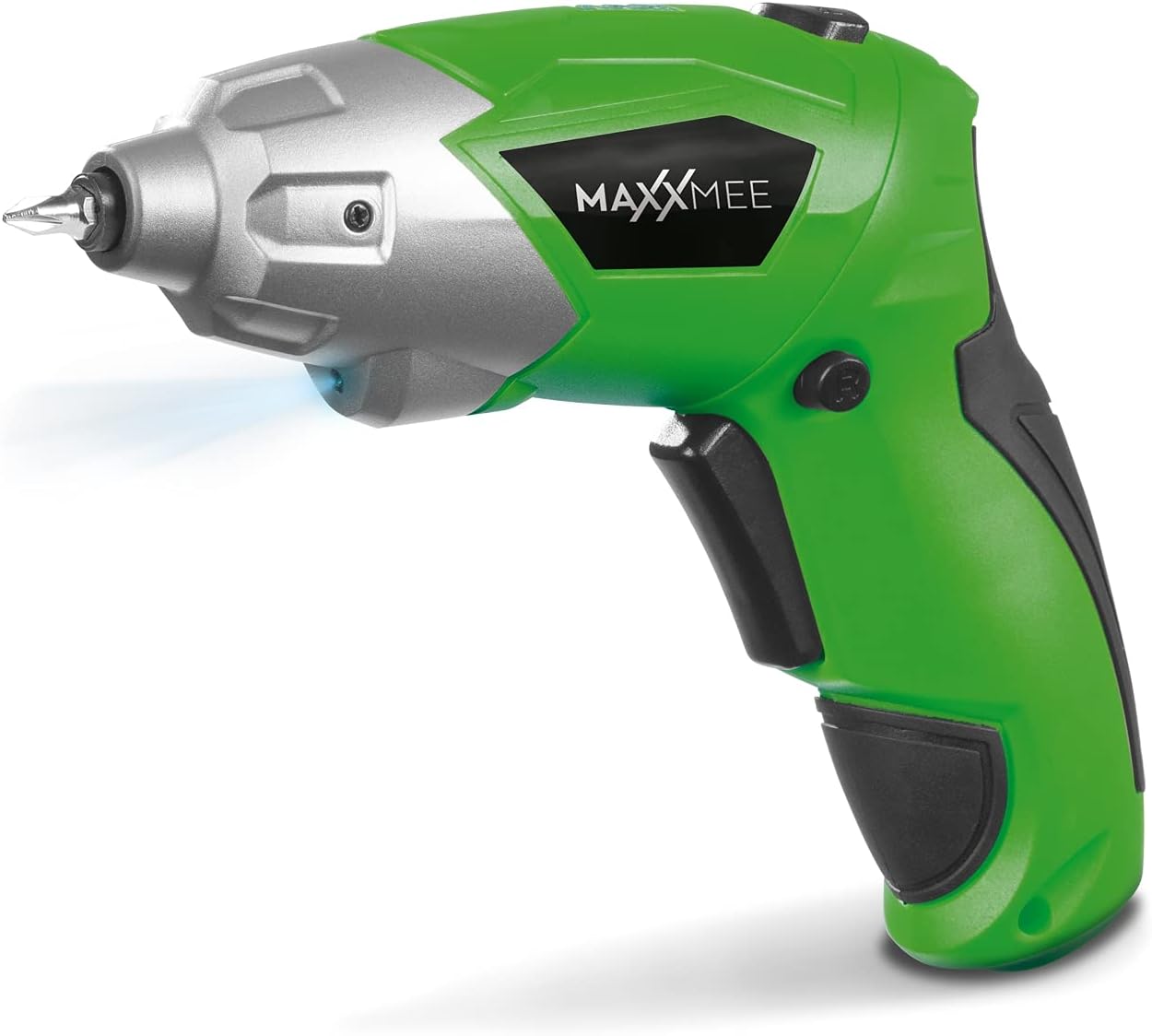
Whakaahua 4.1: Mua view of the MAXXMEE Cordless Screwdriver, highlighting its compact design.

Whakaahua 4.2: The cordless screwdriver demonstrating its flexible handle position, integrated LED light, and forward/reverse rotation switch.
- Bit Holder (Magnetic)
- Maama Mahi LED
- Whakawhiti Whakamuri/Whakamuri Hurihuri
- Flexible Handle Release Button
- Whakawhiti Keu
- Tauranga Whakatau
- Tohu Taumata Pūhiko
5. Tatūnga
5.1. Charging the Screwdriver
Before first use, fully charge the screwdriver's integrated battery. The battery is not fully charged at the time of purchase.
- Connect the provided charging cable to the charging port on the screwdriver.
- Connect the other end of the USB charging cable to a suitable USB power adapter (not included) or a powered USB port.
- The battery indicator lights will show the charging status. Allow several hours for a full charge.
- Kia oti te whakakii, momotuhia te taura utu.
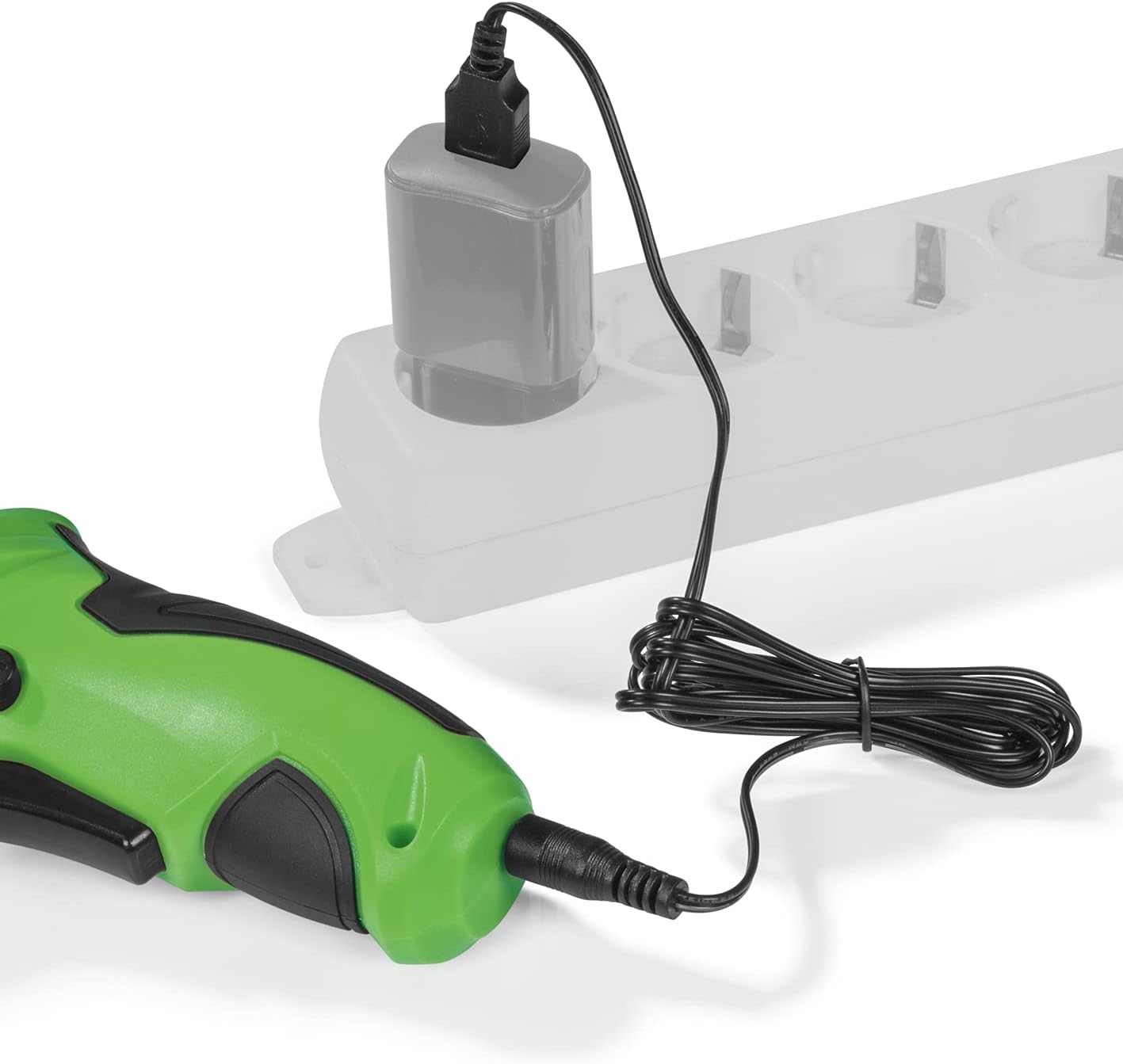
Whakaahua 5.1: Connecting the charging cable to the screwdriver and a power source.
5.2. Inserting Screwdriver Bits
The screwdriver features a magnetic bit holder for quick and easy bit changes.
- Me mohio kua whakawetohia te huriwiri ka noho te pana whakamuri/whakamuri ki te tuunga kupapa (maukati).
- Select the appropriate bit from the 30-piece set.
- Insert the bit firmly into the magnetic bit holder until it is securely seated.
- To remove, simply pull the bit out.
6. Nga Tohutohu Whakahaere
6.1. Powering On/Off and Rotation Direction
The trigger switch activates the screwdriver, and the forward/reverse switch controls the rotation direction.
- To drive screws (forward rotation), push the forward/reverse switch to the left.
- To remove screws (reverse rotation), push the forward/reverse switch to the right.
- To lock the trigger and prevent accidental activation, place the switch in the center position.
- Press the trigger switch to operate the screwdriver. Release to stop.
6.2. Adjusting the Flexible Handle
The screwdriver features a variable curved handle for optimal comfort and access in different working conditions.
- Ensure the screwdriver is off.
- Press the flexible handle release button (refer to Figure 4.2 for location).
- Adjust the handle to the desired position (straight or pistol grip).
- Release the button to lock the handle in place. Ensure it is securely locked before use.
6.3. Te whakamahi i te Maama Mahi LED
The integrated LED work light illuminates the work area for improved visibility, especially in dark or confined spaces.
- The LED light automatically activates when the trigger switch is pressed.
- It turns off when the trigger is released.
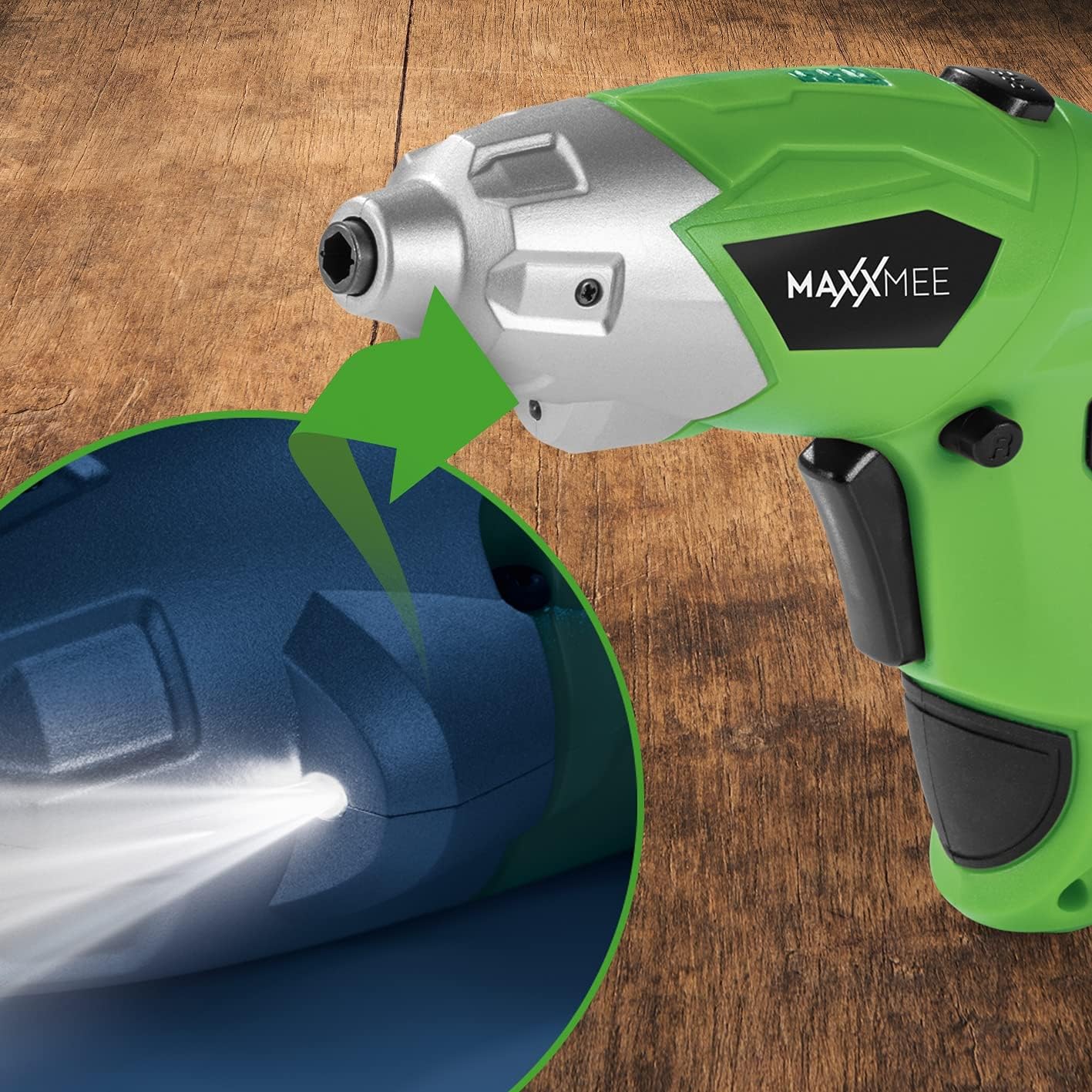
Whakaahua 6.1: Kati-ake view of the LED work light illuminating the work surface.
6.4. Tohu Taumata Pūhiko
The battery level indicator provides a visual representation of the remaining battery charge.
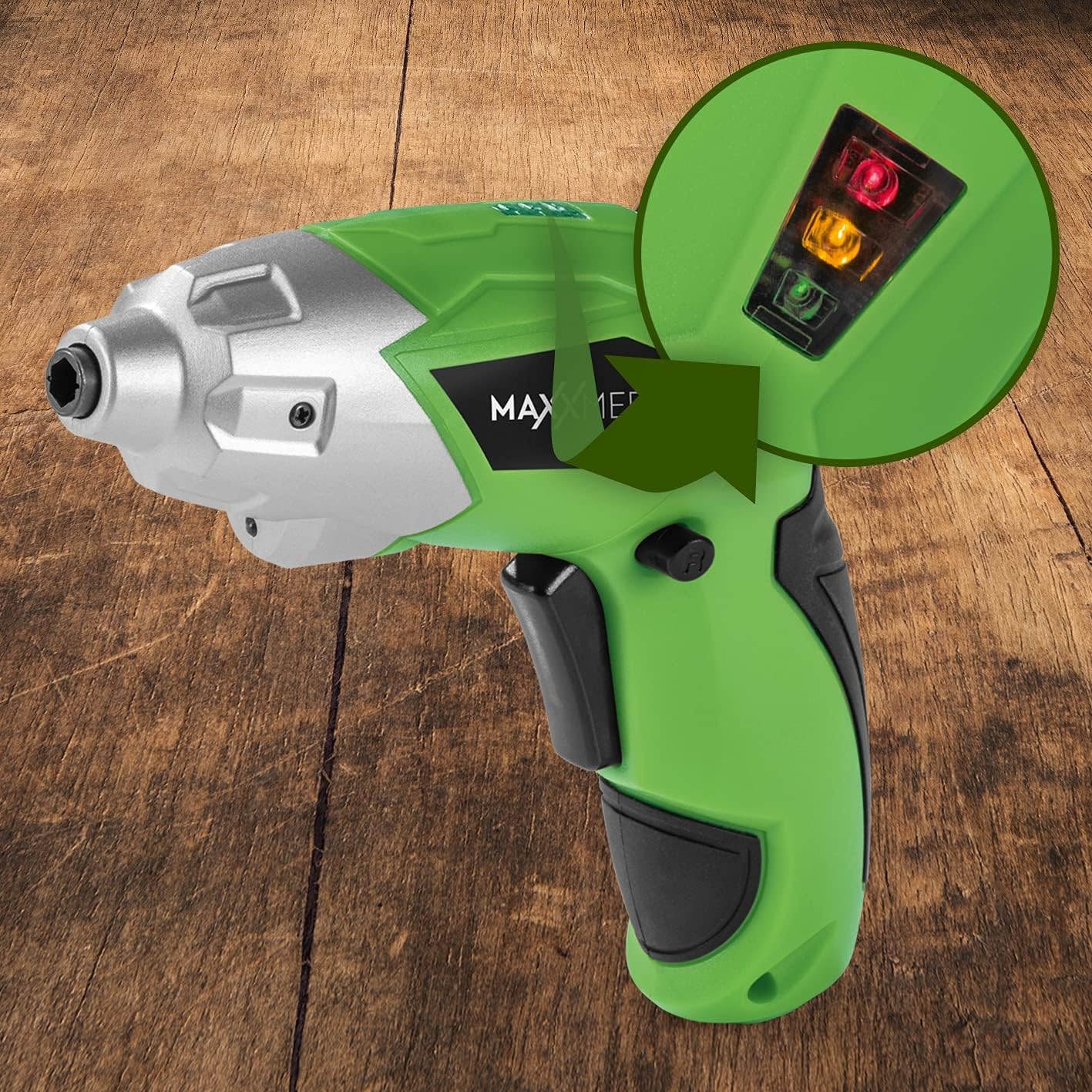
Whakaahua 6.2: The battery level indicator showing the charge status with colored lights.
- Green light: High charge.
- Yellow light: Medium charge.
- Red light: Low charge, recharge soon.
For optimal performance, recharge the screwdriver when the indicator shows a low charge.
7. Tiaki
Proper maintenance ensures the longevity and optimal performance of your screwdriver.
- Te horoi: Always disconnect the screwdriver from any power source before cleaning. Use a soft, damp cloth to wipe down the exterior. Do not use harsh chemicals or abrasive cleaners. Keep ventilation openings free from dust and debris.
- Rokiroki: Store the screwdriver and its accessories in a dry, cool place, away from direct sunlight and moisture. Keep it out of reach of children.
- Tiaki Pūhiko: For long-term storage, it is recommended to charge the battery to approximately 50% every few months to maintain battery health.
8. Te Raru
Mena ka pāngia koe e ngā raruraru me tō tīwiri, tirohia ngā raruraru me ngā otinga e whai ake nei:
| Raruraru | Take pea | Rongoā |
|---|---|---|
| Karekau te huriwiri e huri ana. | Kua tukuna te pākahiko. | Whakakapi katoa i te puhiko. |
| Kāore he mana o te tīwiri. | Te utu iti o te papahiko. | Whakaorangia te pākahiko. |
| Bit is loose or falls out. | Kāore i tino whakaurua te moka, kāore rānei i te tika te rahi o te moka. | Ensure the bit is fully inserted into the magnetic holder. Use appropriate bit size. |
| Handle does not lock in place. | Release button not fully engaged or debris preventing lock. | Ensure the release button is fully pressed and released. Check for obstructions. |
Mena ka mau tonu te raru i muri i te whakamatau i enei otinga, tena koa whakapā atu ki te tautoko a te kaihoko.
9. Whakatakotoranga
| Āhuahira | Whakatakotoranga |
|---|---|
| Tau tauira | 2112 |
| Waitohu | MAXXMEE |
| Voltage | 3.6 Volts |
| Max Torque | 4 Nm |
| Puna Mana | Pūhiko-whakakaha (Ka taea te whakahou) |
| Rauemi | Te whakarewa |
| Nga waahanga motuhake | Cordless, Flexible Handle, LED Work Light |
| Nga Waahanga kei roto | 1 Cordless Screwdriver, 30-piece Bit Set, Charging Cable |
| Ahu mōkihi | 15 x 15 x 7.2 cm |
| Taumaha | 800 karamu |
10. Pūtāhui me te Tautoko
MAXXMEE products are manufactured to high-quality standards. In the unlikely event of a defect or malfunction, please refer to your purchase documentation for warranty details. For technical support, spare parts, or service inquiries, please contact your retailer or the MAXXMEE customer service department. Please have your model number (2112) and purchase date available when contacting support.


