Kupu Whakataki
Thank you for choosing the ESR Tempered Glass Screen Protector. This product is designed to provide robust protection for your iPhone 16e, iPhone 14, iPhone 13, and iPhone 13 Pro screens. Featuring 9H hardness and military-grade shatterproof technology, it safeguards your device from scratches and impacts. The easy installation tool ensures a bubble-free application, maintaining HD clarity and full Face ID compatibility.
Aratohu Tatūnga me te Tāuta
Follow these steps for a seamless and bubble-free installation of your ESR Tempered Glass Screen Protector.
- Whakaritehia to Mokowāmahi: Ensure you are in a clean, dust-free environment.
- Horoia te Mata: Use the provided wet wipe (Cleaning Kit) to thoroughly clean your iPhone screen. Follow with the microfiber cloth to dry and remove any smudges.
- Tango Puehu: Use the dust removal sticker to pick up any remaining dust particles from the screen. Ensure the screen is perfectly clean before proceeding.
- Position the Alignment Frame: Place the green alignment frame over your iPhone. This frame ensures perfect alignment of the screen protector.
- Apply the Screen Protector: Carefully peel off the protective film from the adhesive side of the tempered glass. Align the screen protector with the top edge of the frame and gently lower it onto the screen. The adhesive will start to spread automatically.
- Tango Mirumiru Air: If any air bubbles remain, gently push them towards the edges of the screen using the microfiber cloth or your finger. Small bubbles typically disappear within 24-48 hours.
- Remove Alignment Frame: Once the screen protector is applied, carefully remove the alignment frame.
Aratohu Tāuta Ataata
Video: ESR 3 Pack iPhone 16e/14/13/13 Pro Privacy Screen Protector - This official ESR video demonstrates the installation process for the screen protector, including cleaning, alignment, and application.
Video: ESR Tempered-Glass Screen Protector - This video provides a detailed walkthrough of the tempered glass screen protector installation.
Operating & Features
The ESR Tempered Glass Screen Protector enhances your iPhone experience with superior protection and clarity.
- Hototahi: Specifically designed for iPhone 16e, iPhone 14, iPhone 13, and iPhone 13 Pro.
- Te Tiakitanga Taumata-Hōia: Crafted from ultra-tough tempered glass, it resists impacts of up to 33 lb of force, protecting your screen from scratches and damage.
- Smooth and Clean: An oleophobic coating keeps your screen smudge and fingerprint-free, making it easier to clean and maintain a pristine display.
- HD Clarity: The ultra-clear glass ensures your display remains flawless, offering 92% light transmittance for an optimal viewing experience and full Face ID compatibility.
Product Features in Detail

Image: Powerful Protection for Your Screen. This image shows the ESR Tempered Glass Screen Protector alongside an iPhone and the easy installation frame, highlighting its protective qualities.

Image: Military-Grade Protection. An iPhone with the screen protector is shown amidst a rocky, impact-resistant environment, emphasizing its military-grade durability.
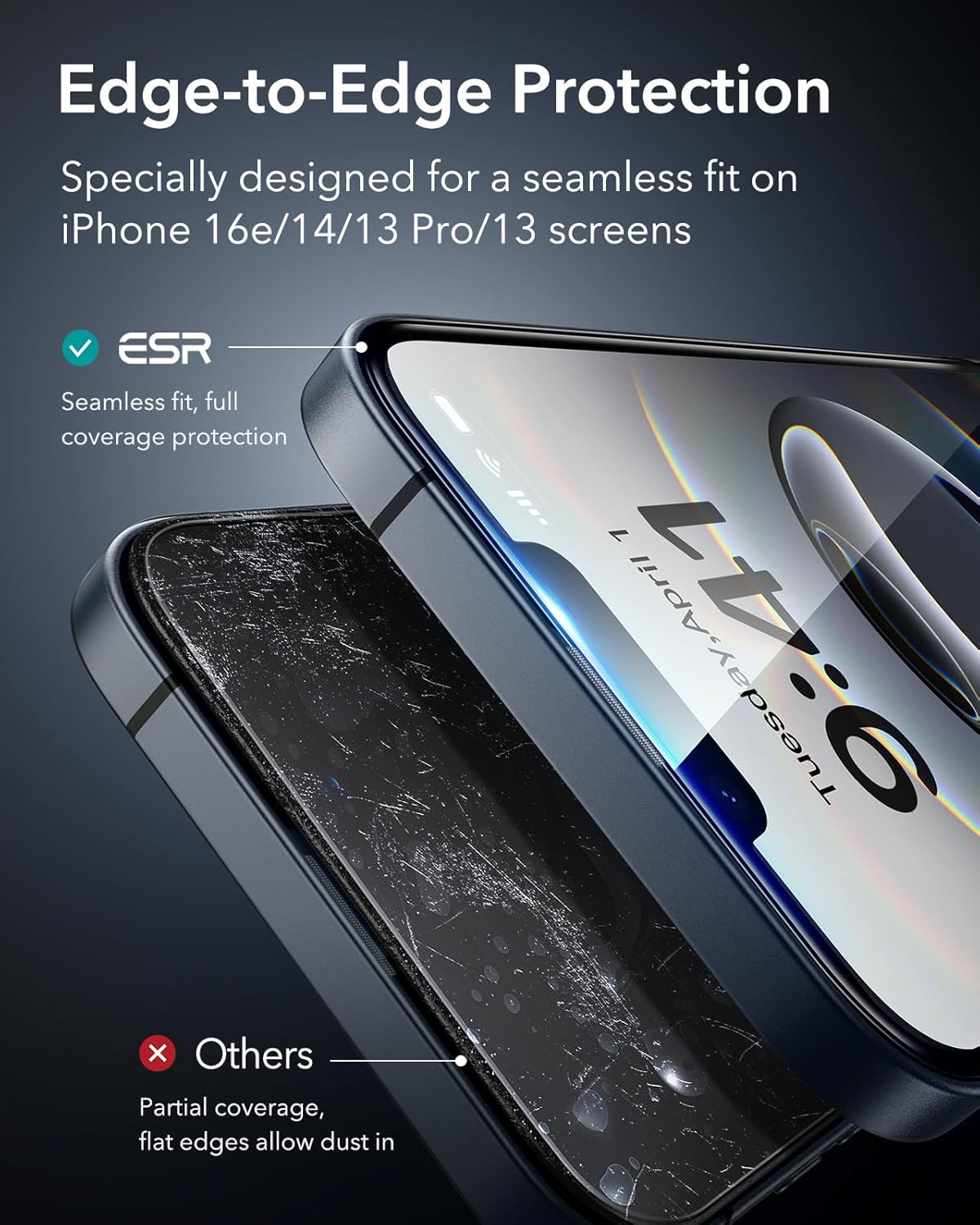
Image: Edge-to-Edge Protection. This visual illustrates the seamless fit and full coverage provided by the ESR screen protector compared to partial coverage alternatives.

Image: Premium Multi-Layered Materials. A diagram showing the 3 layers of high-quality materials and 2 strengthening materials that compose the screen protector.

Image: Powerful Scratch Resistance. A drill bit is shown testing the 9H glass, demonstrating its 3-year scratch resistance against common items like keys, pens, and cables.

Image: HD Clarity. A side-by-side comparison showing the ultra-clear and fingerprint-resistant display of the ESR screen protector versus a smudged, unclear alternative.
Te tiaki
To ensure the longevity and optimal performance of your ESR Tempered Glass Screen Protector, follow these simple maintenance tips:
- Whakapai auau: Use a soft, lint-free cloth (like the included microfiber cloth) to gently wipe the screen protector daily. For stubborn smudges, slightly dampHoroia te kakahu ki te wai, ki te wai horoi rānei e kore e pakaru te mata.
- Aukati i nga matū kino: Kaua e whakamahia ngā kaihoroi whakakoi, te waipiro, ngā wai whakapūkara rānei kei roto he haukini, nā te mea ka kino pea te paninga oleophobic.
- Parenga mai i nga Tikanga Tino: While the protector is durable, avoid exposing your device to extreme temperatures or sharp objects that could compromise its integrity.
Raparongoā
Encountering issues with your screen protector? Here are some common solutions:
- Ngā Mirumiru Hau i Muri i te Tāutanga: Small bubbles often disappear naturally within 24-48 hours. For larger bubbles, gently lift the nearest edge of the screen protector and reapply, pushing the bubble out with a microfiber cloth.
- Dust Under the Screen Protector: If dust particles are trapped, carefully lift the screen protector from the nearest corner using a dust removal sticker or a piece of tape to gently remove the dust. Then, reapply the protector.
- Screen Protector Not Sticking Properly: Ensure the screen was thoroughly cleaned and free of any oils or residues before application. If the issue persists, you may need to use a new screen protector from the pack.
Whakatakotoranga
| Āhuahira | Taipitopito |
|---|---|
| Hunga Hua | 5.64 x 2.68 x 0.01 inihi |
| Taumaha Tūemi | 1.06 hekere |
| Rauemi | Karaehe Tempered |
| Tūemi Pakeke | 9H |
| Pūrere Hototahi | iPhone 16e, iPhone 14, iPhone 13, iPhone 13 Pro |
| Nga waahanga motuhake | Atete ki te pakaru |
| Momo Whakaoti | Moataata |
| Taumata Atete Wai | parewai |
| Tatau Waeine | 3.0 Tatau |
Pūtāhui me te Tautoko
ESR is committed to providing excellent customer service and product reliability.
- Mahere Tiaki 12-Marama: Your ESR screen protector is covered by a comprehensive 12-month protection plan.
- Tautoko Ora: Enjoy lifetime support for any product-related inquiries or assistance.
- Rauemi: Access detailed setup videos and FAQs for additional guidance.
- Personalized Help: Contact ESR customer support for personalized assistance.
For further assistance, please visit the official ESR webpaetukutuku, whakapā atu ranei ki ta raatau ratonga kaihoko.


