Kupu Whakataki
Thank you for choosing the TZUMI Portable Vacuum 7553PINK. This compact and cordless handheld vacuum is designed for quick clean-ups in your home, car, or office. Please read this manual thoroughly before use to ensure proper operation, maintenance, and to maximize the lifespan of your device.
Ihirangi mokete
- TZUMI Portable Vacuum 7553PINK
- Crevice Nozzle Attachment
- Whakapiri perehana
- Uera Whakatau
- Pukapuka Kaiwhakamahi
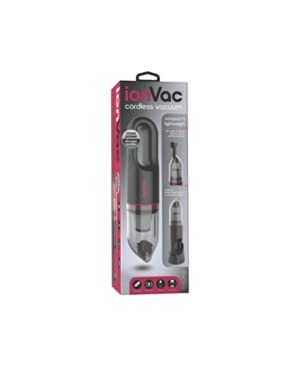 Image: The TZUMI Portable Vacuum 7553PINK shown with its crevice tool attachment.
Nga Tohutohu Haumaru
Before operating the vacuum, please observe the following safety precautions:
- Do not use the vacuum to pick up water or other liquids.
- Do not vacuum flammable or combustible materials, such as gasoline, or use in areas where they may be present.
- Tiakina nga makawe, nga kakahu taratara, nga maihao, me nga wahanga katoa o te tinana mai i nga tuwhera me nga waahanga neke.
- Do not operate the vacuum with a damaged cord or plug.
- Me whakarite kua tāuta tika te tātari i mua i te whakamahinga.
- Ko tenei taputapu ehara i te mea mo te whakamahi ma nga tangata (tae atu ki nga tamariki) he iti te kaha o te tinana, te tairongo, te hinengaro ranei, te kore mohio me te mohiotanga, mena ka tukuna atu ki a raatau te tirotiro, te tohutohu ranei mo te whakamahi i te taputapu e te tangata e whai mana ana mo to raatau haumaru. .
Tatūnga
Te Whakataki i te Korehau
- Kimihia te tauranga utu i runga i te mīhini horoi.
- Connect the provided charging cable to the vacuum and a suitable power source (e.g., USB wall adapter, car USB port).
- The indicator light will illuminate during charging and change color or turn off when fully charged.
- He 3-4 haora pea te utu katoa.
Te taapiri i nga taputapu
- Pupuha Crevice: For reaching tight spaces, corners, and between seats. Simply push the crevice nozzle firmly onto the vacuum's suction opening until it clicks into place.
- Paraihe Āpitihanga: For loosening stubborn dirt and dust from surfaces like upholstery or carpets. Attach the brush to the end of the crevice nozzle or directly to the vacuum's suction opening.
Nga Tohutohu Whakahaere
- Hiko Whakaka/Weto: Press the power button to turn the vacuum on. Press it again to turn it off.
- Tautuhinga Tere: This vacuum features two speed settings. Press the power button once for the standard speed. Press it a second time for a higher suction speed. Press a third time to turn off.
- Te horoi: Direct the nozzle towards the area to be cleaned. Use the appropriate attachment for different surfaces and hard-to-reach areas.
- Ora Pūhiko: The vacuum can operate for approximately 10-15 minutes on a full charge, depending on the speed setting used.
Te tiaki
Te Putea i te Puehu
- Me mohio kua weto te korehau.
- Twist or unlatch the dustbin from the main body of the vacuum.
- Ringihia ngā paru kua kohia ki roto i tētahi ipu para.
- Whakapiria anō te ipu paru kia mau.
Te horoi i te Tātari
- Tangohia te peera peera i runga ake nei.
- Tangohia marietia te tātari i te ipu puehu.
- Tap the filter gently to dislodge dust and debris. For a more thorough cleaning, rinse the filter under cool running water.
- Hiranga: Tukua te tātari kia maroke rawa te hau i mua i te whakauru ano ki roto i te korehau. Kaua e whakamahia te korehau me te tātari maku.
- Reinsert the dry filter and reattach the dustbin.
Raparongoā
| Raruraru | Take pea | Rongoā |
|---|---|---|
| Korehau e ka ana. | Kua pau te pākahiko. | Me utu katoa te korehau. |
| Te mana momi iti. | Kua kī te ipu para, kua purua rānei te tātari. | Putua te ipu puehu ka horoi i te tātari. |
| Ka mutu ohorere te korehau. | Battery is low or motor is overheating. | Recharge the battery. Allow the vacuum to cool down if it has been used continuously for an extended period. |
| Kāore ngā āpitihanga e mau pūmau ana. | Attachments not aligned correctly. | Ensure attachments are pushed firmly and aligned with the suction opening. |
Whakatakotoranga
- Tau tauira: 7553KORERO
- Waitohu: Tzumi
- Ahu mōkihi: 14.8 x 4.92 x 4.13 inihi
- Taumaha Tūemi: 1.76 pauna
- ASIN: B09B8JGSH2
- Te Ra Tuatahi Wātea: Hōngongoi 26, 2021
- Kaihanga: TZUMI
Pūtāhui me te Tautoko
For information regarding warranty coverage, technical support, or replacement parts, please refer to the official Tzumi webpaetukutuku, whakapā atu ranei ki ta raatau ratonga kaihoko. Puritia to riirii hoko hei tohu mo te hoko mo nga kereme whakamana.
You can often find support information on the manufacturer's webpae: www.tzumi.com


