Kupu Whakataki
The Amazon Echo Dot (5th Generation) is a compact smart speaker with Alexa, designed to provide vibrant sound, smart home control, and hands-free assistance. This manual provides essential information for setting up, operating, and maintaining your device.

The Amazon Echo Dot (5th Gen) in Deep Sea Blue, a compact spherical smart speaker with a glowing light ring at its base.
He aha kei roto i te Pouaka
- Echo Dot (5th Gen) device
- Kaiurutau hiko ma kopaka (15W)
- Aratohu Timata Tere
Tatūnga
- Whakahiko: Plug the included power adapter into your Echo Dot and then into a wall outlet. The light ring will turn blue, then orange.
- Tikiake i te taupānga Alexa: Download the Amazon Alexa app on your smartphone or tablet from your device's app store.
- Tūhono ki Wi-Fi: Open the Alexa app and follow the on-screen instructions to connect your Echo Dot to your Wi-Fi network. The device supports dual-band Wi-Fi (2.4 and 5 GHz).
- Whakawhaiaro i nga Tautuhinga: Complete the setup by personalizing your device settings, including your location, preferred language, and linking music services.
For more details on Wi-Fi simple setup, visit the Amazon Wi-Fi simple setup page.
Te Whakahaere i tō Echo Dot
Mana Reo me Alexa
To activate Alexa, simply say the wake word "Alexa". The light ring will turn blue, indicating Alexa is listening. You can then issue commands or ask questions.

The Echo Dot ready to respond to a voice command, asking about the weather.
Waiata me te Whakahoki Ororongo
Play music, audiobooks, and podcasts from various services like Amazon Music, Apple Music, Spotify, and more. You can also stream audio via Bluetooth from your mobile device.

The Echo Dot supports various music streaming services and Bluetooth connectivity for audio playback.
Mana Mana Kainga
Control compatible smart home devices using your voice. The Echo Dot supports Wi-Fi, Bluetooth Low Energy Mesh, and Matter for smart home connectivity. You can also create routines triggered by built-in motion or indoor temperature sensors.
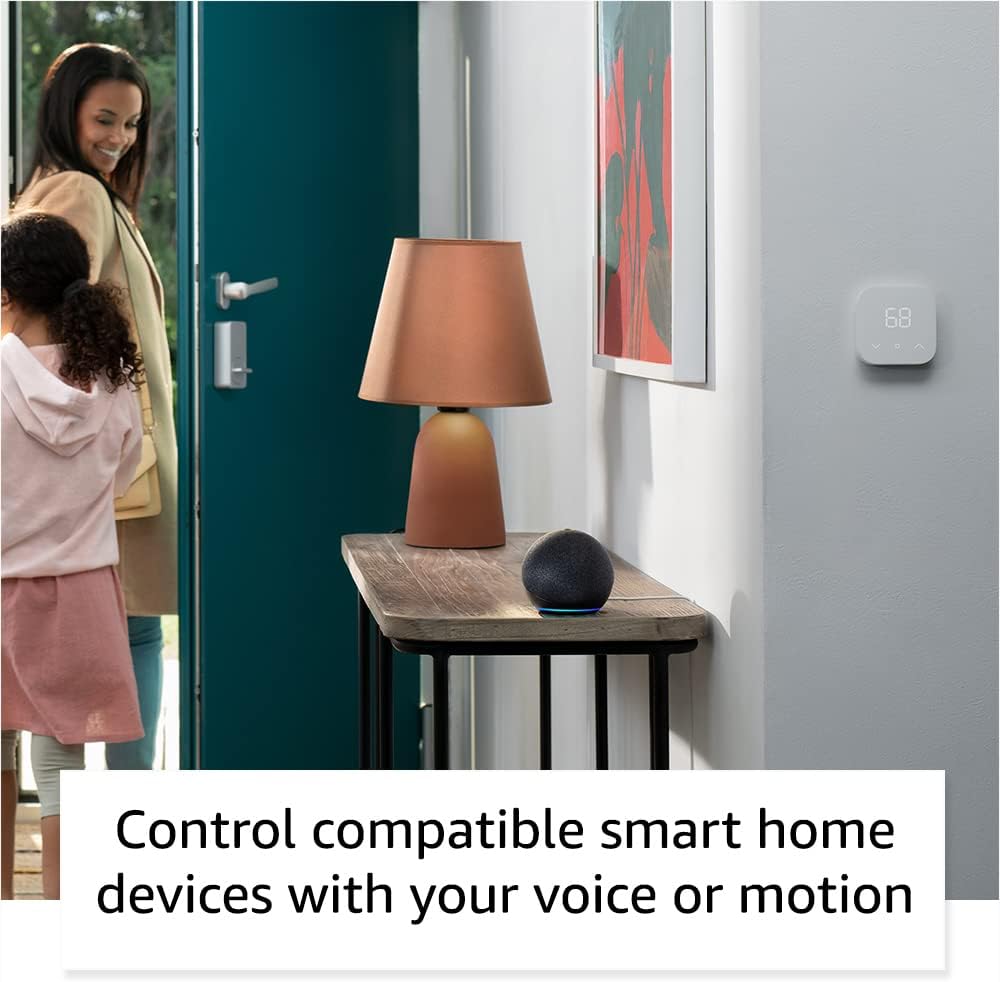
The Echo Dot can control compatible smart home devices, such as thermostats and lights, using voice commands or motion detection.
Whakahaerenga Tinana
- Pātene Rōrahi: Use the '+' and '-' buttons on top to adjust volume.
- Patene Hohenga: Press to wake Alexa or snooze an alarm.
- Patene Whakaweto hopuoro: Press to disconnect the microphones for privacy. The light ring will turn red.

Tapping the top of the Echo Dot can pause music or snooze an alarm.
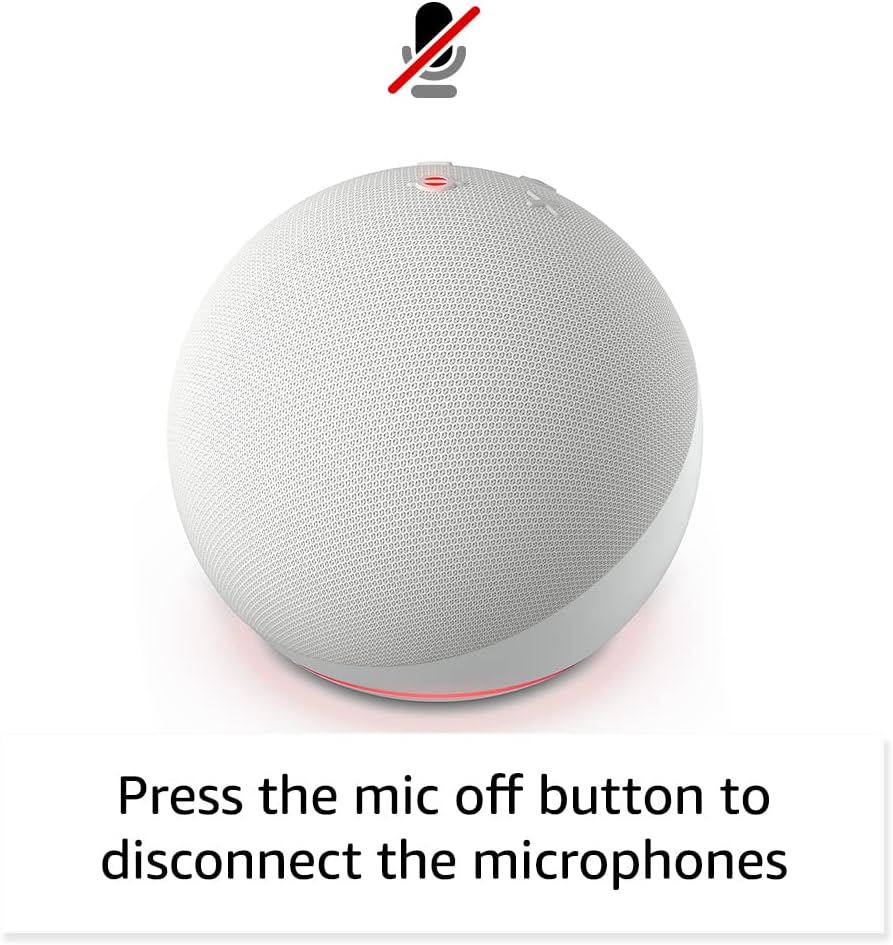
Pressing the microphone off button disconnects the microphones for enhanced privacy.
Te tiaki
The Echo Dot requires minimal maintenance. Keep the device clean by wiping it with a soft, dry cloth. Avoid using abrasive cleaners or submerging the device in water.
Ensure the device is placed in a well-ventilated area and not covered to prevent overheating.
Raparongoā
| Raruraru | Rongoā |
|---|---|
| Echo Dot not responding: | Ensure the microphone is not muted (red light ring). Check power connection. Restart the device by unplugging and plugging it back in. |
| Kaore e taea te hono ki Wi-Fi: | Verify your Wi-Fi password. Ensure your router is working. Try moving the Echo Dot closer to the router. Re-run Wi-Fi setup in the Alexa app. |
| He pai te kounga ororongo: | Check device placement; avoid corners or enclosed spaces. Ensure no obstructions are blocking the speaker. Adjust volume. |
| Alexa not understanding commands: | Speak clearly and at a normal volume. Reduce background noise. Ensure you are within listening range. |
Mo etahi atu awhina, tirohia te Amazon Echo Dot Help pages or contact Amazon Customer Service.
Whakatakotoranga
- Rahi: 3.9” x 3.9” x 3.5” (100mm x 100mm x 89 mm)
- Taumaha: 10.7 hāora (304g)
- Ororongo: Pūoro mura-mua 1.73” (44 mm), Whakamāramatanga Teitei Kore-Ngaro
- Hononga Wi-Fi: Dual-band Wi-Fi (802.11a/b/g/n/ac, 2.4 and 5 GHz)
- Hononga Nihokikorangi: Tautoko A2DP mo te rere oro, AVRCP mo te whakahaere reo o nga taputapu waea hono.
- Hototahitanga Whare Ataata: Wi-Fi, Nihokikorangi Te Mata Pungao, Mea
- Whakatupuranga: Echo Dot (5 o ngā whakatipuranga) - tukunga 2022
- Reo: Ka korero a Alexa i te reo Ingarihi me te Paniora
Ngā Āhuatanga Tūmataitinga
He maha ngā paparanga o ngā mana whakahaere tūmataiti kua hangaia mō te Echo Dot:
- Hangarau Wake Word: Alexa only starts listening after detecting the wake word.
- Patene Whakaweto hopuoro: Electronically disconnects the microphones.
- Tohu Rere: Ka whakaatuhia e ngā tohu tirohanga te wā e rere ana a Alexa i te oro ki te kapua.
- Whakahaere Hopu Reo: Te kaha ki te view me te muku i ō rekoata reo mā te taupānga Alexa.
Mo etahi atu korero, tirohia te Hub Tūmataitinga Alexa.
Ngā Āhuatanga Āheitanga
The Alexa app provides various accessibility settings:
- Whakarongo Urutau: Ka nui ake te wa ki te whakaoti korero i mua i te whakautu a Alexa.
- Rereke Korero Manakohia: Whakahaerehia te tere, te puhoi ranei o te korero a Alexa.
- Tono Oro: Plays an audible tone when you speak to Alexa.
- Kindle Panui Nui: Ka taea e Alexa te pānui i ō pukapuka Kindle.
- Whakamōhio Ina Tata: Ka purei i nga oro whakamohiotanga ina kitea tata ki te taputapu.
Access these features in the Alexa App: Tautuhinga → Te urunga.
Hikoi Amazon
Amazon Sidewalk uses Echo and Ring devices to securely keep other devices connected and help find lost items. It uses a small portion of your internet bandwidth to provide these benefits. Sidewalk is turned on by default but can be turned off at any time via the Alexa app.
Learn more about Amazon Sidewalk konei.
eero Hanga-i roto
Your Echo Dot can extend Wi-Fi coverage with a compatible eero router. This feature requires linking your eero and Amazon accounts and managing it from the eero mobile application. eero Built-in compatible Echo devices support up to 1,000 sq. ft. of additional coverage, speeds up to 100 Mbps, and 10 or fewer connected devices.
Mo etahi atu korero, tirohia te eero Built-in information page.
Pūtāhui me te Ratonga
The Echo Dot comes with a 90-day limited warranty and service. Optional 1-year, 2-year, and 3-year extended warranties are available for U.S. customers, sold separately.
Ka whiwhi tēnei taputapu i ngā whakahōunga haumarutanga pūmanawa kua whakamanahia tae noa ki te whā tau i muri i te wā whakamutunga ka wātea te taputapu hei hoko hou i runga i a Amazon. webpae.
For warranty claims or service, please contact Amazon Customer Service or visit the Amazon Device Support page.


