Pukapuka Kaiwhakamahi mō te Maunga Waea Atamai Xtreme Magnetic
Model: XPM5-0108-BLK
Kupu Whakataki
Mauruuru koe mo te hokoasing the Xtreme Magnetic Smartphone Mount. This manual provides essential information for the proper installation, operation, and maintenance of your new device. Please read this manual thoroughly before use to ensure optimal performance and safety.
This mount is designed to securely hold your smartphone on a dashboard, providing convenient access to your device while driving.
Nga korero haumaru
- Kaua e arai i to view of the road or any vehicle controls when installing the mount.
- Ensure the mount is securely attached before placing your smartphone.
- Do not attempt to adjust the mount or your smartphone while driving. Always pull over to a safe location if adjustments are necessary.
- Keep the magnetic mount away from sensitive electronic devices that may be affected by magnetic fields.
- Avoid exposing the mount to extreme temperatures or direct sunlight for prolonged periods, as this may affect its material integrity.
Ihirangi mokete
Manatokona kei roto katoa nga mea kei roto i te kete:
- 1 x Xtreme Magnetic Smartphone Mount
- (Additional magnetic plates for phone/case may be included, check packaging)

Image: The Xtreme Magnetic Smartphone Mount shown alongside a smartphone, illustrating the two main components involved in its use.
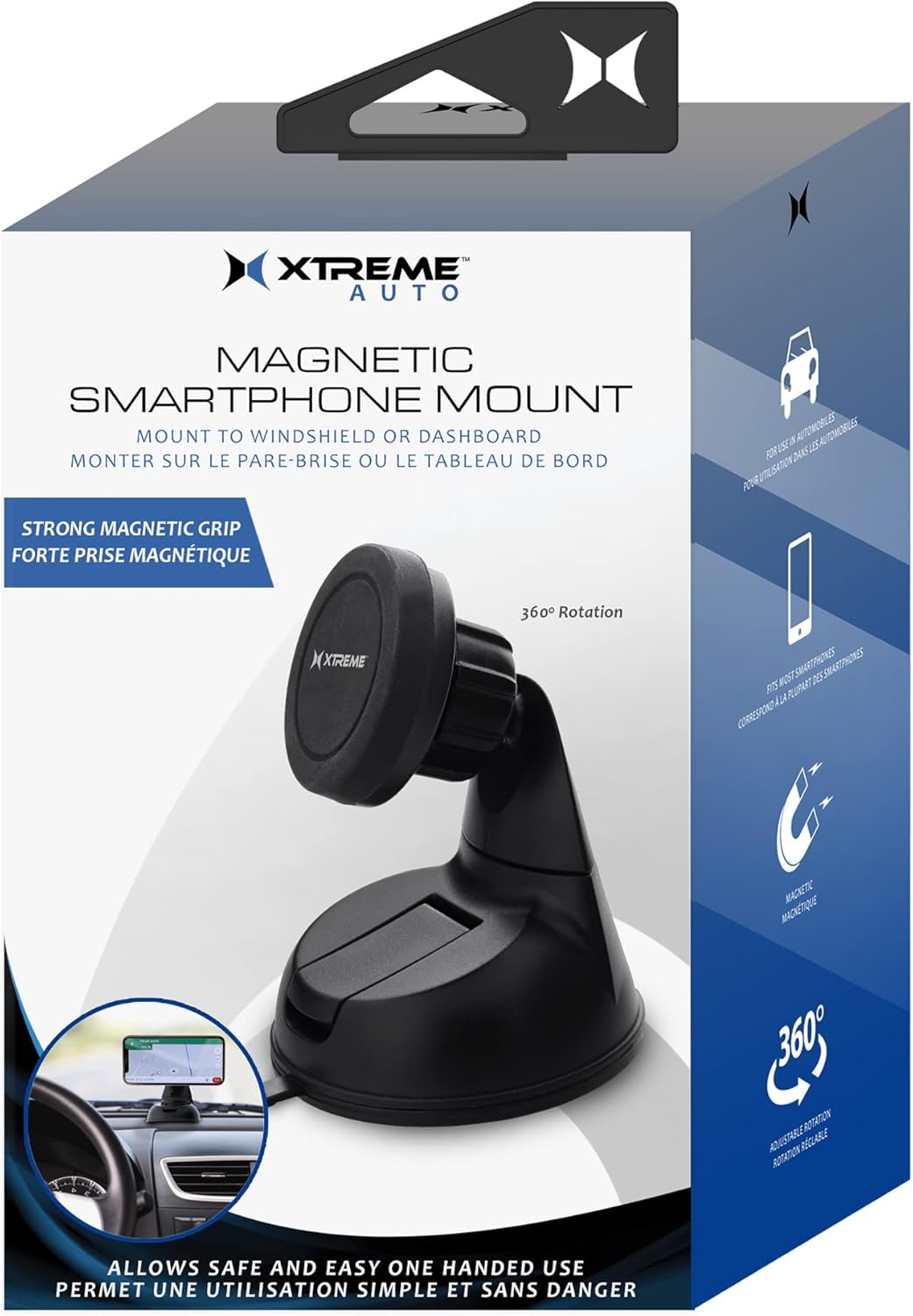
Image: The retail packaging for the Xtreme Magnetic Smartphone Mount, displaying product features and branding.
Tatūnga me te Tāuta
Follow these steps to properly install your magnetic smartphone mount:
- Kōwhiria he Tauwāhi Whakapuru: Kōwhiria he mata papatahi, ma i runga i tō papaaho, i tō matapihi rānei, kāore e ārai i a koe view ka pokanoa ranei ki nga putea hau.
- Horoia te Mata: Wipe the chosen mounting surface with a clean cloth to remove any dust or debris. Allow it to dry completely.
- Whakapirihia te Maunga:
- Peel off the protective film from the suction cup base of the mount.
- Press the suction cup firmly onto the cleaned surface.
- Engage the locking lever (if present) on the base to create a strong vacuum seal.
- Whakaritea tō Waea Atamai:
- Attach the included metal plate to the back of your smartphone or inside its case. Ensure the plate is centered for optimal magnetic connection.
- Clean the back of your phone or case before applying the adhesive metal plate.
- Whakaritea te Koki: Loosen the adjustment knob on the mount to position the magnetic head to your desired viewing angle. Tighten the knob to secure the angle.

Whakaahua: He mua view of the Xtreme Magnetic Smartphone Mount, highlighting its suction cup base and adjustable magnetic head.

Whakaahua: He tata view of the adjustable ball joint mechanism on the mount, showing the tightening knob for angle adjustment.
Nga Tohutohu Whakahaere
Once the mount is installed and your smartphone is prepared, using the mount is simple:
- Attach Smartphone: Gently bring your smartphone (with the metal plate attached) close to the magnetic head of the mount. The strong magnets will automatically align and secure your phone.
- Whakaritea Viewing Koki: If needed, slightly loosen the adjustment knob, reposition your phone to the desired viewing angle, and then tighten the knob to lock it in place. The mount supports 360-degree rotation.
- Tangohia te Waea Atamai: To remove your smartphone, simply pull it away from the magnetic head.

Image: A smartphone securely mounted on a vehicle's dashboard using the Xtreme Magnetic Smartphone Mount, displaying a navigation application.
Te tiaki
- Te horoi: Horoia te maunga ki te ngohengohe, damp kakahu. Kaua e whakamahi i nga matū kino me nga horoi horoi.
- Tiaki Kapu Momo: If the suction cup loses its grip, rinse it with warm water and let it air dry. This can help restore its adhesive properties.
- Rokiroki: Ki te kore e whakamahia mo te wa roa, tiakina te maunga ki tetahi wahi matao, maroke atu i te ra tika.
Raparongoā
| Raruraru | Take pea | Rongoā |
|---|---|---|
| Mount does not stick to surface. | Surface is dirty or uneven; suction cup is dirty or damaged. | Clean the mounting surface and the suction cup. Ensure the surface is flat. Re-apply firmly and engage the lock. |
| Smartphone falls off mount. | Metal plate not properly attached or misaligned; magnetic head dirty; phone too heavy. | Ensure metal plate is centered and securely attached. Clean magnetic head. Verify phone weight is within reasonable limits for magnetic mounts. |
| Mount angle won't stay. | Adjustment knob is loose. | Whakakīia te pātene whakatikatika kia mau i muri i te whakatakoto i te koki e hiahiatia ana. |
Whakatakotoranga
| Āhuahira | Taipitopito |
|---|---|
| Tau tauira | XPM5-0108-BLK |
| Waitohu | NGĀ TAPUTAPU ORA MAMATI XTREME |
| Momo Whakaeke | Papatohu |
| Pūrere Hototahi | Waea atamai |
| Tauira Waea Hototahi | All Smartphones |
| Tae | Pango |
| Taumaha Tūemi | 5.6 hekere |
| Ahu mōkihi | 7.32 x 4.37 x 3.5 inihi |
Pūtāhui me te Tautoko
For warranty information or technical support, please refer to the contact details provided on the product packaging or visit the official Xtreme Digital Lifestyle Accessories webpae.
Tena koa pupurihia to tohu mo te hoko mo etahi kereme whakamana.


