Kupu Whakataki
The boAt Rockerz 335 Pro is a wireless neckband designed to provide a high-quality audio experience. It incorporates advanced audio technologies and user-friendly features for convenience and durability.
Nga waahanga matua
- Qualcomm aptX & aptX HD Audio Technology: Ensures seamless reproduction of immersive sound.
- Qualcomm cVc Noise Cancellation: Captures your voice clearly during calls by reducing background noise.
- Whakahoki Whakaroa: Offers up to 50 hours of playback on a single full charge.
- ASAP Charge Technology: Provides up to 10 hours of playtime with just 10 minutes of charging.
- Oro Waitohu boAt: Delivers an enhanced audio experience for your playlists.
- Power-Sensitive Smartbuds: Simplifies power management; separate earbuds to power on, unite them to power off.
- IPX5 Ātete Wai: Protects the neckband from splashes and sweat, suitable for active use.
- Bluetooth v5.0 & Dual Pairing: Ensures instant connectivity to media devices and allows simultaneous connection to two devices.
- Tautoko Kaiawhina Reo: Access Google Assistant or Siri with a single press.
- Momo-C Port: Provides a convenient and seamless charging experience.
He aha kei roto i te Pouaka
Upon unboxing your boAt Rockerz 335 Pro, you should find the following items:
- 1 x boAt Rockerz 335 Pro Neckband
- 1 x Ngā Taringa Tāpiri (ngā takirua o ngā rahi rerekē)
- 1 x Taura Utu (Momo-C)
- 1 x Pukapuka Kaiwhakamahi
Ka mutu te huaview
Familiarize yourself with the components of your boAt Rockerz 335 Pro neckband.

Whakaahua: Ka mutuview of the boAt Rockerz 335 Pro highlighting its key features and design elements.
Nga Mana me nga Tohu
- Metal Control Board: Houses the buttons for playback, volume, and call management.
- Power-Sensitive Smartbuds: Magnetic earbuds that automatically power the device on when separated and off when united.
- Tohu LED: Displays charging status, pairing mode, and power status.
- Tauranga Whakatau Momo-C: Located on the control board for convenient charging.

Image: Detail of the power-sensitive smartbuds, illustrating how separating them powers the device on and uniting them powers it off.
Tohutohu Tatūnga
1. Charging the Neckband
Before initial use, fully charge your Rockerz 335 Pro.
- Connect the Type-C charging cable to the charging port on the neckband.
- Monohia tetahi pito o te taura ki te urutau hiko USB (kaore i whakauruhia), ki te tauranga USB rorohiko ranei.
- Ka whakaatu te tohu LED i te mana o te utu (hei tauira, he whero mo te utu, he kikorangi mo te whakakii katoa).
The neckband features Utu ASAP, providing 10 hours of playback with just 10 minutes of charging. A full charge offers up to 50 hours of playback.
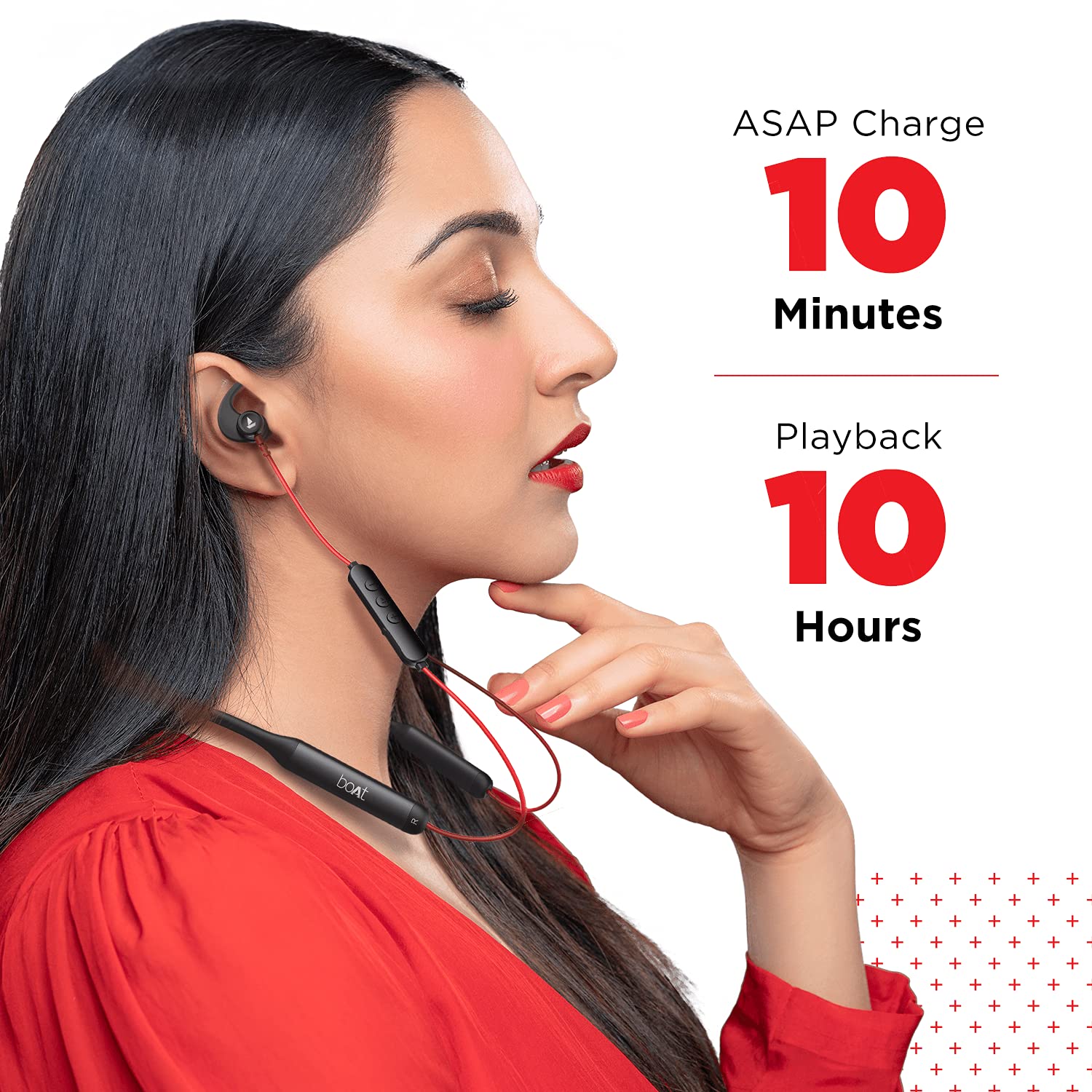
Image: Demonstrates the ASAP Charge feature, highlighting quick charging for extended playback.

Image: Illustrates the impressive 50-hour total playback time of the neckband.
2. Tauhoa ki te Pūrere
The Rockerz 335 Pro uses Bluetooth v5.0 for wireless connectivity.
- Whakahiko: Separate the magnetic earbuds to power on the neckband. The LED indicator will flash, indicating pairing mode.
- Whakahohe Nihokikorangi: I tō waea atamai, papahiko, pona rānei, whakahohea te Nihokikorangi.
- Tīpako Pūrere: In your device's Bluetooth settings, search for and select "boAt Rockerz 335 Pro".
- Whakaū: Once connected, the LED indicator will change, and you may hear an audio prompt.
Takirua takirua: The neckband supports dual pairing, allowing you to connect to two devices simultaneously. After pairing with the first device, disable its Bluetooth, pair with the second device, then re-enable Bluetooth on the first device. The neckband will connect to both.
Nga Tohutohu Whakahaere
Te Hiko / Whakaweto
- Whakahiko: Wehea ngā pane taringa aukume.
- Weto Whakakore: Unite the magnetic earbuds.
Purei Waiata
- Purei/Tatari: Pēhia te Pātene Maha-mahi (MFB) kotahi.
- Riu Panuku: Patohia te paatene "+" roa.
- Riu o mua: Paa roa te paatene "-".
- Runga Runga: Pēhia poto te pātene "+".
- Raro Raro: Patohia poto te paatene "-".
Whakahaa Piiraa
- Whakautu/Whakamutu Waea: Patohia te MFB kotahi.
- Whakakore Waea: Pēhia roa te pātene MFB.
- Tuarua: Pehia rua te MFB.
Kaiāwhina reo
Activate your device's voice assistant (Google Assistant or Siri) with a single press of the dedicated Voice Assistant button on the control board.

Image: Highlights the Qualcomm aptX audio technology for superior sound and cVc noise cancellation for clear calls.
Te tiaki
Ātete Wai (IPX5)
The boAt Rockerz 335 Pro is rated IPX5, meaning it is resistant to splashes and sweat. This makes it suitable for workouts and light rain. However, it is not designed for submersion in water. Avoid exposing the charging port to moisture.
Te horoi
Hei pupuri i te mahi tino pai me te akuaku:
- Wipe the neckband and earbuds with a soft, dry cloth.
- Kaua e whakamahi i nga kai horoi me nga whakarewa.
- Me whakarite kia ma, kia maroke te tauranga utu i mua i te utu.
Raparongoā
If you encounter issues with your boAt Rockerz 335 Pro, refer to the following common solutions:
| Raruraru | Rongoa pea |
|---|---|
| Kaore e taea te hiko | Ensure earbuds are separated. Charge the device fully. |
| Kaore e taea te hono ki te taputapu | Ensure Bluetooth is enabled on your device. Make sure the neckband is in pairing mode (LED flashing). Forget the device in your phone's Bluetooth settings and try pairing again. |
| Kaore he tangi, he iti ranei te rahinga | Check volume levels on both the neckband and your connected device. Ensure the neckband is properly connected. Try re-pairing. |
| Karanga take kounga | Ensure the microphone is not obstructed. Move closer to your connected device. Check for environmental noise. |
| ASAP Charge not working | Ensure you are using a compatible Type-C cable and power adapter. Check the charging port for debris. |
Whakatakotoranga
Detailed technical specifications for the boAt Rockerz 335 Pro:
- Ingoa Tauira: Rockerz 335 Pro
- Hangarau Hononga: Ahokore
- Hangarau Whakawhitiwhiti Ahokore: Nihokikorangi v5.0
- Momo Atekōkiri Ororongo: Atekōkiri Hihiko
- Ora Pūhiko: Tae atu ki te 50 haora
- Wā Whakataki: 10 Minutes (for 10 hours playback via ASAP Charge)
- Tauranga Whakatau: Momo-C
- Taumata Atete Wai: IPX5 (Atete Wai)
- Rauemi: Metal (Control Board)
- Taumaha Tūemi: 50 Karamu
- Momo Mana: Mana Reo
- Nga waahanga motuhake: Te Utu Tere, Kei roto te Waeaoro, Te werawera
- Noise Control Features: Noise Cancellation (cVc)
- Ngā Pūrere Hototahi: Waea Pukoro, Papa, Rorohiko
- Pūhara Pūmārō: Waea atamai
- Pūhiko: 2 nga pākahiko Lithium Ion e hiahiatia ana (kei roto)
- Rahi Hua: 17 x 13 x 13 cm
Pūtāhui me te Tautoko
Your boAt Rockerz 335 Pro comes with a 1-Tau Pūtāhui from the date of purchase. For any product-related issues, service requests, or further assistance, please refer to the official boAt customer support channels.
For detailed information on warranty claims, service centers, or to register a complaint, please visit the official boAt support portal. You can also track the status of your service requests online.
Ataata: Ko tenei ataata ka mutuview of the boAt Rockerz 335 Pro Wireless Neckband, covering its key features, design, and battery life. It also includes a segment on how to utilize the boAt customer support portal for service requests and product replacements.