1. Kupu Whakataki
This manual provides comprehensive instructions for the operation and maintenance of your FOXWELL NT604 OBD2 Scanner and BT100 Pro Battery Tester. These devices are designed to assist in diagnosing vehicle issues and assessing battery health, providing valuable information for vehicle maintenance.
The FOXWELL NT604 is an advanced diagnostic scan tool capable of reading and clearing fault codes, displaying live data, and performing various tests on key vehicle systems. The FOXWELL BT100 Pro is a professional battery analyzer designed to test 12V batteries, providing accurate readings on battery voltage, CCA, internal resistance, and overall health.
2. Tatūnga
2.1 Te Wetewete i te Pūrere
Carefully remove all components from the packaging. Verify that all items listed in the product packaging are present. Retain the packaging for future storage or shipping.
2.2 Whakanui-a-Tamatanga
The NT604 scanner typically powers on when connected to a vehicle's OBD-II port. The BT100 Pro battery tester powers on when connected to a 12V battery.

Figure 2.1: The FOXWELL NT604 OBD2 Scanner and BT100 Pro Battery Tester.
3. Mahi
3.1 FOXWELL NT604 OBD2 Scanner Operation
The NT604 scanner connects to your vehicle's On-Board Diagnostics II (OBD-II) port to access vehicle system information.
- Kimihia te tauranga OBD-II: The OBD-II port is usually located under the dashboard on the driver's side.
- Honoa te Matawai: Plug the NT604's diagnostic cable into the vehicle's OBD-II port. The scanner will power on automatically.
- Whakawhitiwhiti Kōrero Waka: The scanner will attempt to establish communication with the vehicle's ECU (Engine Control Unit). Follow on-screen prompts.
- Whakaterenga Tahua Matua: Use the navigation buttons (up, down, left, right, OK, ESC) to select desired functions from the main menu. Common functions include:
- Panui Waehere: Retrieves Diagnostic Trouble Codes (DTCs) from the vehicle's systems.
- Ngā Waehere Whakamārama: Erases DTCs from the vehicle's memory. Note: Clearing codes does not fix the underlying problem. Address the issue before clearing codes.
- Raraunga Ora: Displays real-time sensor data from the vehicle.
- Tae Whakatio: Captures a snapshot of vehicle operating conditions at the time a fault code was set.
- I / M Te Rite: Checks the status of emission-related monitors.
- Tātari Pūnaha: Accesses specific vehicle systems like Engine, ABS, SRS (Airbag), and Transmission for detailed diagnostics.

Figure 3.1: The NT604 scanner's main menu showing various OBDII functions.

Figure 3.2: The NT604 scanner's capability to diagnose Engine, ABS, SRS, and Transmission systems.
3.2 FOXWELL BT100 Pro Battery Tester Operation
The BT100 Pro is designed for testing 12V automotive batteries. It can perform tests both in-vehicle and out-of-vehicle.
- Whakapaia te Pūhiko: Me whakarite he ma, he kore waikura nga pito o te pākahiko.
- Tūhonohia te Kaiwhakamātau:
- Honoa te cl wheroamp ki te tauranga pai (+) pākahiko.
- Honoa te pango clamp ki te tauranga toraro (-) pākahiko.
- The tester will power on automatically.
- Select Test Type:
- In-Vehicle Test: For batteries installed in the vehicle.
- Out-of-Vehicle Test: For standalone batteries.
- Tīpako Momo Pūhiko: Choose the correct battery type (e.g., Regular Flooded, AGM Flat Plate, AGM Spiral, GEL) from the menu. Incorrect selection may lead to inaccurate results.
- Enter CCA Rating: Input the Cold Cranking Amps (CCA) rating found on the battery label.
- Perform Test: The tester will perform the analysis and display results such as:
- Voltage
- Inenga CCA
- Ātete ā-roto
- State of Hauora (SOH)
- Te Mana Whakahaere (SOC)

Figure 3.3: The BT100 Pro supports both in-vehicle and out-of-vehicle battery testing.
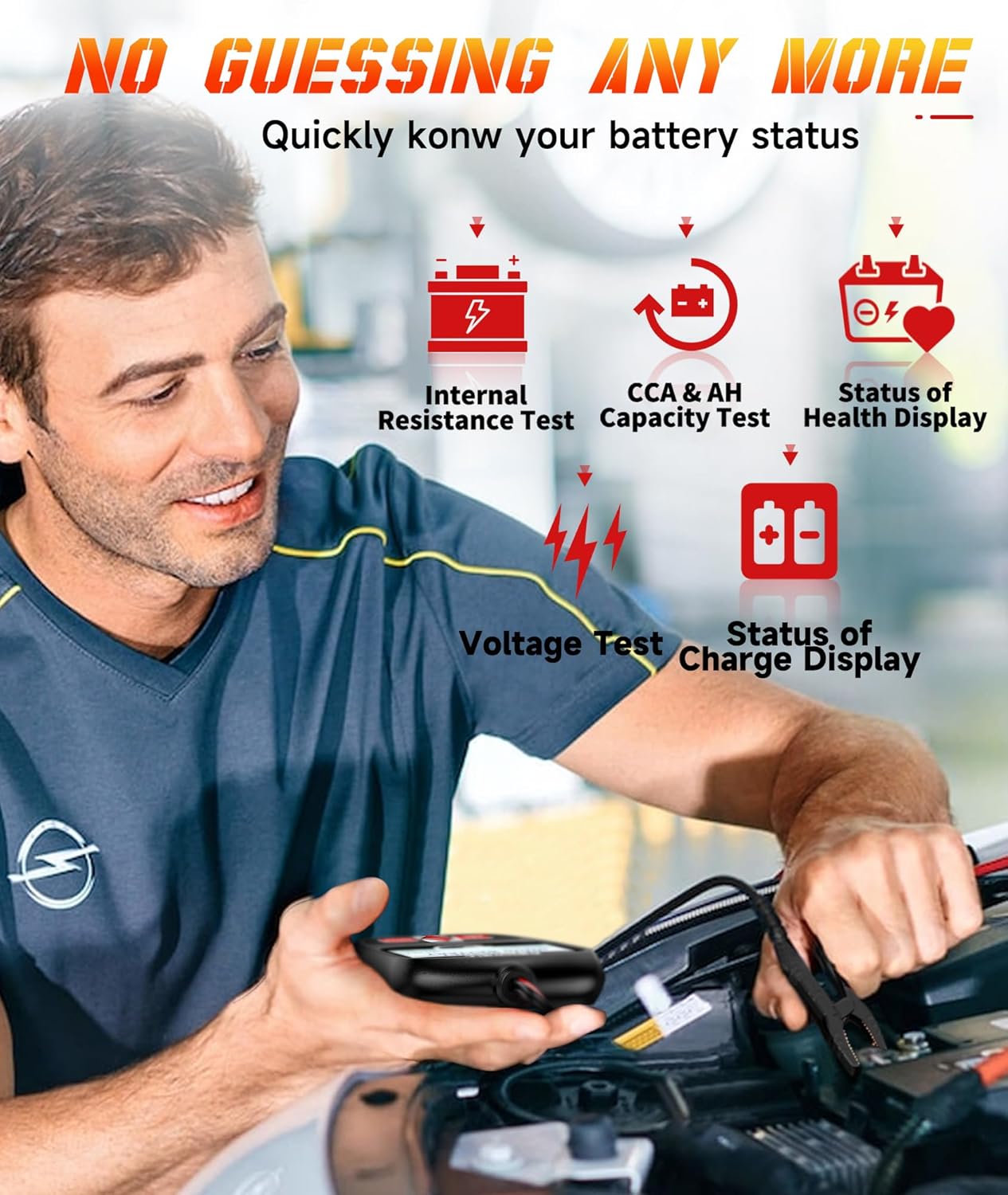
Figure 3.4: The BT100 Pro provides detailed battery status including internal resistance, CCA, and health display.
4. Tiaki
4.1 Te horoi
Horoia te taputapu ki te ngohengohe, damp kakahu. Kaua e whakamahi i nga kai horoi me nga whakarewa. Me whakarite kua maroke te taputapu i mua i te rokiroki.
4.2 Whakahōu Pūmanawa
Periodically check the FOXWELL official website for software updates for the NT604 scanner. Updates can improve performance, add new features, and expand vehicle compatibility. Follow the instructions provided on the website for updating the device firmware.
4.3 Rokiroki
Store the devices in a clean, dry environment, away from extreme temperatures and direct sunlight. Keep cables neatly coiled to prevent damage.
5. Te Raru
| Raruraru | Take pea | Rongoā |
|---|---|---|
| NT604 does not power on. | Loose OBD-II connection; vehicle's OBD-II port fuse blown; vehicle battery low. | Ensure secure connection. Check vehicle's OBD-II port fuse. Verify vehicle battery voltage. |
| NT604 fails to link with vehicle. | Incorrect protocol selected; vehicle ignition off; faulty connection. | Ensure ignition is ON. Check cable connection. Try a different vehicle if possible to isolate the issue. |
| BT100 Pro does not power on. | Pūhiko wetekinaamp connection; battery voltage iti rawa. | Me whakarite clamps are securely attached to clean battery terminals. Test a different battery if available. |
| Inaccurate BT100 Pro readings. | Incorrect battery type or CCA entered; dirty battery terminals. | Verify battery type and CCA input. Clean battery terminals thoroughly. |
6. Whakatakotoranga
FOXWELL NT604 OBD2 Matawai
- Pūnaha Tautoko: Engine, ABS, SRS (Airbag), Transmission
- OBDII Modes: 10 modes (Read Codes, Clear Codes, Live Data, Freeze Frame, I/M Readiness, Component Test, O2 Monitor Test, On-Board Monitor Test, Retrieve Vehicle Info, Modules Present)
- Puna Hiko: Vehicle OBD-II port
FOXWELL BT100 Pro Battery Tester
- Pūhiko Voltage: 12V
- Awhe Whakamatau: 100-1100 CCA
- Momo Pūhiko Tautoko: Regular Flooded, AGM Flat Plate, AGM Spiral, GEL
- Hua Whakamatau: Voltage, CCA, Internal Resistance, State of Health (SOH), State of Charge (SOC)
- Puna Hiko: Battery Powered (from the tested battery)

Whakaahua 6.1: Example of battery test results displayed on the BT100 Pro.
7. Pūtāhui me te Tautoko
7.1 Nga Korero Whakaputanga
FOXWELL products are covered by a limited warranty against defects in materials and workmanship. Please refer to the warranty card included with your product or visit the official FOXWELL webpae mo nga tikanga me nga tikanga whakamana.
7.2 Tautoko Hangarau
For technical assistance, software updates, or service inquiries, please contact FOXWELL customer support. Contact information can typically be found on the official FOXWELL webte waahi kei roto ranei i te kohinga hua.
Webpae: www.foxwelltech.com (Exoampte hononga, manatokohia te paetukutuku mana)


